Table of contents
Open Table of contents
Article body
A problem I ran into while coding today:
The frontend uses Ajax to communicate with a backend built on SSM (Spring, Spring MVC, and MyBatis). During testing, the request reached the controller and the correct method, which returned the expected data. Even so, the frontend Ajax request always entered the error callback.
As usual, I worked through the problem one step at a time.
To locate the problem, I decided to print the arguments passed to the error callback, since every request ended up there. The Ajax error callback has three arguments: error:function(jqXHR,textStatus,errorThrown)
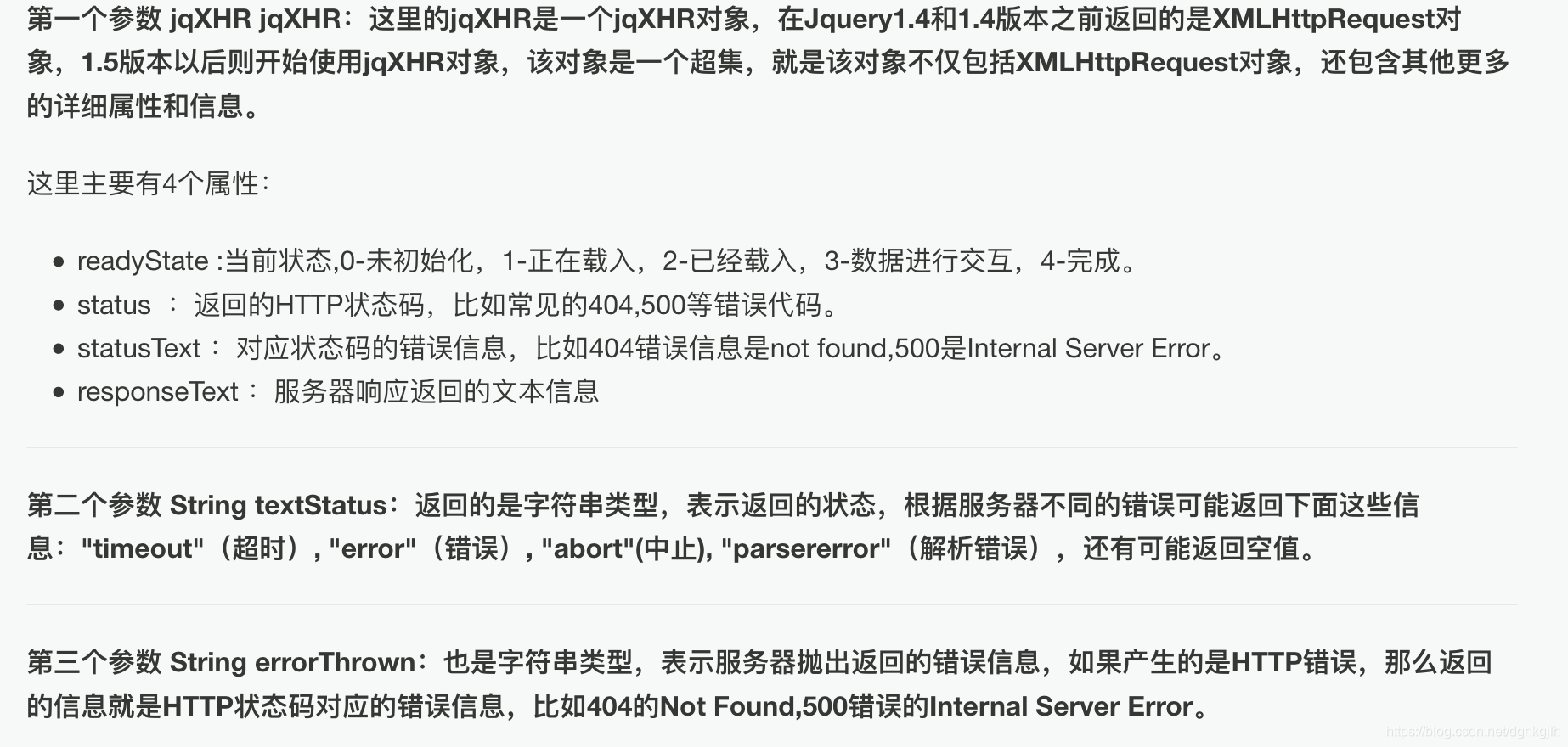
The image above explains what these three arguments mean.
With those meanings in mind, we can use console.log() to inspect the values when error:function is called. I printed only these four properties:
console.log(jqXHR.status);
console.log(jqXHR.readyState);
console.log(jqXHR.responseText);
console.log(jqXHR.statusText);
I tested again. The console showed readyState---4 and status—200, both normal. However, responseText reported “unexpected token in json at postion 4,” followed by “parse error.”
This suggested that JSON parsing failed when the frontend received the backend response. I found many solutions online, but they all involved an incorrect dataType. Mine was correctly set to dataType: “json”, so what was happening?
After thinking about it for a while, I realized that the action method might be missing @ResponseBody. I checked, and that was indeed the problem. Once I added the annotation, the response worked correctly.
My takeaway: I had used @ResponseBody plenty of times without really considering what it did. Here, it returns the method’s data to the frontend as JSON. The return type can be String, List, Map, a VO, and so on.
When the method returns ModelAndView, however, this annotation is unnecessary.
Finally, thanks to this blogger for sharing.
Update: 2019-3-4
I ran into another problem with Ajax today. I declared three global variables, assigned the Ajax results to them, and then used the three variables as values for elements in an array, as shown below:
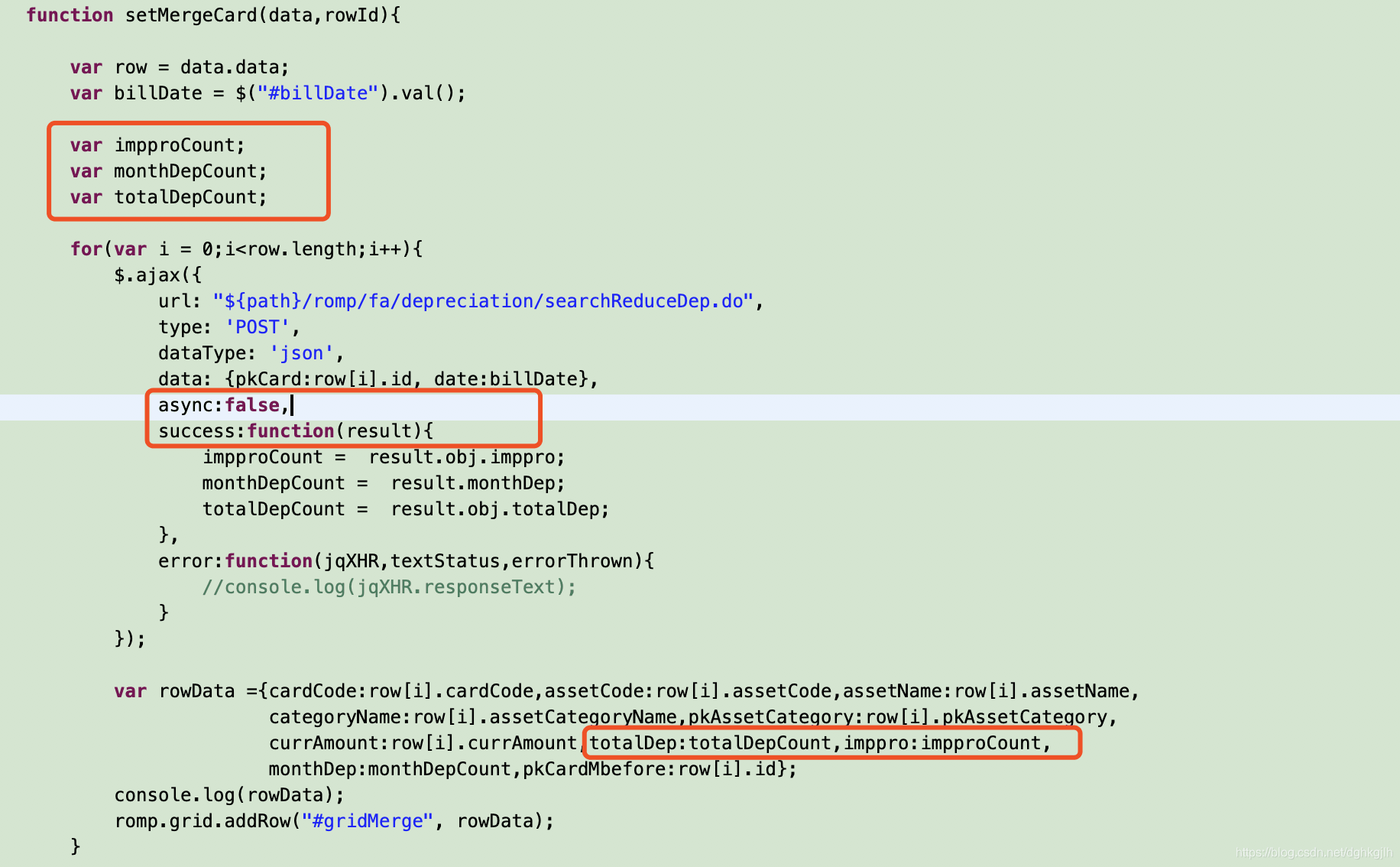
When I printed the array elements, the global variables that should have held values were undefined. I had clearly assigned them inside the Ajax success:function(), so why were the values missing? I had omitted the async property, whose default is true. The code therefore continued to the next step without waiting for the URL request to finish. That caused the problem. I had encountered this before but forgotten to write it down, so I am recording it now.