Table of contents
Open Table of contents
Arthas
Startup / Reconnecting
-
Startup
# Arthas JARs are usually downloaded into the current default location; if running as root # cd ~ # cd .arthas/lib/3.4.3/arthas # Administrator privileges are needed. Alternatively, cd into .arthas/lib/VERSION/arthas first sudo java -jar arthas-boot.jar -
Reconnecting
Reconnecting means connecting to Arthas again after closing the terminal.
telnet localhost 3658
Common Startup Problems
-
Unable to open socket file: target process not responding or HotSpot VM not loaded
- First try attaching with jstack pid. If that also reports this error, search for the underlying issue.
- If none of the many suggested fixes works—including the commonly mentioned missing /tmp/hsperfdata_$USER (I checked; mine existed)—try updating the machine’s JDK. My original open-jdk version, 1:1.8.0.252.b09-3.el8_2, would not work. Updating to java-1.8.0-openjdk-1:1.8.0.265.b01-0.el8_2.x86_64 fixed it.
The following are scenarios I have used in real development. See the Arthas documentation for more.
Updating Code in Production
A common development scenario:
An urgent problem occurs in production. You modify and test the code locally, perhaps changing only a few files or adding a few lines. Replacing the production JAR means stopping, rebuilding, deploying, and releasing the application, with a wider impact. A hot update of the .class files can be enough instead.
Arthas provides an end-to-end workflow: read a .class file -> decompile it into .java source -> modify the source -> compile it into a new .class file -> load the new class into the JVM through its classloader.
In practice, the earlier steps can all be done locally. Upload the compiled .class file to the server and perform only the last step, loading it into the JVM. Detailed official instructions
Here, a series of Arthas commands demonstrates fixing a production issue.
Scenario
-
Use sc (search class) to find the class to modify. -d means detail and is mainly used here to obtain the classLoader hash.
sc -d *UserController*
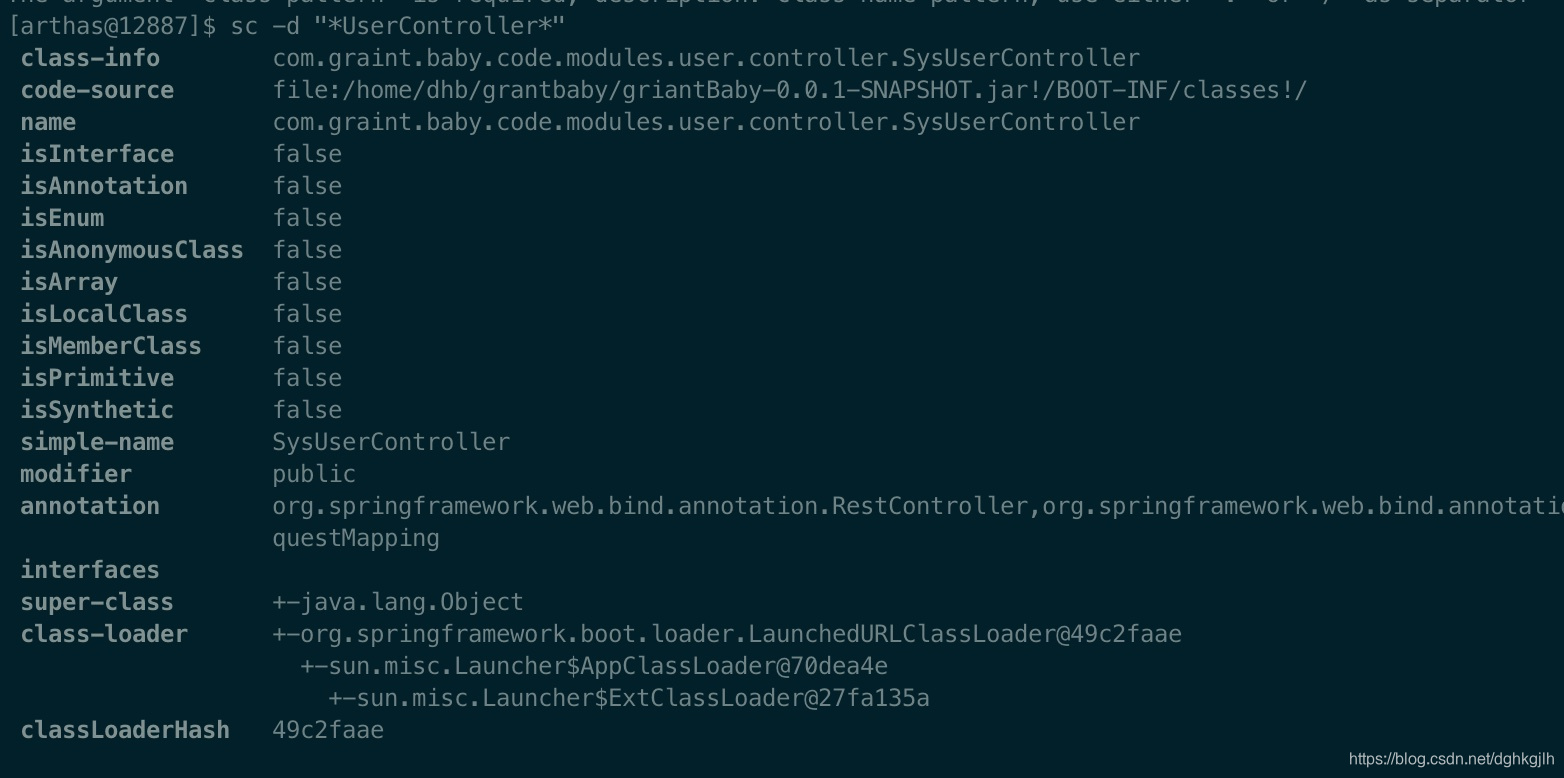
Detailed class information is shown here.
-
After obtaining the classloader hash, begin modifying the code.
-
First use jad to decompile .class into .java. -c specifies the classloader hash, —source-only prints only the source, and the final path specifies where to save it.
jad -c 49c2faae --source-only *SysUserController* > /xxxOUTPUT_PATH/SysUserController.java
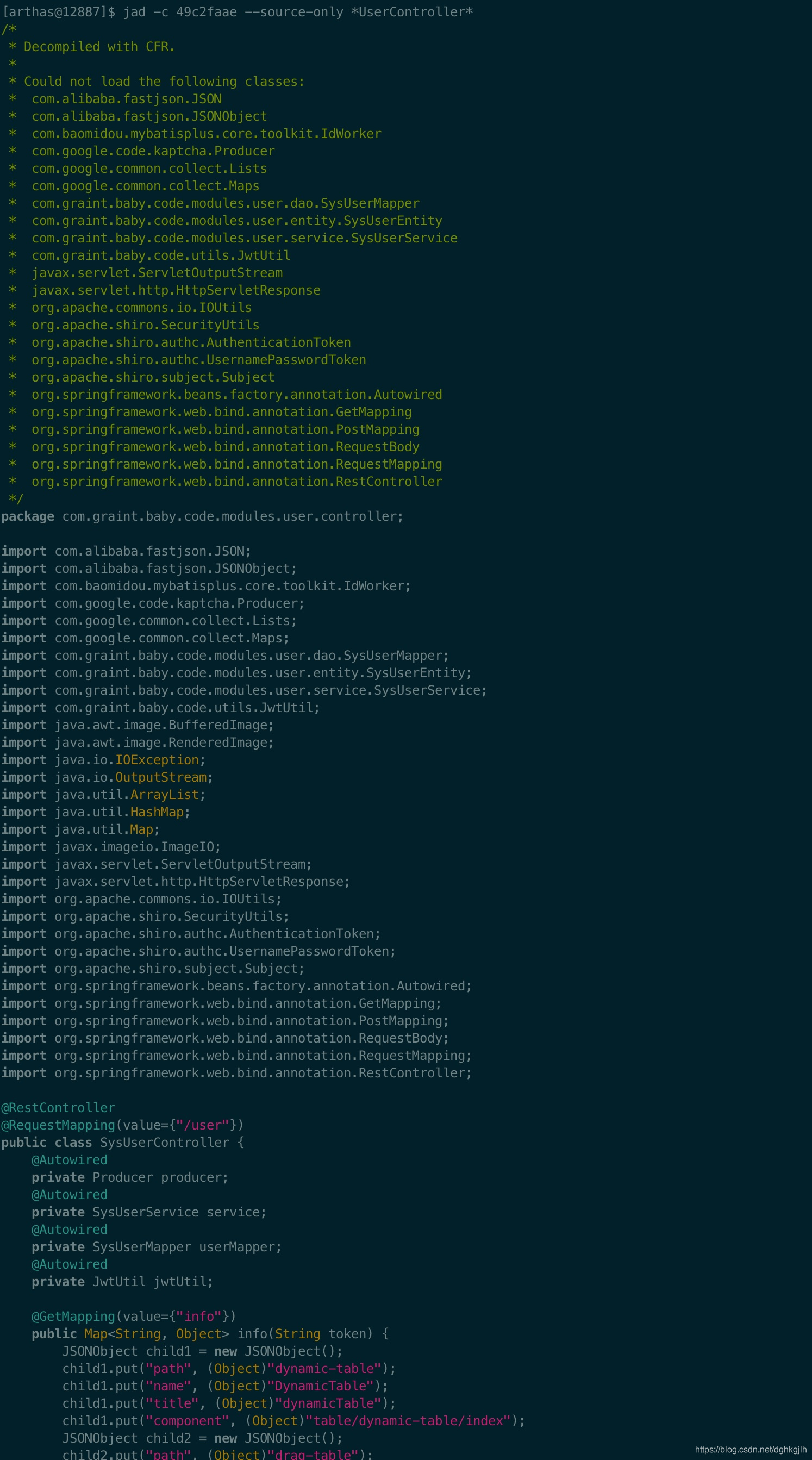

An excerpt appears above. We now have the Java source.
-
Modify the code. Here, add just one line:
System.pit.println("Someone logged in---");
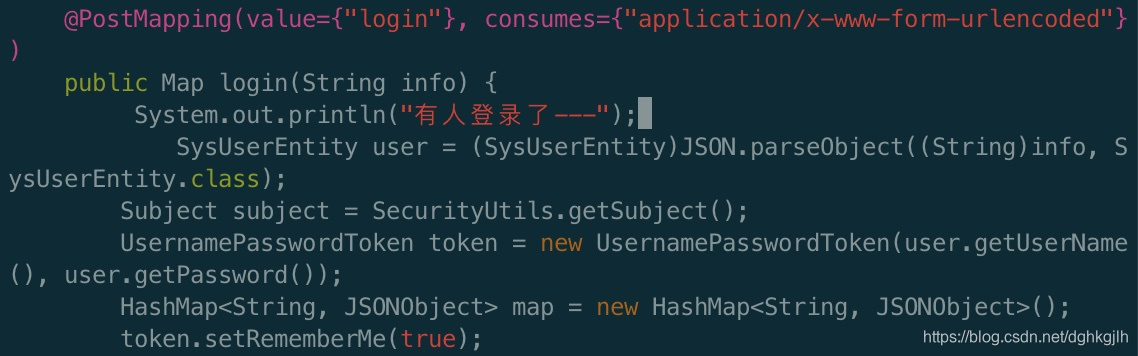
-
Use mc (Memory Compiler) to compile the modified Java file into .class. -d specifies the output directory, and the final argument is the modified source file.
mc -c 49c2faae -d /tmp /xxxSOURCE_PATH/SysUserController.java

-
Load the resulting .class file into the JVM with redefine.
redefine -c 49c2faae /xxxCLASS_FILE_PATH/SysUserController.class

The output reports successful loading.
-
Log in again and check whether the change took effect.
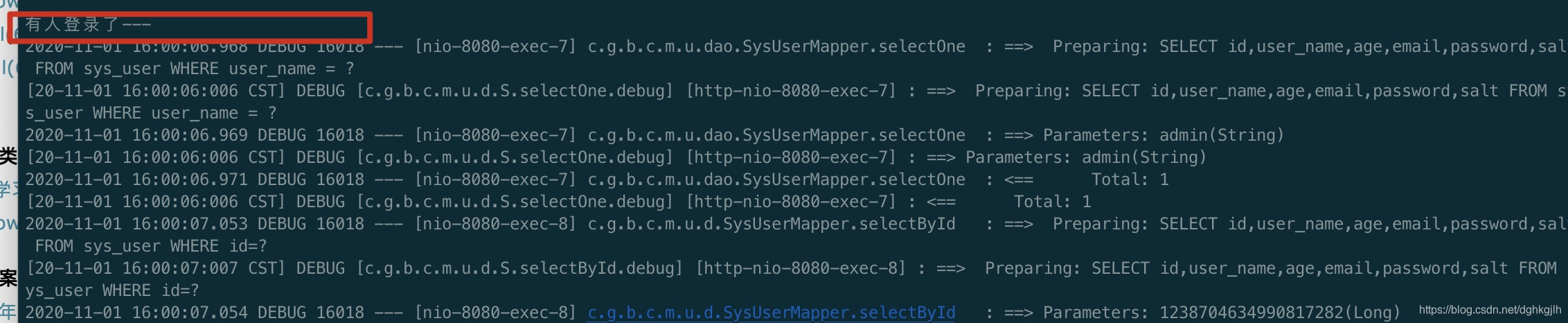
It has indeed taken effect.
Changing Production Log Levels Dynamically
Production logs are commonly set to warn or error, hiding debug output. When troubleshooting, useful messages may have been logged at debug level while the configured level is higher. We need to adjust the level quickly.
Scenario
-
Inspect the application’s current log level.
logger
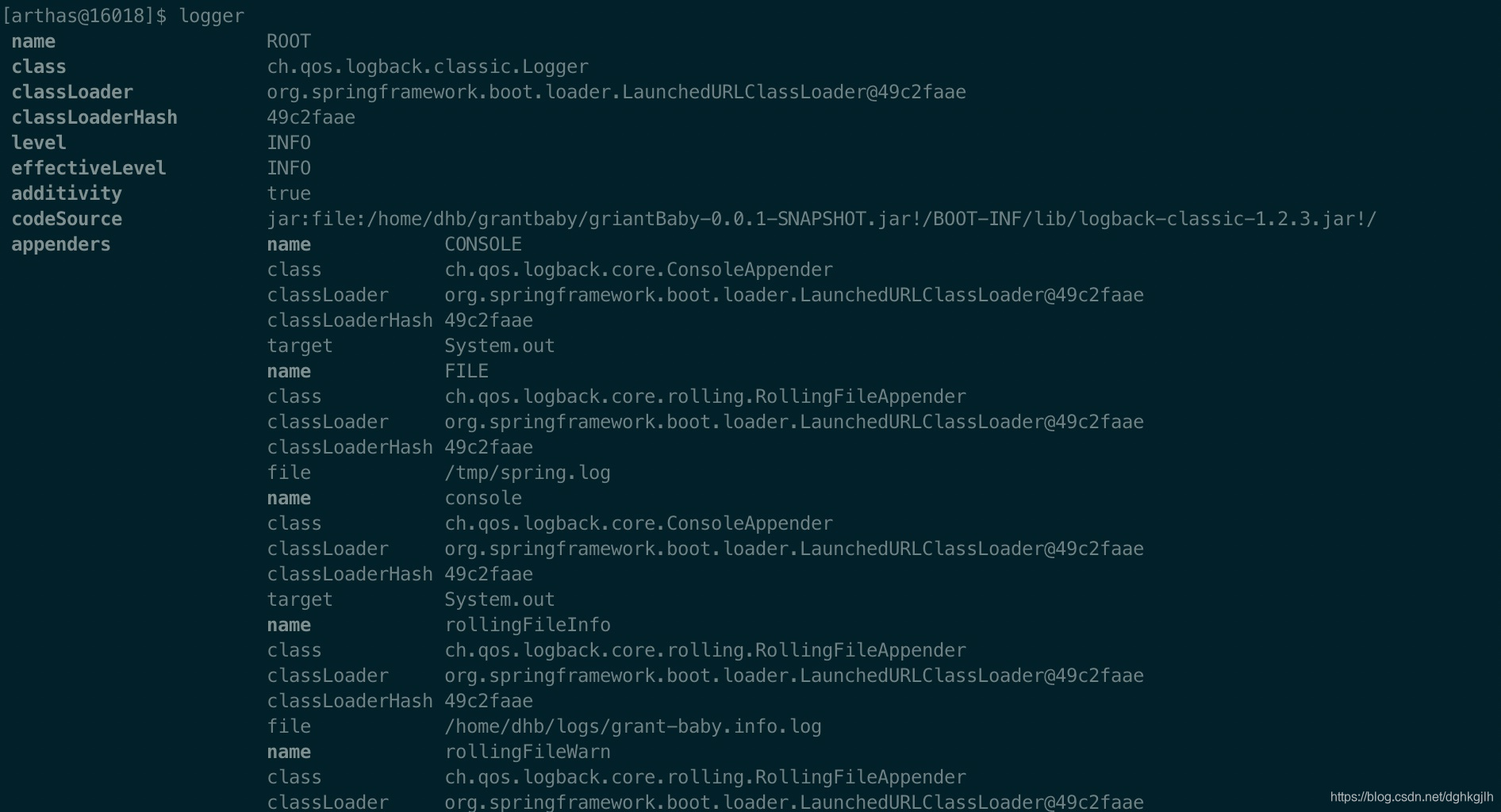
The current level is INFO.
-
Change the log level.
logger -c 49c2faae --name ROOT --level debug

The log-level change succeeded.
Caution
After redefine, using jad resets the bytecode to its original form. See the official redefine notes.
Conveniently Modifying JVM Options
Normally, use the JDK’s jinfo command to inspect JVM options. For example:
Inspect a Java application’s JVM options:
# Find the Java application with jps—Java Process Status
jps -l
Then use jinfo:
# View all option settings
jinfo 16018
# View one option
jinfo -flag HeapDumpOnOutOfMemoryError 16018
# Help
jinfo -h
In Arthas, a single command prints the JVM options:
vmoption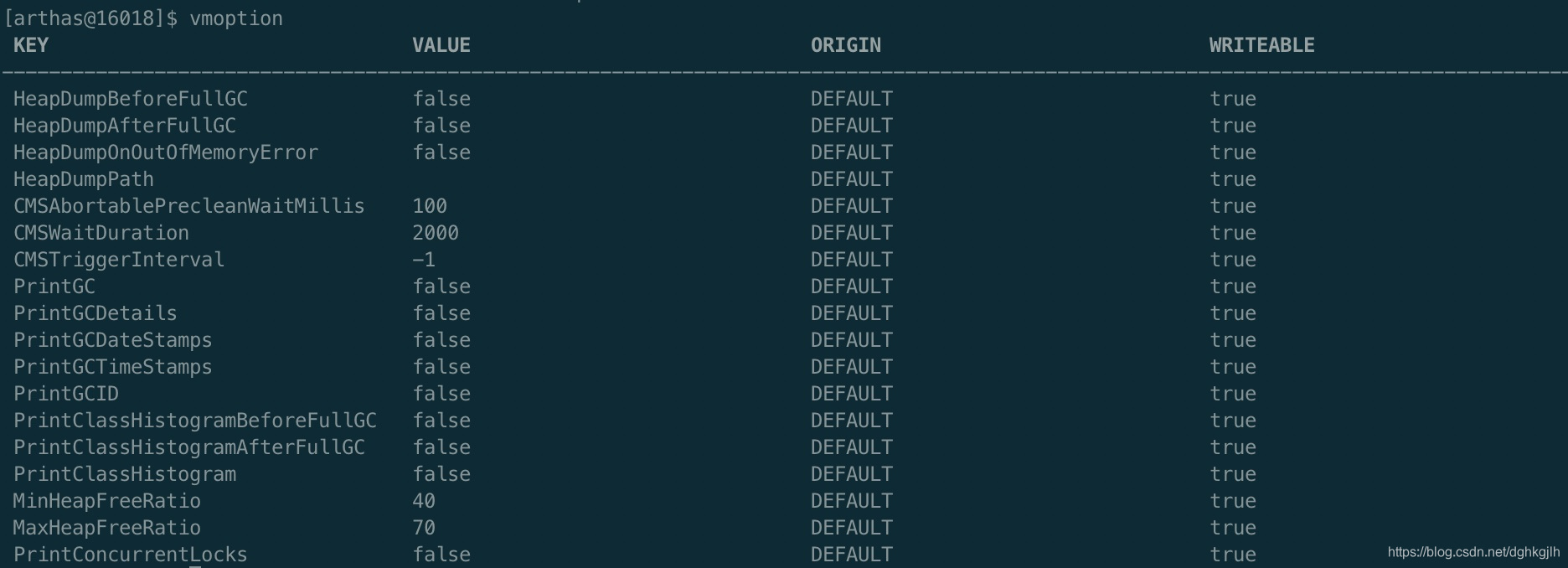 To modify an option, this example enables automatic heap dumps when the JVM encounters OutOfMemoryError:
vmoption HeapDumpOnOutOfMemoryError true
With jinfo, the equivalent is:
jinfo -flag +HeapDumpOnOutOfMemoryError 16018- enables the option; - disables it.
Other Commands
See the official Arthas command documentation for all commands.
An Easier-to-Use Tool
Qunar’s Java troubleshooting tool Bistoury builds on Arthas and provides a convenient graphical interface. My favorite feature is debugging in production. GitHub project