Table of contents
Open Table of contents
JVM Notes
Fundamentals
-
Use javac to compile .java files into bytecode files, which can be represented in hexadecimal.
javac UserItemController.javaTip: add -d to specify the bytecode output location. Without it, the current file location is used by default.
-
Use javap to disassemble .class files and obtain the JVM instructions corresponding to the bytecode.
javap -verbose -c UserItemController.classTip: -verbose displays more information, including the important class-file constant pool (often abbreviated CP). Runtime constant pools originate from individual class-file constant pools. Method calls also use JVM instructions together with constant-pool indexes.
-
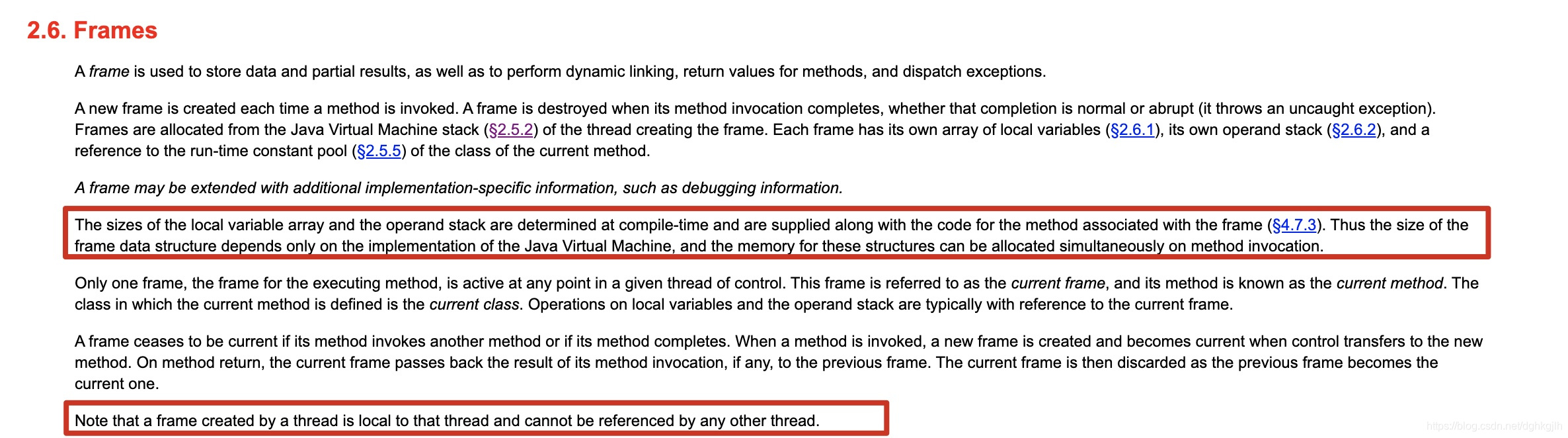
When a JVM thread is created, it has its own PC register and stack. See the stack definition. A stack stores frames. If a thread calls N methods, a frame is created for each method call and destroyed when that method completes normally or throws an exception.
-
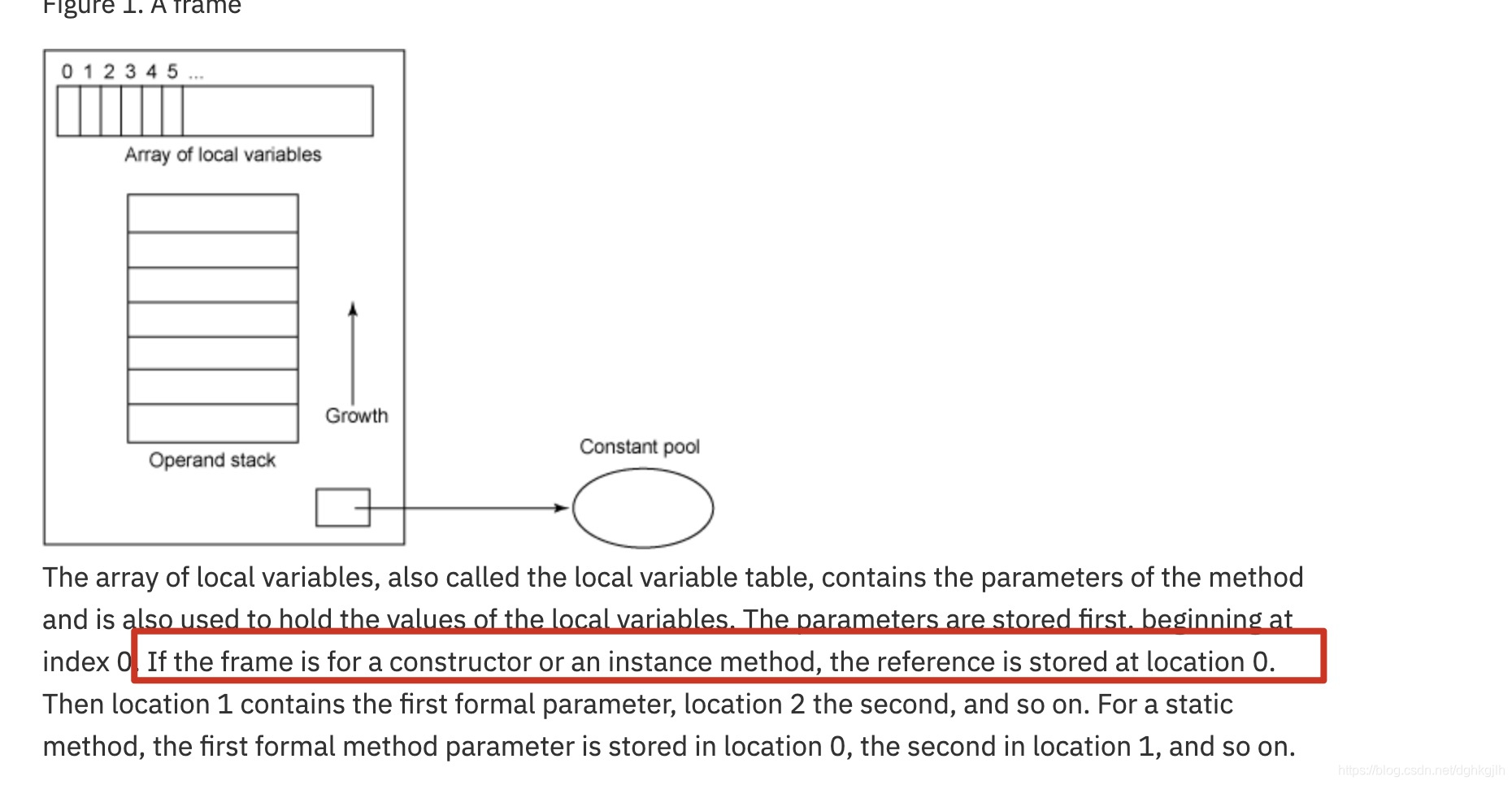
A frame contains a local variable array (also called the local variable table) and an operand stack. Their sizes are determined at compile time.
- The local variable table stores parameters for the current frame—that is, the current method call. For a constructor or instance method (such as A a = new A(); a.get();), index 0 contains this, the reference to the current object. It occupies the first position because instance methods use this to access the object.
- The local variable table stores parameters for the current frame—that is, the current method call. For a constructor or instance method (such as A a = new A(); a.get();), index 0 contains this, the reference to the current object. It occupies the first position because instance methods use this to access the object.
-
Runtime data areas include:
- The program counter: PC register.
- Java virtual machine stacks.
- The heap, shared by all threads.
- The method area, shared by all threads.
- The runtime constant pool.
Tip: Section 2.5 of the specification introduces these at the same level but also explains their relationships: the method area is logically part of the heap, and the method area contains runtime constant pools.
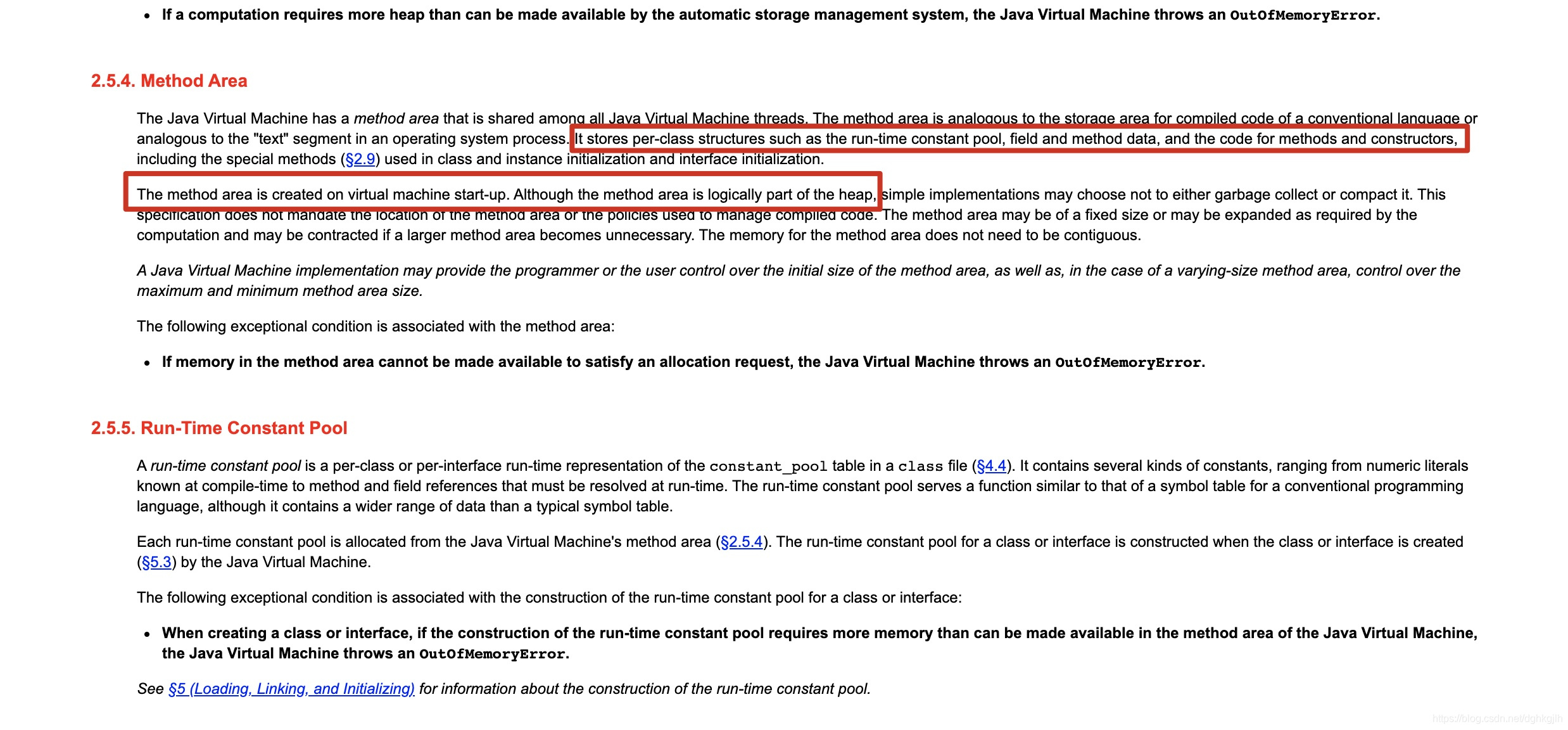
Note: the heap above is generally called the JVM’s logical heap. The Java specification does not explicitly define a separate logical heap. Different vendors’ JVM implementations commonly divide it into:
The GC heap and non-heap. The distinction is that object allocation and reclamation generally occur on the GC heap.
Non-heap generally holds information that rarely changes. Metaspace replaces the permanent generation (JDK 8 no longer uses that term), and the method area and runtime constant pools mentioned above are moved into metaspace.
Common Startup Options
The standard options described here use two forms:
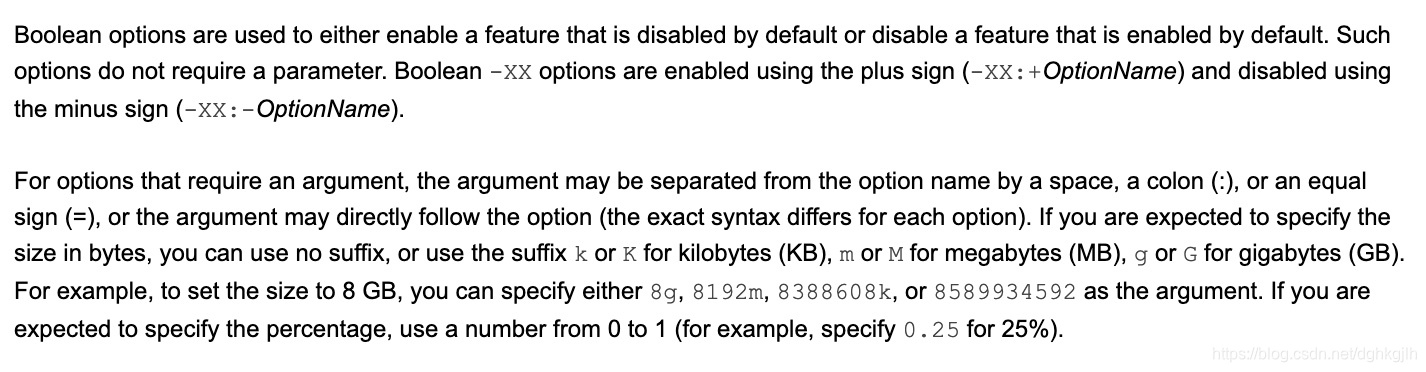
Boolean options and value-assignment options. Boolean options use +/- to enable or disable them.
For example, -XX:+HeapDumpOutOfMemoryError enables automatic heap dumps on heap-memory exhaustion.
The = form assigns a value.
For example, -XX:initialHeapSize=4g sets the initial heap size to 4 GB.
-
Set the initial heap size. A number without a unit means bytes. Supported units are k/K, m/M, and g/G.
-XX:InitialHeapSize=4g -
Set the maximum heap size. A number without a unit means bytes. Supported units are k/K, m/M, and g/G.
-XX:MaxHeapSize=4g -
Set the thread stack size on thread creation. As explained above, creating a thread also creates its stack. On a 64-bit machine, the default per-thread stack size is 1 MB.
-XX:ThreadStackSize=1m -
Set the initial young-generation heap size. The documentation recommends half or a quarter of the total heap. Too small a young generation causes many minor GCs; too large a young generation can waste time clearing memory during full GC.
-XX:NewSize=2g -
Set the maximum young-generation heap size.
-XX:MaxNewSize=2g -
Set the ratio of Eden to each Survivor space (from and to) in the young generation. The default is 8.
-XX:SurvivorRatio=4 -
Enable detailed GC logs and GC timestamps. Generally used with the fourth nonstandard option below.
-XX:+PrintGCDetails -XX:+PrintGCDateStamps # Setting the fifth option below generally enables this setting by default. -XX:+PrintGCTimeStamps -
Automatically dump the heap when heap memory is exhausted.
-XX:+HeapDumpOutOfMemoryError -
Save the heap dump to a file.
-XX:HeapDumpPath=/home/java_pid%p.hprof -
Set the young-generation promotion threshold for generational collection. After surviving 15 young GCs, an object moves to the old generation.
# If set to 0, surviving objects move directly to the old generation after GC.
-XX:MaxTenuringThreshold=15-
Enable the serial garbage collector.
-XX:+UseSerialGC -
Enable the parallel garbage collector.
-XX:+UseParallelGC -
Enable CMS.
-XX:+UseConcMarkSweepGC -
Enable G1, short for Garbage-First.
-XX:+UseG1GC
Nonstandard options equivalent to abbreviations of the options above:
-
Set the initial heap size. -Xms is followed directly by a number and unit; without a unit, it means bytes. Units: k/K, m/M, g/G.
-Xms4g -
Set the maximum heap size. -Xmx is followed directly by a number and unit; without a unit, it means bytes. Units: k/K, m/M, g/G.
-Xmx4g -
Set the thread stack size. -Xss is followed directly by a number and unit; the default on a 64-bit machine is 1 MB.
-Xss1m -
Save GC logs to a file. Generally used with the fourth standard option above.
-Xloggc:/var/log/gclog/gc.log -
Set both the initial and maximum young-generation heap sizes.
# Equivalent to setting both -XX:NewSize=2g and -XX:MaxNewSize=2g.
-Xmn2g
All the options and explanations above are available through the JVM options link in the appendix.
A Simple Parameter Exercise
Question: convert -Xms2g -Xmx4g -Xss512k -Xmn1g -XX:SurvivorRatio=3 into the standard-option form above and explain the meaning.
Answer: -XX:InitialHeapSize=2g -XX:MaxHeapSize=4g -XX:ThreadStackSize=512k —XX:NewSize=1g -XX:MaxNewSize=1g -XX:SurvivorRatio=4. This sets the initial heap to 2 GB, maximum heap to 4 GB, thread stacks to 512 KB, initial and maximum young-generation heap to 1 GB, and the young-generation Eden-to-Survivor ratio to 3:1.
Question: how much memory do Eden and Survivor occupy with these options?
Answer: the young-generation maximum is 1 GB, and Eden/one Survivor = 3. There are two Survivor spaces, so 1 GB/(3+1+1)=200 MB. Eden = 200 x 3 = 600 MB, and the two Survivor spaces total 200 x 2 = 400 MB.
What Is a Suitable Maximum Heap Size (-Xmx/-XX:MaxHeapSiz=)?
Use 70%–80% of available memory after deducting memory used by the operating system or container itself. Reduce it further if other applications also need memory. Because the Java process’s own memory usage is not entirely within Xmx, account for the system memory used by Java and other processes when calculating available memory. For example, an 8 GB server might have 7.5 GB left after the operating system. Without many other processes, 7.5 GB*0.8=6 GB could be used. With many other processes, reduce 6 GB to avoid affecting them.
Should Initial (-Xms/-XX:InitialHeapSize=) and Maximum (-Xmx/-XX:MaxHeapSize=) Heap Sizes Be Equal?
Generally, I recommend making them equal to prevent memory fluctuations when an insufficient initial heap expands. (The final claim still needs supporting research.)
Tools
Viewing Bytecode
Install the jclasslib plugin in IntelliJ IDEA to inspect a class’s bytecode structure and the JVM instructions executed by each method. Clicking an instruction opens its official JVM documentation, making its purpose easy to check.
Appendix
-
Java commands support command -help. On my Mac, the help is displayed in Chinese, which is convenient.
For example:
# Show help for the javap disassembler. javap -help # Show help for the javac compiler. javac -help -
A useful JRebel article on why Java bytecode matters. Search java byte code in JRebel’s Blog section for more related posts.
Questions
- When a web request enters Tomcat and eventually reaches a controller, does a JVM thread get created at the point it enters Tomcat? Are the subsequent Tomcat -> controller -> service -> mapper calls simply stack frames on that thread?
What Is a Memory Leak?
A Java memory leak means objects that are no longer logically used are not reclaimed by the garbage collector. They continue occupying heap memory, accumulate, and eventually cause java.lang.OutOfMemoryError: Java heap space.
Running out of memory means there is not enough memory to allocate the required space, resulting in an error.
Other Notes
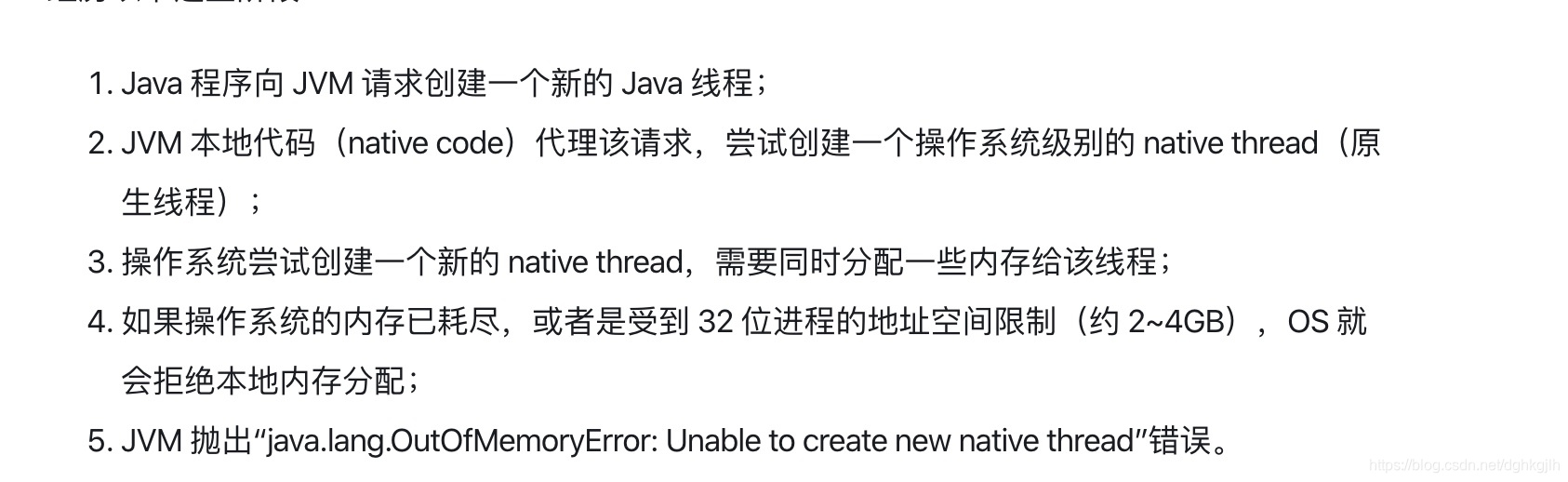
Creating a Java thread actually asks the operating system to create an OS-level thread. The thread’s memory is therefore allocated at the operating-system level rather than from the Java heap.