Table of contents
Open Table of contents
Learning Redis (Part 3)
Redis Persistence
Persistence prevents in-memory data from being lost when a Redis server crashes.
RDB
-
Automatic snapshots
According to rules in the configuration file, Redis creates a copy of its in-memory data and stores it on disk. This is a snapshot.
redis.conf provides these example settings:
save 900 1
save 300 10
Save 60 10000
These three rules are combined with OR: satisfying any one triggers a snapshot. A change to at least 1 key within 900 seconds, at least 10 keys within 300 seconds, or at least 10,000 keys within 60 seconds triggers a snapshot. Configure them to suit your workload.
Configure the snapshot filename and directory with dbfilename and dir in redis.conf. The defaults are:
dbfilename dump.rdb
dir ./
-
You may also need a manual snapshot before restarting Redis, migrating it, or making a manual backup.
-
Run save.
saveThis creates a synchronous snapshot. Redis blocks all client requests while it runs. With many connections, Redis may become unresponsive for a long time. Avoid this in production.
-
Run bgsave.
BGSAVEThis creates a snapshot asynchronously, unlike synchronous save. Redis can continue handling client requests. To check whether the background snapshot has completed, use:
LASTSAVEIt returns a Unix timestamp.
-
Run flashall.
FLUSHALLThis clears all data in the Redis database. If automatic snapshot rules are configured, it performs a snapshot; without those rules, it does not.
-
AOF-Append Only File
RDB snapshots occur at intervals. A crash can happen between them—even before 60 seconds have elapsed—so data loss remains possible. AOF further reduces this risk.
Enable AOF and configure its filename. AOF and RDB share the dir setting for their storage directory.
appendonly yes
appendfilename appendonly.aof
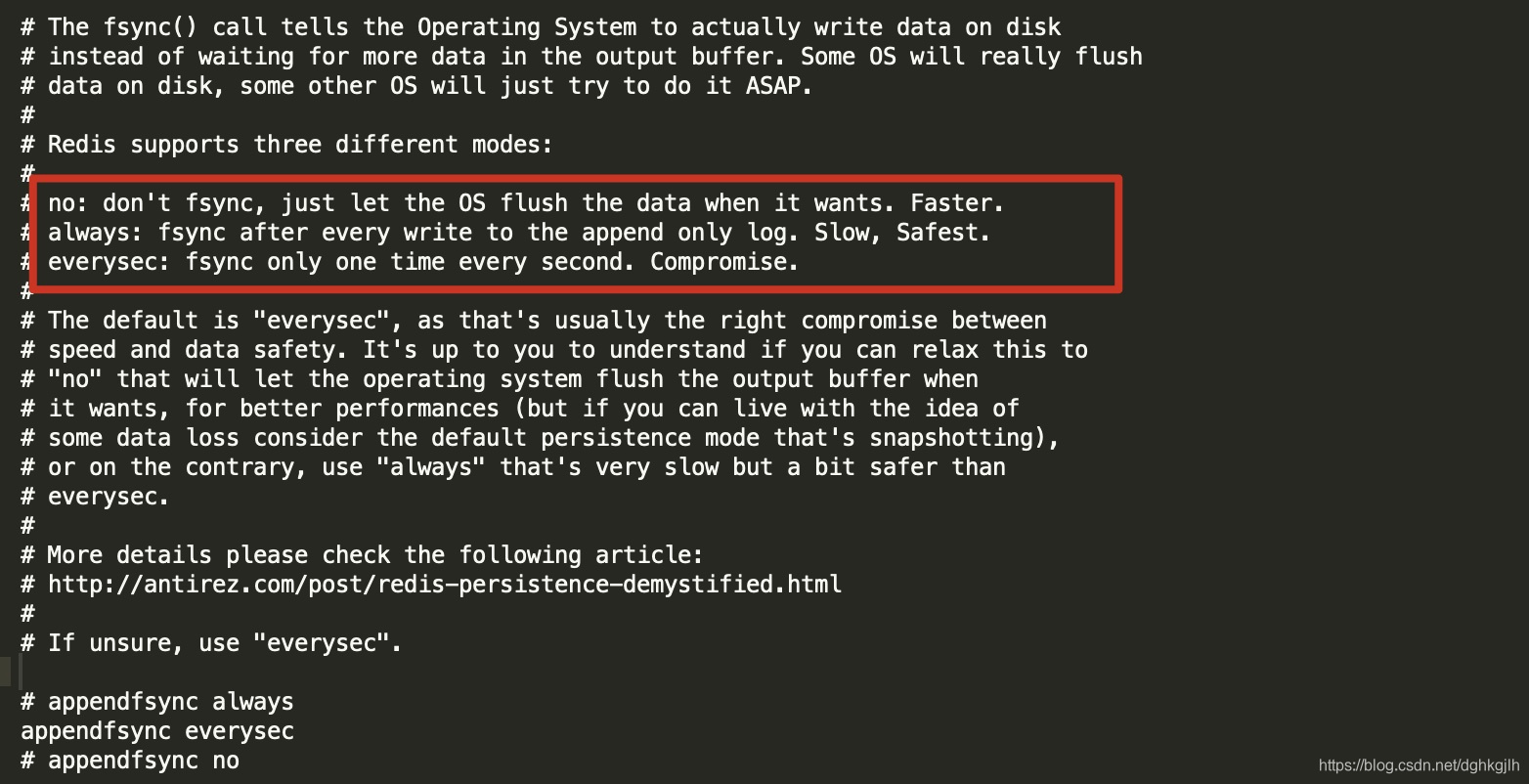
Every command that modifies, inserts, or deletes data is written to AOF (somewhat like MySQL replication). Because of OS caching, the data may still reside in the OS cache rather than on disk. If the OS crashes then, those contents are not flushed to the AOF file. Configuration controls when the OS flushes them:
appendfsync everysec # Flush to disk once per second; default
appendfsync always # Flush after every command
appendfsync no # Let the operating system decide when to flush
See the explanations in redis.conf for details.
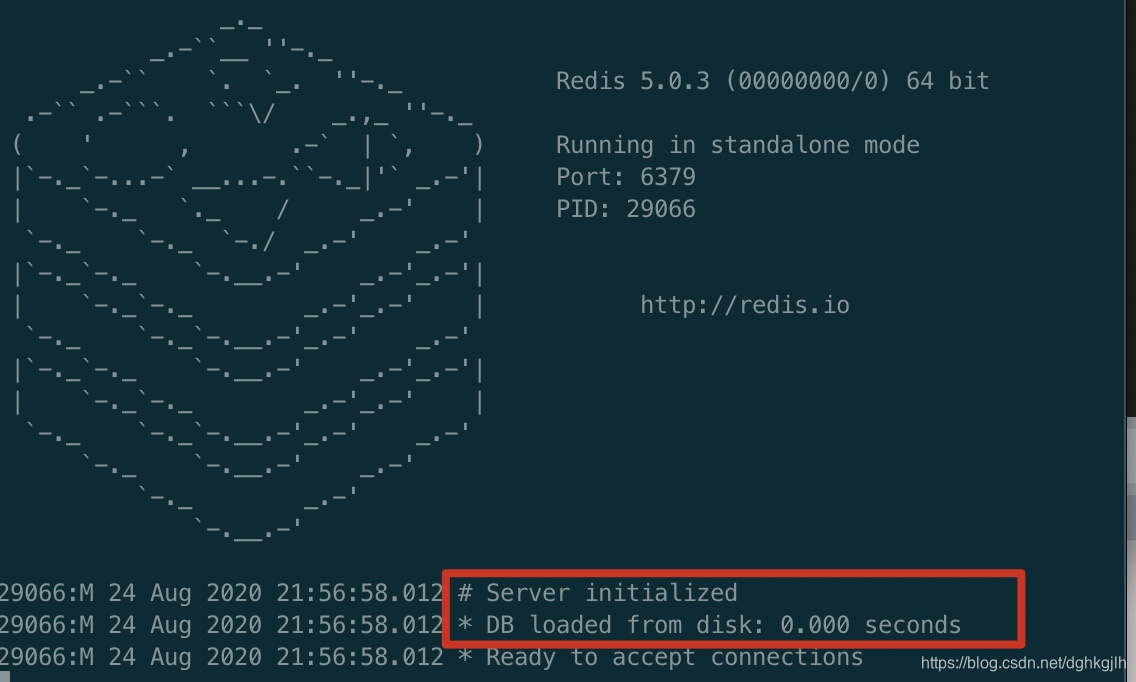
How does Redis restore data from persistence files at startup?
It automatically loads the saved .rdb or .aof file from the configured directory.
Primary/Replica Replication
The purpose is simple: as with MySQL, when one instance cannot provide enough throughput, replicas share the primary’s load so that the primary can focus on writes. If a single Redis node fails, it cannot continue serving requests for a period of time.
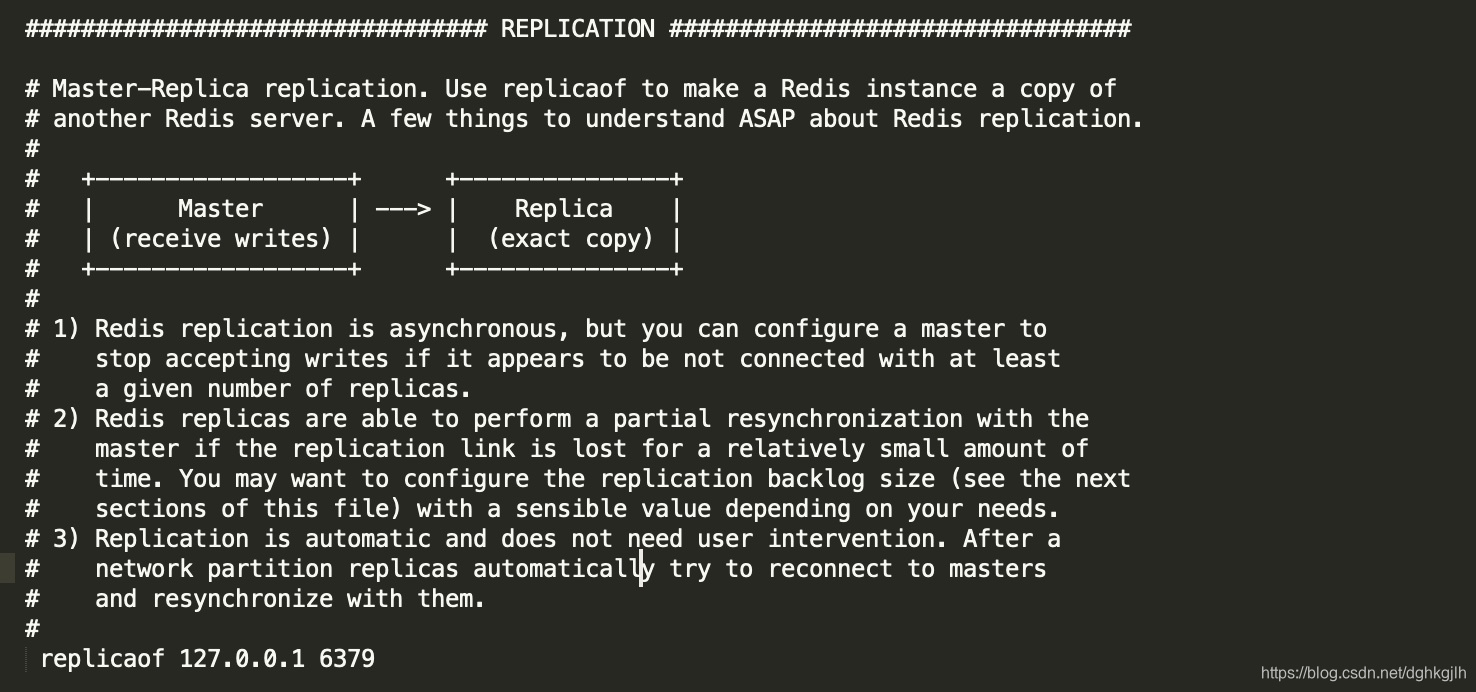
Modifying redisX.conf
X stands for the specific filename. Configure the Redis server on 16379 to use 6379 as its primary.
replicaof 127.0.0.1 6379
Command-Line Configuration
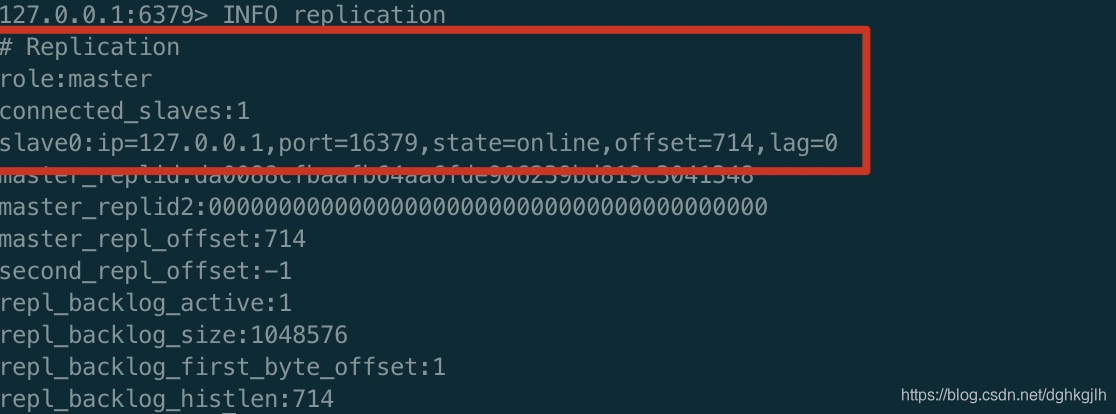
redis-server --port 16379 --slaveof 127.0.0.1 6379Checking Whether the Configuration Took Effect
INFO replcationReplica information:
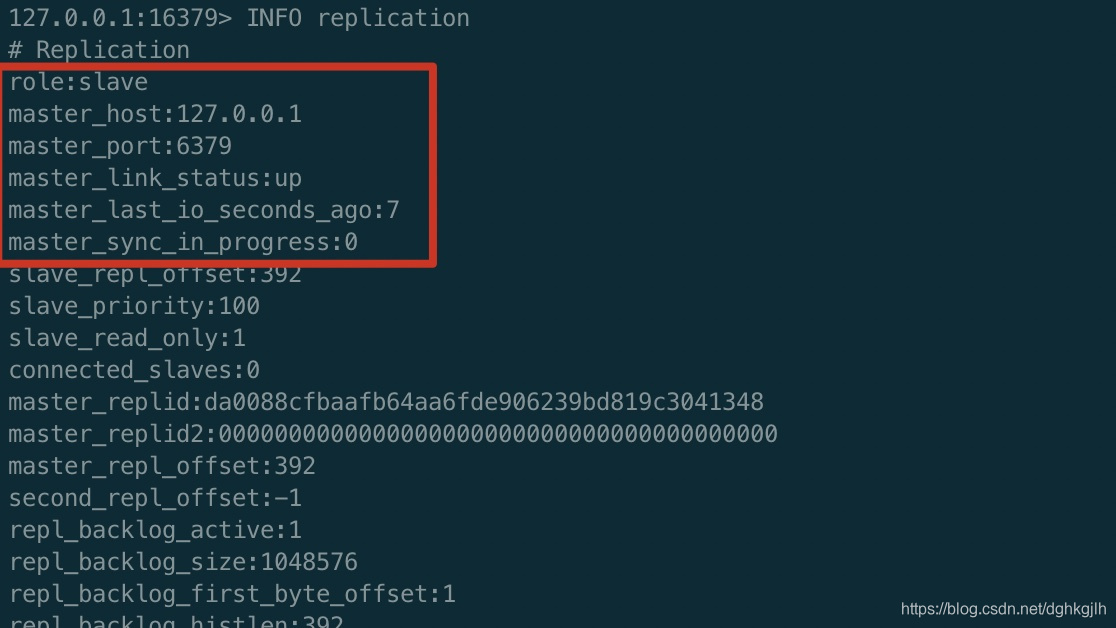
Primary information:
Adding Data on the Primary
Data added on the primary can be queried on the replica.
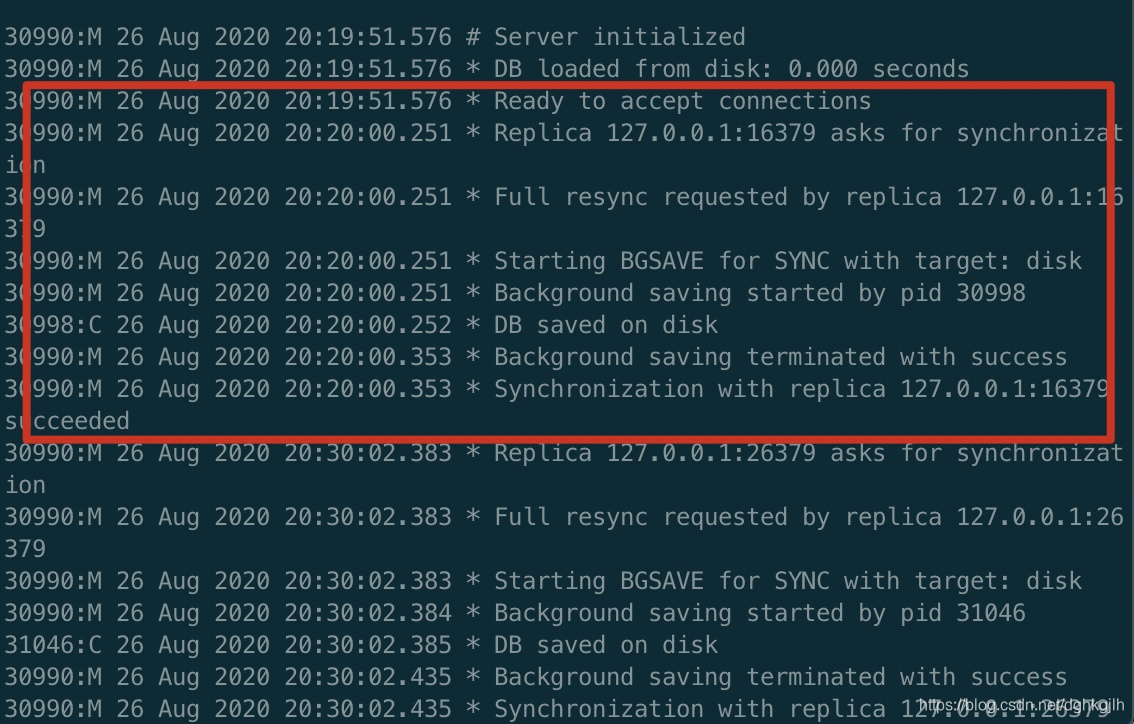
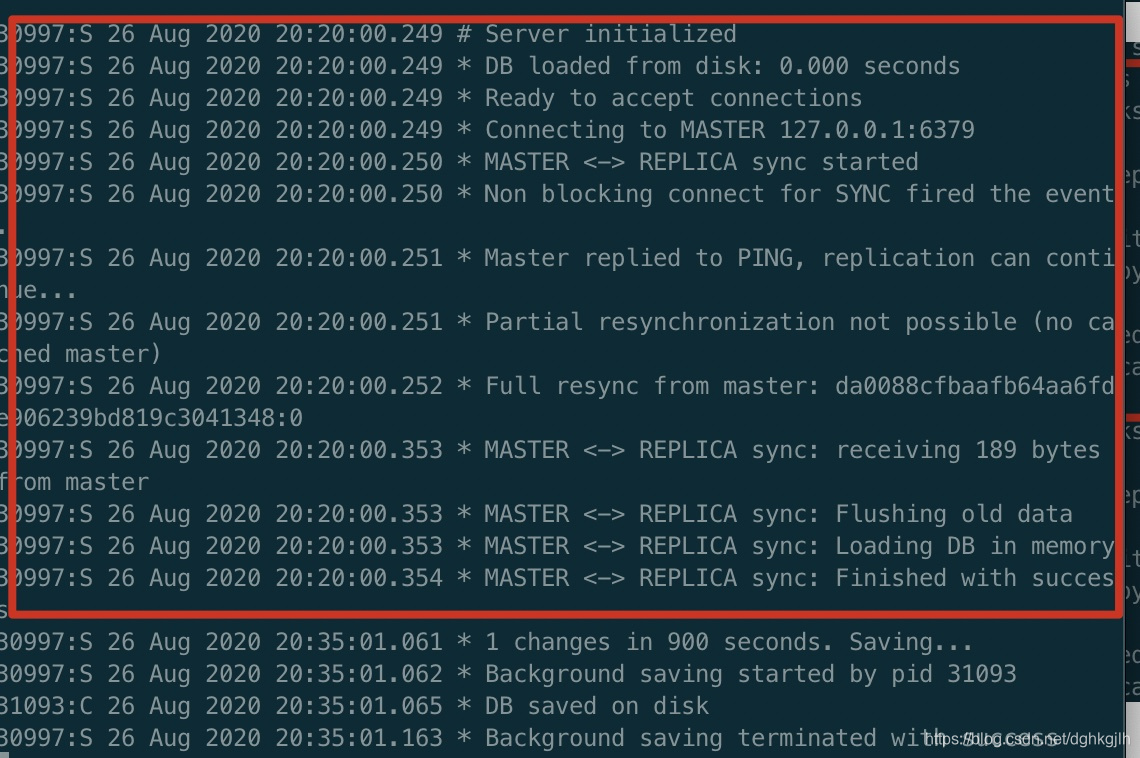
Replication Flow
-
The primary starts and waits for connections.
-
The replica starts and sends a SYNC request to the primary.
-
On receiving the request, the primary uses BGSAVE to asynchronously save its in-memory data to an RDB file on disk.
-
It then sends the RDB file to the replica, which reads its contents and loads the data into replica memory.
As with MySQL, Primary and Replica Data May Temporarily Differ
With the following configuration, the primary accepts writes only when at least 3 replicas are connected. If more than 10 seconds have elapsed since a replica last contacted the primary, the primary considers that replica unavailable.
min-replicas-to-write 3
Min-replicas-max-lag 10
Incremental Replication
If the primary and a replica lose their network connection, commands may still arrive at the primary. They are stored in its replication backlog, whose default size is 1 MB. When the replica reconnects, the primary checks whether its last successful command offset is still in the backlog. If so, it performs incremental replication. Otherwise, it repeats full synchronization: saving all data to an RDB file and sending it to the replica.
Configure the backlog size:
repl-backlog-size 1mb
Configure backlog retention: release it after the primary and replicas have been disconnected for an hour.
repl-backlog-ttl 3600
Diskless Replication
Instead of saving to an RDB file on disk, send data directly to the replica over the network. Enable it with:
repl-diskless-sync yes
Promoting a Replica After the Primary Fails
First Approach
Run the following on one replica:
SLAVEOF NO ONEIt stops synchronizing from another database and promotes itself to primary.
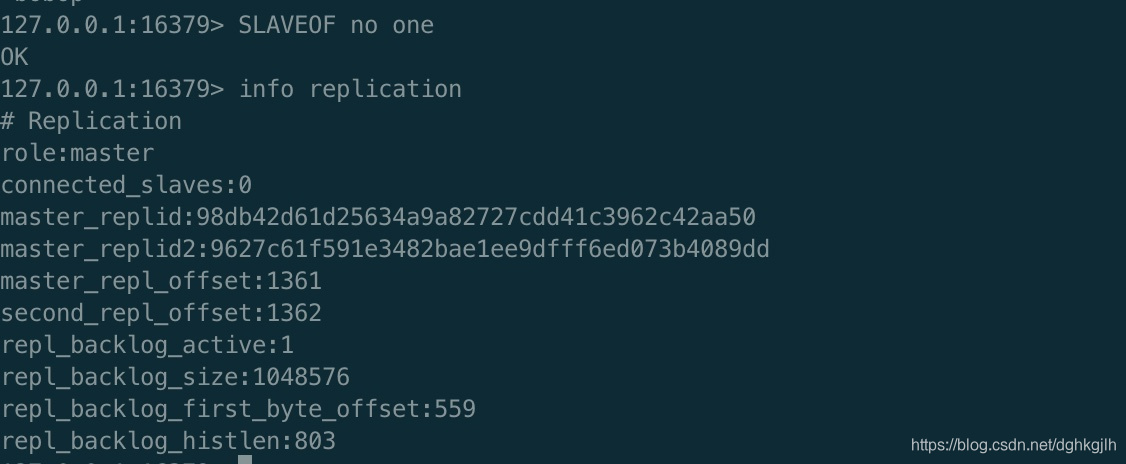
Then configure the remaining replicas to use the new primary.
Second Approach
Choose a new primary from the replicas, then run the same command on all replicas:
SLAVEOF 127.0.0.1 16379This changes their primary to the instance on 16379.
When the old primary recovers, use slaveof to make it a replica of the new primary.
Questions to Consider
- How does Redis limit the memory occupied by data?
- When data reaches that memory limit, how does Redis handle new data?