Table of contents
Open Table of contents
Background
Years ago—perhaps in the early 2000s, which may feel ancient to developers like me born after 1995—MVC meant Struts. With Spring’s arrival, Spring MVC gradually gained users and Struts declined. VRaptor also appeared along the way. Later, Struts 2 was released, bringing the original Struts era to an end. Because Spring is not part of the Jakarta EE specifications, Jakarta EE lacked an MVC specification for a long time. In recent years, the community finally began creating one.
The main MVC frameworks currently seem to be Spring MVC, Struts 2, and Eclipse Krazo (an implementation of Jakarta MVC).
The Jakarta MVC Specification
The latest specification is 2.1. It is short and uncomplicated; reading it once should give you a basic idea of usage. Jakarta MVC builds on Jakarta RESTful Web Services (jakarta.ws.rs) and supports CDI.
From Section 1.4 of the specification. Most of the terminology used in this specification is borrowed from other specifications such as Jakarta RESTful Web Services and Jakarta Contexts and Dependency Injection
I already covered RESTEasy, an implementation of Jakarta RESTful Web Services, in Getting Started with RESTEasy, so I will not expand on it here.
Eclipse Krazo
The Krazo website links to its documentation as shown below.
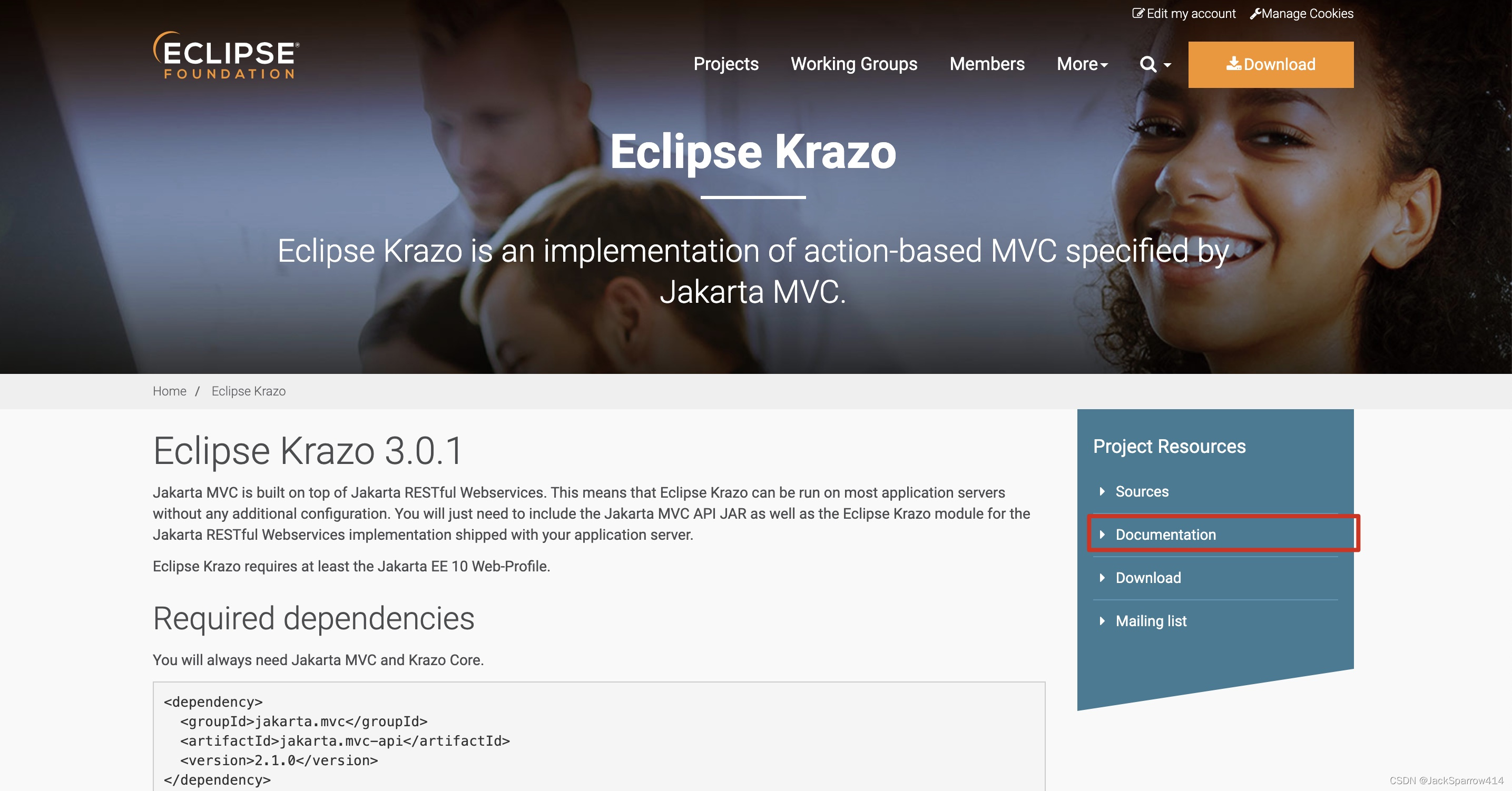 The documentation is also short; you can probably finish it in a few minutes. At first, read it alongside the specification above.
Thinking about the Flow before Using It
If you have used an MVC framework, the overall development flow is familiar. A typical business flow is:
- Access page A, A.jsp or A.xhtml (JSF). The request calls accessPageA() in the corresponding Controller, which sets the model values required by page A. The page retrieves them with EL expressions.
- On page A, perform some actions and submit a form. The request calls submit() in the Controller, which validates parameters, processes business logic, and navigates to different pages based on the result.
The examples below use these two steps to show some simple code.
Global Configuration
@ApplicationPath("mvc")
public class MvcApplication extends Application {

    /**
     * Configuration: https://eclipse-ee4j.github.io/krazo/documentation/latest/index.html#_properties_default_view_file_extension_org_eclipse_krazo_defaultviewfileextension
     * @return
     */
    @Override
    public Map<String, Object> getProperties() {
        final Map<String, Object> properties = new HashMap<>();
        // Set the View directory.
        properties.put(ViewEngine.DEFAULT_VIEW_FOLDER, "/WEB-INF/views/");
        properties.put(Properties.DEFAULT_VIEW_FILE_EXTENSION, "jsp");
        // Configure the form method attribute to allow methods other than GET and POST.
        properties.put(FormMethodOverwriter.FORM_METHOD_OVERWRITE, Options.ENABLED);
        properties.put(FormMethodOverwriter.HIDDEN_FIELD_NAME, FormMethodOverwriter.DEFAULT_HIDDEN_FIELD_NAME);
        return properties;
    }
}
Controller Example
The main annotation is @Controller. Here I put it on the class, meaning every method returns a View. If only one method should return a page while the others remain RESTful, annotate that method instead.
@RequestScoped
@Controller
@Path("test")
public class MvcController {

    @Inject
    private Models models;

    /**
     * Get validation results.
     */
    @Inject
    private BindingResult bindingResult;

    @GET
    @Path("helloMvc/{path}")
    public Response helloMvc(@PathParam("path") String path) {
        models.put("message", "Hello MVC, " + path);
        return Response.ok("helloMvc.jsp").build();
    }

    @DELETE
    @Path("deleteMvc")
    public String deleteMvc(@FormParam("message") @MvcBinding @NotBlank String message) {
        if (bindingResult.isFailed()) {
            models.put("errors", bindingResult.getAllMessages());
            return "deleteMvcResult.jsp";
        }
        models.put("message", message);
        return "deleteMvcResult.jsp";
    }

    @POST
    @Path("csrf")
    @CsrfProtected
    @View("csrf.jsp")
    public void csrf() {
        models.put("message", "csrf");
    }
}
Three Ways to Return a View
As the code above shows:
- Set the view path through a Response object.
- Return a String containing the view path.
- Use @View with the view path as its value.
How Are Model Values Supplied to a View?
This specification supports two kinds of models: the first is based on CDI @Named beans, and the second on the Models interface which defines a map between names and objects. Jakarta MVC provides view engines for Jakarta Server Pages and Facelets out of the box, which support both types.
The specification offers two ways to set model values. This example injects the Models interface directly through CDI.
How Does a View Retrieve Model Values?
In JSP, for example, use EL expressions or request.getAttribute().
<%@ page contentType="text/html;charset=UTF-8" language="java" %>
<%-- The URI has changed in JSTL 3.0. --%>
<%@ taglib prefix="c" uri="jakarta.tags.core" %>
<html>
<head>
    <title>helloMvc</title>
</head>
<body>
<div>
    Message returned to the page: ${message}<br>
    Message through the JSTL tag library: <c:out value="${message}"/><br>
<%--    https://jakarta.ee/specifications/mvc/2.1/jakarta-mvc-spec-2.1.html#view_engines--%>
    Message retrieved through request.getAttribute(): <%=request.getAttribute("message")%><br>
</div>
<div>
    <form action="${pageContext.request.contextPath}/mvc/test/deleteMvc" method="POST">
        <input type="hidden" name="_method" value="DELETE"/>
        <input type="text" name="message" value="${message}"/>
        <input type="submit" value="Submit"/>
    </form>
</div>
<div>
    <form action="${pageContext.request.contextPath}/mvc/test/csrf" method="post">
<%--       https://jakarta.ee/specifications/mvc/2.1/jakarta-mvc-spec-2.1.html#mvc_context --%>
        <input type="hidden" name="${mvc.csrf.name}" value="${mvc.csrf.token}"/>
        <input type="submit" value="Test CSRF"/>
    </form>
</div>
</body>
</html>
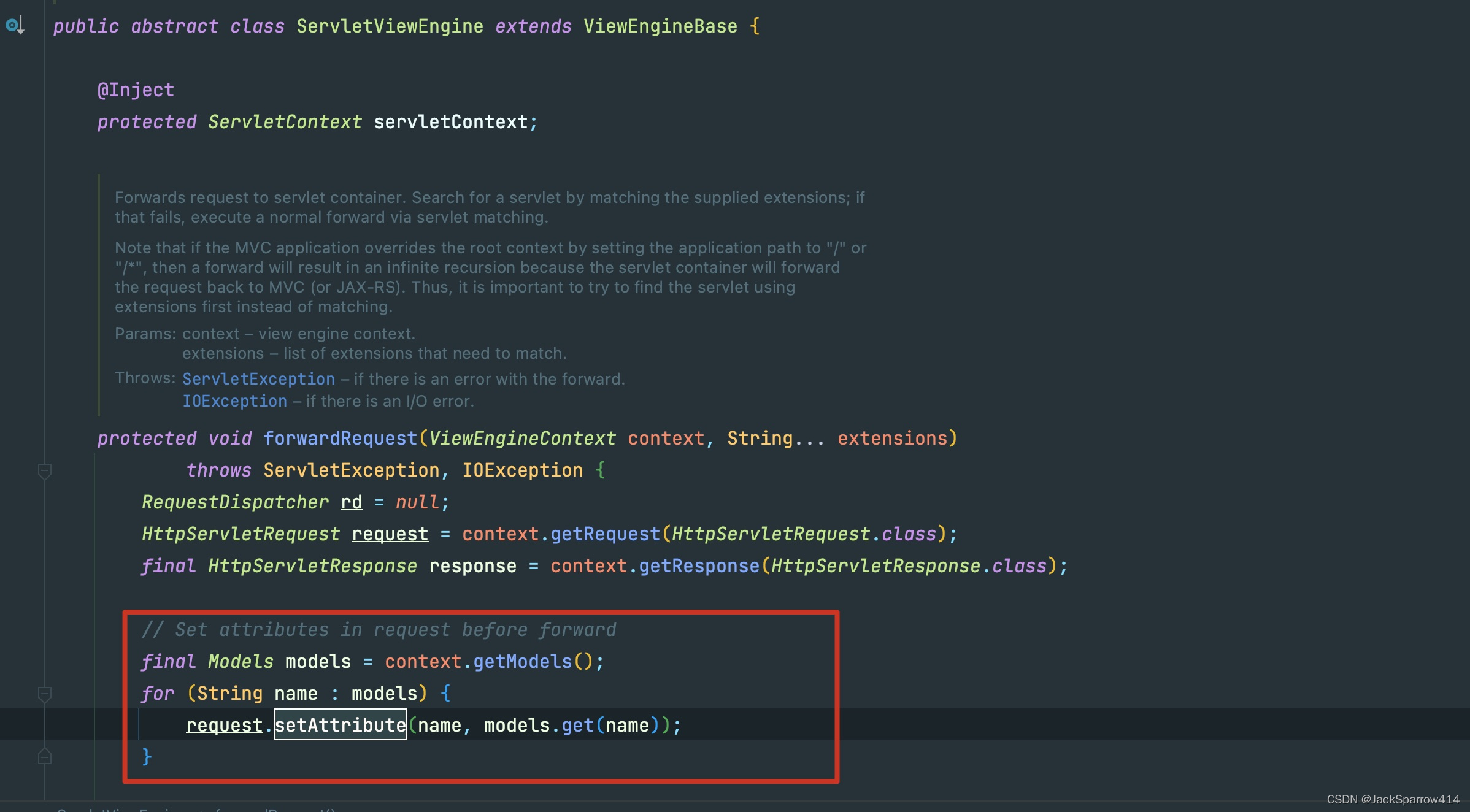
Why can request.getAttribute retrieve model values? The specification requires implementations to expose the model through setAttribute.
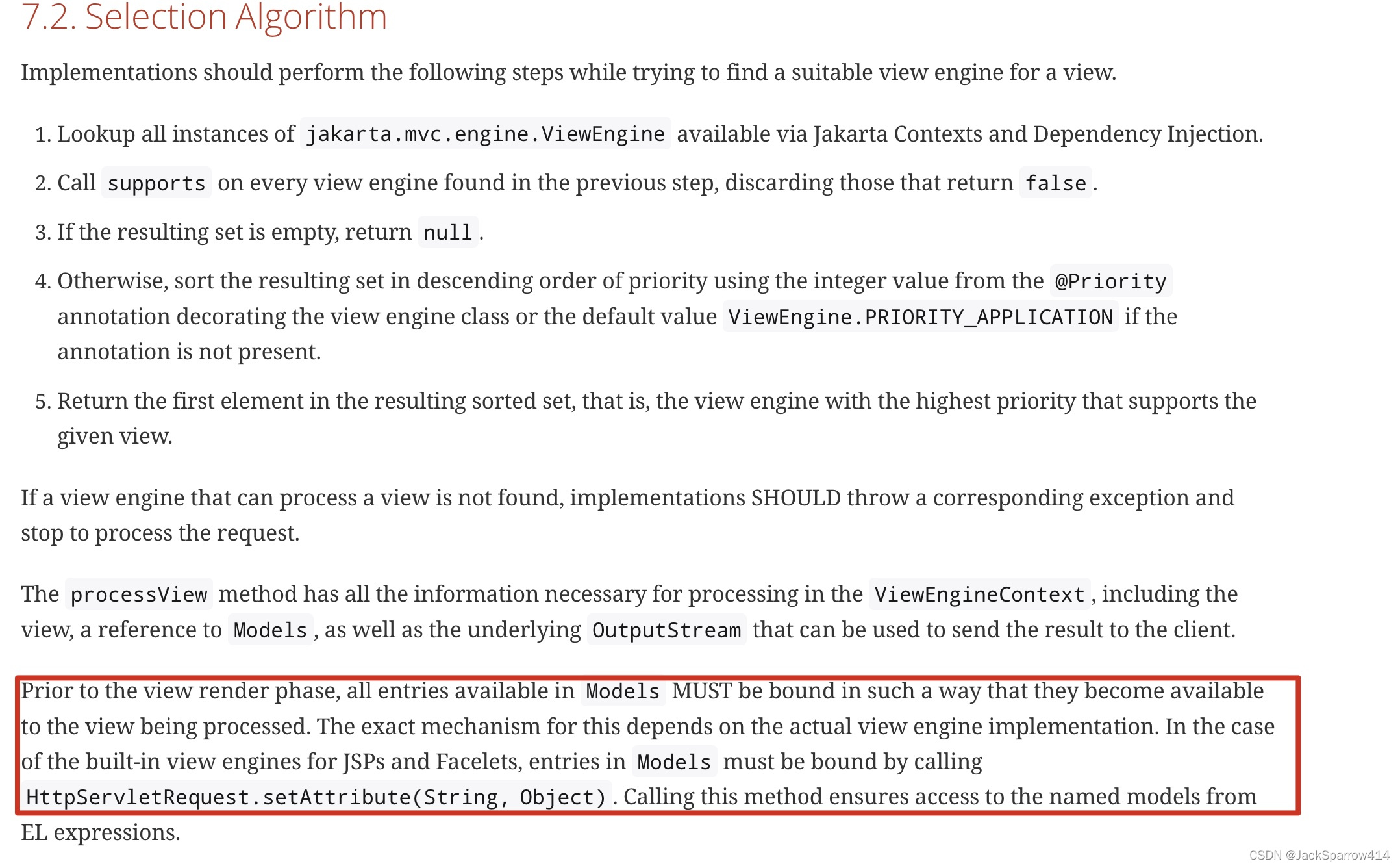 This step also appears in Krazo’s ServletViewEngine source.
Redirects
A method can redirect directly to another page.
@GET
    @Path("buildUrl")
    public Response buildUrl() {
        Map<String, Object> map = Map.of("path", "buildUrl");
        String path = mvcContext.uri("MvcController#helloMvc", map).getPath();
// path is /mvc-demo/mvc/test/helloMvc/buildUrl; remove mvc-demo/mvc because it is already part of the request.
        URI uri = UriBuilder.fromPath("../.."+path).buildFromMap(map);
        return Response.seeOther(uri).build();
    }
Syntax: targetClassName#methodName.
The controller method is referenced using the simple name of the controller class and the corresponding method name separated by #. If the URI contains path, query or matrix parameters, concrete values can be supplied using a map. Please note that the keys of this map must match the parameter name used in the @PathParam, @QueryParam or @MatrixParam annotation
In JSP, this can also be written as the EL expression ${mvc.uri(‘className#methodName’)}.
Parameter Validation
Use @MvcBinding, as shown above. Jakarta Bean Validation annotations can be used for validation constraints. To learn more, see Using Hibernate Validator.
When validation fails, we put the failure details in errors and return a page to display them.
Preventing CSRF
For more on CSRF, see the OWASP CSRF Cheat Sheet.
The specification also defines requirements and an implementation for CSRF protection. As shown above, add a hidden form field whose name and value are EL expressions.
<input type="hidden" name="${mvc.csrf.name}" value="${mvc.csrf.token}" />When entering the JSP page, obtain the token through EL and annotate the backend method with @CsrfProtected.
How Does Krazo Implement This?
How Is the CSRF Token Generated?
In the code above,
${mvc.csrf.name} and ${mvc.csrf.token}generate the name and value. The key source code is:
The entry point is CsrfProtectFilter.
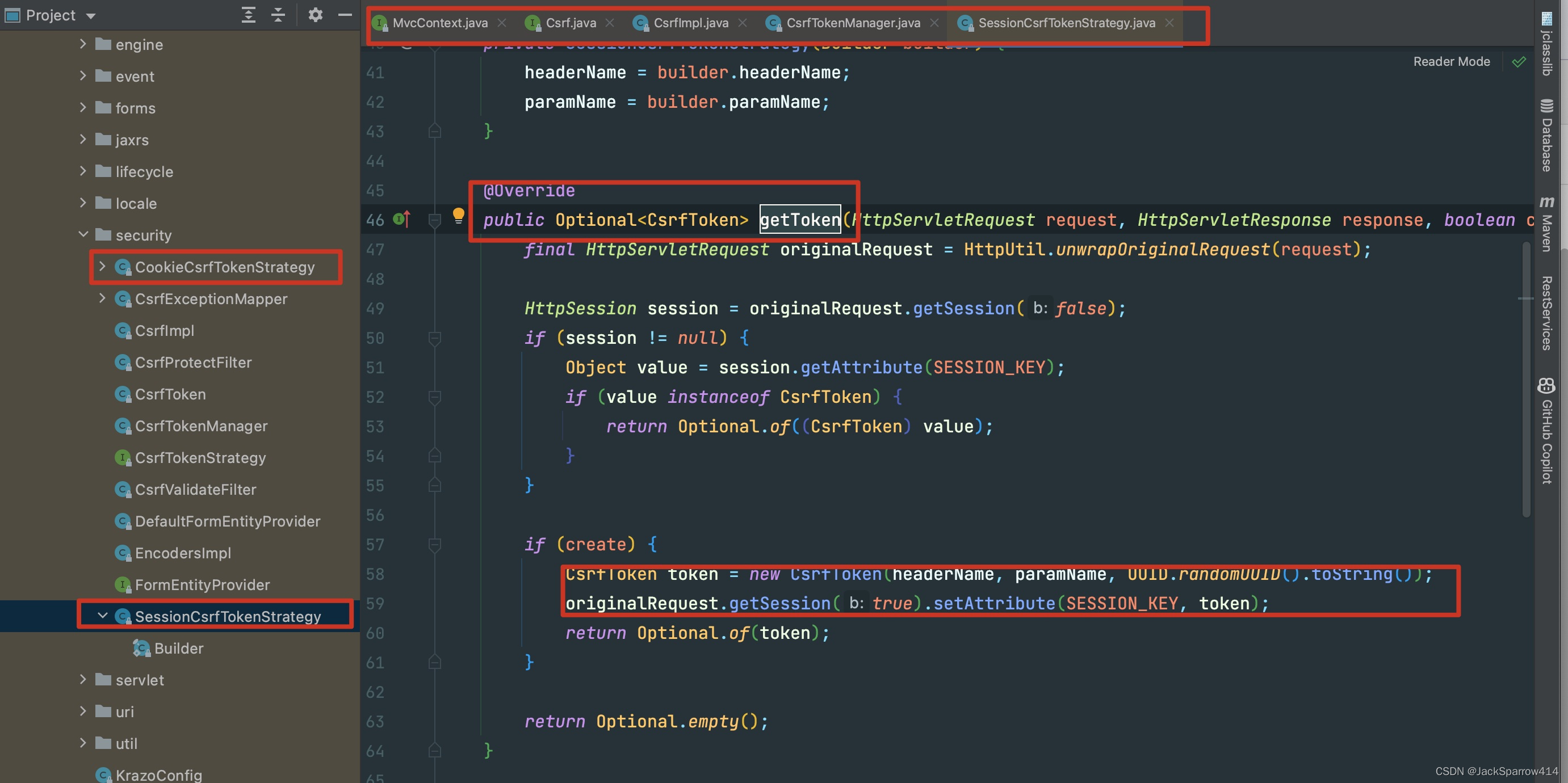 The result is eventually stored in the session.
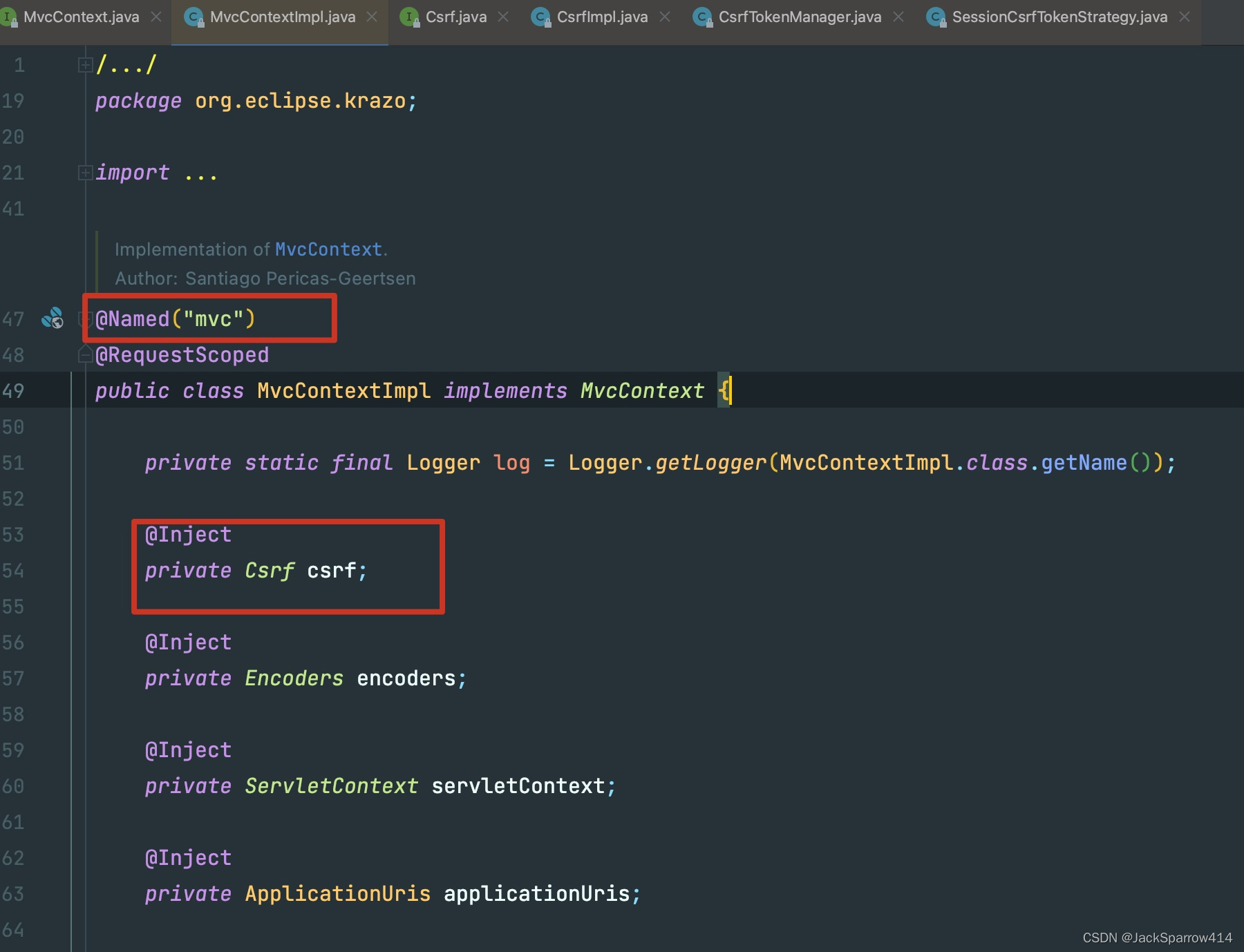
You may wonder why the EL expression starts with mvc. This is because
the specification requires it.
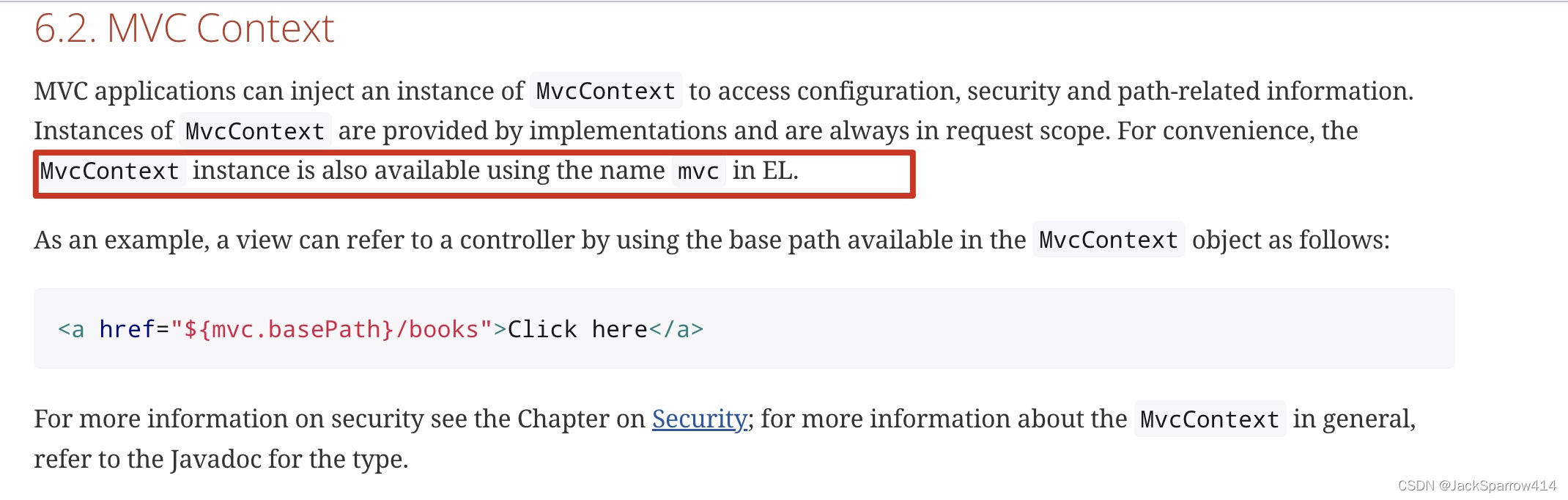 The implementation of that requirement:
How Is CSRF Validated?
The entry point is CsrfValidateFilter.
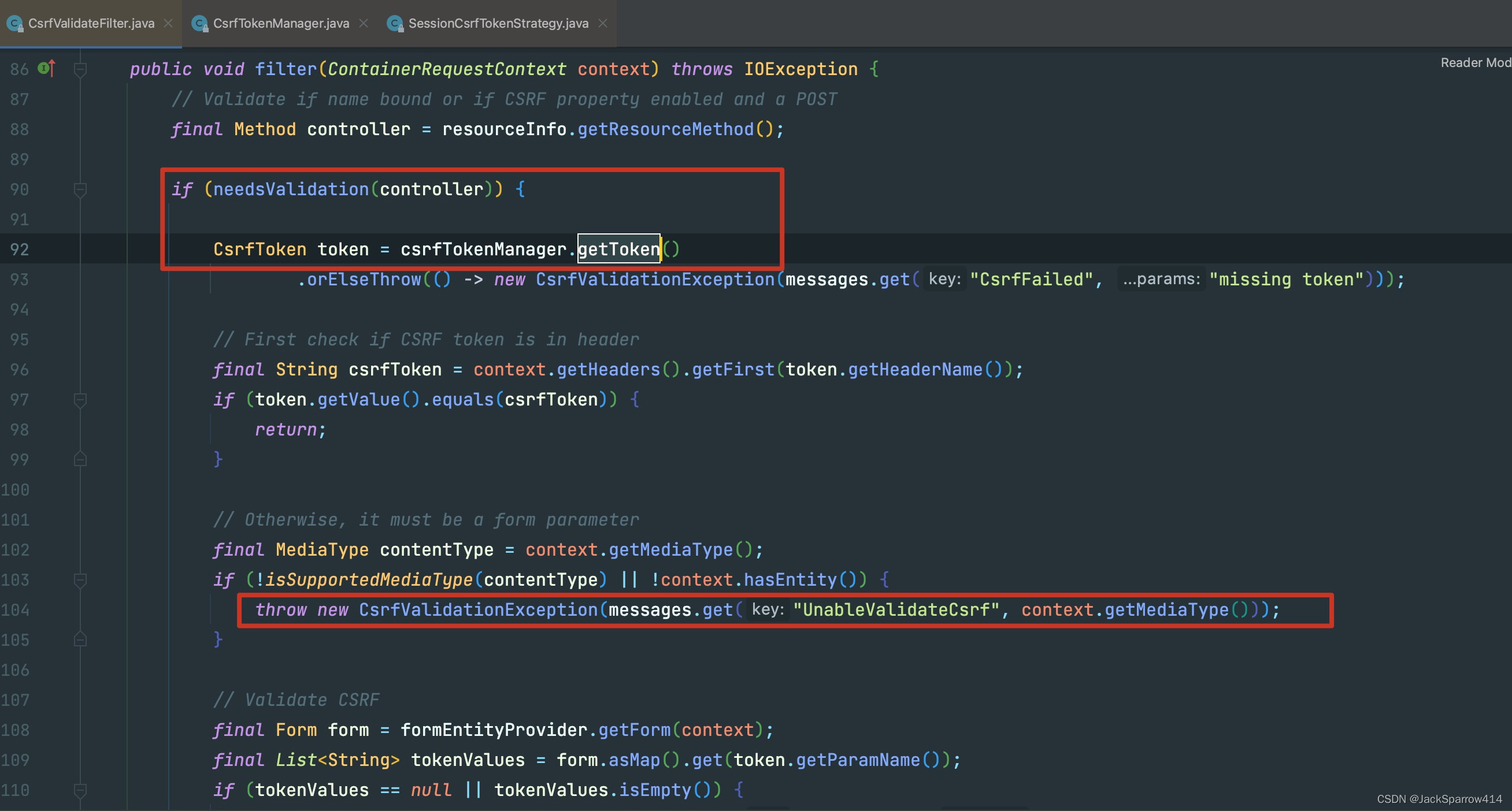
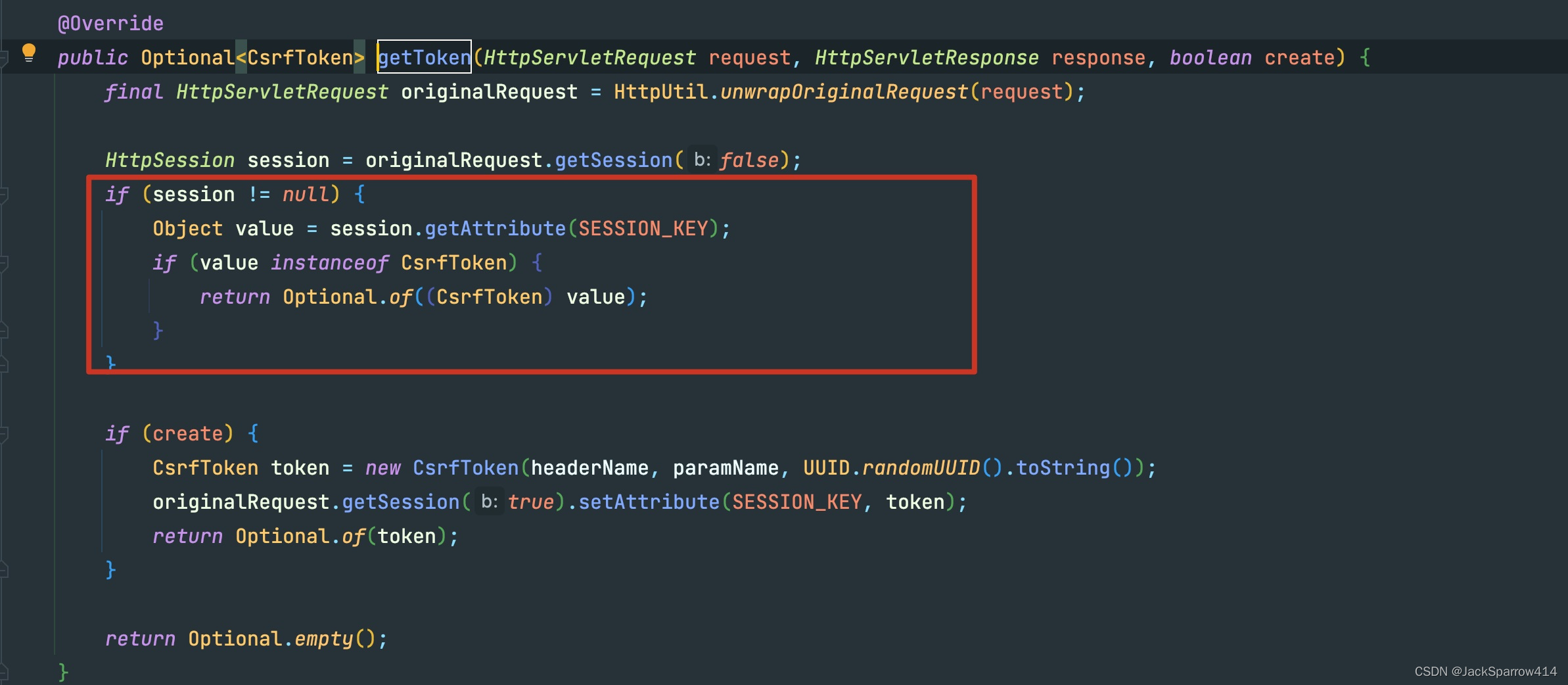 It simply retrieves the session value and validates it. Failed validation throws an exception.
A Custom Failure Page
Although Krazo provides a default CsrfExceptionMapper, we want to choose our own application page when CSRF validation fails.
@Provider
@Priority(Priorities.USER)
public class MvcExceptionHandler implements ExceptionMapper<CsrfValidationException> {

    @Context
    private HttpServletResponse response;

    @Context
    public HttpServletRequest request;

    @Context
    private ServletContext servletContext;

    @SneakyThrows
    @Override
    public Response toResponse(final CsrfValidationException e) {
        request.setAttribute("errors", e.getMessage());
// Either approach works.
//        servletContext.getRequestDispatcher("/WEB-INF/views/csrf.jsp").forward(request, response);
        request.getServletContext().getRequestDispatcher("/WEB-INF/views/csrf.jsp").forward(request, response);
        return null;
    }
}
<%@ page contentType="text/html;charset=UTF-8" language="java" %>
<%@ taglib prefix="c" uri="jakarta.tags.core" %>
<html>
<head>
<title>csrf</title>
</head>
<body>
<c:if test="${not empty errors}">
CSRF validation failed:<br>
<ul>
<c:forEach items="${errors}" var="error">
<li>${error}</li>
</c:forEach>
</ul>
<br>
</c:if>
<c:if test="${not empty message}">
${message} Validation succeeded.
</c:if>
</body>
</html>Other Usage and Configuration
For configuration and usage not covered here, see the Configuration section of the Krazo documentation.