Table of contents
Open Table of contents
Article body
When learning and trying to understand a concept, I often ask myself why we keep forgetting what we have learned. Sometimes we finally understand something after a lot of effort, only to forget it a few months later. Ultimately, we have not fully understood how it actually works, or formed a mental picture of it in action. When we try to recall it, we remember only dry text rather than a sequence of moving images.
Fortunately, many people have already put considerable work into this. Building on their work makes it easier and more efficient to understand how a concept or skill works in practice.
This post collects websites that meet those needs, so that I and anyone reading it can quickly learn a concept or skill.
Learning Git
Learn Git A website that visualizes Git operations.
Learning Regular Expressions
Regexr and regex101 are websites for visualizing regular expressions.
Learning Computer Networking
Textbook descriptions of the seven-layer and four-layer networking models can be dry. I tend to forget them after reading, and the various packet formats are difficult to remember.
I highly recommend Wireshark for learning computer networking.
- Install Wireshark.
- Configure the layout.
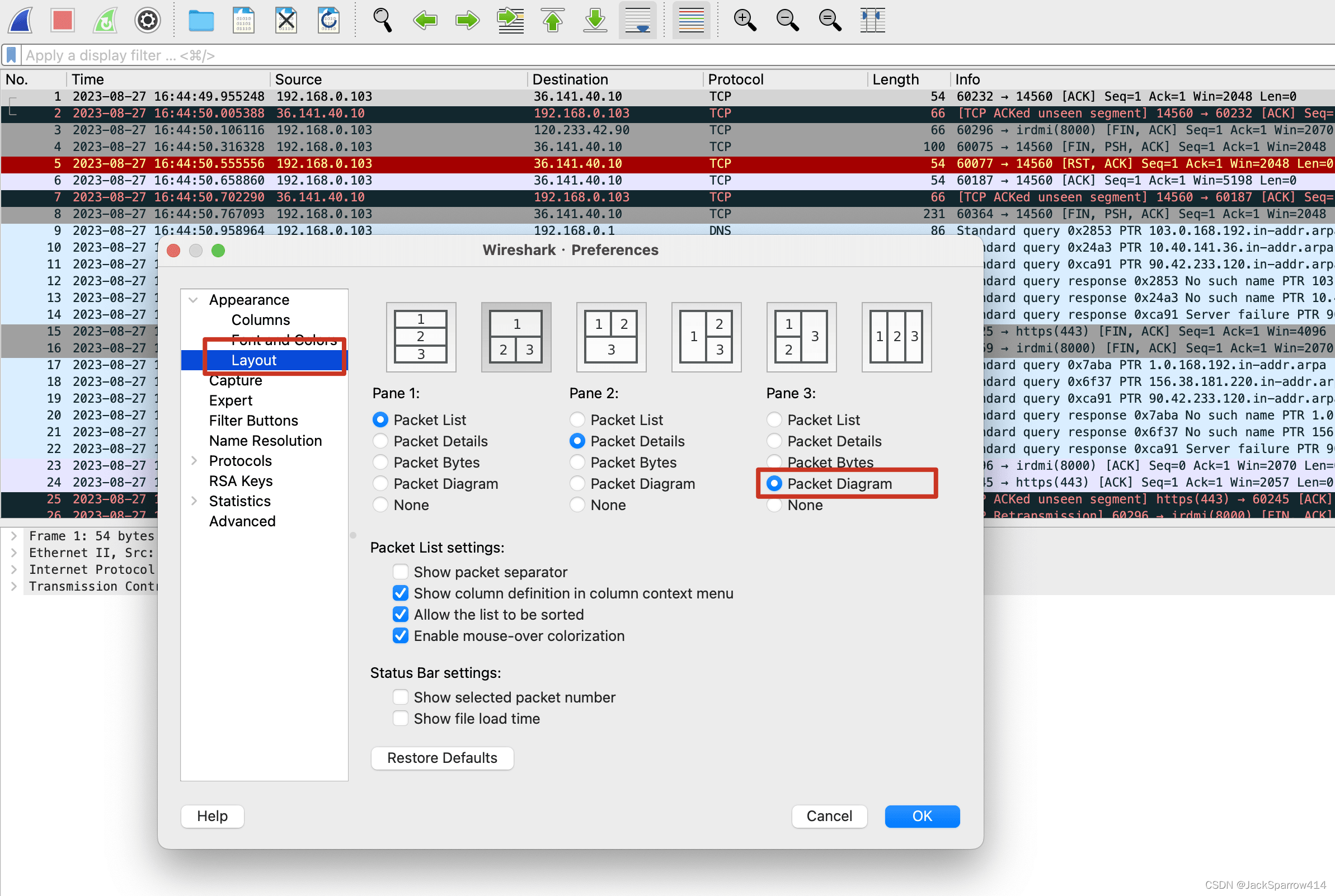
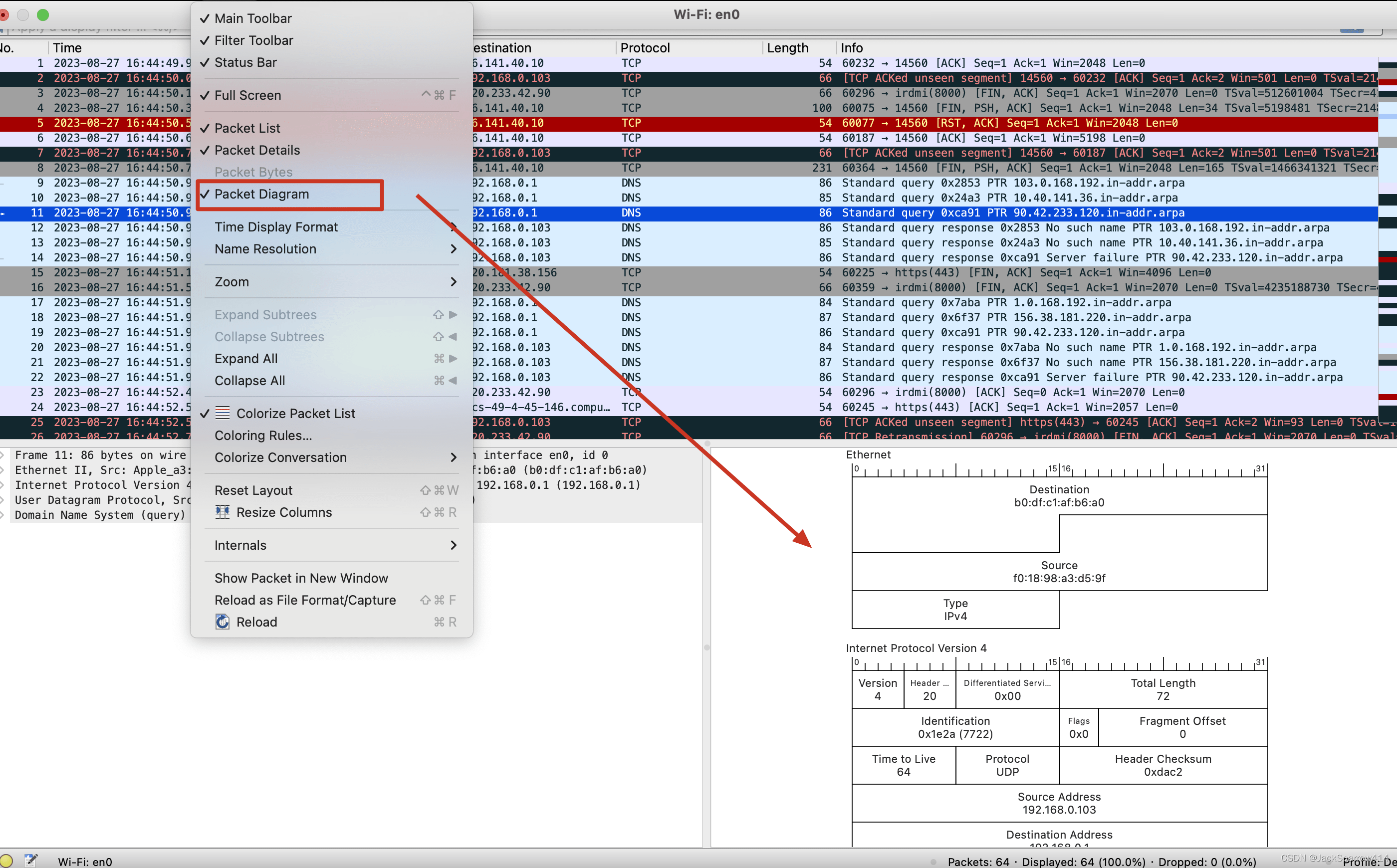
- Choose View > Packet Diagram from the menu bar. A visual packet diagram appears at the bottom right, while the raw packet information for each layer appears at the bottom left.
Learning Shell
explainshellexplains what each part of a complex shell command means. It is particularly helpful for shell beginners who struggle to understand other people’s scripts.