Table of contents
Open Table of contents
Integrating GitHub with CircleCI
A Brief Explanation of CI (Continuous Integration)
CI stands for Continuous Integration. When changes are submitted, automated steps run before merging, such as code-style checks and unit tests. After a merge, other steps can run automatically, such as packaging and deployment to development or testing environments.
CircleCI’s official explanation of CI.
CI Tools
Common CI tools include Jenkins, CircleCI, and Travis CI. I will not examine their relative strengths and weaknesses here.
Using CircleCI
It is straightforward to use once you learn the syntax of config.yml.
Authorizing CircleCI to Access a GitHub Project
-
On the CircleCI website, click Go to App and authorize your GitHub account.

-
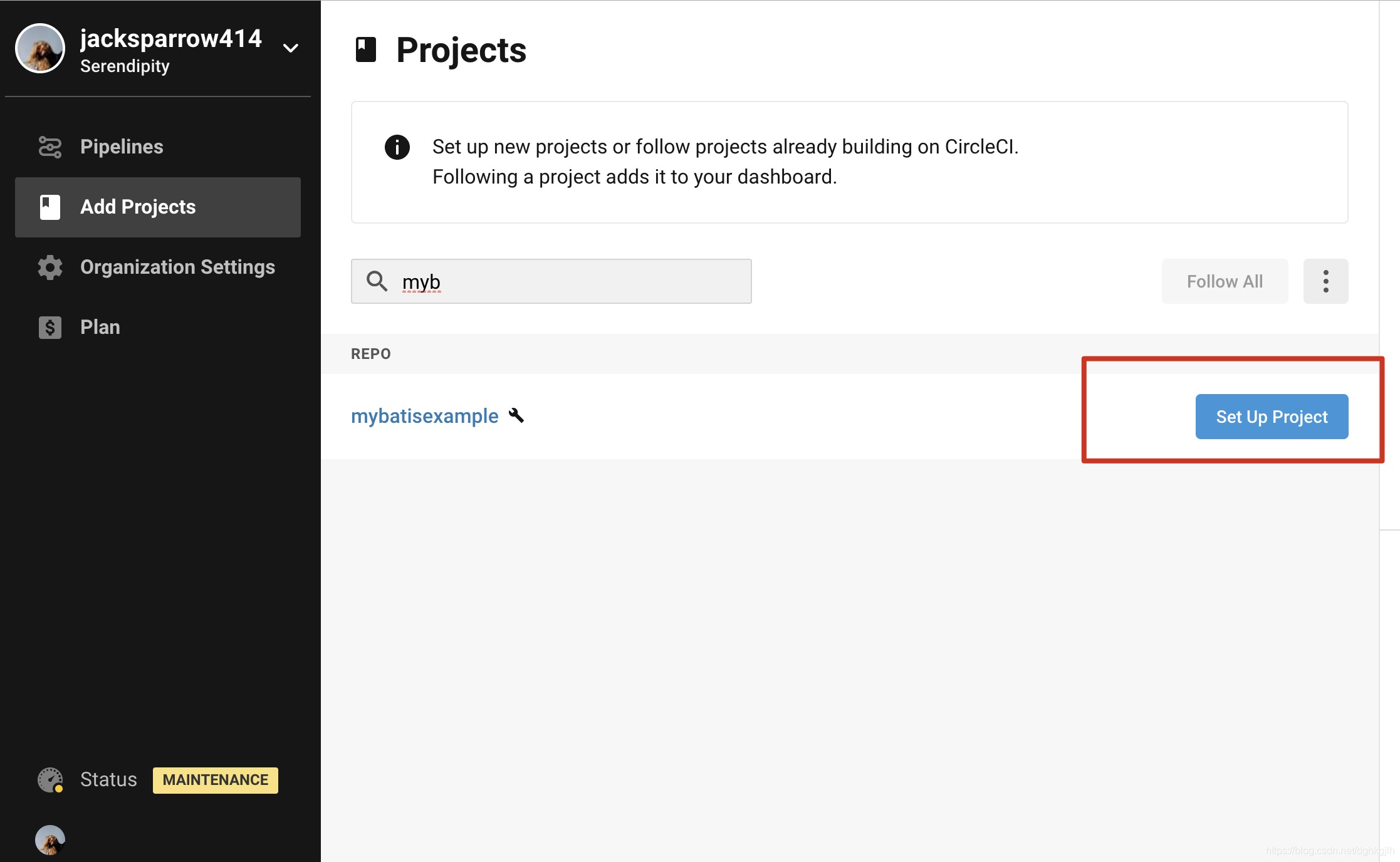
Click set up project to connect your project to CircleCI.
Writing config.yml
The official configuration reference provides the overall structure of config.yml, shown below.
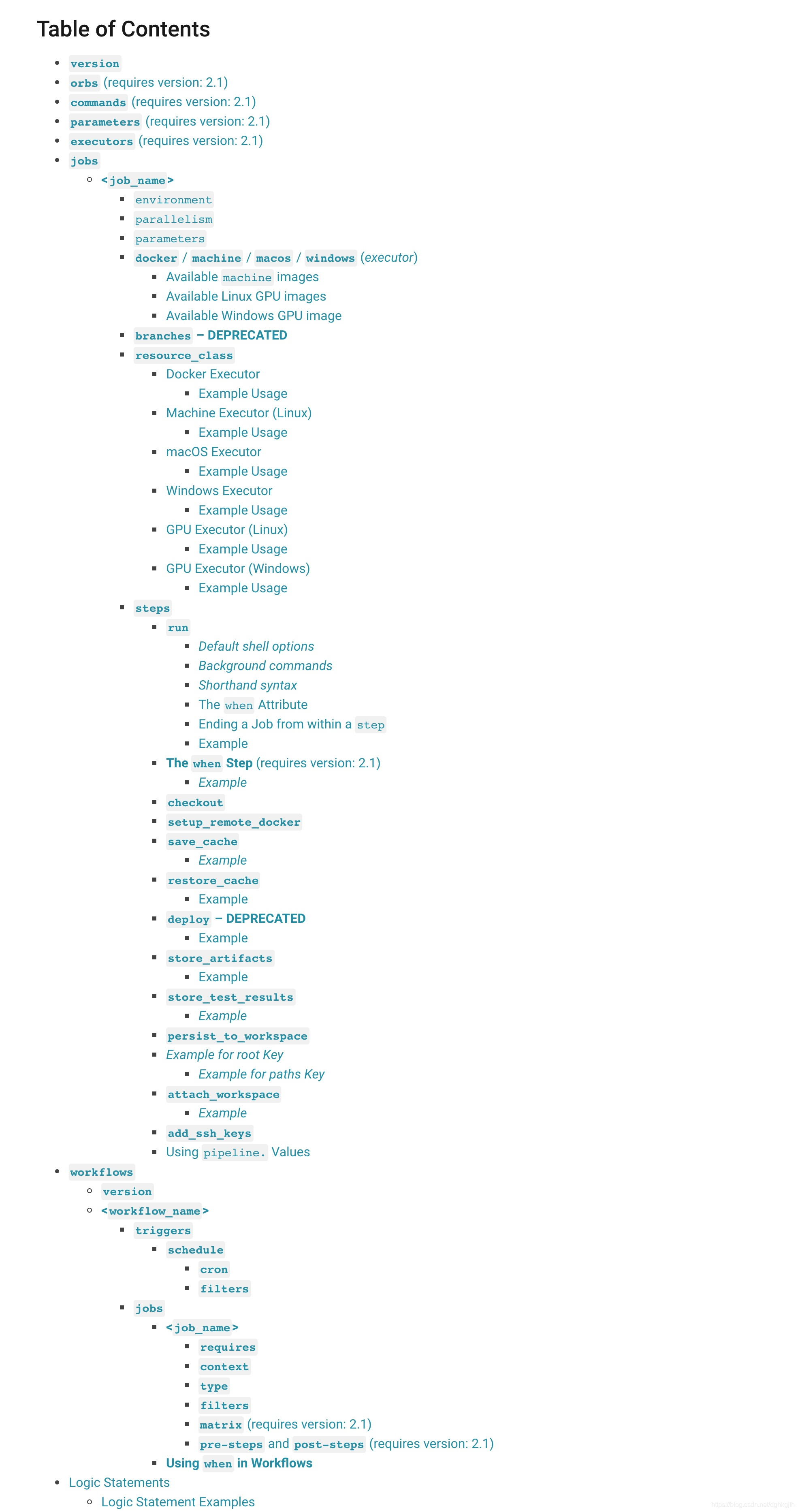 Using that structure, the sample file below illustrates the configuration.
The basic CI execution flow is:
Retrieve a workflow from workflows and check its execution conditions. If those conditions are met,
execute the jobs under the workflow.
Configuration under workflows is simple:
- version: fixed at 2.
- A name for each workflow.
- The names of the jobs to run in that workflow.
- Conditions for running jobs: these can be branch-name regular expressions or scheduled builds for a branch.
Each job has three main parts:
-
The working directory.
-
The execution environment: docker\windows\macOS\Linux.
-
The individual execution steps.
Common options in steps are:
- - checkout: check out the code into the working directory.
- - run: the command to execute.
- name: a name for the command.
- command: the actual command to run.
- when: run on success or failure, using on_success or on_fail.
- - restore_cache: dependencies specified in the POM are downloaded on the first run. If the POM remains unchanged, later runs reuse those dependencies rather than downloading them again, saving time.
- - store_test_results: save test results. This step still runs even when a run command fails.
version: 2.1
jobs: # a collection of steps
  # Name the job build. Runs not using Workflows must have a `build` job as the entry point.
  build:
    # Configure the working directory.
    working_directory: ~/repo
    # Run the steps with Docker.
    docker:
      - image: circleci/openjdk:8-jdk-stretch
      # A collection of executable commands: the steps to execute in this job.
    steps:
      # Check out source code to the working directory.
      - checkout

      - restore_cache: # restore the saved cache after the first run or if `pom.xml` has changed
          # Read about caching dependencies: https://circleci.com/docs/2.0/caching/
          key: v1-repo-{{ checksum "pom.xml" }}

      - run:
          name: get dependency
          # Get the project dependencies.
          command: mvn dependency:go-offline

      - save_cache: # saves the project dependencies
          paths:
            - ~/.m2
          key: v1-repo-{{ checksum "pom.xml" }}
      - run:
          name: build start
          command: echo "build start"

      - run:
          name: build project
          # Package the project here.
          command: mvn package
      # Command to run on success.
      - run:
          name: bulid success
          command: echo "build success"
          when: on_success
      # Command to run on failure.
      - run:
          name: build fail
          command: echo "build failur"
          when: on_fail
      # Save test results.
      - store_test_results: # uploads the test metadata from the `target/surefire-reports` directory so that it can show up in the CircleCI dashboard.
          # Upload test results for display in Test Summary: https://circleci.com/docs/2.0/collect-test-data/
          path: target/surefire-reports

      - store_artifacts: # store the uberjar as an artifact
          # Upload test summary for display in Artifacts: https://circleci.com/docs/2.0/artifacts/
          path: target/griantBaby-0.0.1-SNAPSHOT.jar
        # See https://circleci.com/docs/2.0/deployment-integrations/ for deploy examples
workflows:
  version: 2
  # Define three workflows.

  # Trigger on each commit.
  #  commit-workflow:
  #    jobs:
  #      - build:

  # Run when someone forks the project and submits a PR. Use filters to define the matching branch; only accepts a regular expression.
  # This generally duplicates commit-workflow, so keep only this workflow here.
  fork-commit-workfolw:
    jobs:
      - build:
          filters:
            branches:
              only: /^[A-Za-z0-9].*/
  # Scheduled trigger, consisting of triggers and the jobs to run.
  scheduled-workfolw:
    triggers:
      - schedule:
          cron: "0 0 * * *"
          filters:
            branches:
              only:
                - master
    jobs:
      - build
Testing Whether the CircleCI Configuration Takes Effect
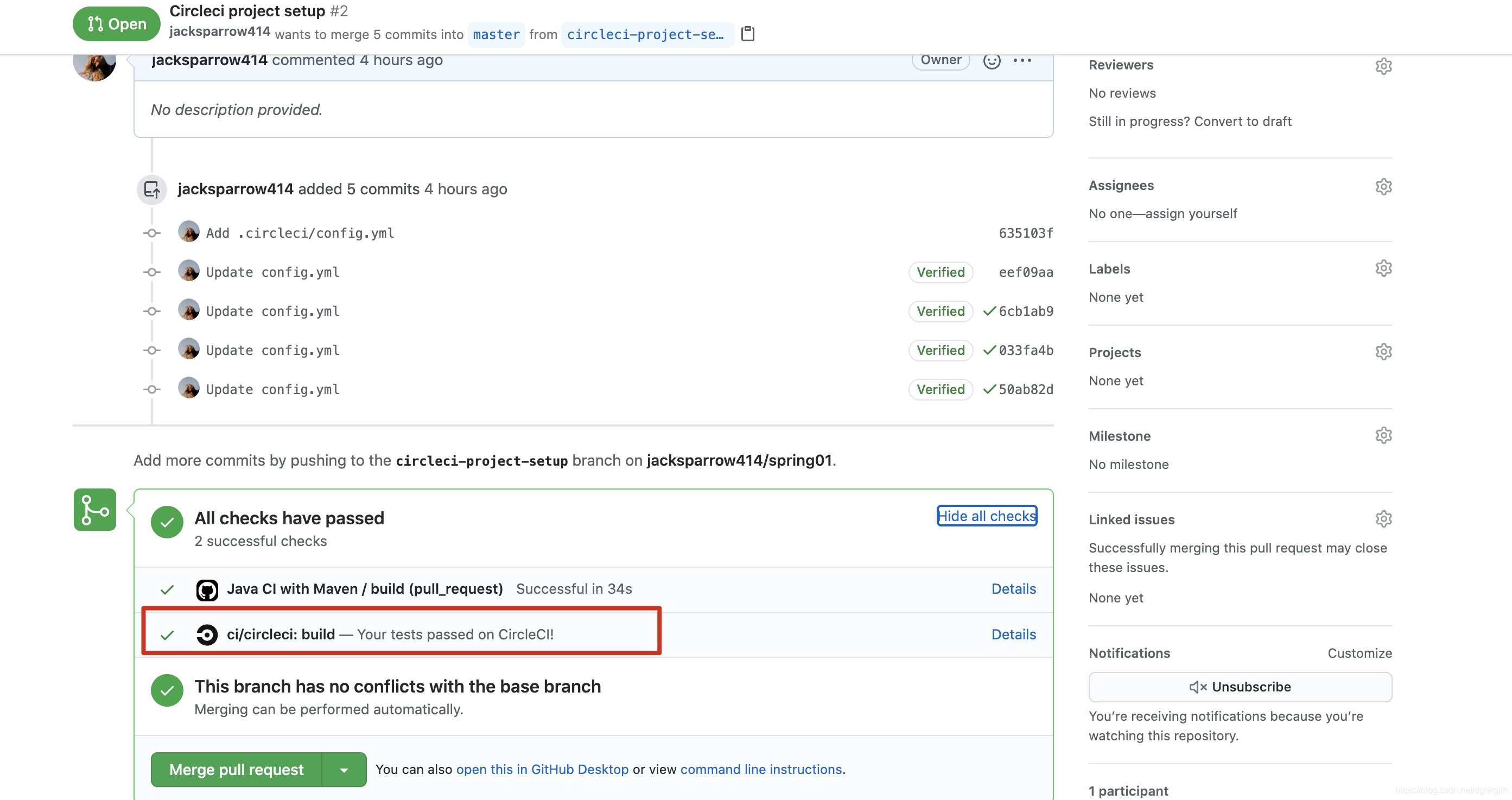
Modify code on the local dev branch, stage and commit it, push to the remote, and create a PR against master. CircleCI automatically starts checks when the PR is created, as shown below.
The CircleCI console also shows this checking workflow.
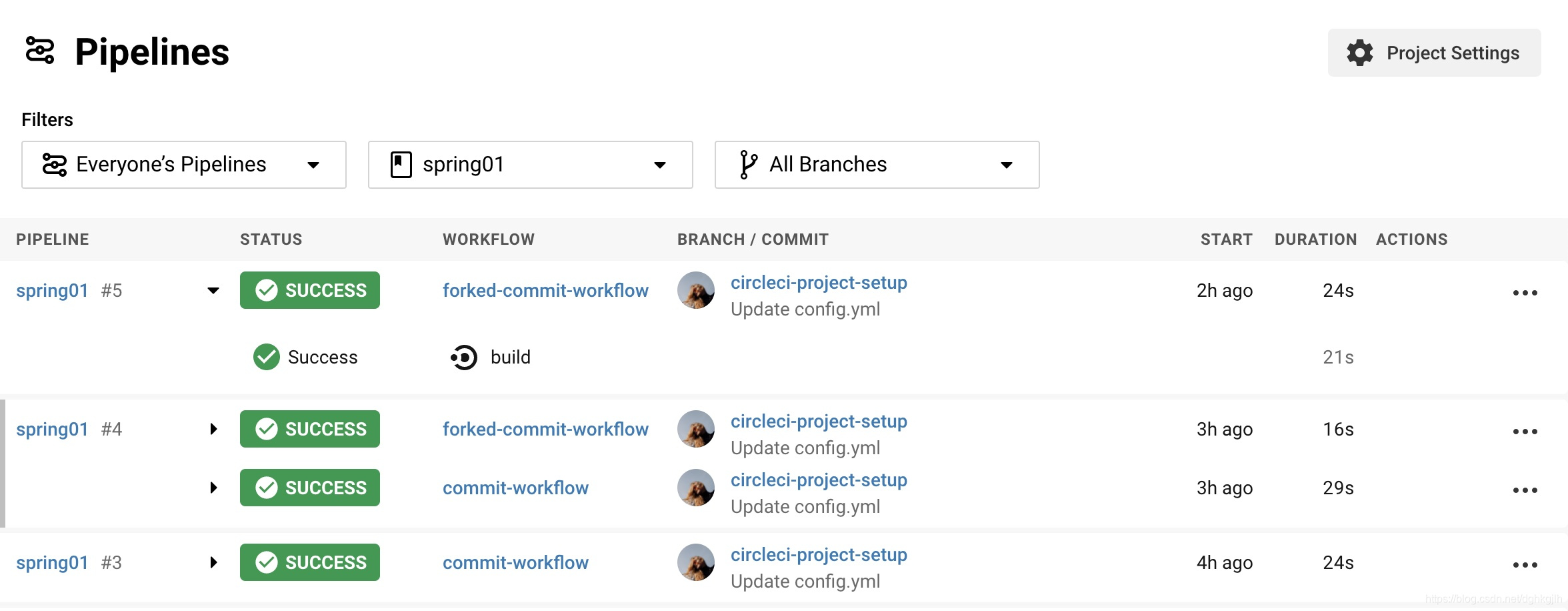 Click a workflow to inspect its details. Here you can see that it really runs in a Docker environment.
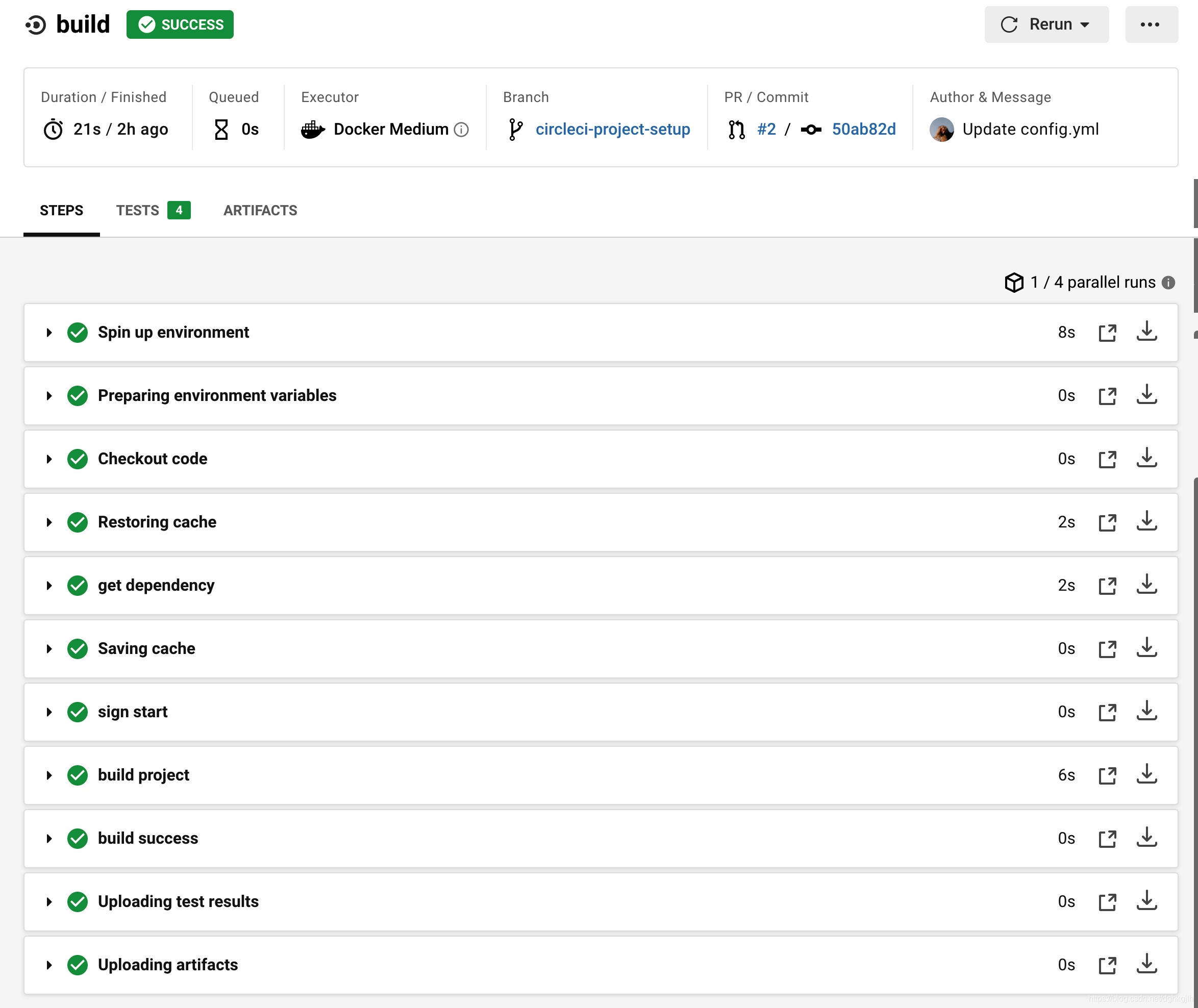
The names we defined for run steps appear here. Click a step to see its details.
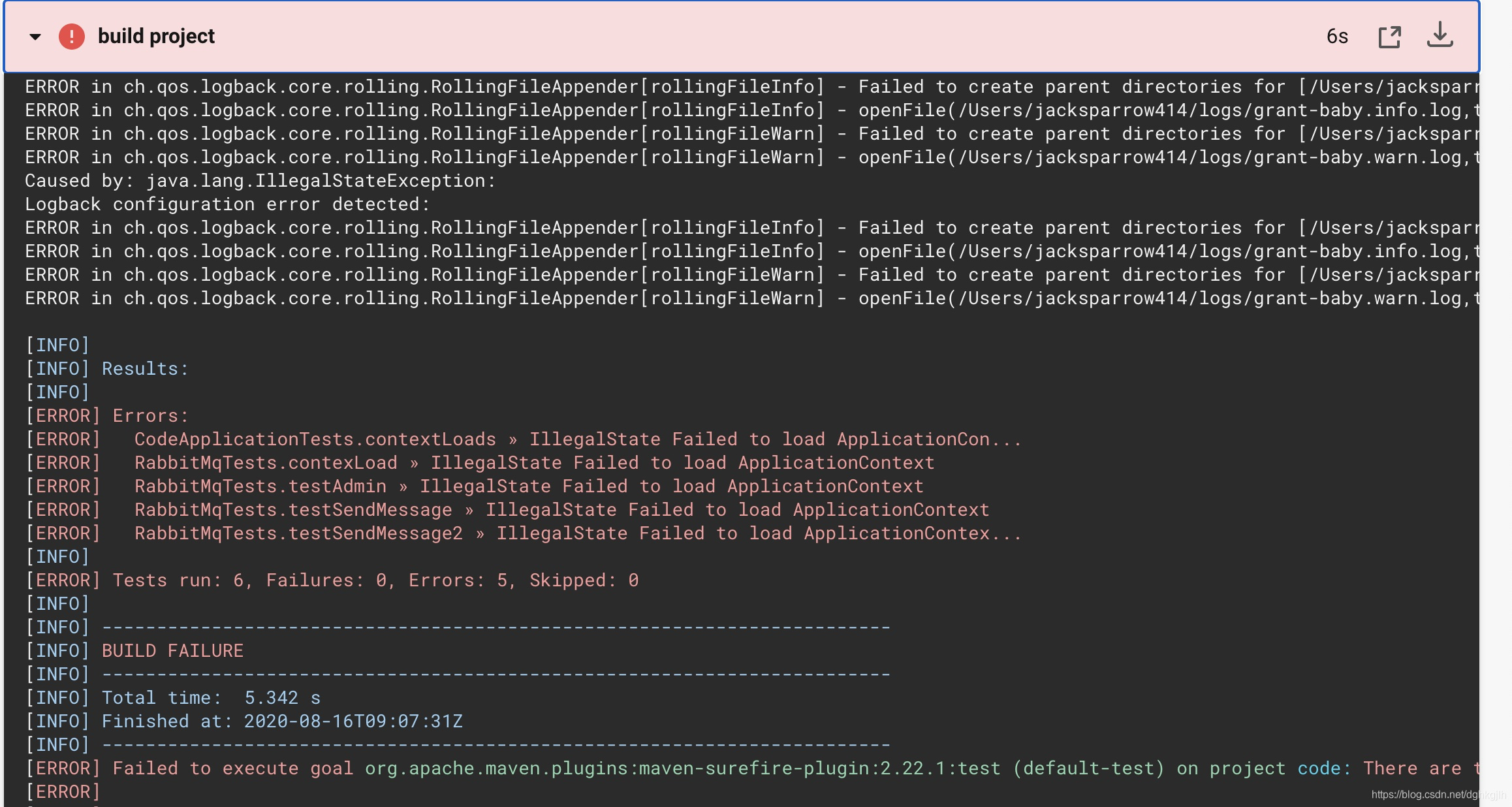
When a step fails, you can also inspect the failure information:
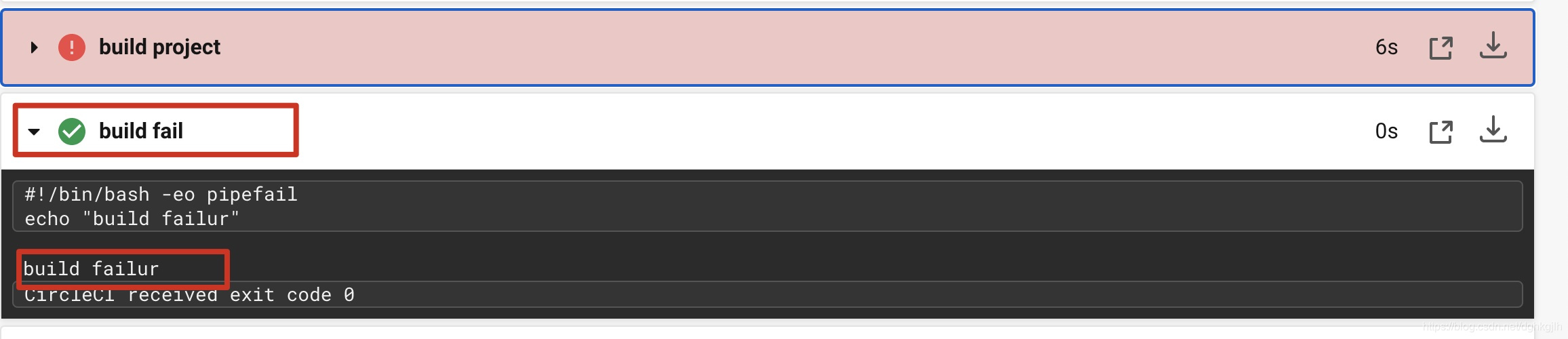
You can also see that after the job fails, the failure command we configured really executes.
Notes
-
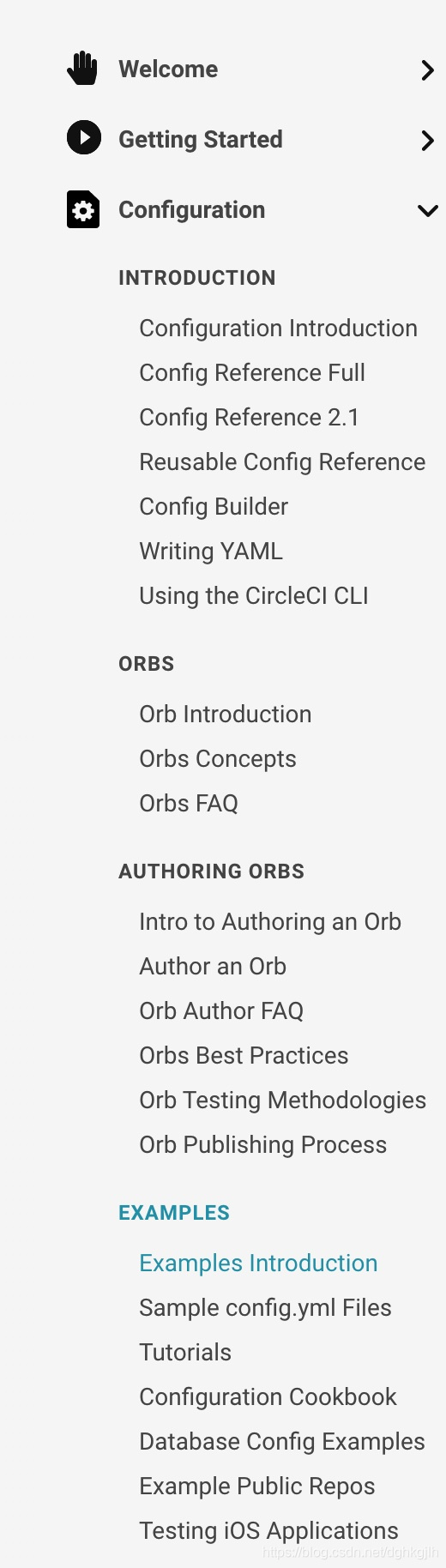
I recommend using the example above as a starting point alongside the official documentation. If you still do not know how to write the configuration, the documentation also offers many examples.
-
When developing an open-source GitHub project locally, use a separate branch instead of developing on master. Even if nobody else uses it yet, the workflow should still be sound. If you are the only developer, create a dev branch and submit each change through a PR. Merge after CI checks pass, and develop good workflow habits.
-
For deeper use of CircleCI, there is no need to search online first: the official documentation is the best source of answers. Documentation. Read it carefully, and answers are usually easy to find.
A Final Thought
I wrote this article simply to record my recent experience connecting a GitHub project to CI. I also hope more people will learn about and participate in open source.
I have an open-source project on GitHub that currently needs collaborators. If interested, see the project.
I look forward to working with you :smile::smile::smile: