Table of contents
Open Table of contents
Article body
If I am going to do this, I might as well do it thoroughly!
There are several levels to configuring sessions in Shiro. At the basic level, configure the session timeout and require users to log in again after a session expires. At the next level, account for users who leave their browsers open or close them early by updating session lifetimes as appropriate and periodically cleaning up expired sessions. At the advanced level, synchronize sessions across multiple systems in a distributed environment. I have not configured this last part yet.
-
Based on the above, we need to configure a few components: a validator that periodically checks for expired sessions; a session ID generator to identify and organize sessions for management; and a cookie that stores the session ID so that the server can match the session on the next visit.
-
Session ID generator
<!--Session ID generator-->
    <bean id="sessionIdGenerator" class="org.apache.shiro.session.mgt.eis.JavaUuidSessionIdGenerator"/>
Also configure SessionDAO, which is the component that directly operates on sessions.
<!--SessionDAO creates and updates sessions and deletes expired sessions-->
    <bean id="sessionDAO" class="org.apache.shiro.session.mgt.eis.EnterpriseCacheSessionDAO">
        <!--Session ID generator-->
        <property name="sessionIdGenerator" ref="sessionIdGenerator"/>
        <!--Session cache name; choose any name-->
        <property name="activeSessionsCacheName" value="shiroSessionCache"/>
</bean>- Store the session ID in a cookie
<!--Store the session ID in a cookie-->
    <bean id="sessionIdCookie" class="org.apache.shiro.web.servlet.SimpleCookie">
        <constructor-arg value="sid"/>
        <property name="httpOnly" value="true"/>
        <property name="maxAge" value="60000"/>
</bean>- Delegate sessions to sessionManager, because Shiro manages sessionManager directly.
 <bean id="sessionManager" class="org.apache.shiro.web.session.mgt.DefaultWebSessionManager">
        <!--1. Without this setting, after logging in and creating a session, closing the current tab and opening a new one-->
        <!--leaves a jsesessionid in the URL. This makes the URL untidy and exposes the session ID, which is a security concern.-->
        <!--Set the following parameter to false to prevent this-->
        <!--In my case, the code redirects when opening the page, which causes this issue. I am not sure whether it also happens without a redirect-->
       <property name="sessionIdUrlRewritingEnabled" value="false"/>
        <!--Timeout; the default is 30 minutes-->
        <property name="globalSessionTimeout" value="60000"/>
        <!--Delete expired sessions-->
        <property name="deleteInvalidSessions" value="true"/>
        <!--Configure the components used to manage sessions-->
        <property name="sessionValidationSchedulerEnabled" value="true"/>
        <property name="sessionValidationScheduler" ref="sessionValidationScheduler"/>
        <property name="sessionIdCookieEnabled" value="true"/>
        <property name="sessionIdCookie" ref="sessionIdCookie"/>
        <property name="sessionDAO" ref="sessionDAO"/>
</bean>- Add the session validator. This example uses the Shiro–Quartz integration, so remember to include it in the POM.
<!--Configure the session validation scheduler to scan for expired sessions-->
    <bean id="sessionValidationScheduler" class="org.apache.shiro.session.mgt.quartz.QuartzSessionValidationScheduler">
        <property name="sessionManager" ref="sessionManager"/>
        <!--Set the scan interval to match the session timeout so that expired sessions are detected at the next scan-->
        <property name="sessionValidationInterval" value="60000"/>
</bean>- Add sessionManager to the security configuration
<bean id="securityManager" class="org.apache.shiro.web.mgt.DefaultWebSecurityManager">
        <!--1. Authentication and authorization are performed in the realm after entering securityManager, so reference the custom realm here-->
        <property name="realm" ref="customRealm"/>
        <!--2. Configure the remember-me / automatic-login option-->
        <property name="rememberMeManager" ref="cookieRememberMe"/>
        <!--3. Configure session management-->
        <property name="sessionManager" ref="sessionManager"/>
    </bean>
This completes the session management configuration.
Note: my login code performs a redirect, so a jsesessionid appears at the end of the URL in the address bar, as shown below:
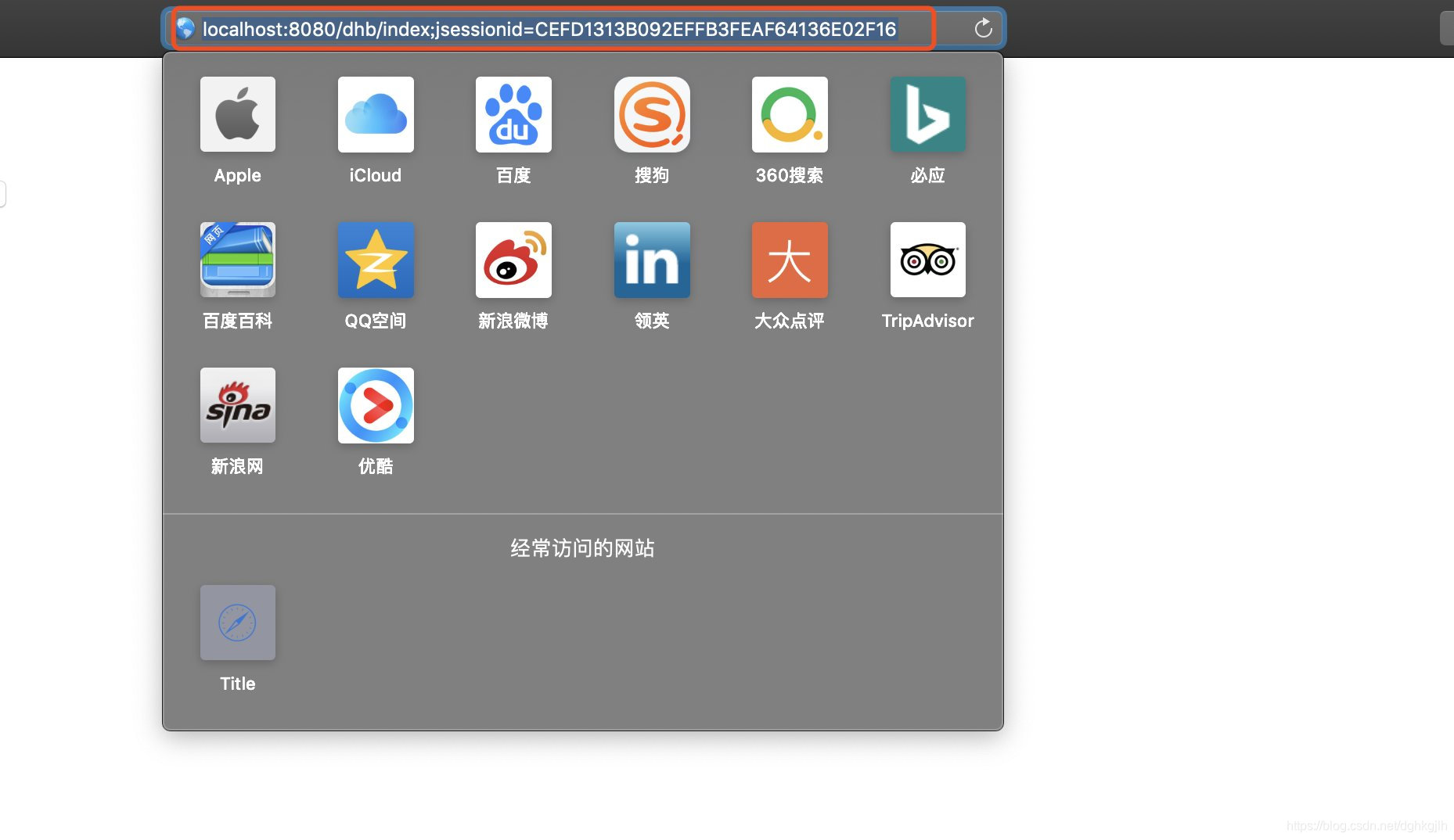
Exposing the ID this way is very dangerous. Setting sessionIdUrlRewritingEnabled to false in the first configuration item in step 4 prevents it.