Table of contents
Open Table of contents
Article body
If I am going to do this, I might as well do it thoroughly and make the effort worthwhile!
Before we begin: anyone who has learned JSP knows that cookies are enough to implement this.
Configure the cookie in shiro.xml.
- Configure the cookie name, lifetime, and other settings.
<bean id="cookieRememberMe" class="org.apache.shiro.web.servlet.simpleCookie">
  <constructor-arg name="name" value="rememberMeAfter"/>
  <!--Cookie lifetime-->
  <property name="maxAge" value="2592000"/>
  <!--Whether the request is an htt request, to prevent malicious attacks-->
  <property name="httpOnly" value="true"/>
</bean>- Inject the cookie into cookieRememberManager.
<bean id="cookieManager" class="org.apache.shiro.web.mgt.CookieRememberMeManager">
  <property name="cookie" ref="cookieRememberMe"/>
  <!--Cookie encryption. The value below is an OGNL expression: T denotes a class, followed by its fully qualified name.method(arguments)-->
  <perperty name="cipherKey"
   value="#{T(org.apache.shiro.codec.Base64).decode('4AvVhmFLUs0KTA3Kprsdag==')}"/>
</bean>- Add cookieManager to securityManager.
<bean id="securityManager" class=".shiro.web.mgt.DefaultWebSecurityManager"
        <!--1. After entering securityManager, authentication and authorization run in the realm,
        so reference our custom realm here-->
        <property name="realm" ref="customRealm"/>
        <!--2. Configure the remember-me/automatic-login option-->
        <property name="rememberMeManager" ref="cookieManager"/>

</bean>
With the basic configuration done, add one line before subject.login(token), based on whether the user selected remember me/automatic login:
token.setRememberMe(true/false). That essentially completes the flow.
A Major Problem:
Testing showed that the cookie did not work. After closing and reopening the browser, I still had to log in. The server reported no errors.
Investigation:
1. First, check whether the server returns a cookie to the browser. Locate the cookie in Chrome, as shown below:
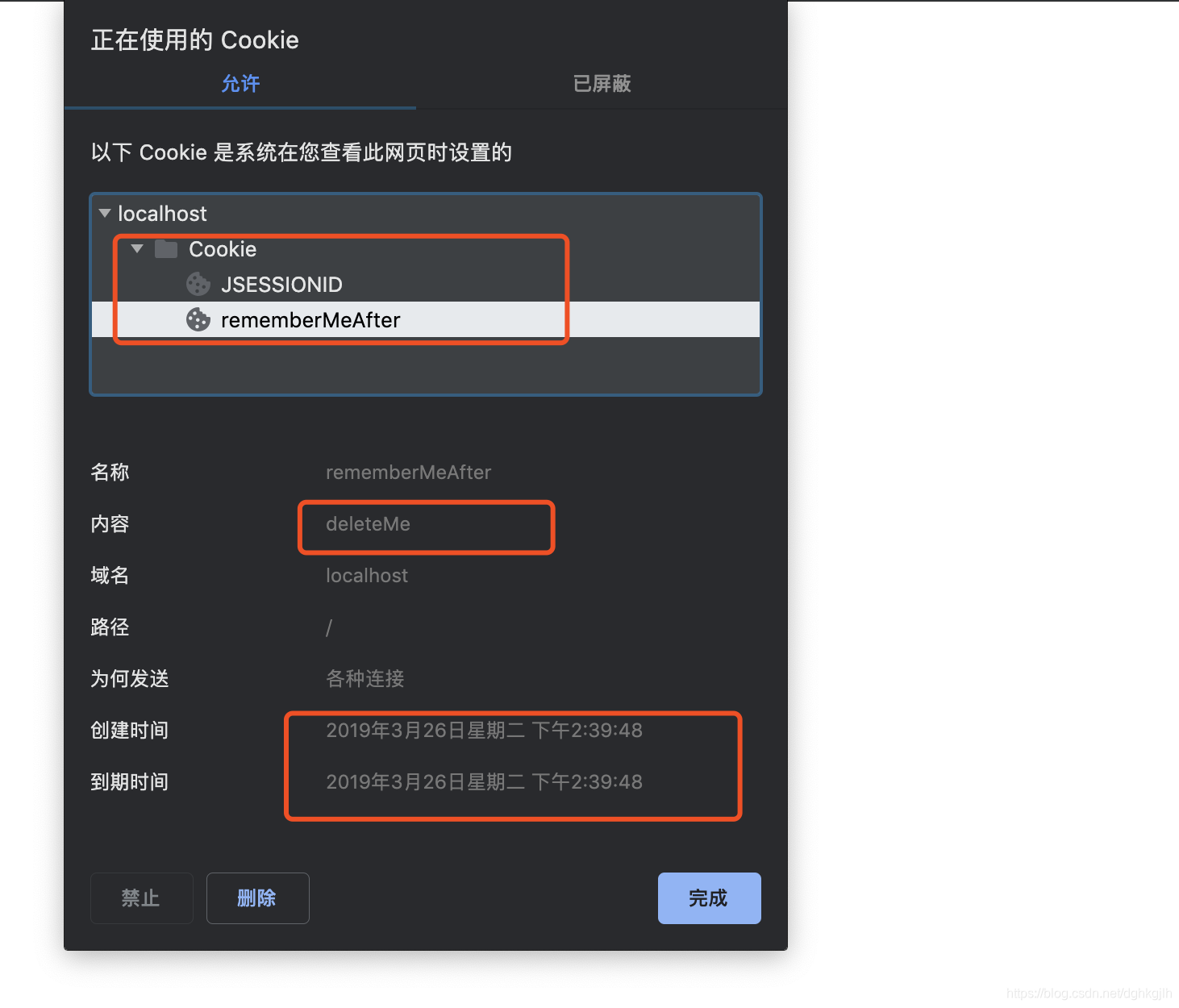 The cookie does have the name I configured, so shiro.xml appears correct. Notice, however, that its creation and expiration times are identical, and its content is wrong: deleteme.
-
I searched forum posts and blogs. Only one blogger had the same problem, and nobody had replied.
-
With no other option, I read the source code. Here is my investigation.
Step one: since the cookie contained deleteme, something must have gone wrong and reset it. I looked in simpleCookie and found the relevant code.
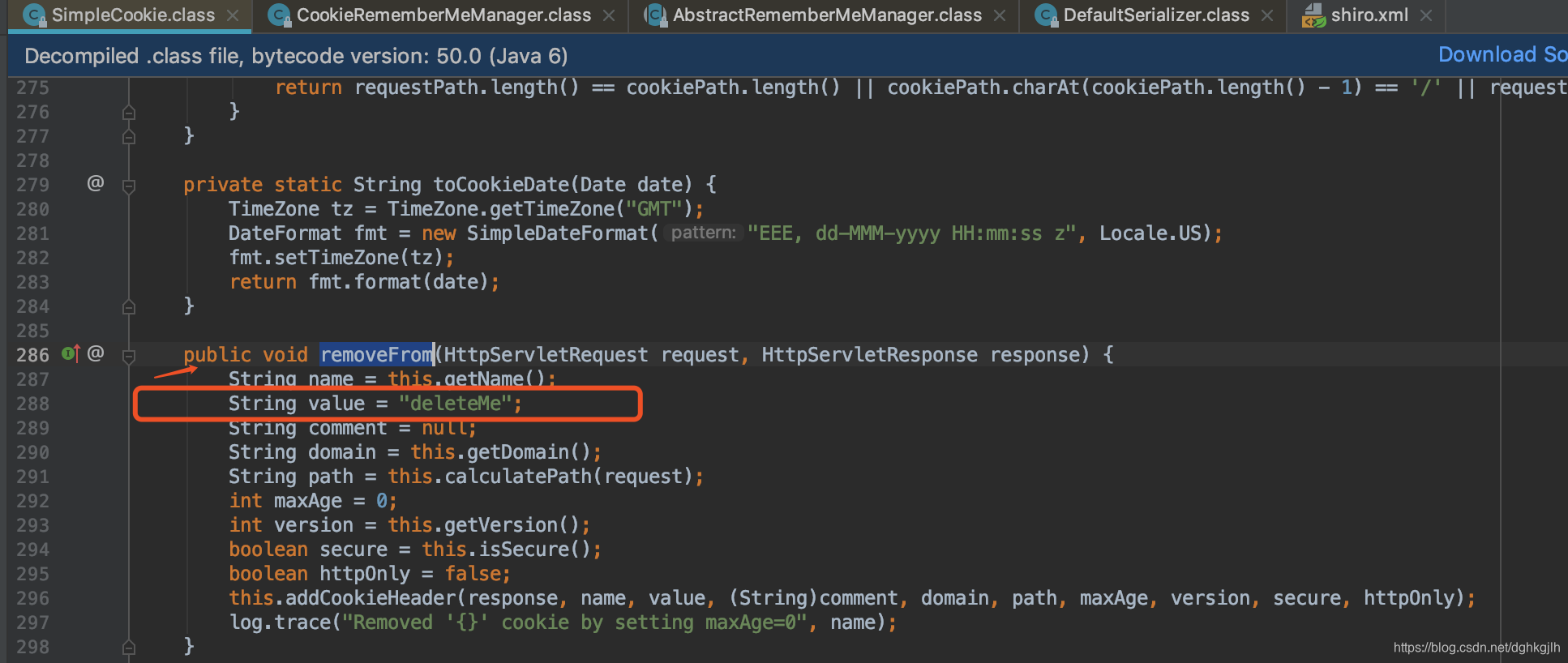
Step two: removeForm sets the value, but where is that method called? It was not in simpleCookie. Since shiro.xml delegates simpleCookie management to cookieRememberManager, I searched there and found it.
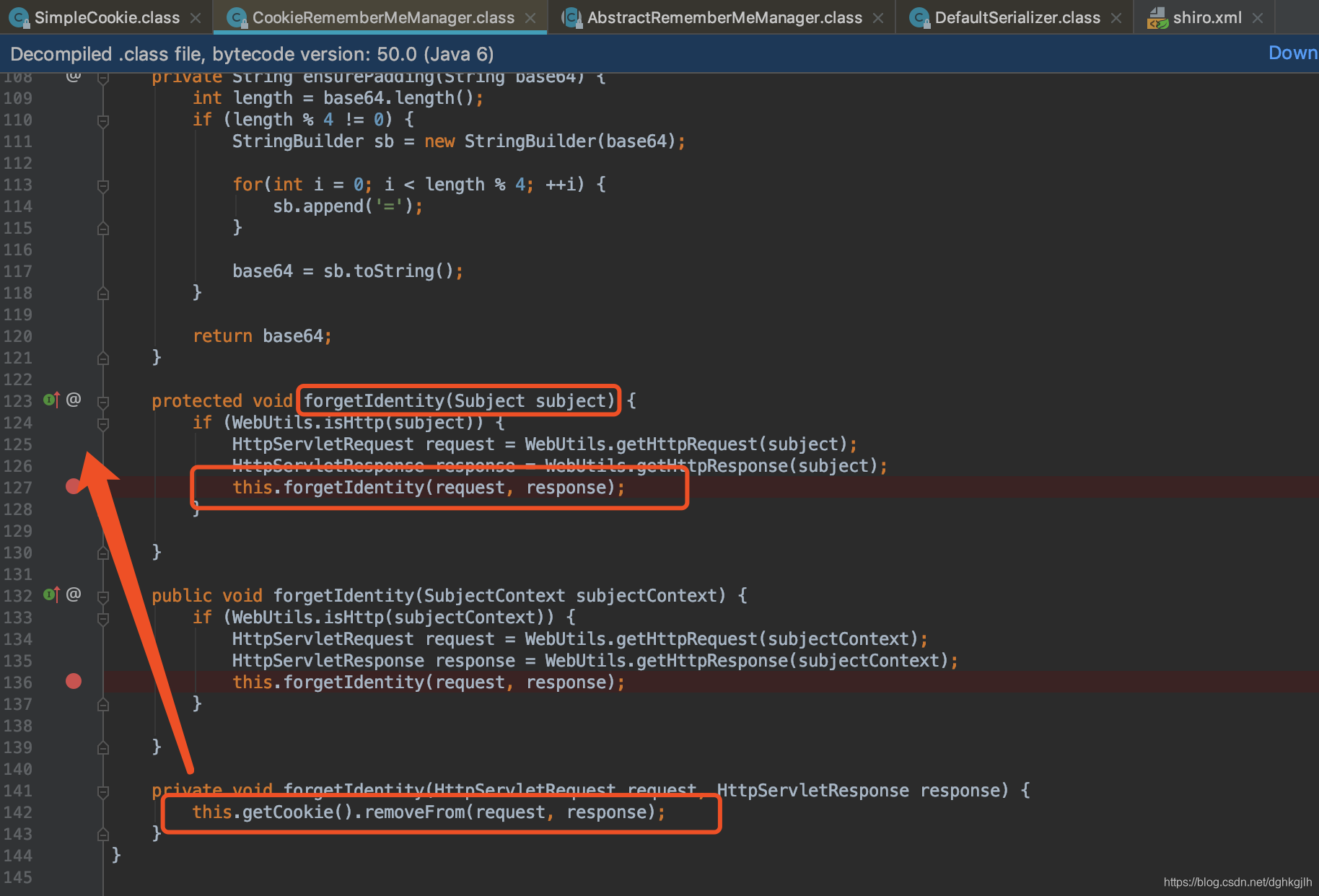
forgetIdentity calls removeForm. Mine should use the first overload because
authentication passes a Subject. But where is forgetIdentity called?
Step three: CookieRememberMeManager did not call it, so I searched its abstract superclass, AbstractRememberManager. Its onFailedLogin method calls it. I set a breakpoint, but execution never entered onFailedLogin. I was baffled—what now?
Step four: after looking through a pile of methods whose purpose I did not understand, I found onSuccessfulLogin and set a breakpoint. Execution did enter this method.
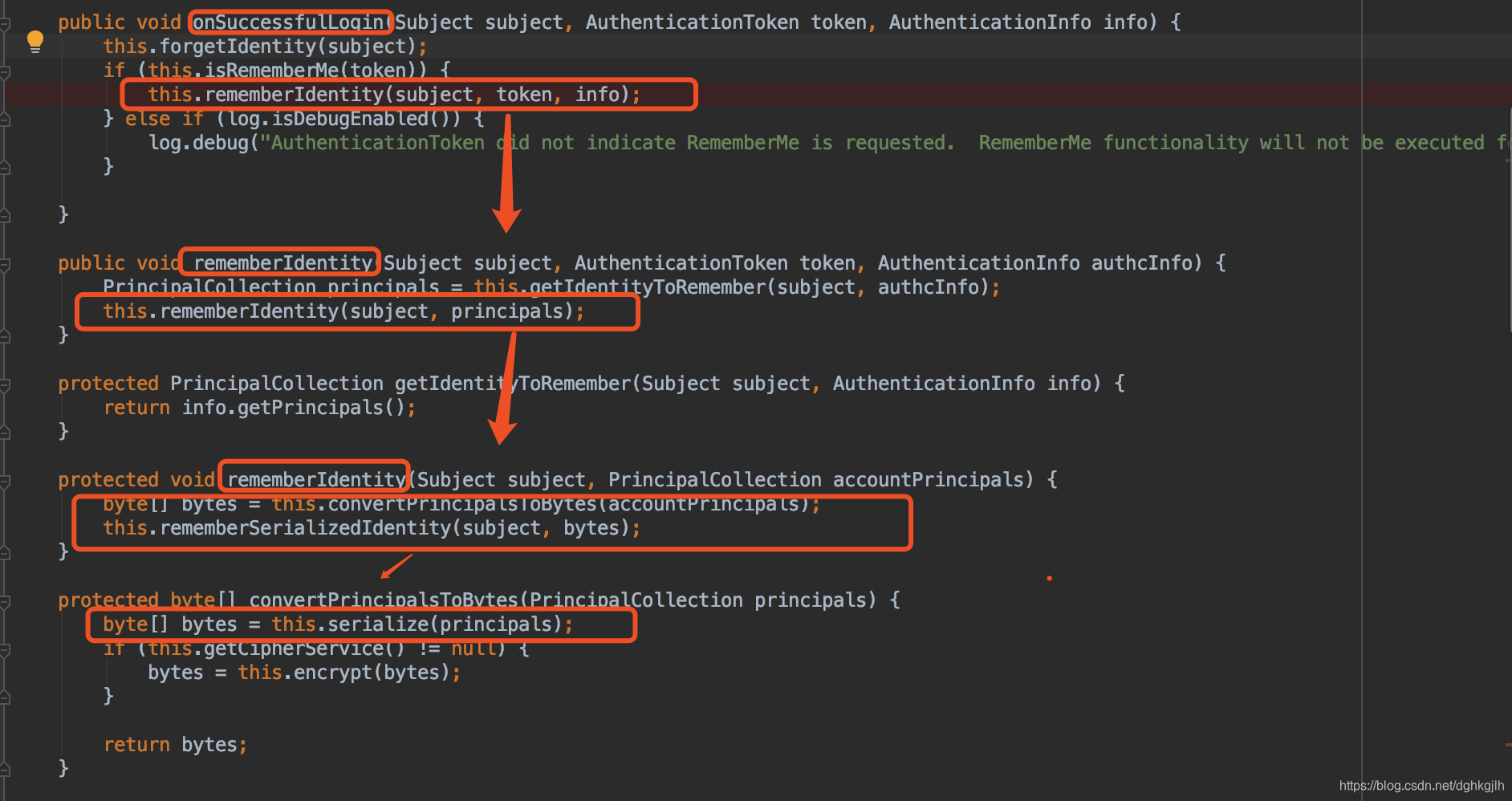
These steps execute in sequence. I followed the breakpoints to this.serialize in converPrincipalsToBytes. Stepping into it revealed a caught exception; the try block above performs stream operations.
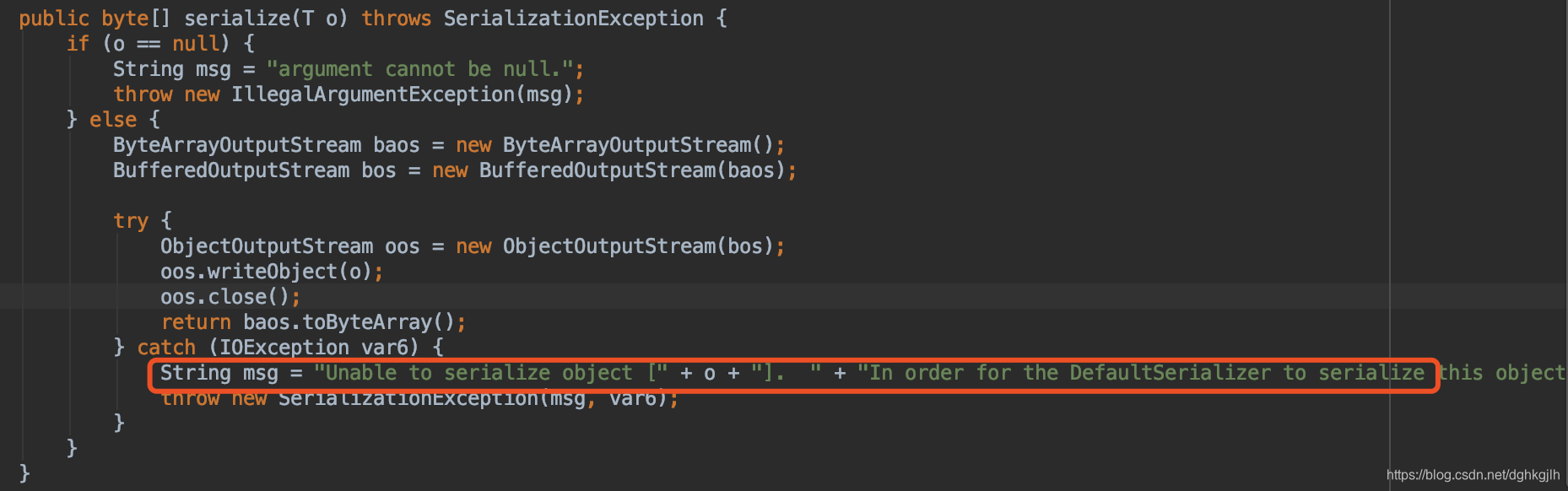
Seeing that message and the User entity at the breakpoint, I understood immediately: my User class did not implement Serializable. I added the interface at once. My custom realm passes a User object during authentication. Passing a String username would not cause this issue, because String implements Serializable. A cookie is returned to the browser and saved on the user’s disk, so what the server sends involves file I/O and stream operations. For an object to participate in stream input and output, it must implement Serializable. I only understood this after reading the source—rather embarrassing!
SimpleAuthenticationInfo info = new SimpleAuthenticationInfo(authUser, password,
getName());
Step five: I tested again, closing and reopening the browser. I could now log in directly without authentication. The troublesome problem was finally solved.
This pitfall gave me a much clearer understanding of Shiro.
After resolving it, I organized Shiro’s rememberMe workflow as follows.
Workflow:
-
Shiro first deletes the cookie obtained from the browser and initializes a cookie containing deleteme.
-
After the realm authenticates successfully, Shiro considers the user logged in and calls onSuccessfulLogin. DefaultSerializer writes the principal object to a byte array through ObjectOutputStream.
-
If step two throws no exception, rememeberSerializedIdentity in CookieRememberMeManager is called. Otherwise, the initialized deleteMe cookie is returned, and the original cookie is already gone because step one deleted it.
-
rememeberSerializedIdentity calls cookie.saeTo to set the cookie and return it to the browser, as shown below:
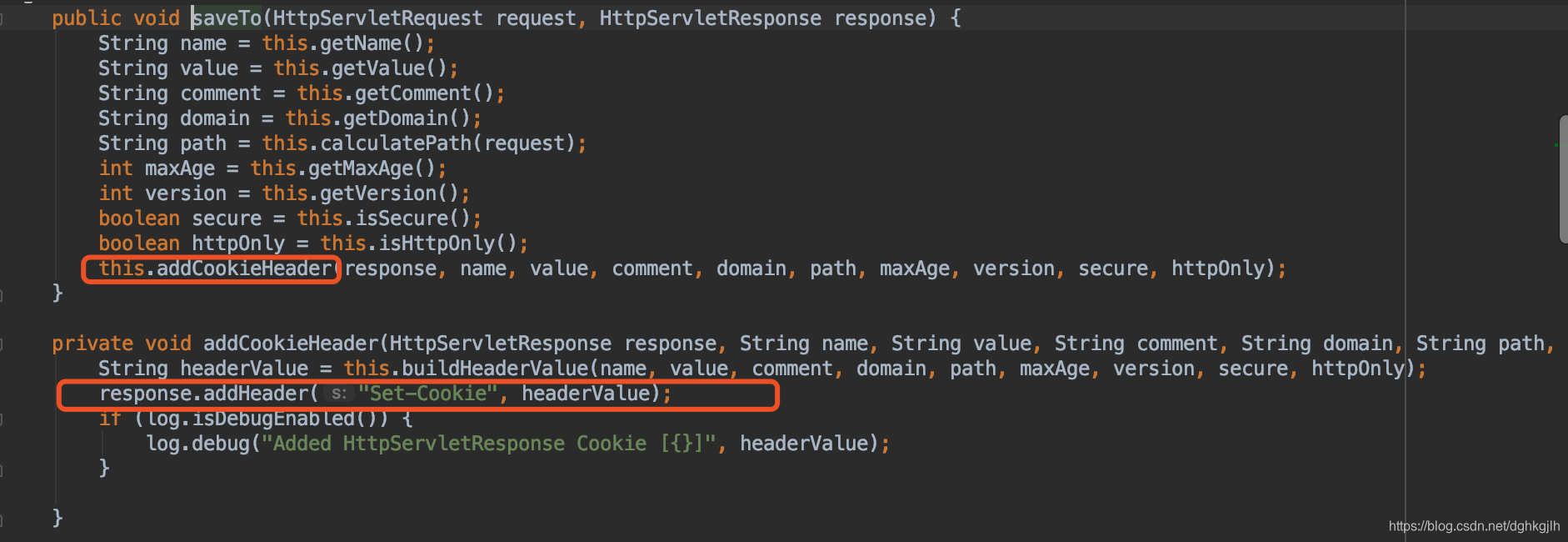
That completes the small rememberMe feature.
This series does not provide the complete related code, but I have integrated Shiro into a frontend/backend project. If you need it, the code is here.