Table of contents
Open Table of contents
Article body
In the previous article, I generated a self-signed certificate locally and configured the browser to regard it as valid. With HTTPS enabled, the packets captured in Wireshark no longer reveal request or response contents.
I have read many online analyses of the HTTPS handshake, but I always forget them after a while. I therefore decided to capture packets myself and inspect the entire process.
Capturing Traffic with Wireshark
As in the previous article, start Wireshark and the example application locally, then call the endpoint with curl.
curl -v -X POST -k https://localhost:8443/validation/valid/inline/postAfter receiving the response, stop the capture and filter for TLS traffic.
tls and tcp.port eq 8443 and tls.handshake
The TLS 1.3 Handshake
From the SSL.com TLS handshake overview and other articles, I noticed that the steps in my capture differed from those described by most articles online.
I later discovered that major browsers already support TLS 1.3, which is simpler than TLS 1.2. You can also see this in the screenshot above: the protocol column says TLS 1.3.
All the steps below are described in Section 2 of RFC 8446. I strongly recommend reading that section before looking at the screenshots, or reading them side by side.
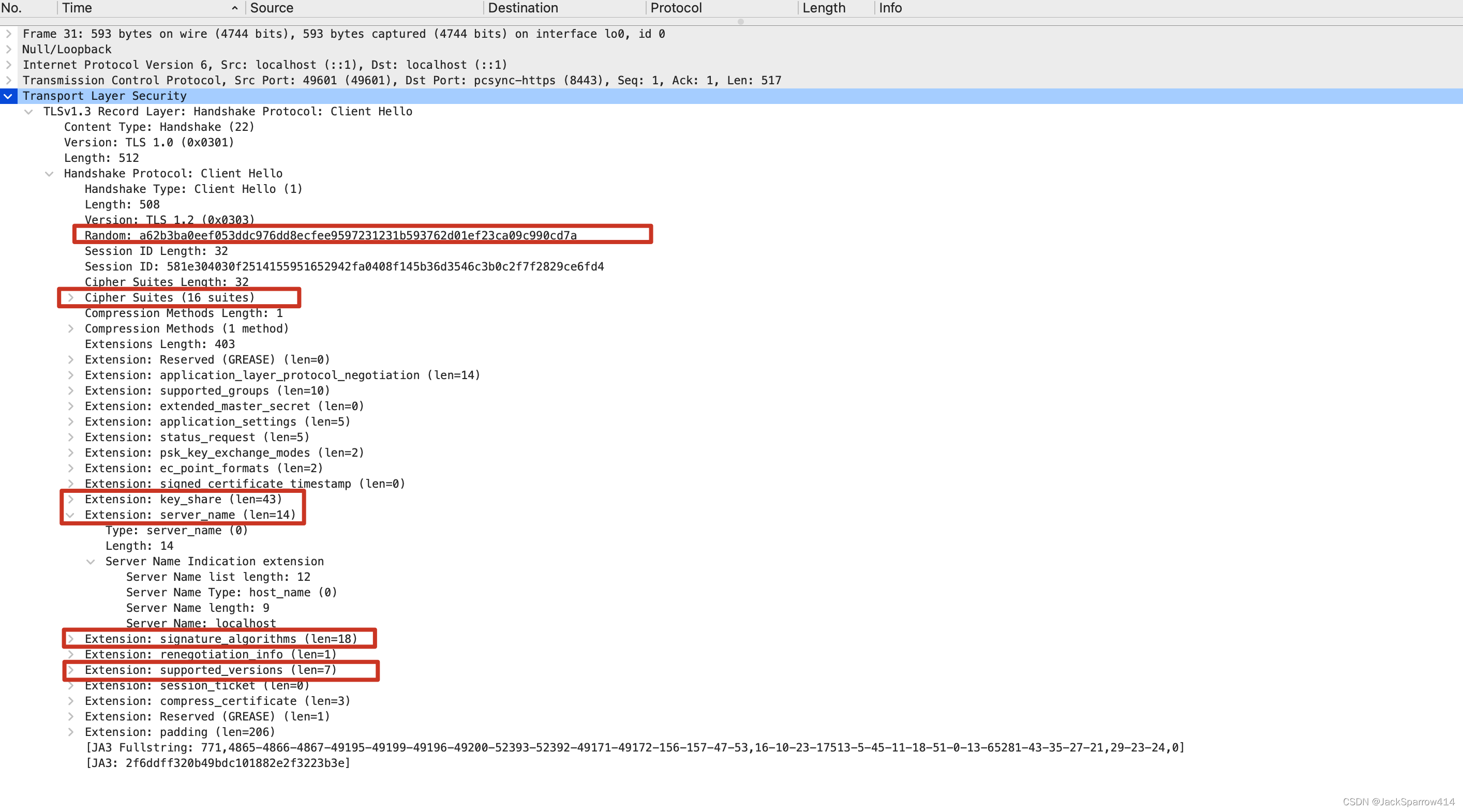
Client Hello
Server Hello
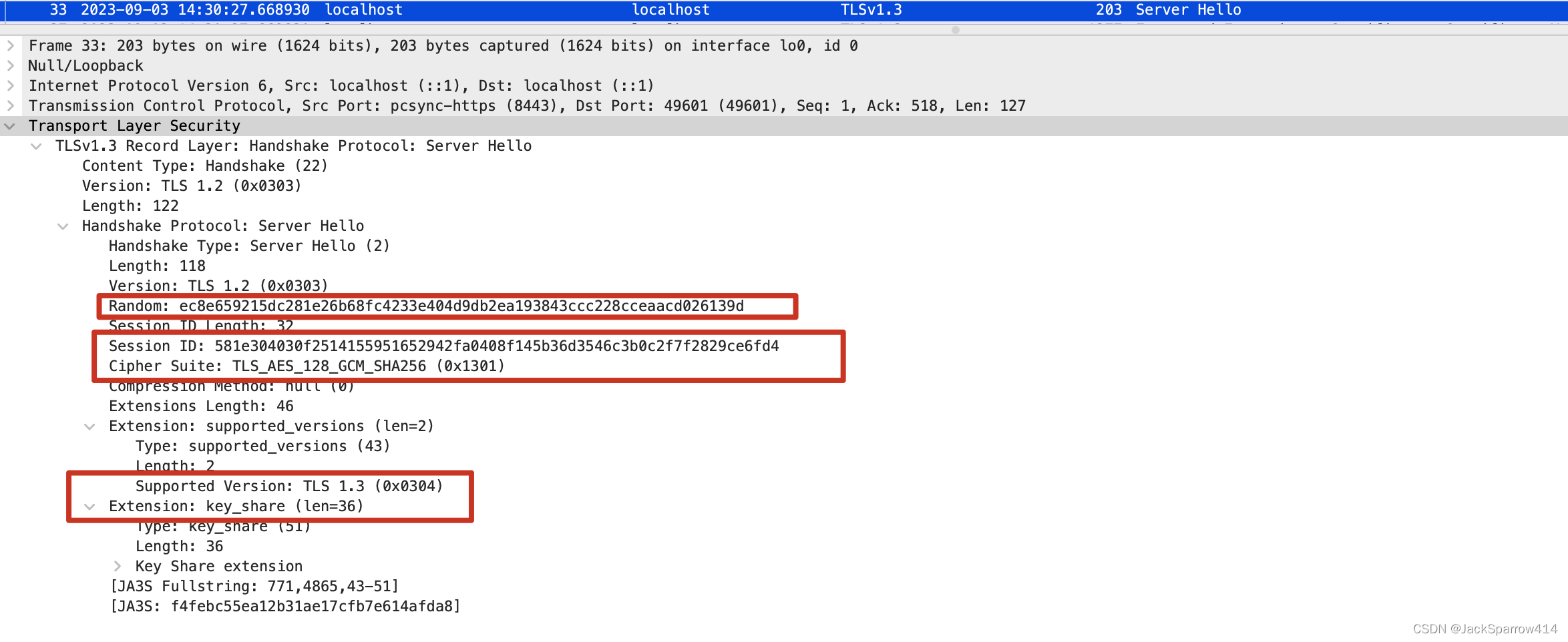 Here the protocol is TLS 1.3, whereas most online articles describe the TLS 1.2 handshake.
Encryped Extenstions, Certificate, Certificate Verify
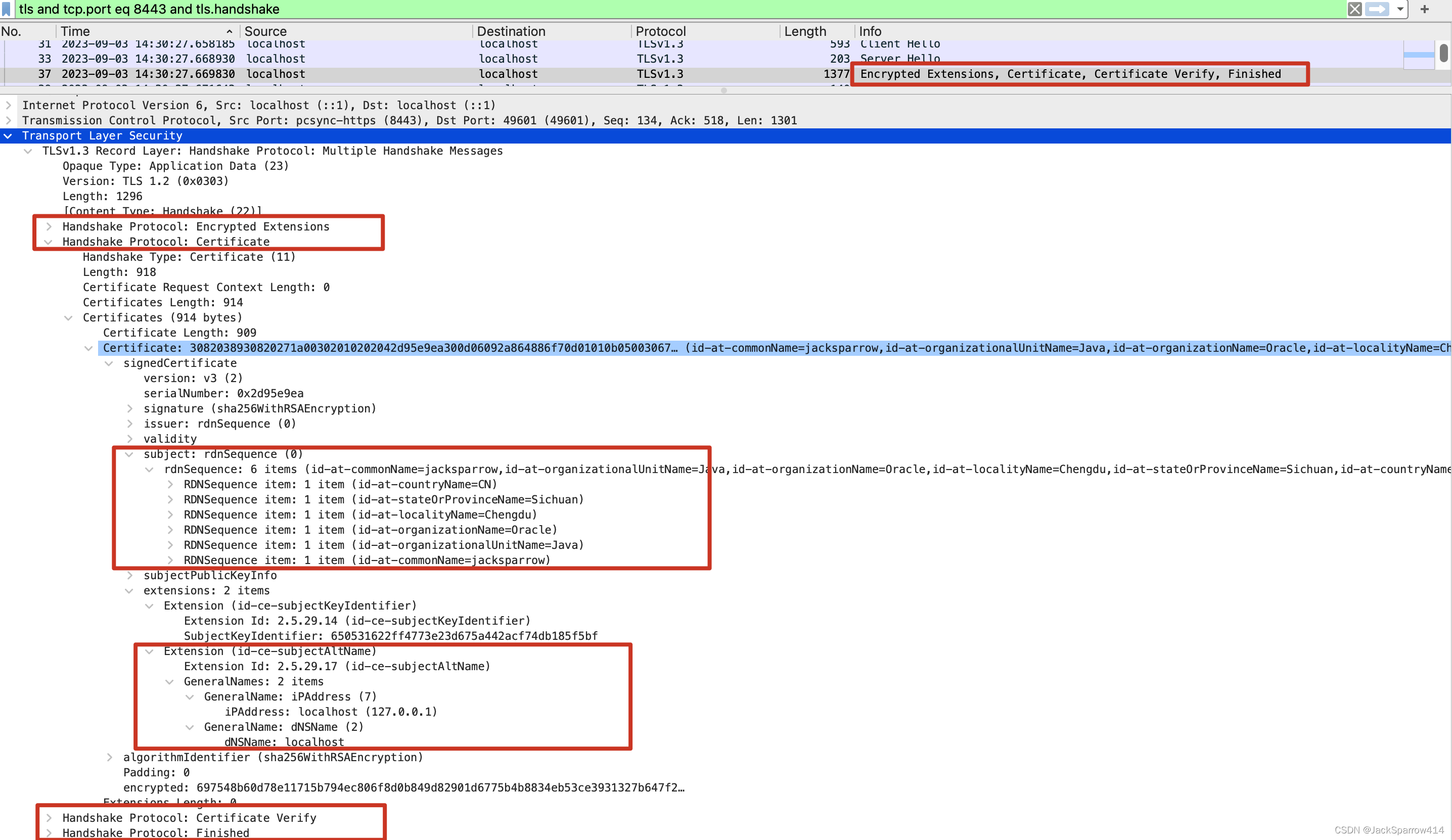 The certificate delivered here is the one we generated in the previous article, including the subjectAltName we configured there.
Change Ciper Spec, Finshed
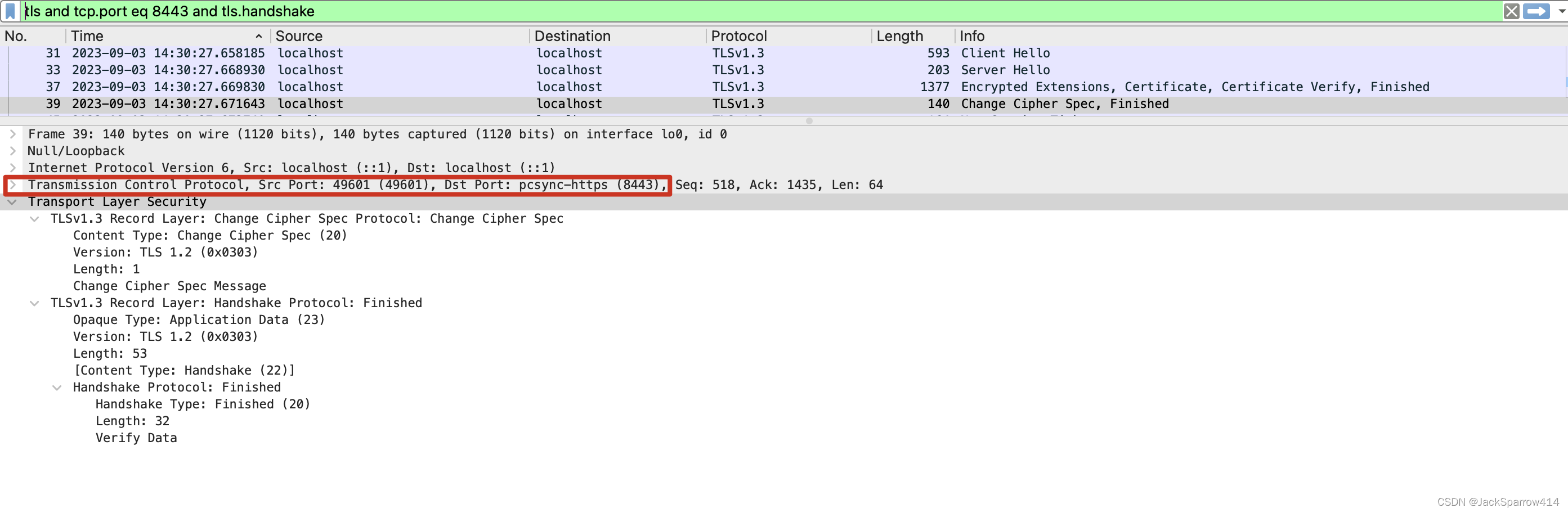
For the red-highlighted parts of the process above, I recommend reading RFC 8446, the TLS 1.3 specification, alongside the screenshots. Its explanations are concise and easy to follow, so I will not explain each item again.
Differences between TLS 1.2 and TLS 1.3
For details, see Major Differences from TLS 1.2 in RFC 8446.
The main differences are:
- Most cipher suites have been removed; relatively few remain.
- Elliptic curves are used instead of RSA, and the key-negotiation process is omitted. I have not really understood the mathematics of elliptic curves myself, but this blog post explains it well, in my view.
You can read Cloudflare’s explanation of what happens during a TLS handshake and this Medium article. Both explain the TLS 1.2 and TLS 1.3 handshakes in detail.
Can We Go Further?
I originally wondered whether I could downgrade the browser’s supported TLS version to 1.2 to inspect that handshake too. After searching online, I found no effective answer. In Chrome,
chrome://flagsI could not find an option to downgrade TLS 1.3 to TLS 1.2 in the settings either, so I gave up.
Decrypting TLS Packets Captured in Wireshark
With HTTPS, captured packets no longer show plaintext in Wireshark. How can we decrypt them?
Follow the configuration instructions in the TLS section of the Wireshark wiki.
- Set the SSLKEYLOGFILE environment variable.
export SSLKEYLOGFILE="$HOME/keylogfile.txt" - Close the browser, then launch it from the shell.
open /Applications/Google\ Chrome.app - Configure the SSLKEYLOGFILE file under Wireshark > Preferences -> Protocols -> TLS.
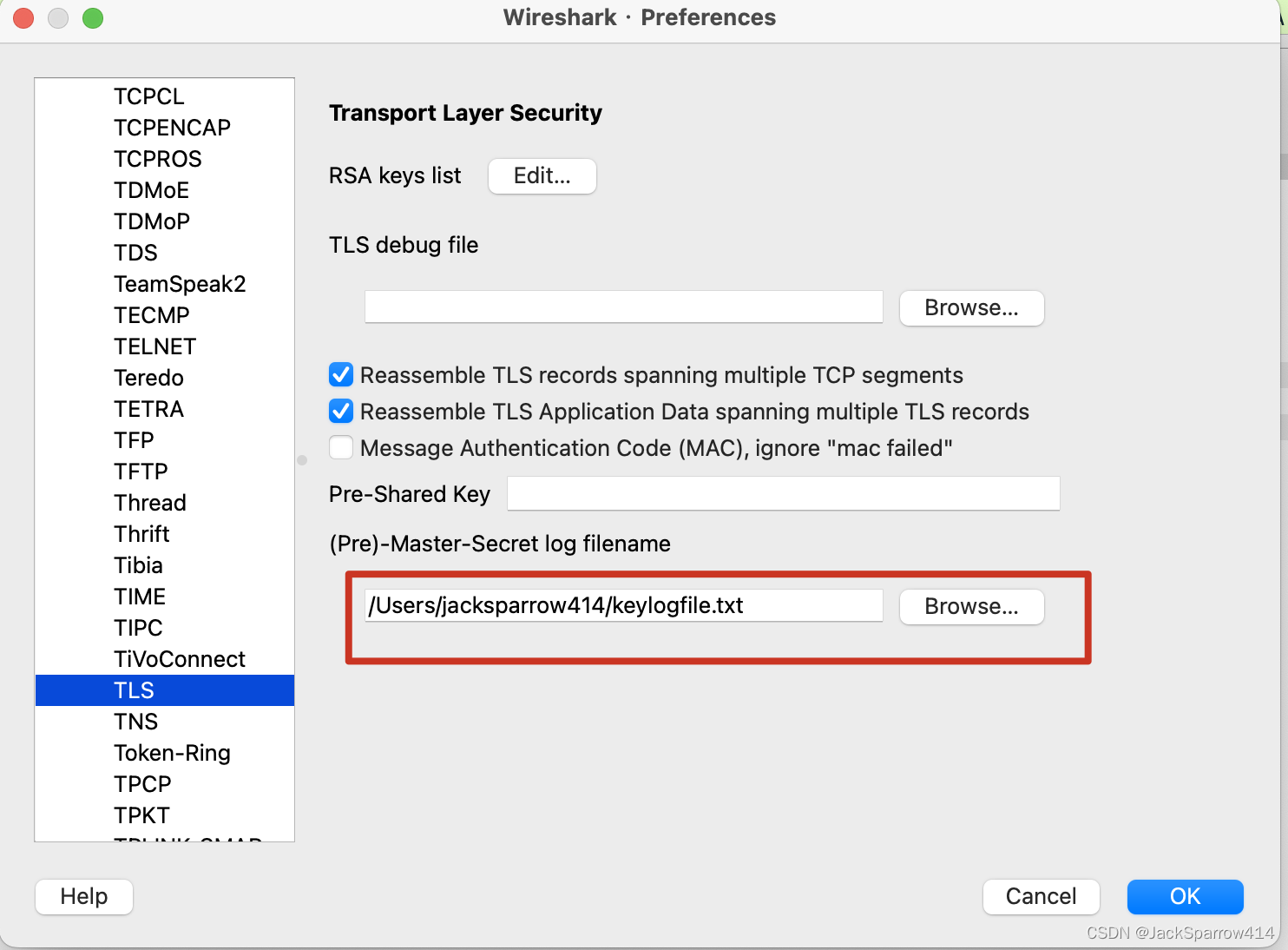
- Call the endpoint. The TLS packets can now be decrypted.
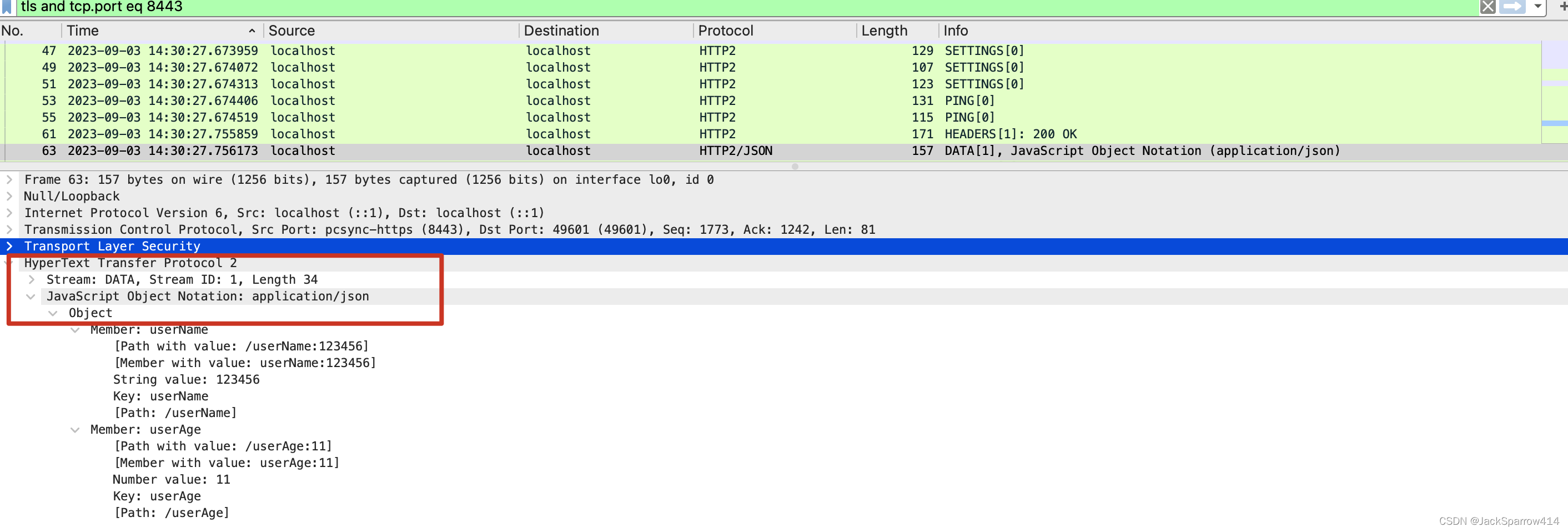
The next article will cover establishing HTTPS connections in Java and bypassing HTTPS verification while debugging locally.