Table of contents
Open Table of contents
Article body
Introduction: I have used MyBatis to interact with databases throughout my working life—from SSM just after graduation, through Spring Boot, to Spring Cloud today. Recently I realized that although I use it constantly, I mostly know how to use it rather than how it works. I decided to start from scratch and find out what MyBatis actually does.
Traditional JDBC database access uses simple code like this, from the era of JSP + Servlet + MySQL + JDBC:
// A User object
User user = this.getUser();
Class.forName("com.mysql.jdbc.Driver");
Connection conn = DriveManager.getConnection(url,username,password);
// Use ? parameters to prevent SQL injection
String sql = "insert into user (id,name,age) values (?,?,?)";
PreparedStatement prepare = conn.prepareStatement(sql);
// Assign the three parameters above
prepare.setString(1,user.getId);
prepare.setString(2,user.getName);
prepare.setInt(3,user.getAge);
// First case: execute SQL and obtain the affected row count
int rows =  prepare.executeUpdate();

// Second case: execute a query and obtain a result set
string querySql = "select * from user";
Result result = prepaer.executeQuery();

while(res.next()){
  // Process the result set
   res.getString(1);
   res.getString(2);
}
// Close resources
res.close();
prepare.close();
conn.close-
Load the driver
-
Obtain a database connection
-
Write SQL and assign its parameters
-
Obtain the result set
-
Close the connection
Then Spring and MyBatis appeared and were used together.
Both Spring and MyBatis generally start their official introductions with XML-based examples. Although XML is less common now, the overall structure has not changed, as we will see later. I recommend learning XML configuration first. In today’s Spring Boot and Spring Cloud world, everyone can write code within a framework, but when configuration goes wrong or must be set up manually, we often resort to copying an existing project. We should at least understand each framework’s basic principles; rote memorization is never enough.
The basic MyBatis configuration follows, in mybatis-config.xml. Its structure is important.
<?xml version="1.0" encoding="UTF-8" ?>
<!DOCTYPE configuration PUBLIC "-//mybatis.org//DTD Config 3.0//EN"
        "http://mybatis.org/dtd/mybatis-3-config.dtd">
<configuration>
   <environments default="development">
       <environment id="development">
           <transactionManager type="JDBC"></transactionManager>
           <dataSource type="POOLED">
               <property name="driver" value="com.mysql.jdbc.Driver"/>
               <property name="url" value="jdbc:mysql://localhost:3306/dhb?serverTimezone=UTC"/>
               <property name="username" value="root"/>
               <property name="password" value="12345"/>
           </dataSource>
       </environment>
   </environments>
    <mappers>
        <!-- Configure a single mapper file -->
        <mapper resource="mapper/UserMapper.xml"/>
        <!-- Configure an entire DAO package -->
        <!--<package name="com.example.mybatis.demomybatis.dao"/>-->
    </mappers>
</configuration>
The top-level element is configuration, followed by environment. This contains the transaction type and data source; the data source specifies the database driver, URL, username, and password. Mapper files follow. The resource attribute points to each mapper.xml file, and mappers can also be registered by package.
The UserMapper.java interface:
public interface UserMapper {

    void addUser(UserEntity entity);
}
The UserMapper.xml file:
<?xml version="1.0" encoding="utf-8" ?>
<!DOCTYPE mapper PUBLIC "-//mybatis.org//DTD Mapper 3.0//EN"
        "http://mybatis.org/dtd/mybatis-3-mapper.dtd">
<mapper namespace="com.example.mybatis.demomybatis.dao.UserMapper">
    <insert id="addUser" parameterType="com.example.mybatis.demomybatis.entity.UserEntity">
        INSERT INTO user (id, name, age) values (#{id},#{name},#{age})
    </insert>
</mapper>
For now, use MyBatis without Spring integration. First understand how it runs, then integrate it with Spring.
Use the example from the official documentation for a simple insert:
@SpringBootTest
public class MybatisTests {

    @Test
    public void testConfiguration() throws IOException {
        String resource = "mybatis-config.xml";
        InputStream inputStream = Resources.getResourceAsStream(resource);
        SqlSessionFactoryBuilder builder = new SqlSessionFactoryBuilder();
        // Read the configuration. Configured Mapper interfaces are added in mapperElement within XMLConfigBuilder.parseConfiguration,
        // ultimately through bindMapperForNamespace() called from XMLMapperBuilder.parse().
        // Configuration.addMapper() calls MapperRegistry.addMapper()
        // to add them to a Map.
        // Its key is the fully qualified Mapper interface name, not the path of a specific method. The method path is obtained later through the dynamic proxy.
        // Its value is a newly constructed MapperProxyFactory.
        // Later, sqlSession.getMapper(MapperInterface.class) uses that factory to create a MapperProxy dynamic proxy for the interface.
        // See MapperRegistry.getMapper(), which creates the Mapper interface’s dynamic proxy object, MapperProxy.
        SqlSessionFactory factory = builder.build(inputStream);
        SqlSession sqlSession = factory.openSession();
        UserEntity entity = new UserEntity();
        entity.setAge(77);
        entity.setName("op7");
        entity.setId(7);
        // First approach: obtain the mapper and invoke its method. This returns a MapperProxy for UserMapper.
       // UserMapper mapper = sqlSession.getMapper(UserMapper.class);
        // Execution invokes MapperProxy.invoke, which ultimately calls mapperMethod.execute(sqlSession, args).
        // MapperMethod.execute() calls sqlSession.insert or another method according to SQLCommand (insert, update, delete, select).
        // From this point, execution is exactly the same as the second approach.
       // mapper.addUser(entity);
        // Second approach: call a built-in SqlSession method with the fully qualified mapper method name and its argument.
        sqlSession.insert("com.example.mybatis.demomybatis.dao.UserMapper.addUser",entity);
        sqlSession.commit();
        sqlSession.close();
    }
}
The core insert operation is performed by SqlSession. SqlSession is opened by SqlSessionFactory.openSessoin(), and SqlSessionFactory is created by SqlSessionFactoryBuilder.build(the configuration input).
The example shows two ways to insert. Let us first analyze the second, direct approach shown in the official documentation.
Debugging sqlSession.insert(“Mapper.method”,“argument”) reveals the next call:
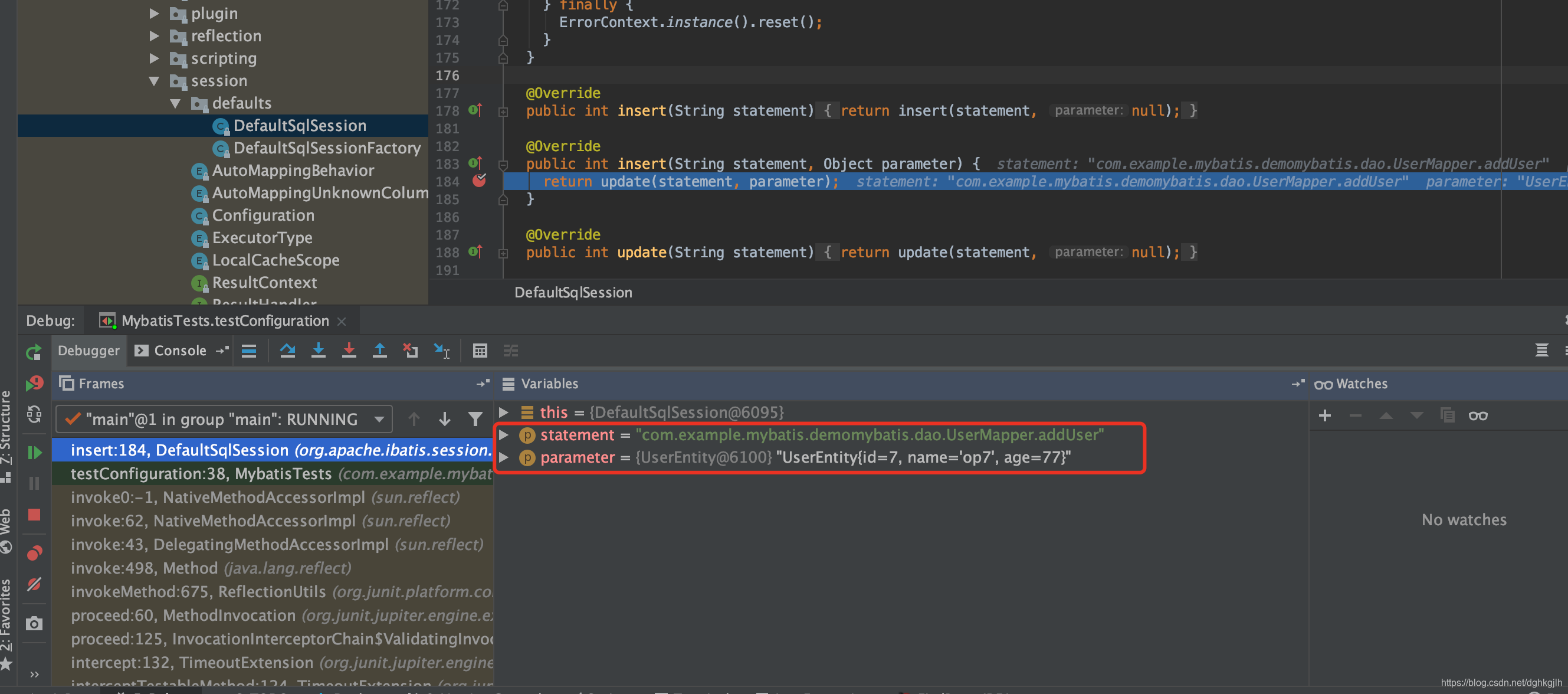 These are the arguments passed initially: the fully qualified mapper method name, followed by the method argument, which is an object.
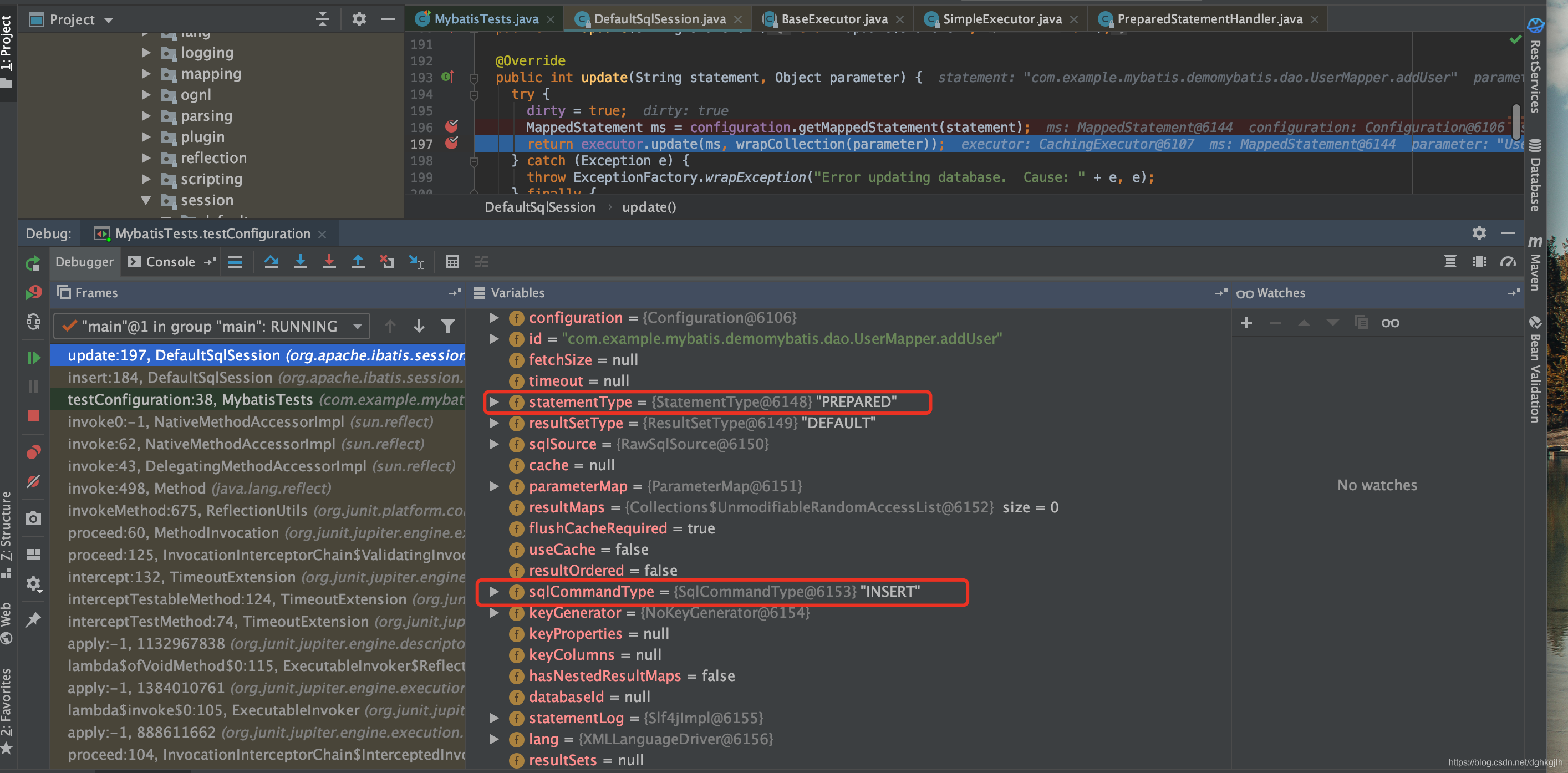
First, it obtains a MapperStatement object from the global configuration. This is crucial. Later we will discuss when MapperStatement is added to configuration, along with its sqlCommandType and statementType; those details are outside this article.
Next, the update method in DefaultSession calls executor.update. By now, the SQL command type is known to be insert and the statement type to be PrepareStatement. We will discuss how those are determined later; here we focus on the overall SQL execution flow.
Then BaseExecutor.update executes, and eventually its SimpleExecutor subclass performs the update.
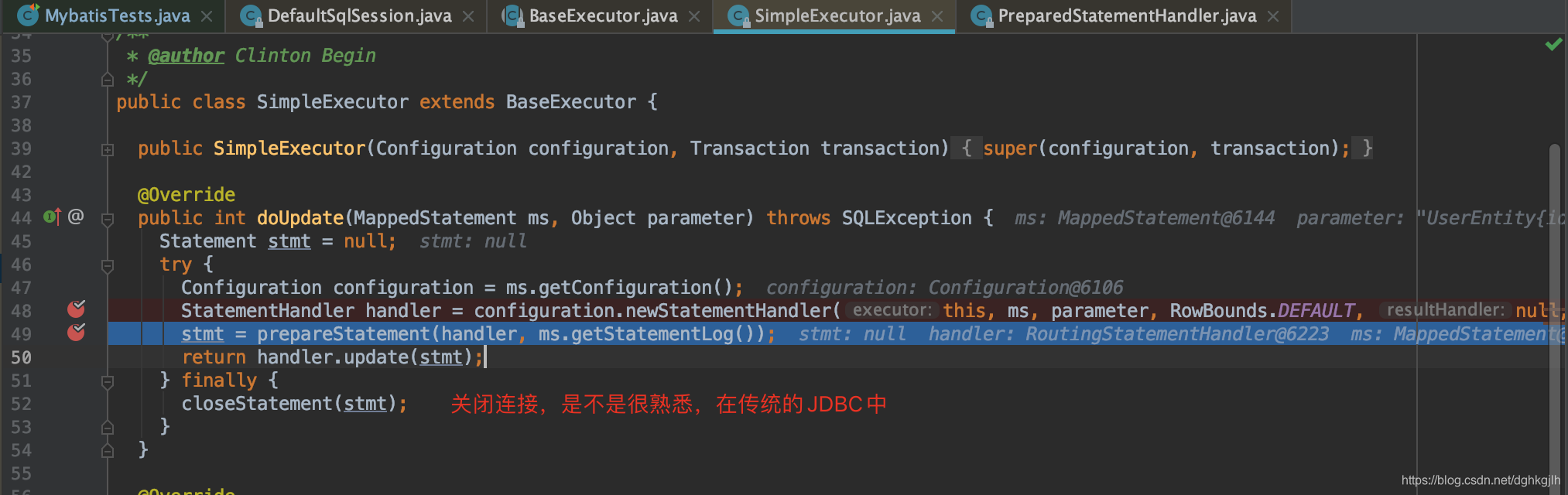 The two key calls are stmt = prepareStatement() and handler.update(). Almost all of the final work happens in these two steps. Step into them to see what they do.
 The method names show that they obtain a connection and configure the transaction. Compared with traditional JDBC, does the flow now look clearer?
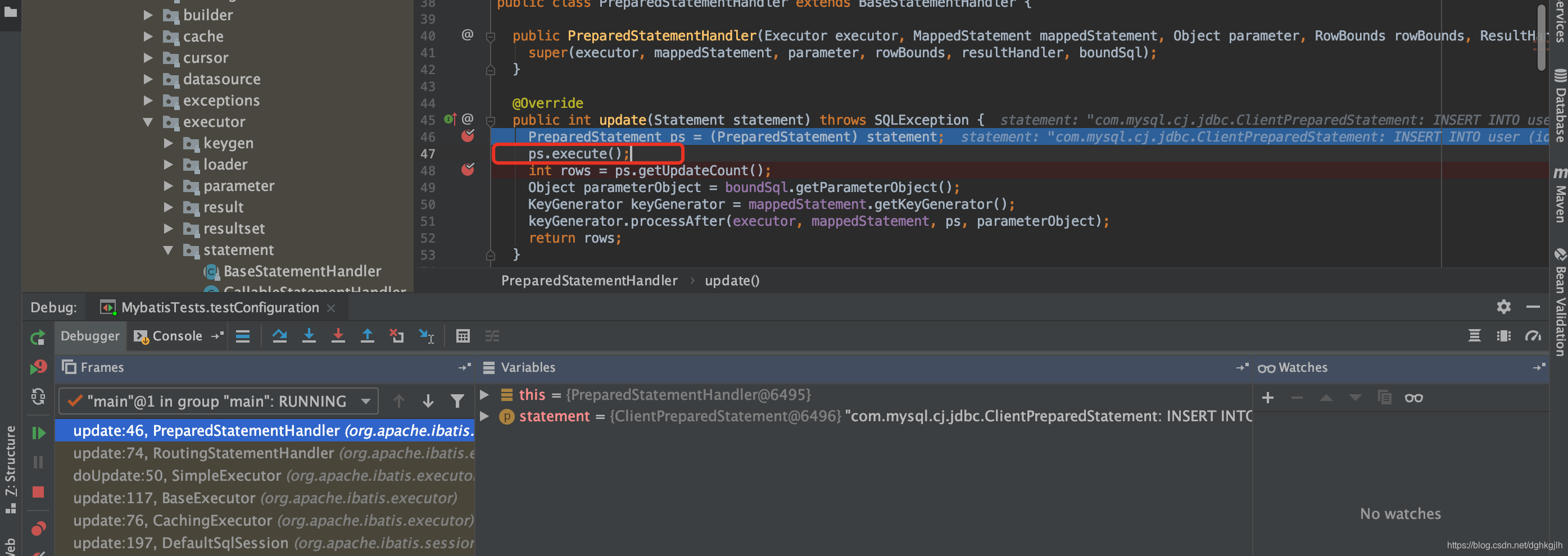 Finally, execution enters PrepareStatementHandler, a subclass of BaseStatementHandler. The ps.execute() call should look very familiar.
That covers the first half of SQL processing. We will study result-set handling later.
Next, how exactly is this first half executed? How does MyBatis combine our SQL and parameters and ask the database to perform the operation? The second article analyzes this.