Table of contents
Open Table of contents
ShardingSphere (Part 4): Custom Encryption Strategies for Data Masking
Background
The encryption configurations in the official data-masking documentation currently use the built-in MD5 and AES algorithms. Many developers want to configure their own algorithms but do not know how. The implementation and reasoning below may help.
Note
The code below uses ShardingSphere 4.1.1.
For detailed data-masking documentation, see the official section.
Custom Encryption Strategy 1
Implementing Encryptor
Here we use SHA256. Because it is irreversible, the decryption method simply returns the ciphertext.
@Getter
@Setter
public final class Sha256Encryptor implements Encryptor {

    private Properties properties = new Properties();

    @Override
    public void init() {

    }

    @Override
    public String encrypt(final Object plaintext) {
        if (null == plaintext) {
            return null;
        }
        return DigestUtils.sha256Hex(String.valueOf(plaintext));
    }

    @Override
    public Object decrypt(final String ciphertext) {
        return ciphertext;
    }

    @Override
    public String getType() {
        return "SHA256";
    }

}
Configuring It in Spring Boot YAML
Configure the fields to mask. Here there are two strategies: the default MD5 strategy for info and the custom SHA256 strategy for name.
sharding:
  # Data-masking rules --- start
  encrypt-rule:
    encryptors:
      encryptor_sha256:
        # Encryptor/decryptor names; built-in options are MD5 and aes.
        # For a custom implementation, implement
        # com.example.mybatis.demomybatis.shardingsphere.encrypt
        # or
        # org.apache.shardingsphere.encrypt.strategy.spi.QueryAssistedEncryptor
        # either of these interfaces.
        type: SHA256

      encryptor_MD5:
        type: md5
    tables:
      # Database table, corresponding to the sharding tables above
      user:
        columns:
          # Logical column used in SQL. The entity field and database encrypted column have the same name here: name.
          name:
            # Ciphertext column for storing encrypted data
            cipherColumn: name
            # Encryptor name
            encryptor: encryptor_sha256
          other_info:
            cipherColumn: info
            encryptor: encryptor_MD5
  # Data-masking rules --- end
The Problem and How I Located It
After configuring it, I started the application and received this startup error:
Invalid `org.apache.shardingsphere.encrypt.strategy.spi.Encryptor` SPI type `SHA256`.- Locate where the exception is thrown from the error message.
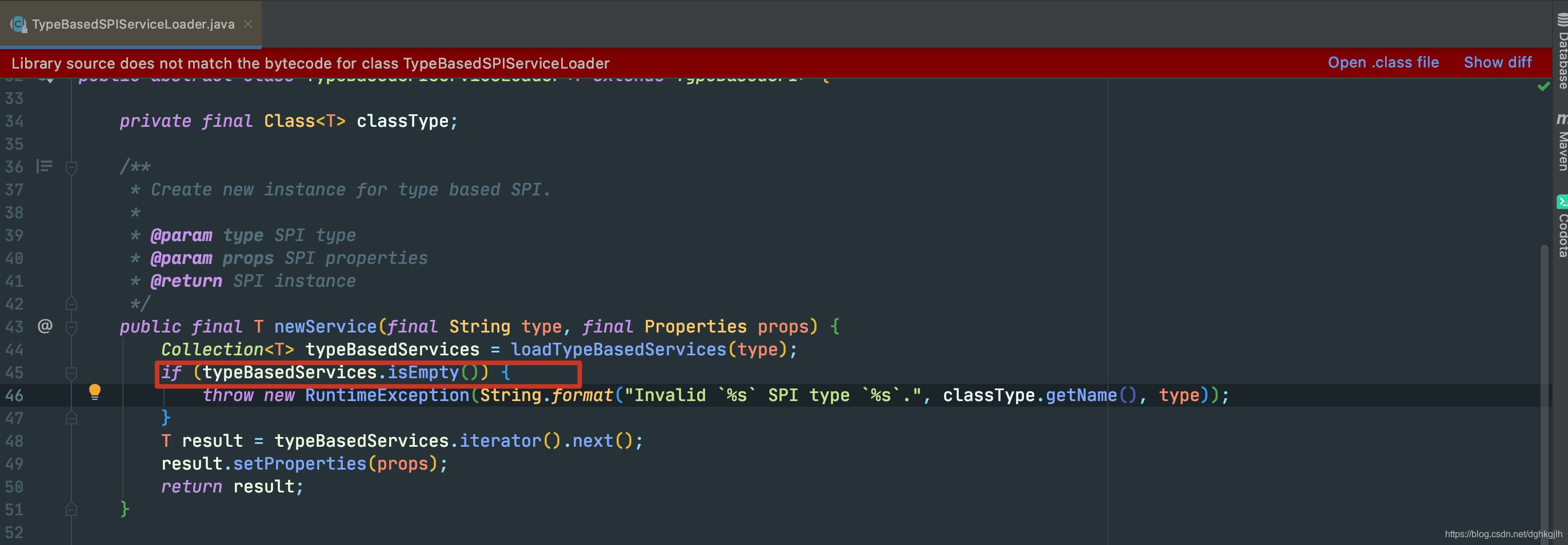
An empty collection causes the exception. Where does this collection come from?
-
Enter loadTypeBasedServices(type). This method does only one thing: retrieve the collection for the current class type and find the requested type (SHA256 as configured).
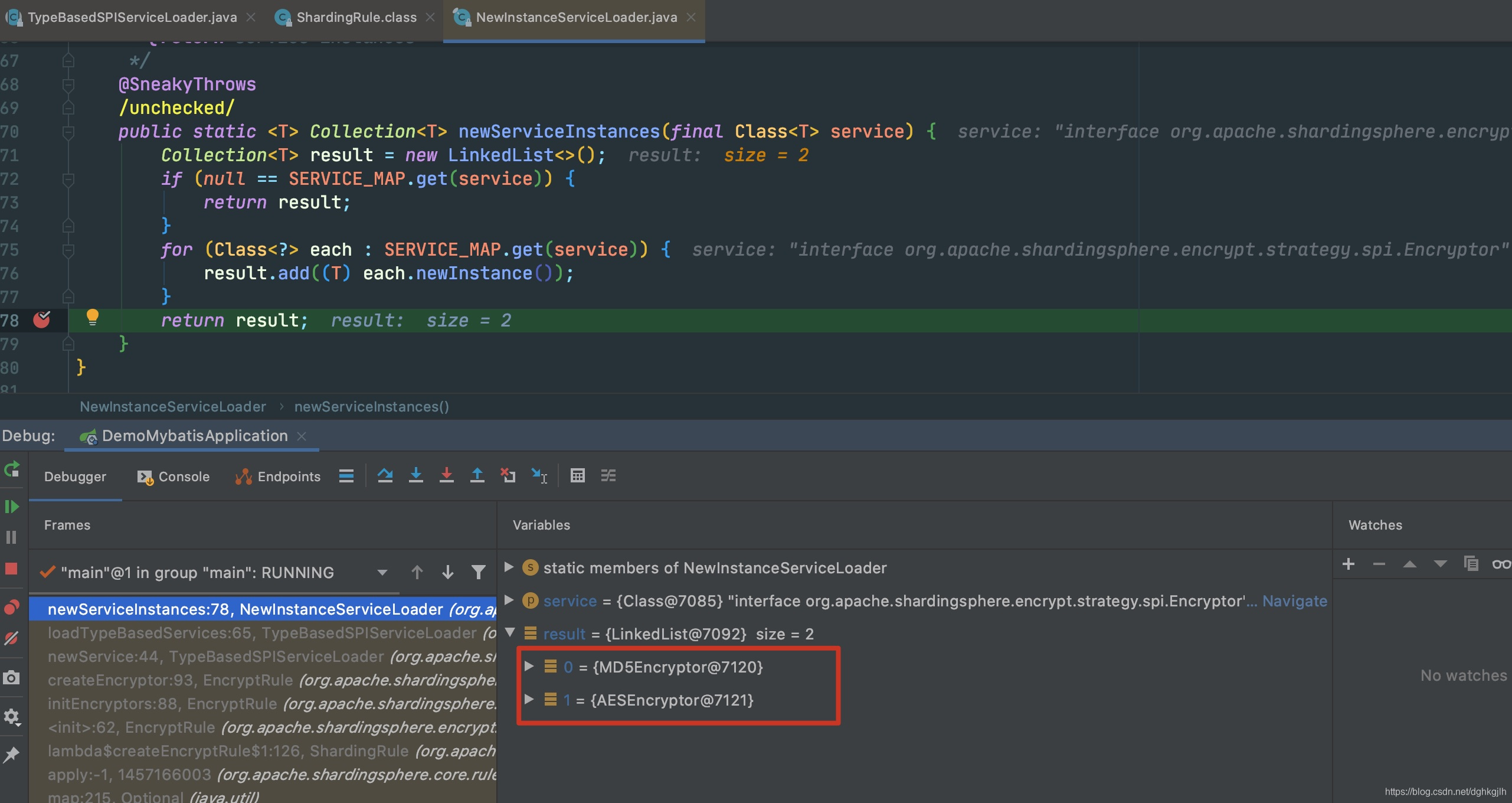 The returned collection indeed contains no custom encryptor. The line above shows that result comes entirely from SERVICE_MAP, which means the custom strategy is not in that map.
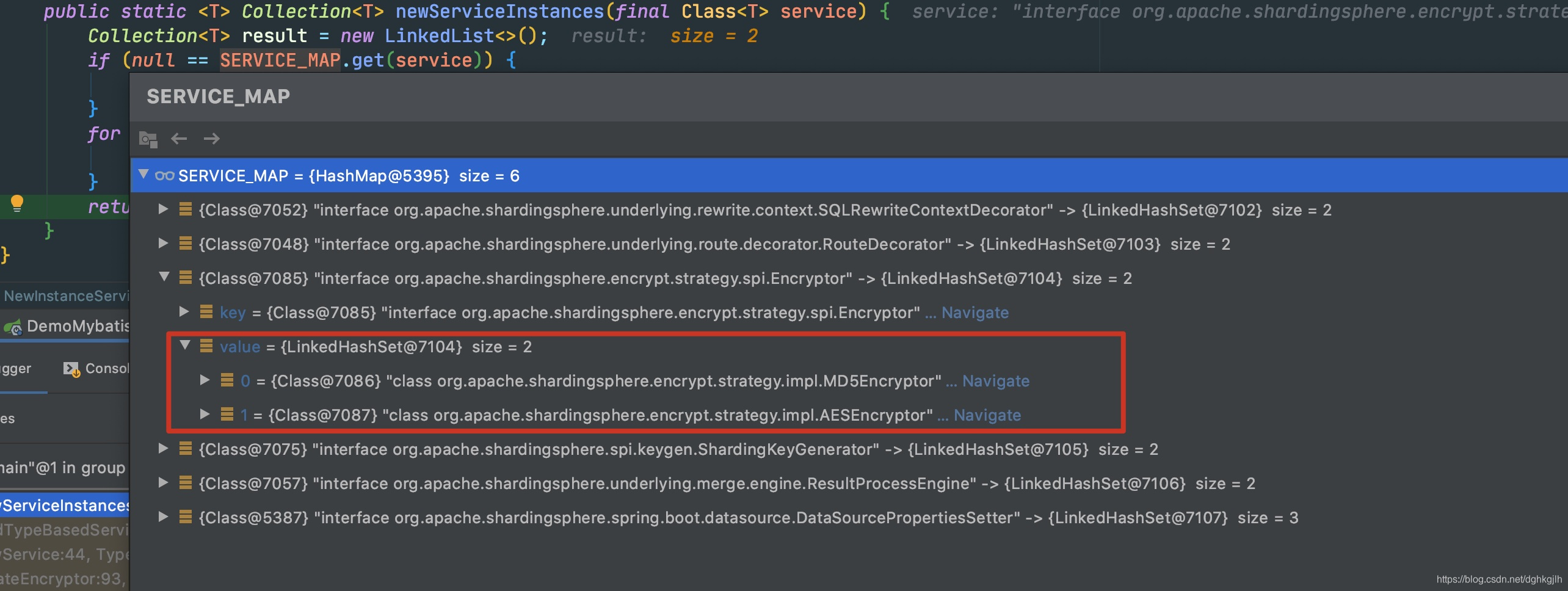 It is indeed absent from the map.
 -
The custom strategy apparently was not added to the map at startup. Watching SERVICE_MAP in the debugger shows that it is populated
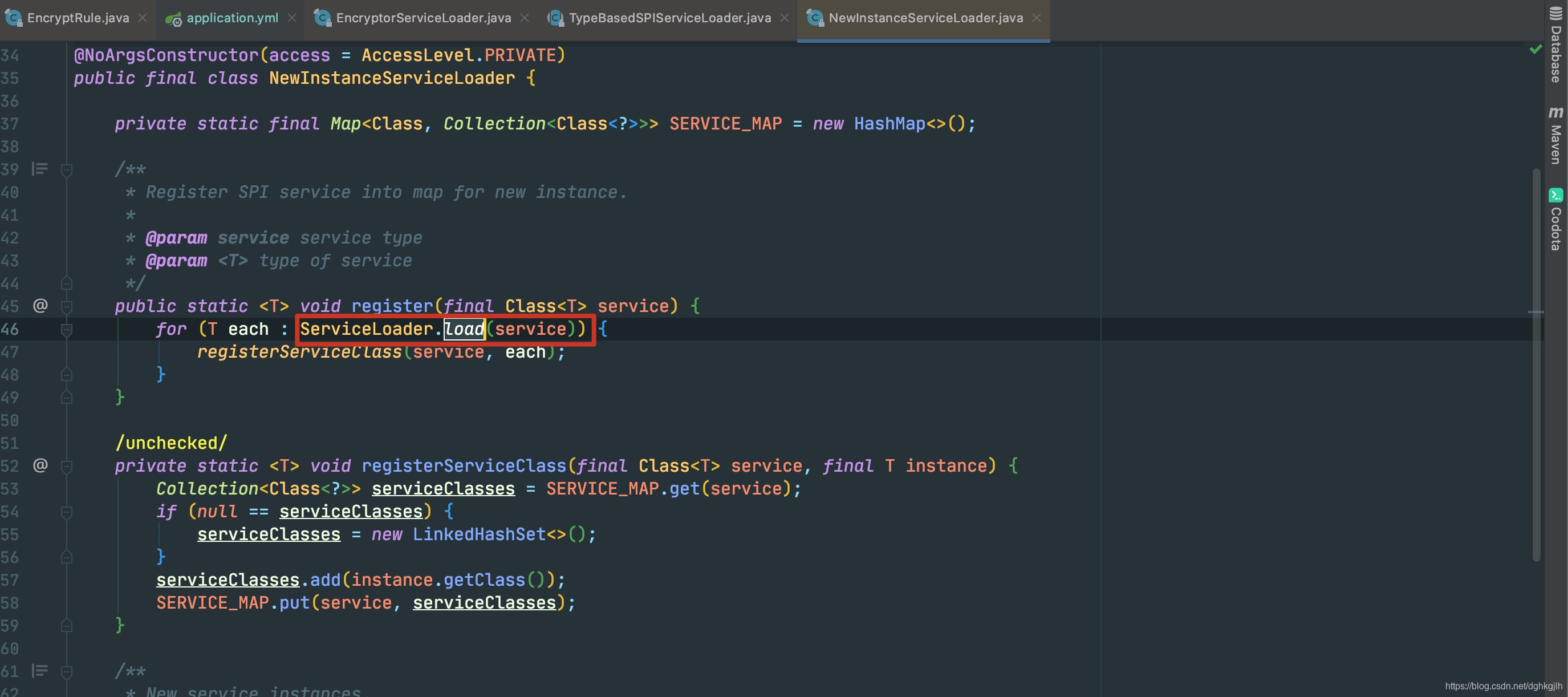 at register. The comment makes the mechanism clear: the framework uses SPI to add functionality as plugins, as the official documentation also mentions. Encryption strategies are registered here. The entries registerServiceClass adds to SERVICE_MAP depend directly on ServiceLoader.load(service).
 -
Enter ServiceLoader.load.
This is Java’s built-in SPI mechanism.
Following the breakpoint into reload did not immediately reveal much, so I first checked what this class does. Its comments provided the answer.
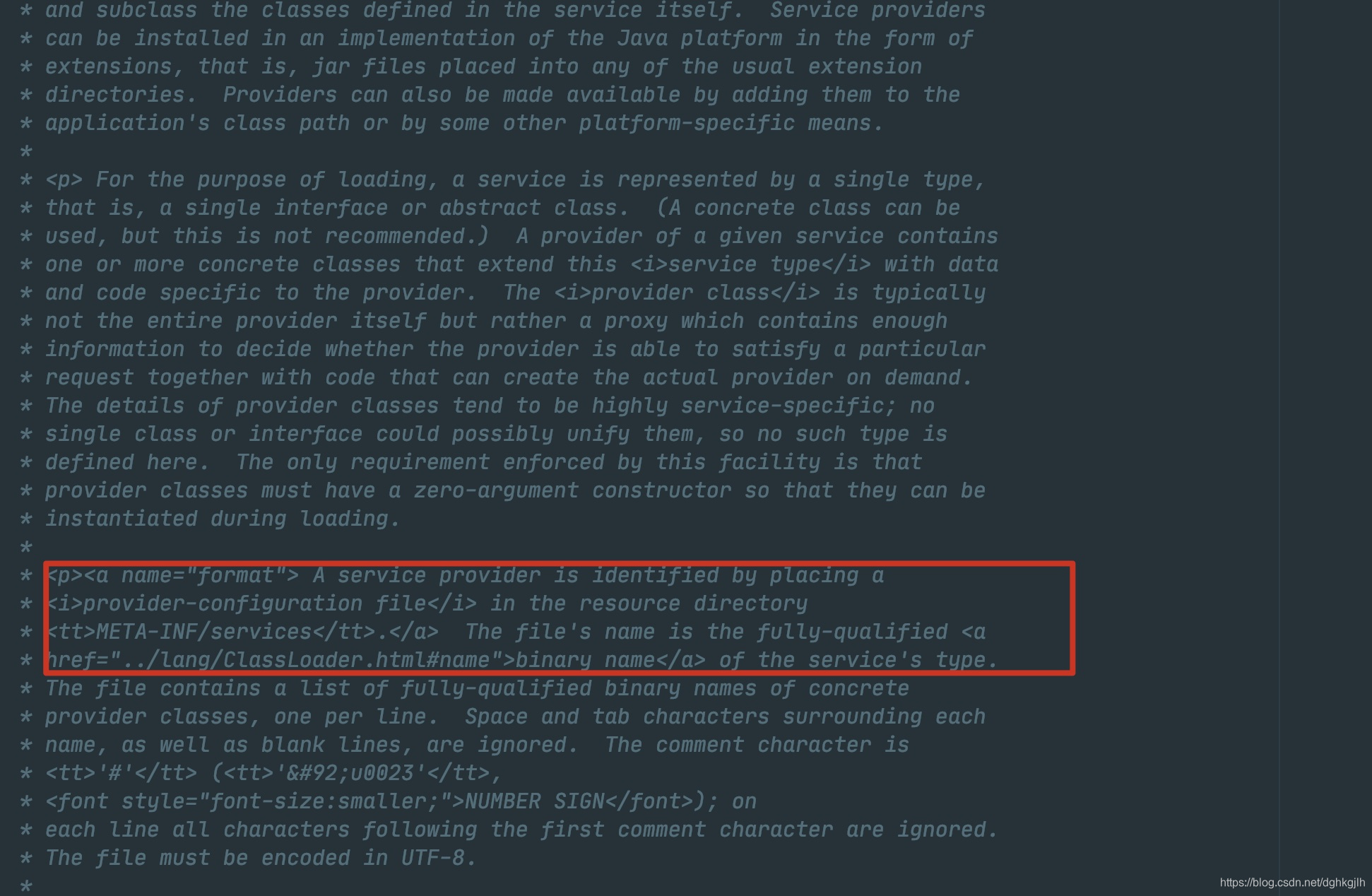 The first two paragraphs describe service providers in detail. The key is the third section, which explicitly explains how to add a service provider.
Specifically: add a configuration file under resource/META-INF/services. The filename is the fully qualified name of the service being extended; the encryption service exposed in the official documentation is Encryptor. The file contains the fully qualified class name of an implementation of that interface. Having found this, I quickly added the configuration.
Later, I realized I had still not read the comments carefully. The reload comment says iteration occurs eventually, and the final paths and their contents are obtained there too.
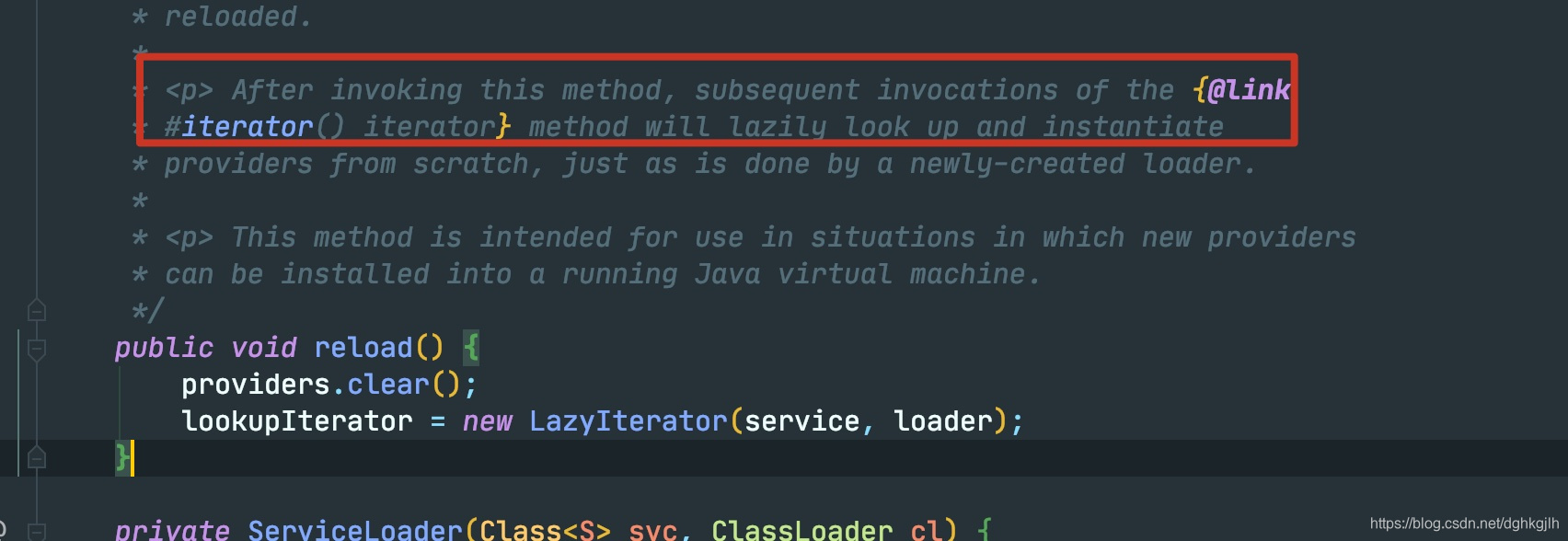
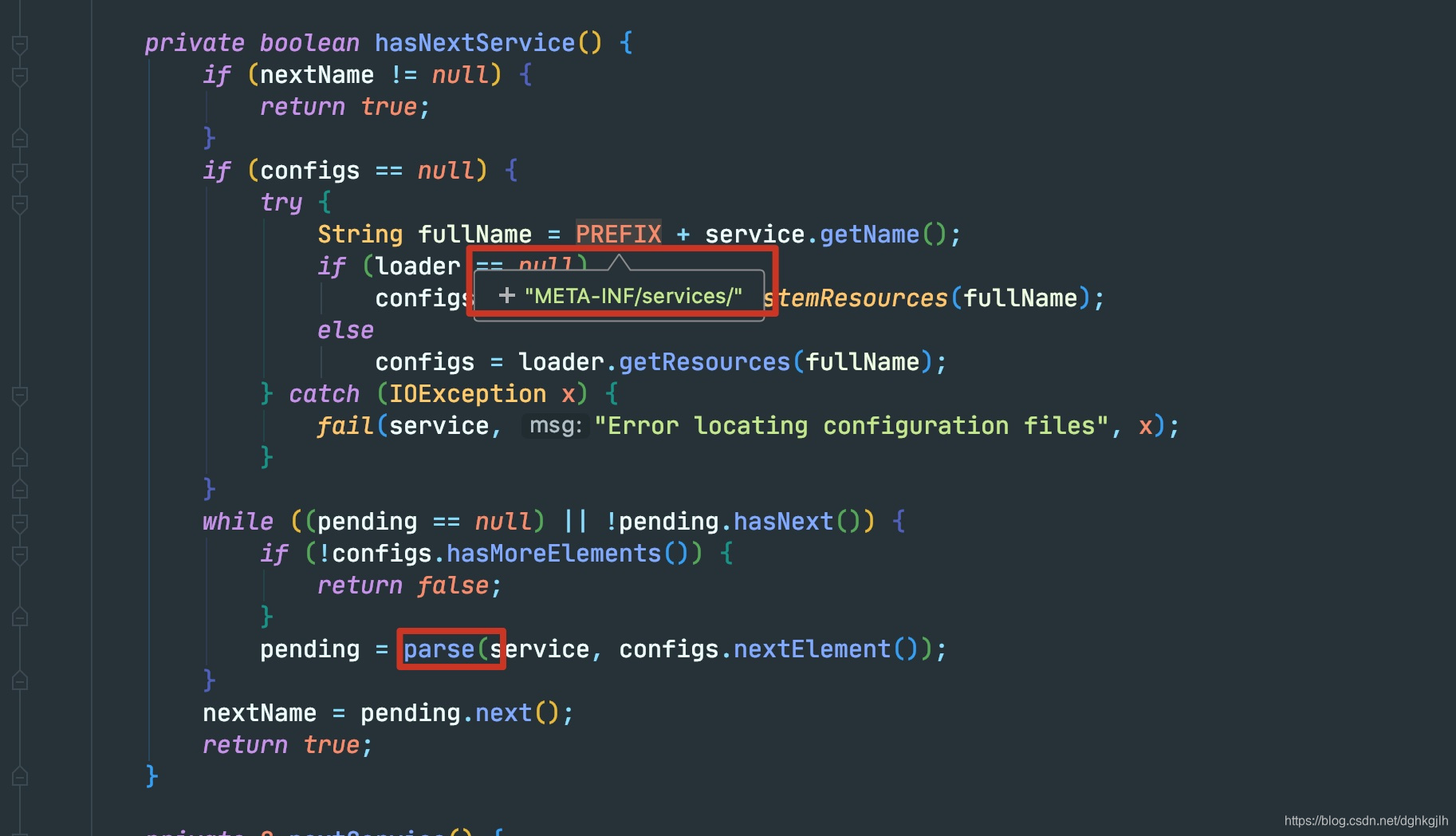
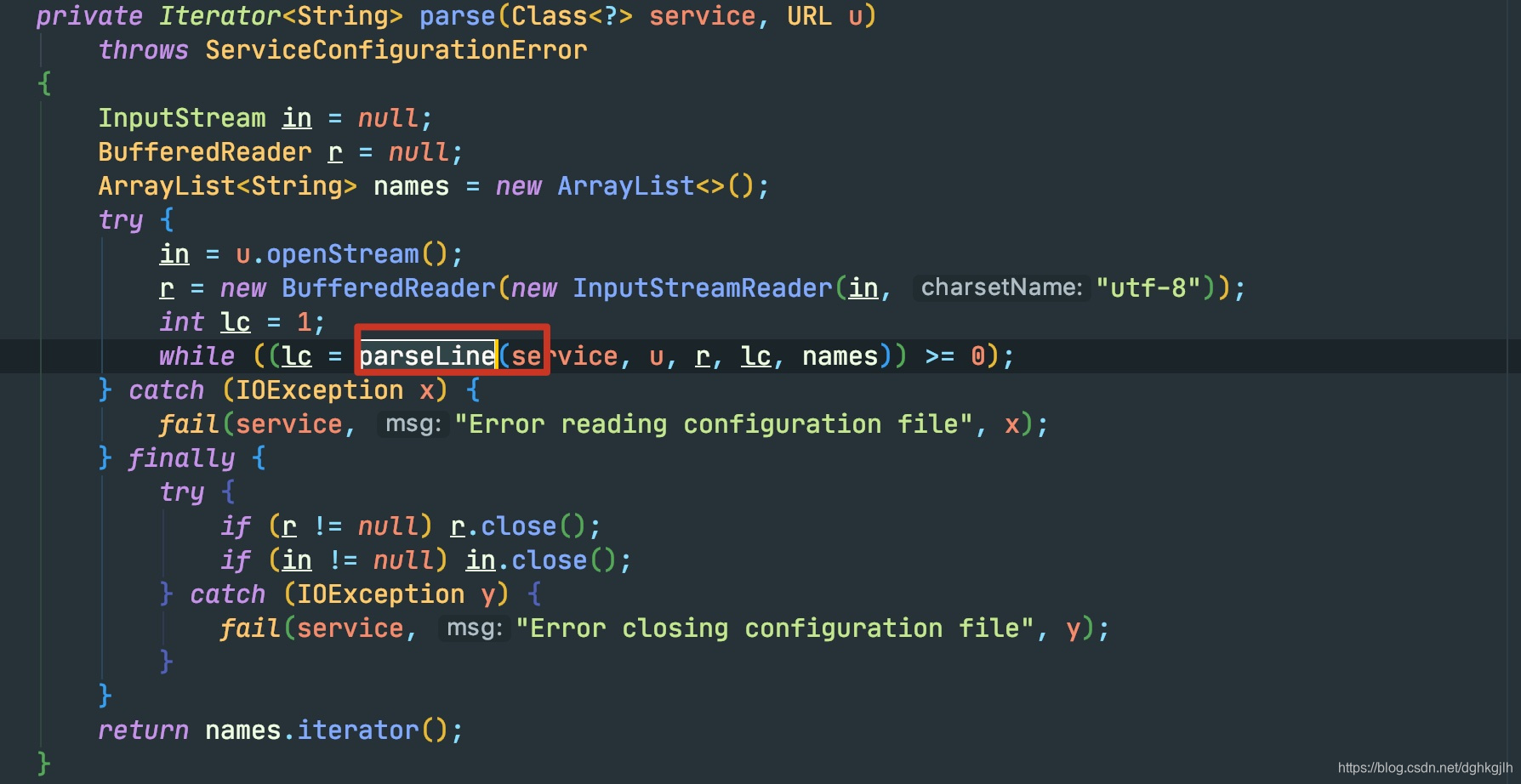
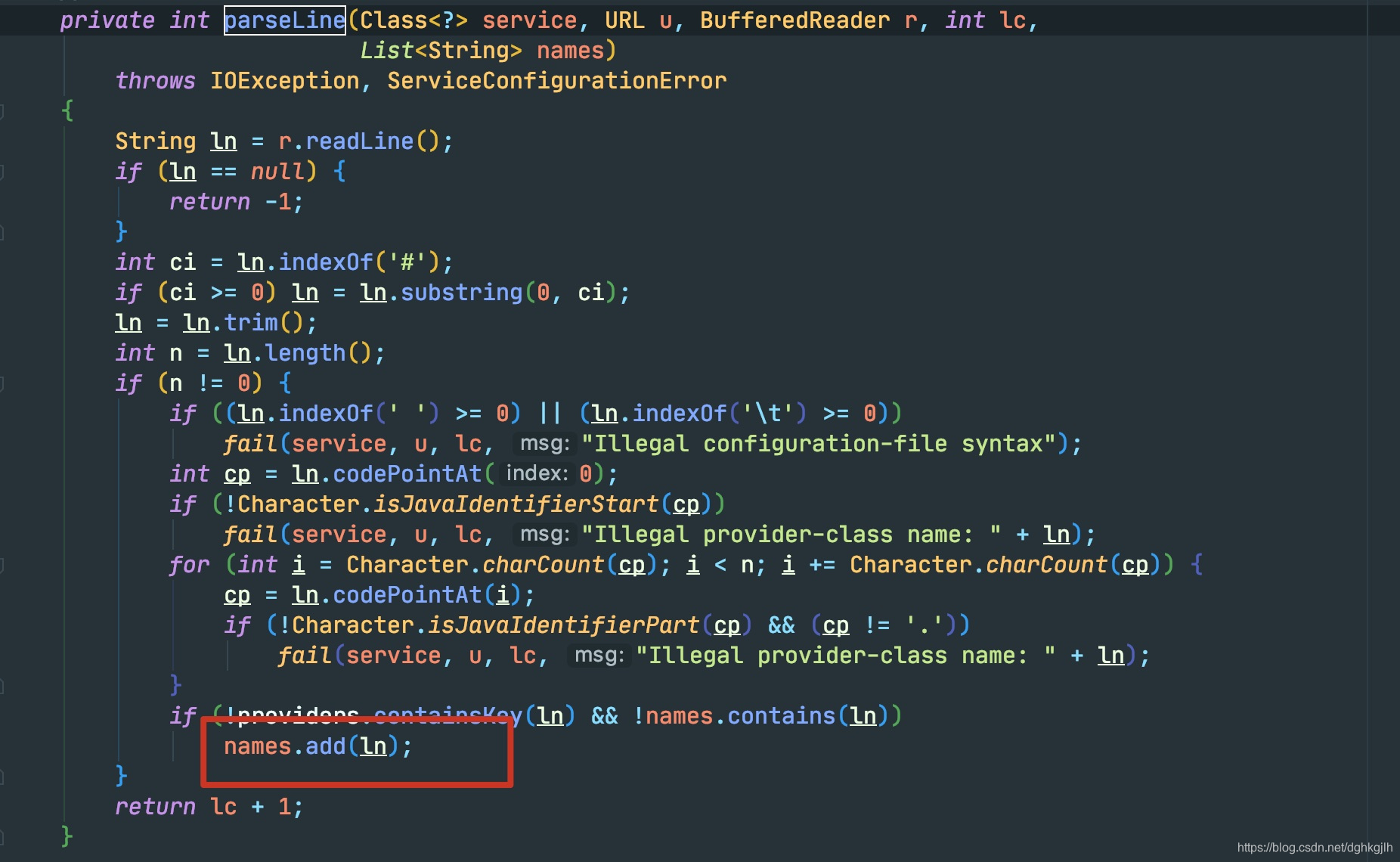
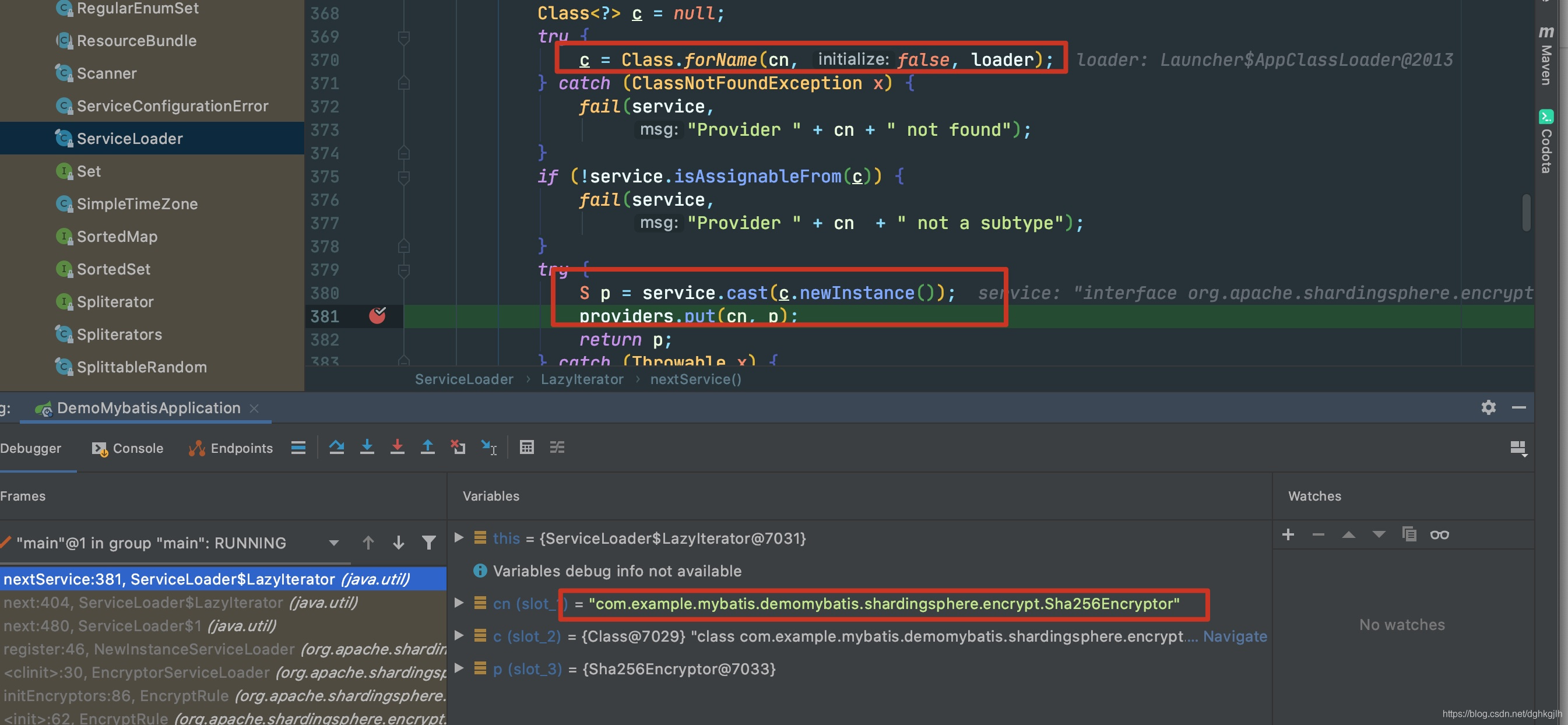 ServiceLoader is a utility in java.util. See the JDK 8 documentation and another author’s explanation.
Adding Configuration under resource
Filename: org.apache.shardingsphere.encrypt.strategy.spi.Encryptor. This is the interface’s fully qualified name.
In the file, list the fully qualified names of the custom encryption strategy and any built-in strategies you want to use.
com.example.mybatis.demomybatis.shardingsphere.encrypt.Sha256Encryptor
org.apache.shardingsphere.encrypt.strategy.impl.AESEncryptor
org.apache.shardingsphere.encrypt.strategy.impl.MD5Encryptor
com.example.mybatis.demomybatis.shardingsphere.encrypt.Sha256RandomEncryptor
Verifying the Custom Strategy
I verified that the strategy took effect by calling the endpoint, debugging its encryption and decryption methods, inspecting SQL in the console and stored database values, and running unit tests.

Analysis
Let us look back at what ShardingSphere does when encryption strategies are configured.
-
When creating a data source, ShardingSphere configures its ShardingRule.
See org.apache.shardingsphere.shardingjdbc.api.ShardingDataSourceFactory#createDataSource.
-
ShardingRule creates the corresponding encryption strategy and configures its encryption algorithm.
See org.apache.shardingsphere.core.rule.ShardingRule#createEncryptRule.
-
Reading the configuration and setting up custom encryption occurs in initEncryptors, called by the EncryptRule constructor.
See org.apache.shardingsphere.encrypt.rule.EncryptRule#initEncryptors.
This method has only two steps:
- The static call NewInstanceServiceLoader.register(Encryptor.class) registers configured strategies, reading configuration files from a fixed location and placing the strategies in SERVICE_MAP.
- Create instances of the strategies in SERVICE_MAP so database operations can select the appropriate strategy for encryption.
-
During database operations, encrypt according to the configured strategy.
Custom Encryption Strategy 2
Implementing QueryAssistedEncryptor
For use cases of QueryAssistedEncryptor, read the official data-masking documentation.
@Getter
@Setter
public final class Sha256RandomEncryptor implements QueryAssistedEncryptor {

    private Properties properties = new Properties();

    @Override
    public String queryAssistedEncrypt(final String plaintext) {
        if (null == plaintext) {
            return null;
        }
        // Original string
        return DigestUtils.sha256Hex(String.valueOf(plaintext));
    }

    @Override
    public void init() {

    }

    @Override
    public String encrypt(final Object plaintext) {
        if (null == plaintext) {
            return null;
        }
        // Original string + varying factor
        byte[] bytes = LocalDateTime.now().toString().getBytes();
        HMac hMac = new HMac(HmacAlgorithm.HmacSHA256, bytes);
        return hMac.digestHex(String.valueOf(plaintext));
    }

    @Override
    public Object decrypt(final String ciphertext) {
        return ciphertext;
    }

    @Override
    public String getType() {
        return "SHA256_RANDOM";
    }

}
Use the current timestamp as a varying factor; a random string would also work. The ciphertext column uses HMAC, while the assisted-query column uses ordinary SHA256.
Add a same_data field to the table.
Configuring It in Spring Boot YAML
sharding:
  encrypt-rule:
    encryptors:
      encryptor_MD5:
        type: md5
      encryptor_sha256random:
        type: SHA256_RANDOM
    tables:
      # Database table, corresponding to the sharding tables above
      user:
        columns:
          # Logical column used in SQL. The entity field and database encrypted column have the same name here: name.
          name:
            # Ciphertext column for storing encrypted data
            cipherColumn: name
            # Encryptor name
            encryptor: encryptor_sha256random
            # Assisted-query column
            assistedQueryColumn: same_data
          other_info:
            cipherColumn: info
            encryptor: encryptor_MD5
Adding the Custom Strategy to the Configuration File
Configure the custom strategy in org.apache.shardingsphere.encrypt.strategy.spi.Encryptor.
com.example.mybatis.demomybatis.shardingsphere.encrypt.Sha256Encryptor
org.apache.shardingsphere.encrypt.strategy.impl.AESEncryptor
org.apache.shardingsphere.encrypt.strategy.impl.MD5Encryptor
com.example.mybatis.demomybatis.shardingsphere.encrypt.Sha256RandomEncryptor
Verifying the Custom Strategy
I verified that the strategy took effect by calling the endpoint, debugging its encryption and decryption methods, inspecting console SQL and stored database values, and running unit tests.
-
Inspect the database values.
 For the ciphertext column name, the varying factor in the custom strategy means identical names have different stored values. The two records have the same same_data value, however. With MD5, which has no varying factor, the encrypted info values are also identical.
 -
Query by name. Even though the ciphertext differs, ShardingSphere can find the correct records through the assisted-query column.
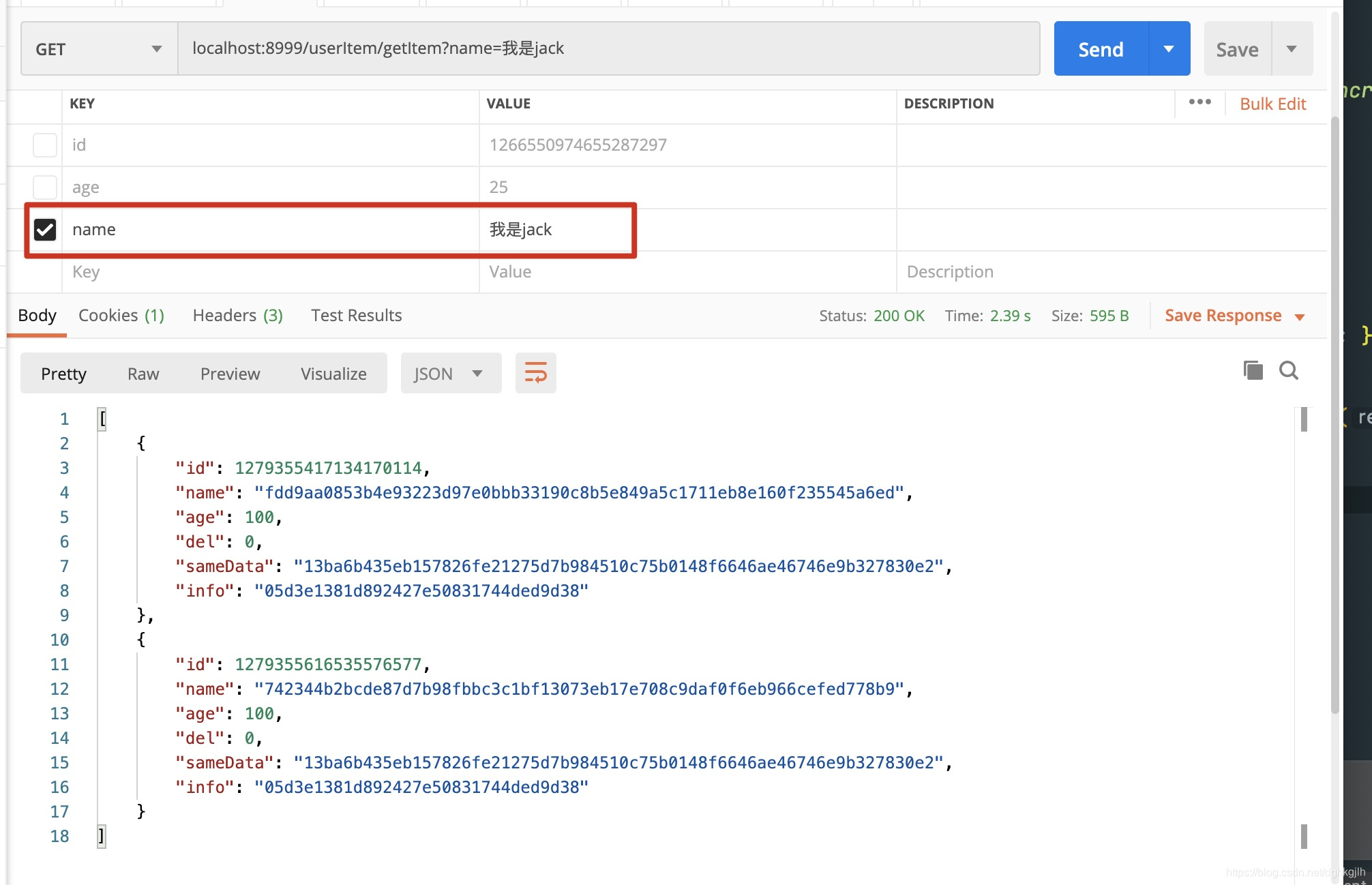
-
Printed SQL shows that when data is inserted, ShardingSphere automatically populates the assisted-query column according to our strategy and configured column. The rewritten SQL is:
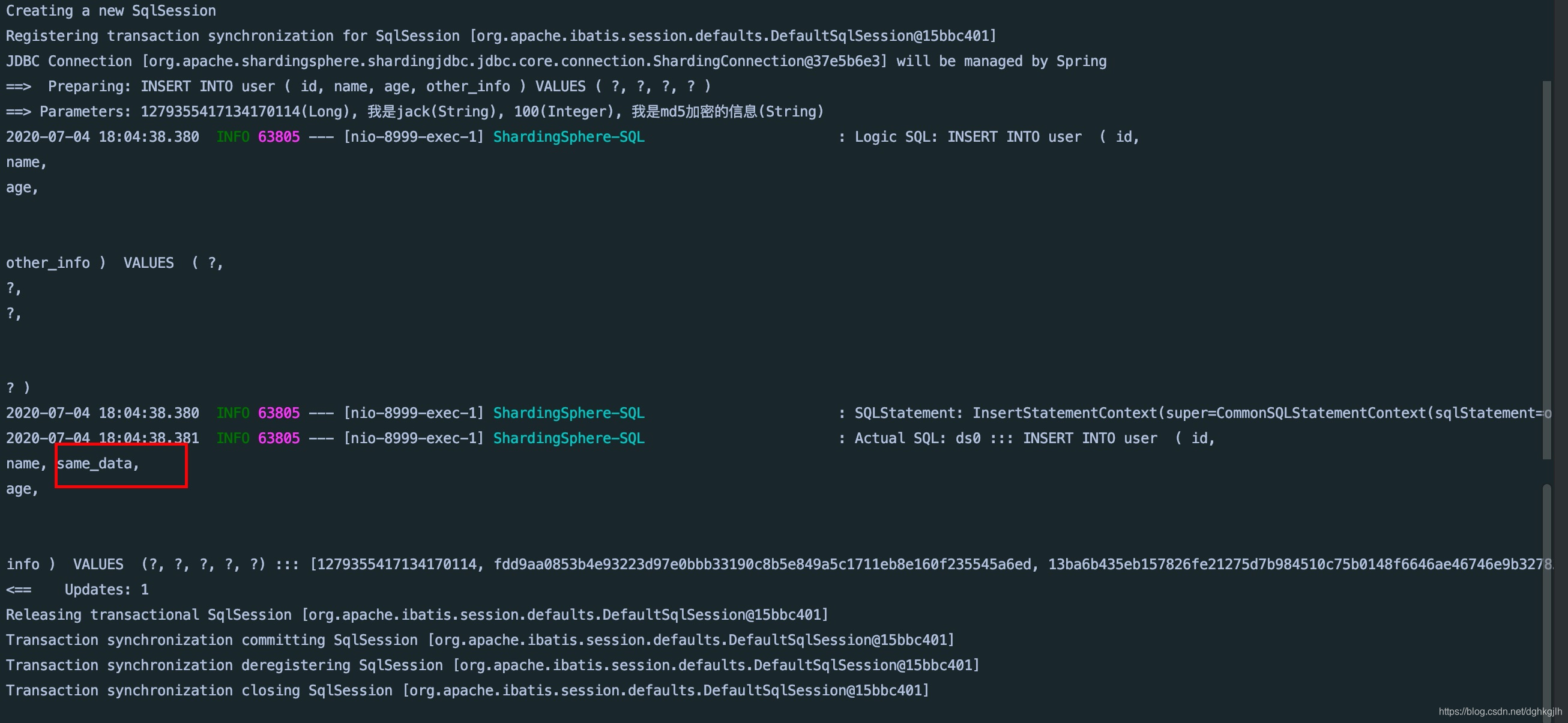 ShardingSphere adds the assisted-query column for us.
Closing
The example code is available on GitHub. Take it if you need it: repository.