Table of contents
Open Table of contents
Article body
Part 2 analyzed how MyBatis binds SQL parameters through TypeHandler, instantiates PreparedStatement objects, and obtains database connections.
When I first read the source, I wondered when and how MyBatis obtains this key information—especially the crucial MappedStatement object discussed in Part 1.
In the previous two articles, I debugged directly into SqlSession.insert(), at which point the MappedStatement already existed. It must therefore have been created before that code ran, somewhere in these lines:
 String resource = "mybatis-config.xml";
        InputStream inputStream = Resources.getResourceAsStream(resource);
        SqlSessionFactoryBuilder builder = new SqlSessionFactoryBuilder();
 SqlSessionFactory factory = builder.build(inputStream);
        SqlSession sqlSession = factory.openSession();
Debug into builder.build. If you ask how I knew to start there, I simply guessed from the method name. That is all there was to it.
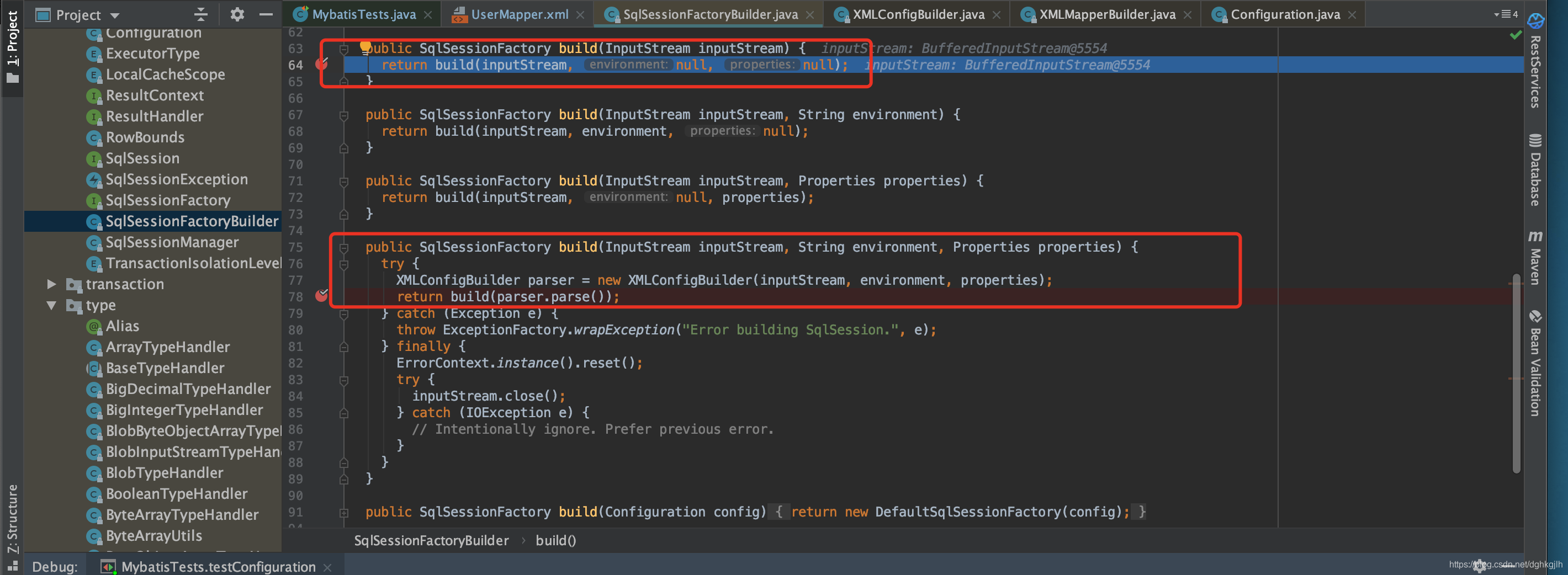
The name XMLConfigBuilder suggests that it parses the MyBatis configuration file. Continue into parser.parse():
private void parseConfiguration(XNode root) {
    try {
      //issue #117 read properties first
      propertiesElement(root.evalNode("properties"));
      Properties settings = settingsAsProperties(root.evalNode("settings"));
      loadCustomVfs(settings);
      loadCustomLogImpl(settings);
      typeAliasesElement(root.evalNode("typeAliases"));
      pluginElement(root.evalNode("plugins"));
      objectFactoryElement(root.evalNode("objectFactory"));
      objectWrapperFactoryElement(root.evalNode("objectWrapperFactory"));
      reflectorFactoryElement(root.evalNode("reflectorFactory"));
      settingsElement(settings);
      // read it after objectFactory and objectWrapperFactory issue #631
      environmentsElement(root.evalNode("environments"));
      databaseIdProviderElement(root.evalNode("databaseIdProvider"));
      typeHandlerElement(root.evalNode("typeHandlers"));
      mapperElement(root.evalNode("mappers"));
    } catch (Exception e) {
      throw new BuilderException("Error parsing SQL Mapper Configuration. Cause: " + e, e);
    }
  }
Do those names look familiar? They are the elements in mybatis-config.xml from Part 1. MyBatis parses each of them here. Focus on mapperElement, which parses our configured mappers. Step into it:
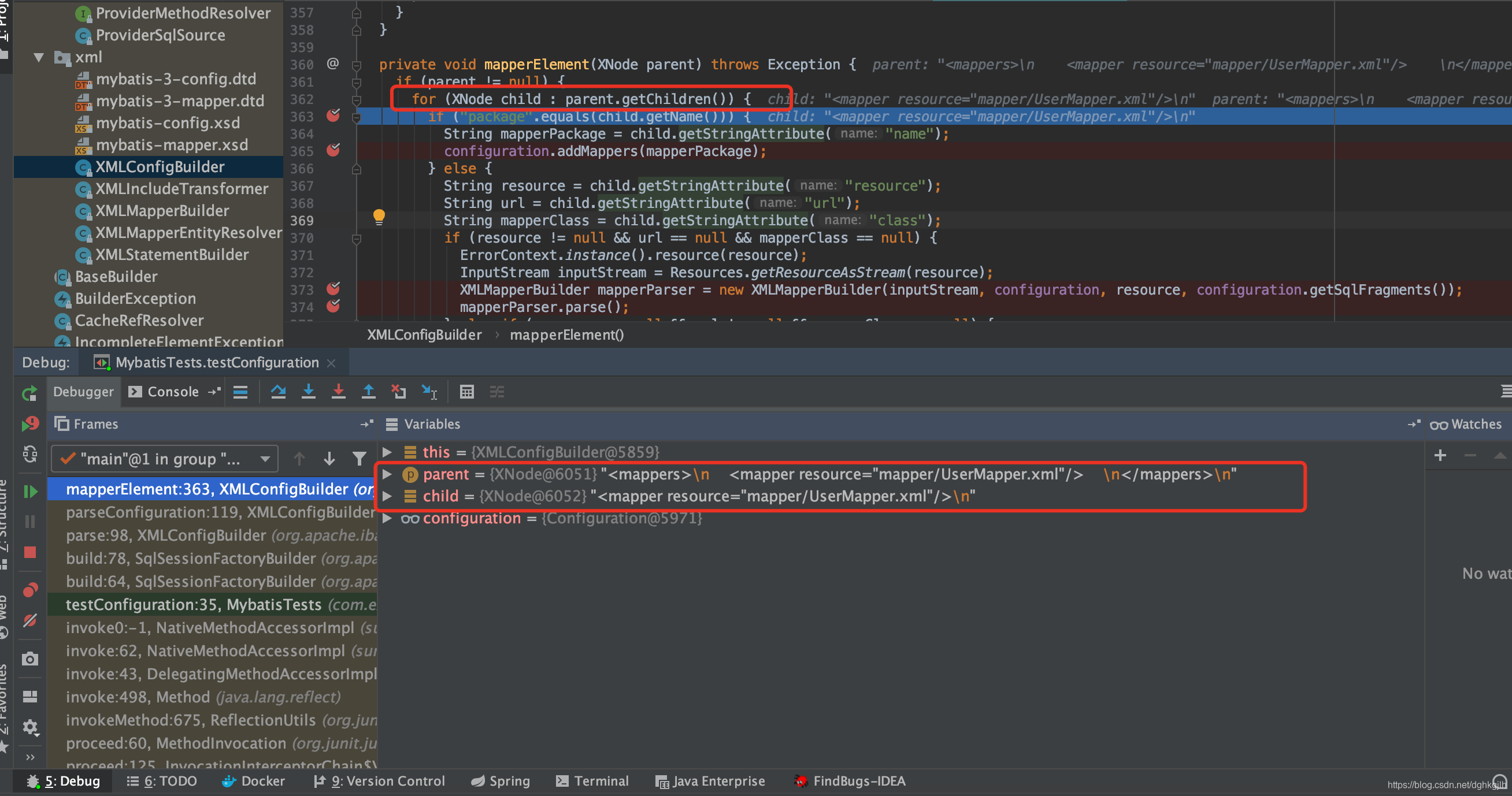
private void mapperElement(XNode parent) throws Exception {
    if (parent != null) {
      for (XNode child : parent.getChildren()) {
        if ("package".equals(child.getName())) {
          String mapperPackage = child.getStringAttribute("name");
          configuration.addMappers(mapperPackage);
        } else {
          String resource = child.getStringAttribute("resource");
          String url = child.getStringAttribute("url");
          String mapperClass = child.getStringAttribute("class");
          if (resource != null && url == null && mapperClass == null) {
            ErrorContext.instance().resource(resource);
            InputStream inputStream = Resources.getResourceAsStream(resource);
            XMLMapperBuilder mapperParser = new XMLMapperBuilder(inputStream, configuration, resource, configuration.getSqlFragments());
            mapperParser.parse();
          } else if (resource == null && url != null && mapperClass == null) {
            ErrorContext.instance().resource(url);
            InputStream inputStream = Resources.getUrlAsStream(url);
            XMLMapperBuilder mapperParser = new XMLMapperBuilder(inputStream, configuration, url, configuration.getSqlFragments());
            mapperParser.parse();
          } else if (resource == null && url == null && mapperClass != null) {
            Class<?> mapperInterface = Resources.classForName(mapperClass);
            configuration.addMapper(mapperInterface);
          } else {
            throw new BuilderException("A mapper element may only specify a url, resource or class, but not more than one.");
          }
        }
      }
    }
  }
MyBatis loops through the XML files in the
Next, focus on mapperParser.parse(). These three lines are key; let us examine them one by one.
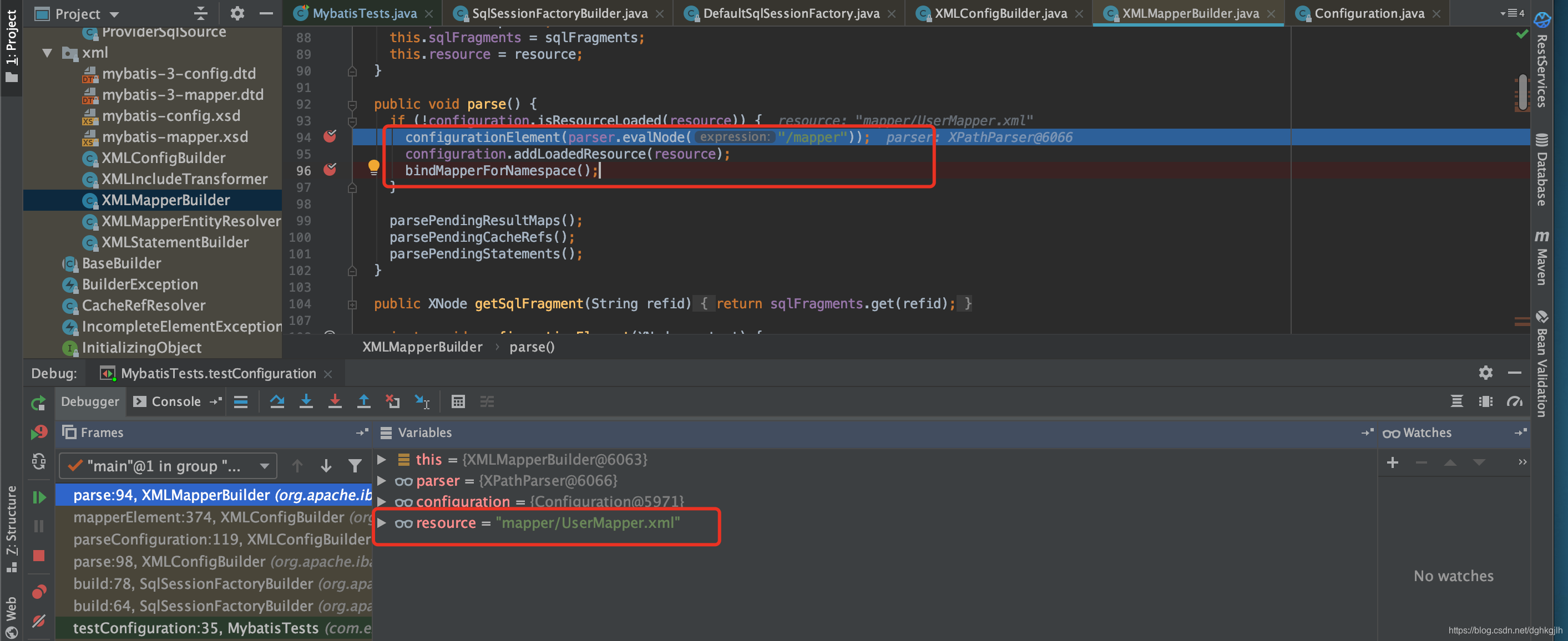
First: configurationElement().
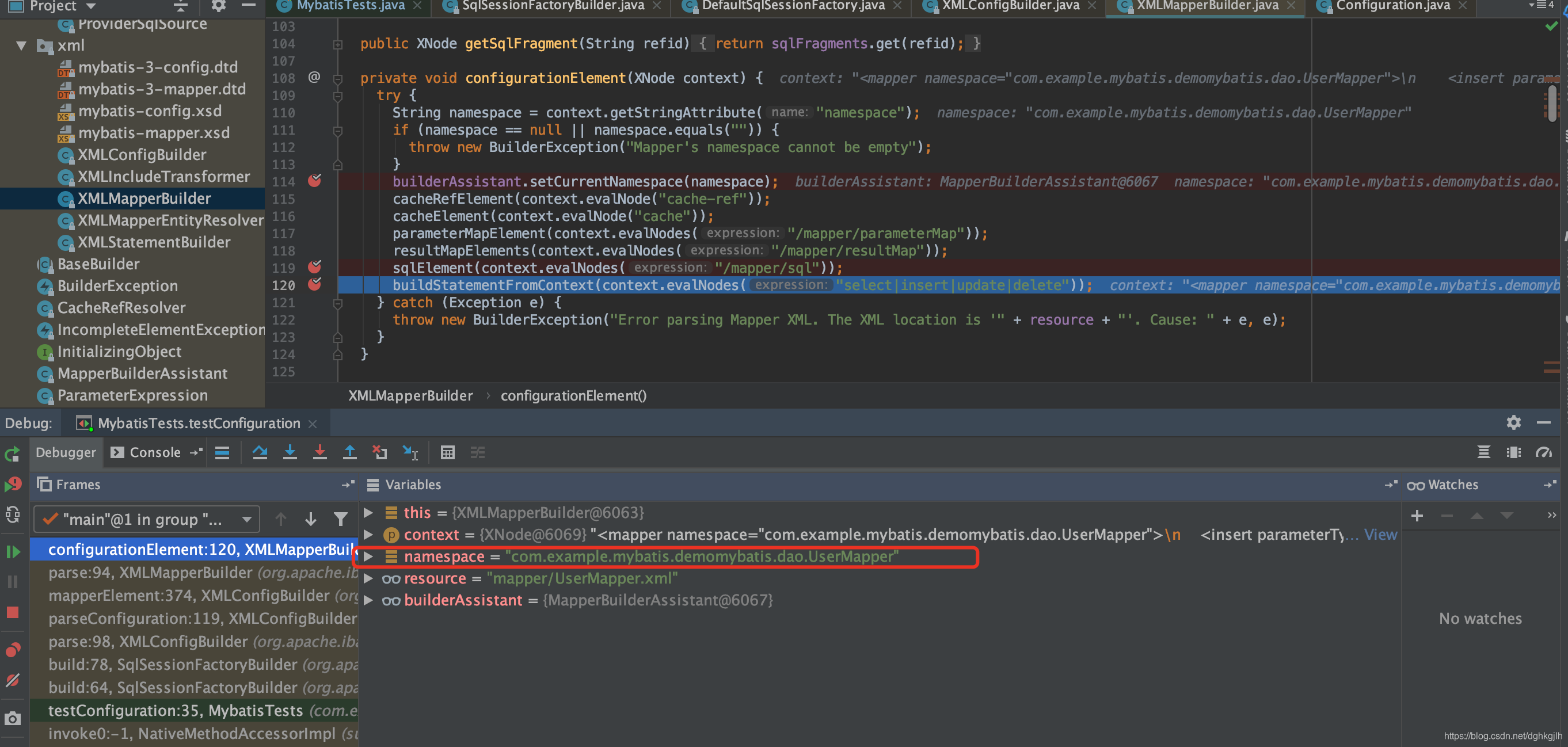
It retrieves the namespace of the current mapper XML file (UserMapper.xml), then calls buildStatementFromContext(context.evalNodes).
This builds a Statement from the current XNode. It feels like the central point of this article—we have finally found it! The MappedStatement should be instantiated here. context.evalNodes parses the SQL elements in the current UserMapper.xml file.
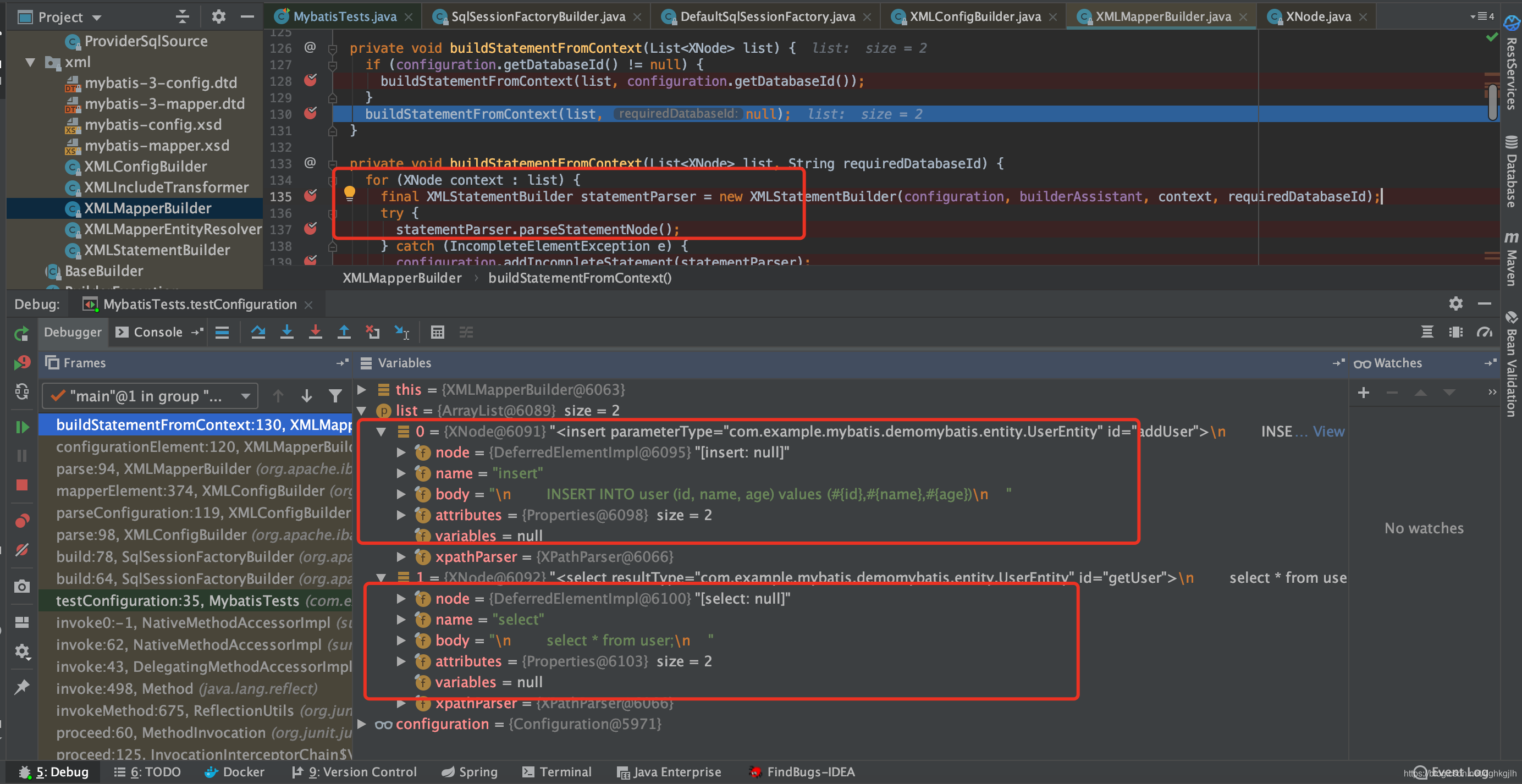
The source is:
  private void buildStatementFromContext(List<XNode> list) {
    if (configuration.getDatabaseId() != null) {
      buildStatementFromContext(list, configuration.getDatabaseId());
    }
    buildStatementFromContext(list, null);
  }

  private void buildStatementFromContext(List<XNode> list, String requiredDatabaseId) {
    for (XNode context : list) {
      final XMLStatementBuilder statementParser = new XMLStatementBuilder(configuration, builderAssistant, context, requiredDatabaseId);
      try {
        statementParser.parseStatementNode();
      } catch (IncompleteElementException e) {
        configuration.addIncompleteStatement(statementParser);
      }
    }
  }
MyBatis obtains all the original SQL statements we wrote in UserMapper.xml, then uses for (XNode context : list) to parse each SQL element. Take the first insert statement as an example and enter statementParser.parseStatementNode(). The method name tells us that each SQL element corresponds to a StatementNode. In traditional JDBC, one SQL statement uses one Statement, so the idea is easy to understand. Step into it in the debugger.
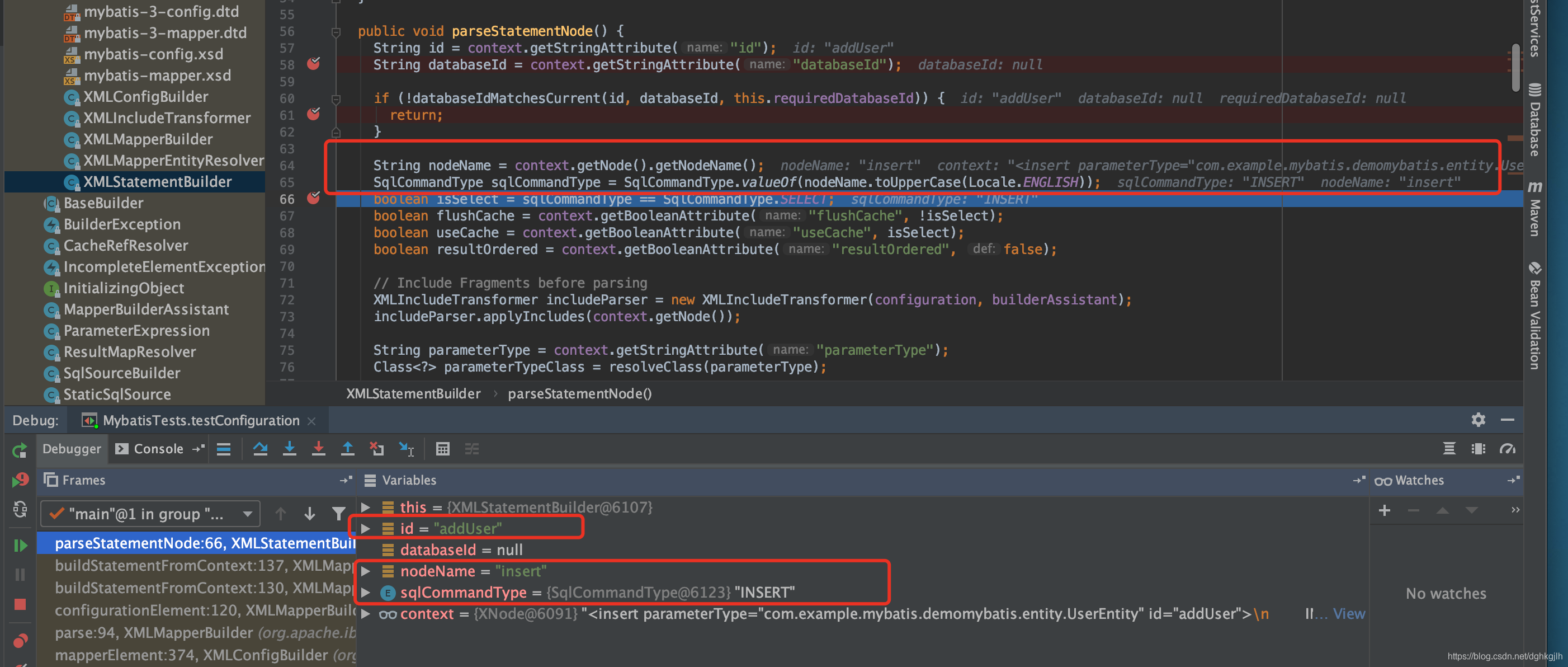
MyBatis identifies the current SQL element as insert and sets sqlCommandType to Insert. The id here is the ID of the
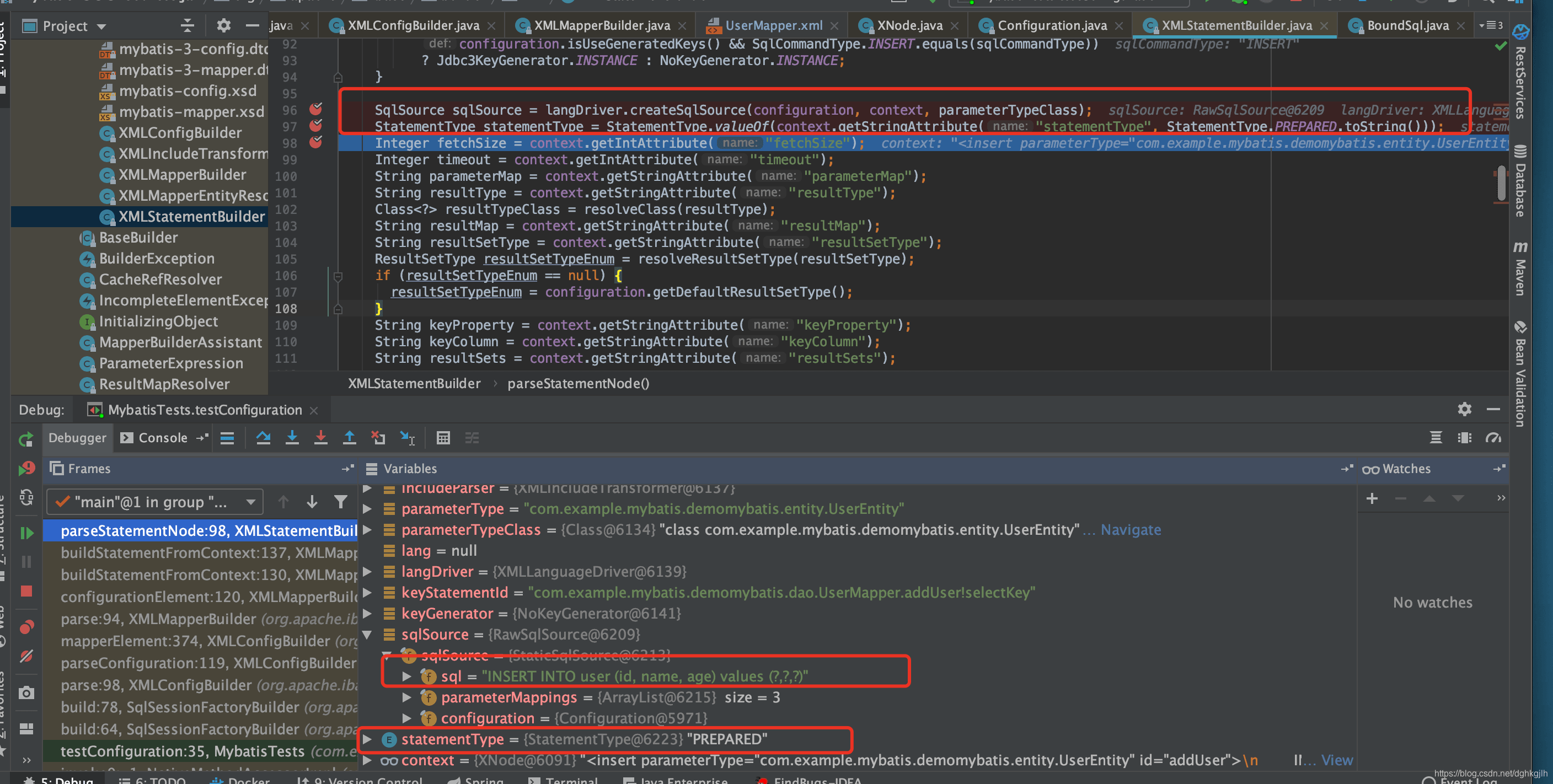
The original SQL is converted to a form with question-mark placeholders (?). In other words, insert into user(id,name,age) values(#{id},#{name},#{age}) becomes insert into user(id,name,age) values(?,?,?). Does this remind you of the code we write with traditional JDBC?
It then creates a sqlSource object. Part 2 left this question open; this is where SqlSource is instantiated.
MyBatis also defaults statementType to prepared here. Next:
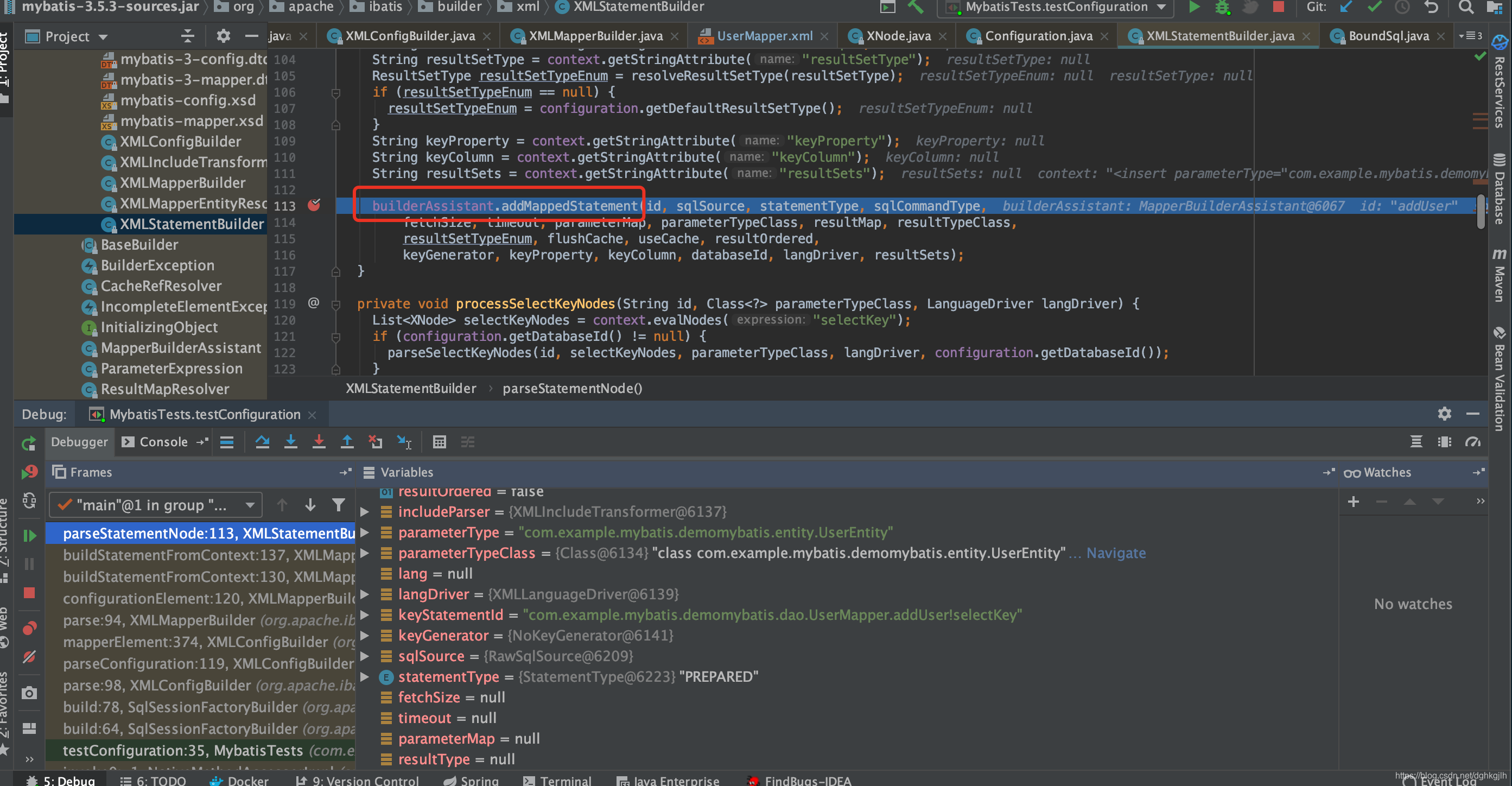
This method initializes the MappedStatement. We have finally found it. The source shows that statementBuilder.build() creates it. Once instantiated, the object is placed in Configuration, allowing us to retrieve the crucial MappedStatement described in Part 1.
public MappedStatement addMappedStatement(
      String id,
      SqlSource sqlSource,
      StatementType statementType,
      SqlCommandType sqlCommandType,
      Integer fetchSize,
      Integer timeout,
      String parameterMap,
      Class<?> parameterType,
      String resultMap,
      Class<?> resultType,
      ResultSetType resultSetType,
      boolean flushCache,
      boolean useCache,
      boolean resultOrdered,
      KeyGenerator keyGenerator,
      String keyProperty,
      String keyColumn,
      String databaseId,
      LanguageDriver lang,
      String resultSets) {

    if (unresolvedCacheRef) {
      throw new IncompleteElementException("Cache-ref not yet resolved");
    }

    id = applyCurrentNamespace(id, false);
    boolean isSelect = sqlCommandType == SqlCommandType.SELECT;

    MappedStatement.Builder statementBuilder = new MappedStatement.Builder(configuration, id, sqlSource, sqlCommandType)
        .resource(resource)
        .fetchSize(fetchSize)
        .timeout(timeout)
        .statementType(statementType)
        .keyGenerator(keyGenerator)
        .keyProperty(keyProperty)
        .keyColumn(keyColumn)
        .databaseId(databaseId)
        .lang(lang)
        .resultOrdered(resultOrdered)
        .resultSets(resultSets)
        .resultMaps(getStatementResultMaps(resultMap, resultType, id))
        .resultSetType(resultSetType)
        .flushCacheRequired(valueOrDefault(flushCache, !isSelect))
        .useCache(valueOrDefault(useCache, isSelect))
        .cache(currentCache);

    ParameterMap statementParameterMap = getStatementParameterMap(parameterMap, parameterType, id);
    if (statementParameterMap != null) {
      statementBuilder.parameterMap(statementParameterMap);
    }

    MappedStatement statement = statementBuilder.build();
    // Store the instantiated statement in configuration for use with the second approach.
    configuration.addMappedStatement(statement);
    return statement;
  }
Second: bindMapperForNamespace. This is fairly simple: it stores the mapper’s fully qualified name in Configuration so the first MyBatis execution approach from Part 1 can use it.
private void bindMapperForNamespace() {
    String namespace = builderAssistant.getCurrentNamespace();
    if (namespace != null) {
      Class<?> boundType = null;
      try {
        boundType = Resources.classForName(namespace);
      } catch (ClassNotFoundException e) {
        //ignore, bound type is not required
      }
      if (boundType != null) {
        if (!configuration.hasMapper(boundType)) {
          // Spring may not know the real resource name so we set a flag
          // to prevent loading again this resource from the mapper interface
          // look at MapperAnnotationBuilder#loadXmlResource
          configuration.addLoadedResource("namespace:" + namespace);
          configuration.addMapper(boundType);
        }
      }
    }
  }
Finally, once build(parser.parse()) finishes and the SqlSessionFactory is instantiated, the next step can call openSession() to obtain a SqlSession and perform the operations in the previous two articles.
 public SqlSessionFactory build(Configuration config) {
    return new DefaultSqlSessionFactory(config);
  }
At this point, we have seen nearly the entire basic MyBatis flow, from beginning to end, in the source. How does the other approach, SqlSession.getMapper(), execute?
First, review the proxy pattern.