Table of contents
Open Table of contents
Article body
This article focuses on how MyBatis combines our SQL and parameters. The previous article identified two key lines in SimpleExecutor.doUpdate(): the return statement and the line immediately above it. All code below comes from MyBatis source.
 @Override
  public int doUpdate(MappedStatement ms, Object parameter) throws SQLException {
    Statement stmt = null;
    try {
      Configuration configuration = ms.getConfiguration();
      StatementHandler handler = configuration.newStatementHandler(this, ms, parameter, RowBounds.DEFAULT, null, null);
      stmt = prepareStatement(handler, ms.getStatementLog());
      return handler.update(stmt);
    } finally {
      closeStatement(stmt);
    }
  }
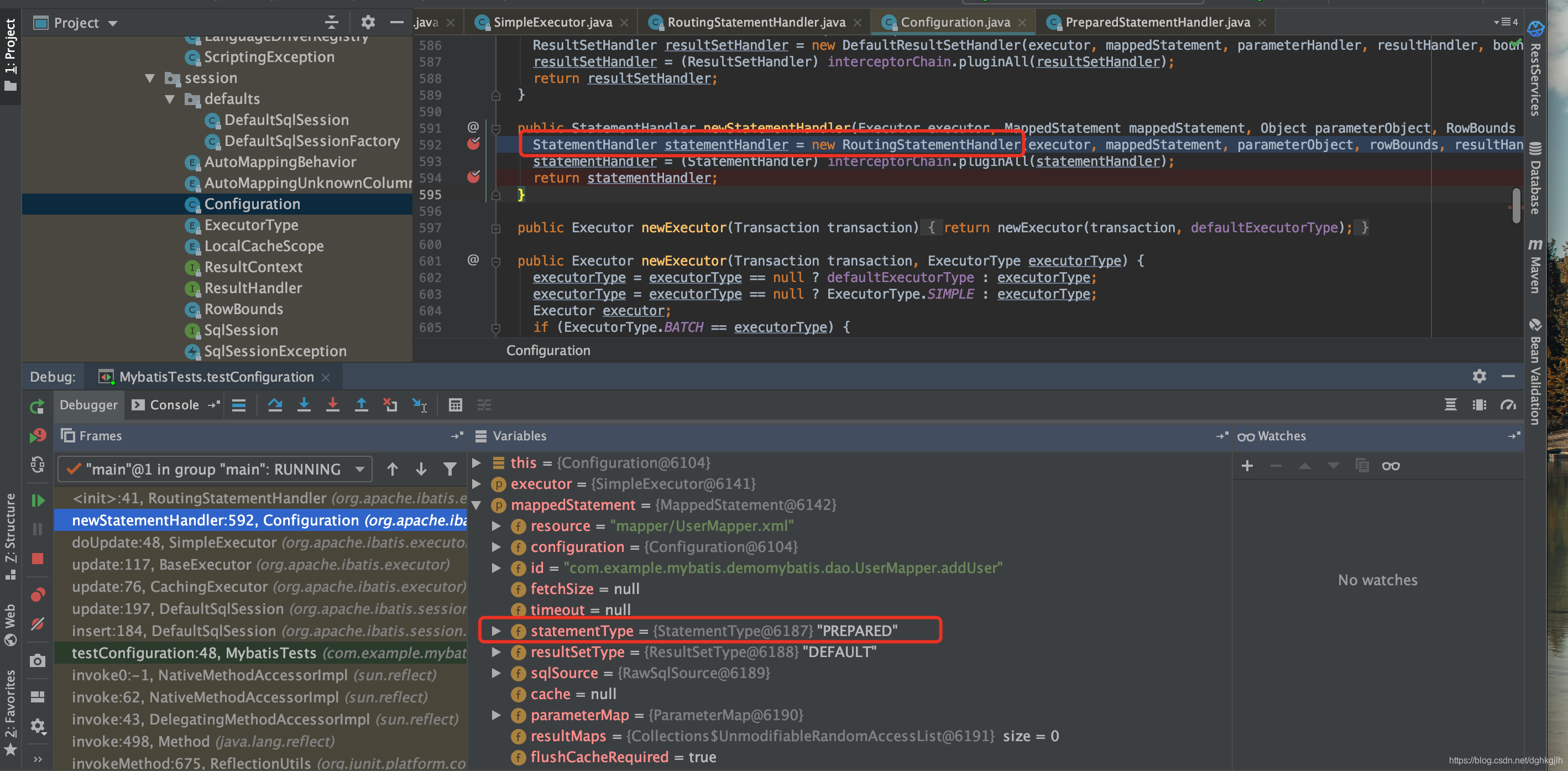
configuration.newStatementHandler creates a StatementHandler. Step into it:
Then enter the new RoutingHandler call:
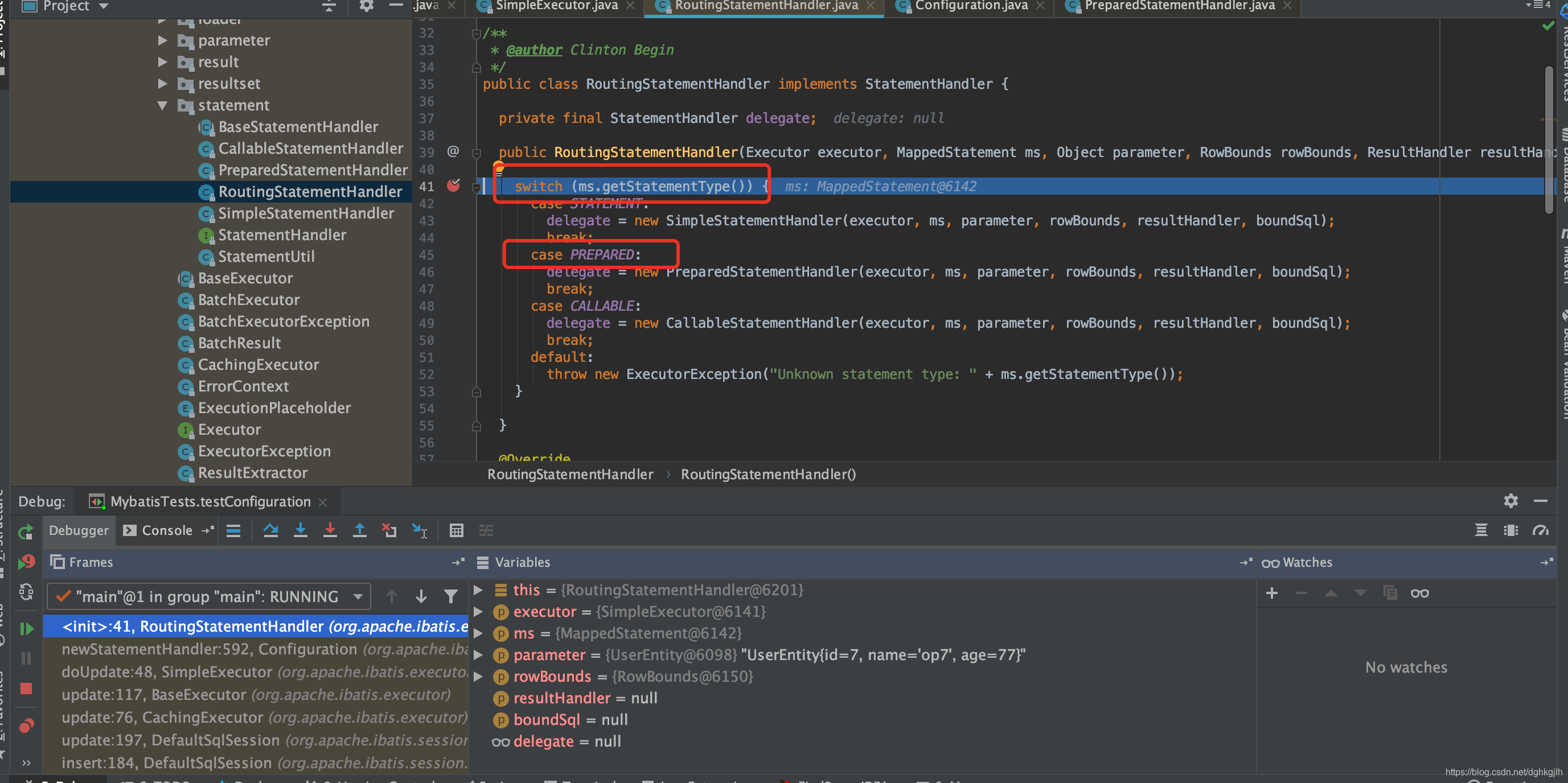
The handler is instantiated as a PrepareHandler. Instantiating it also initializes a BoundSql object, as shown below:
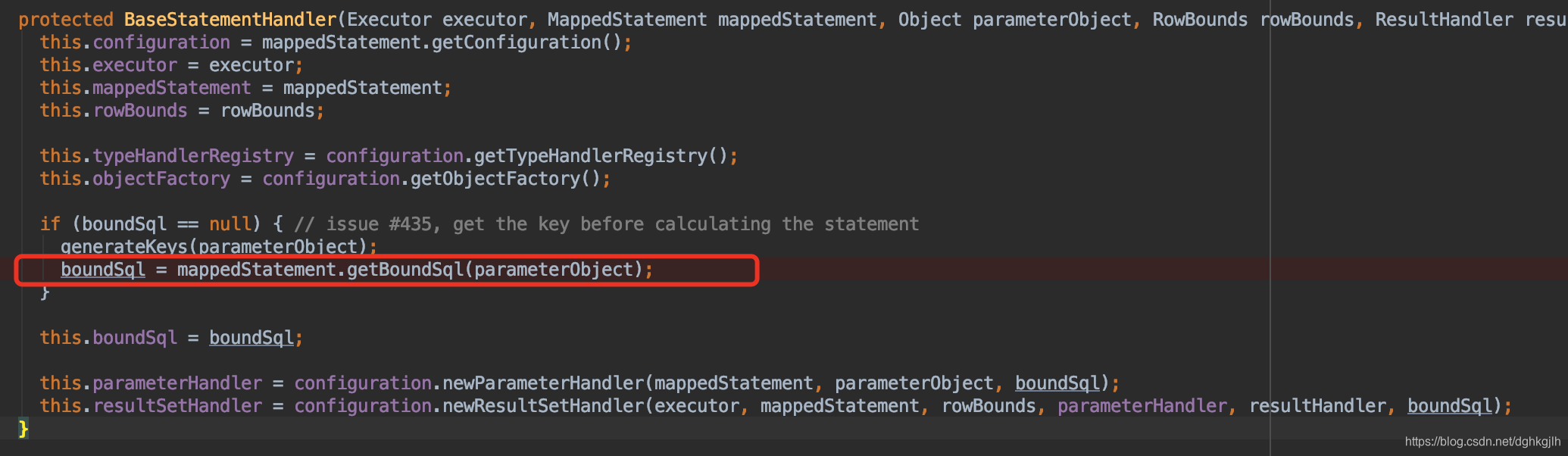
That object comes from mapperStatement. Looking one level deeper:
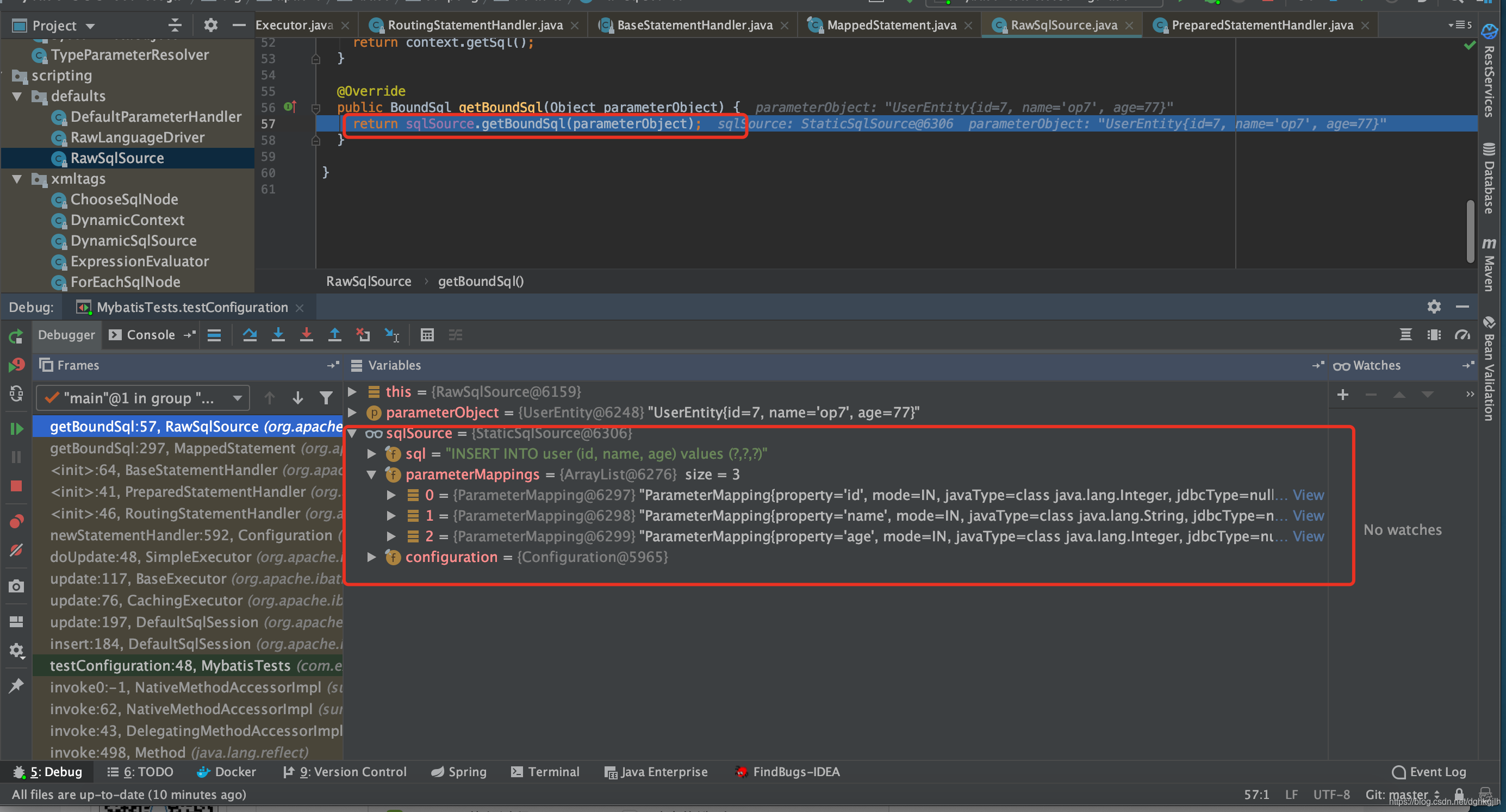
boundSql comes from sqlSource, which in turn comes from mapperStatement.
We discussed this important object in Part 1. We will explain when it is created later.
What does creating the prepareStatement object accomplish?
Enter prepareStatement and look at handler.prepare(), the third line from the bottom. The name suggests preparation of the handler; what exactly is prepared?
private Statement prepareStatement(StatementHandler handler, Log statementLog) throws SQLException {
    Statement stmt;
    Connection connection = getConnection(statementLog);
    stmt = handler.prepare(connection, transaction.getTimeout());
    handler.parameterize(stmt);
    return stmt;
  }
The subsequent calls set the timeout and fetch size. Focus on instantiateStatement: as its name suggests, it instantiates a Statement. What does that involve?
 @Override
  public Statement prepare(Connection connection, Integer transactionTimeout) throws SQLException {
    ErrorContext.instance().sql(boundSql.getSql());
    Statement statement = null;
    try {
      statement = instantiateStatement(connection);
      setStatementTimeout(statement, transactionTimeout);
      setFetchSize(statement);
      return statement;
    } catch (SQLException e) {
      closeStatement(statement);
      throw e;
    } catch (Exception e) {
      closeStatement(statement);
      throw new ExecutorException("Error preparing statement.  Cause: " + e, e);
    }
  }
Debugging shows three possible types. As established above, the handler is a PrepareHandler, so execution enters that class’s method. Observant readers will notice that the SQL now differs from our original SQL and that a boundSql object exists. When did MyBatis transform it? We will explain later.
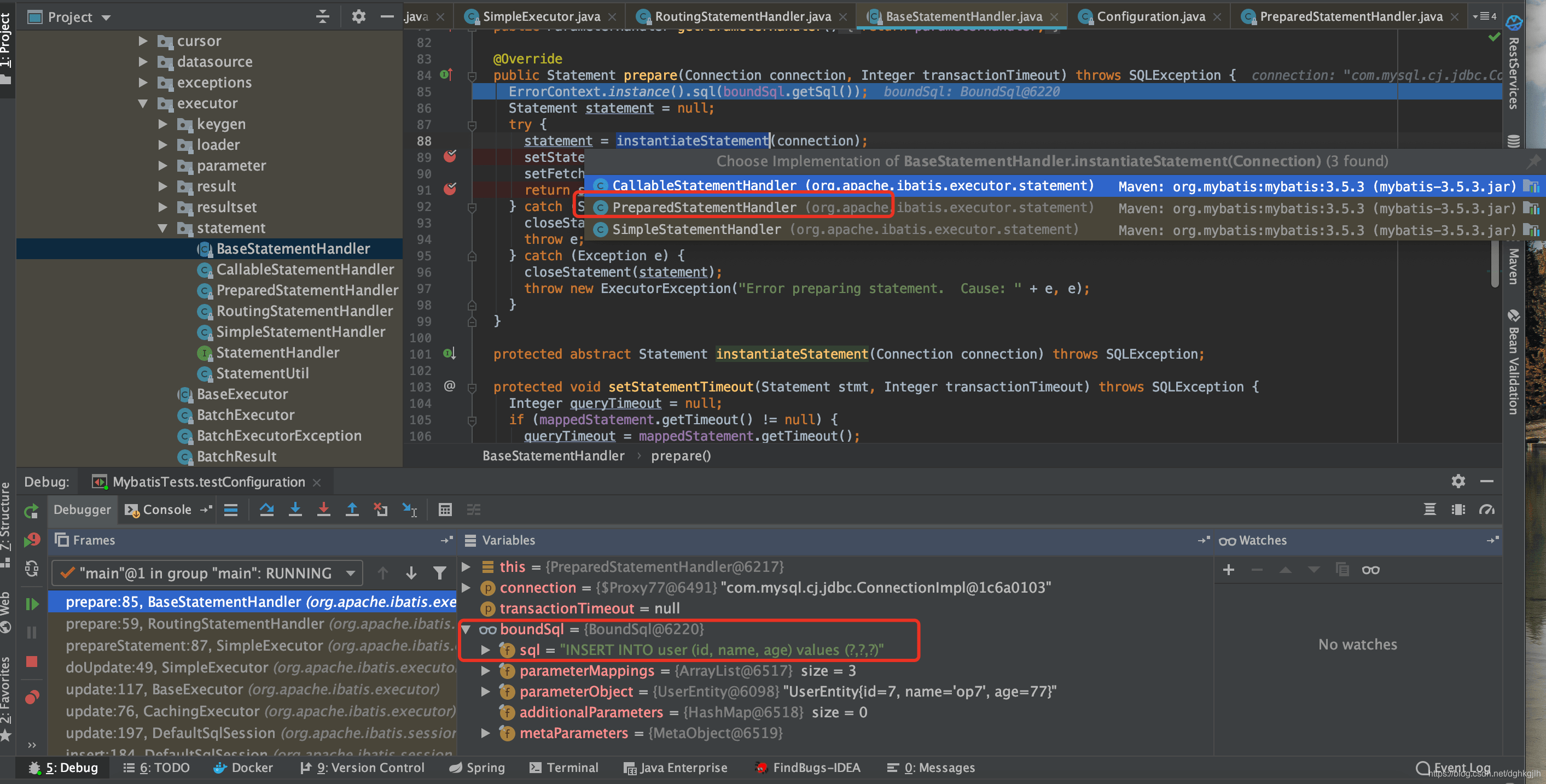 The code below shows that all return statements call connection.prepareStatement(sql,…). This is the familiar traditional JDBC call:
PreparedStatement prepare = conn.prepareStatement(sql); which creates the PreparedStatement object.
  @Override
  protected Statement instantiateStatement(Connection connection) throws SQLException {
    String sql = boundSql.getSql();
    if (mappedStatement.getKeyGenerator() instanceof Jdbc3KeyGenerator) {
      String[] keyColumnNames = mappedStatement.getKeyColumns();
      if (keyColumnNames == null) {
        return connection.prepareStatement(sql, PreparedStatement.RETURN_GENERATED_KEYS);
      } else {
        return connection.prepareStatement(sql, keyColumnNames);
      }
    } else if (mappedStatement.getResultSetType() == ResultSetType.DEFAULT) {
      return connection.prepareStatement(sql);
    } else {
      return connection.prepareStatement(sql, mappedStatement.getResultSetType().getValue(), ResultSet.CONCUR_READ_ONLY);
    }
  }
The first important call in SimpleExecutor.prepareStatement() is now complete: a PreparedStatement has been instantiated. Following the traditional JDBC flow, parameter assignment comes next.
Enter handler.parameterize(), which sets the handler’s parameters. This is where values are assigned to the PreparedStatement. Step into it:
MyBatis mainly assigns parameter values here, obtaining parameterMappings from boundSql. We have already discussed where boundSql and parameterMappings come from.
  @Override
  public void setParameters(PreparedStatement ps) {
    ErrorContext.instance().activity("setting parameters").object(mappedStatement.getParameterMap().getId());
    List<ParameterMapping> parameterMappings = boundSql.getParameterMappings();
    if (parameterMappings != null) {
      for (int i = 0; i < parameterMappings.size(); i++) {
        ParameterMapping parameterMapping = parameterMappings.get(i);
        if (parameterMapping.getMode() != ParameterMode.OUT) {
          Object value;
          String propertyName = parameterMapping.getProperty();
          if (boundSql.hasAdditionalParameter(propertyName)) { // issue #448 ask first for additional params
            value = boundSql.getAdditionalParameter(propertyName);
          } else if (parameterObject == null) {
            value = null;
          } else if (typeHandlerRegistry.hasTypeHandler(parameterObject.getClass())) {
            value = parameterObject;
          } else {
            MetaObject metaObject = configuration.newMetaObject(parameterObject);
            value = metaObject.getValue(propertyName);
          }
          TypeHandler typeHandler = parameterMapping.getTypeHandler();
          JdbcType jdbcType = parameterMapping.getJdbcType();
          if (value == null && jdbcType == null) {
            jdbcType = configuration.getJdbcTypeForNull();
          }
          try {
            typeHandler.setParameter(ps, i + 1, value, jdbcType);
          } catch (TypeException | SQLException e) {
            throw new TypeException("Could not set parameters for mapping: " + parameterMapping + ". Cause: " + e, e);
          }
        }
      }
    }
  }
For each field in the statement, it finds the corresponding value. Take the first field, id, as an example:
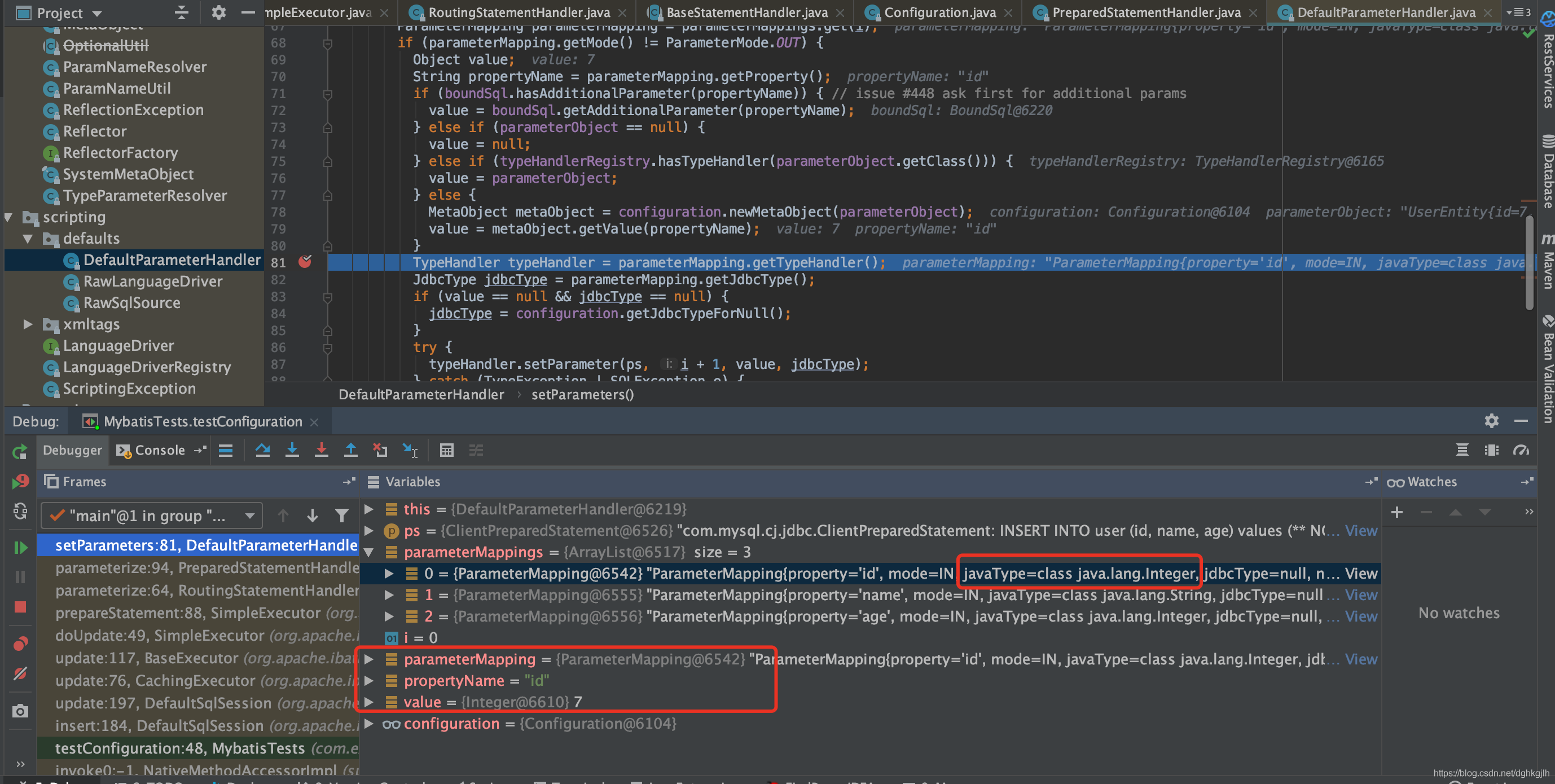 The id value is 7 and its JavaType is Integer. We will explain when parameterMappings is generated later.
It also obtains the specific TypeHandler from the current parameter mapping. TypeHandler has many concrete implementations, including int and long handlers that largely correspond to database types. These assign values to the SQL statement.
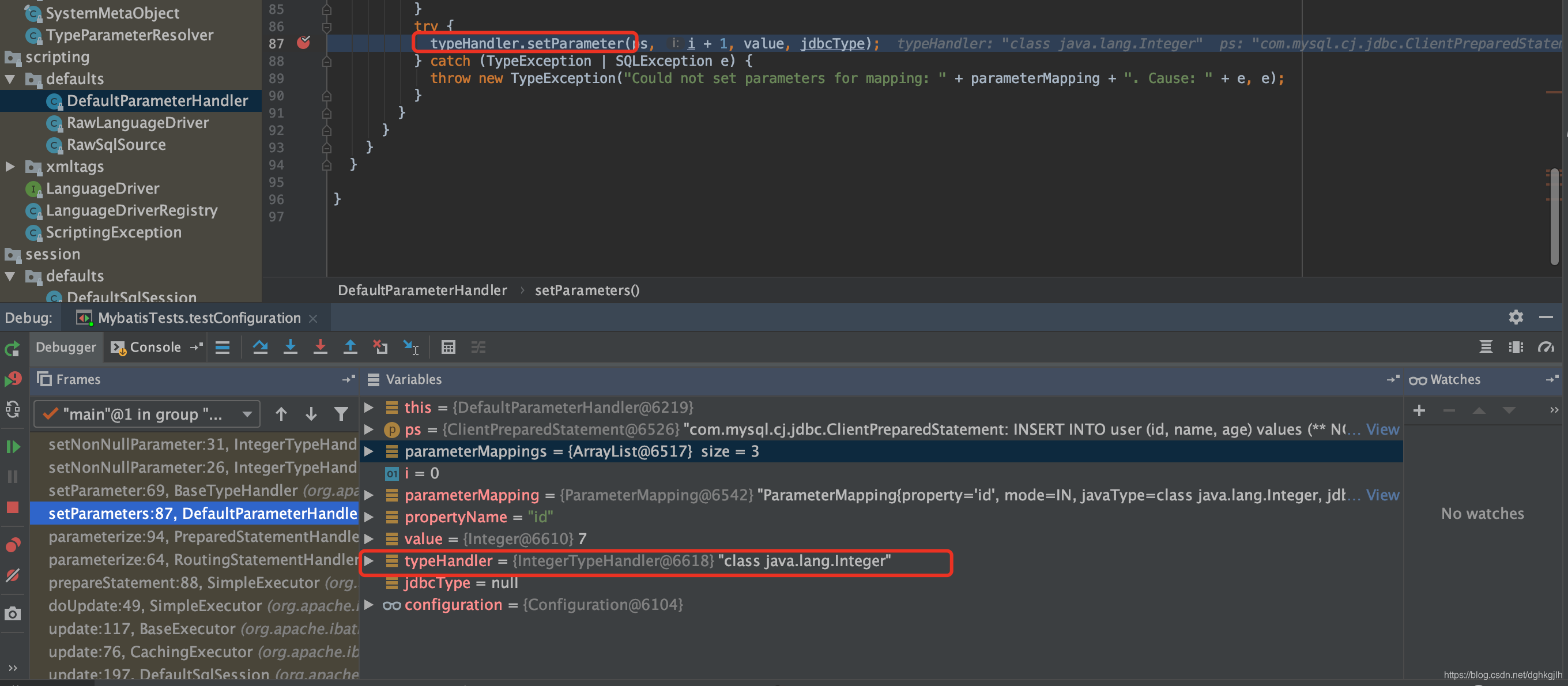
In IntegerTypeHandler, if the field has no explicit jdbcType—that is, the XML does not specify something like #{id,jdbcType=int}—
the value is assigned according to the property’s type. Since id is Integer, it calls setInt(i,parameter). Does this remind you of traditional JDBC?
 The loop assigns each field’s parameter in turn.
MyBatis is performing the same work as these traditional JDBC calls:
prepare.setString(1,user.getId);
prepare.setString(2,user.getName);
prepare.setInt(3,user.getAge);
the three steps shown above.
prepareStatement in the opening doUpdate() method has now finished. All traditional JDBC steps preceding prepareStatement.executeUpdate() are complete, so execution comes next. handler.update() performs that step: as discussed in the previous article, it calls ps.execute().
We have now seen, step by step, how MyBatis obtains a PreparedStatement and its parameters, sets them with the appropriate jdbcType, and finally executes the SQL.
Next, where does MyBatis begin reading the SQL from our XML and turn it into a MapperStatement object? Part 3 examines this.