Table of contents
Open Table of contents
Article body
Elasticsearch provides a Java API for developers. It is extensive and changes frequently. Many blog posts you find online use version 7.x, while the latest API is now 8.x. In Java applications, our most common Elasticsearch task is searching data. The key is therefore to understand the search documentation thoroughly, so we can get started quickly as versions evolve.
Understanding the Search API
Official Search API documentation
Elasticsearch APIs follow a standard RESTful style. A typical request looks like this:
GET /<target>/_search
{
  json format request body
}
target is the name of the index to query. The important part is the request body, which in ordinary development usually contains the properties below.
They address common requirements: what are the filter conditions, how should results be sorted, how can only some fields be returned, and how should results be paginated?
{
  "query": {},
  "sort": [],
  "search_after": [],
  "_source": {},
  "from": 0,
  "size": 2
}
There are essentially six major parts. Let us briefly explain each.
-
query is the core of the search and contains our query conditions.
-
sort specifies sorting, as its name suggests.
"sort": [{ "field1": { "order": "desc" } },{ "field2": { "order": "asc" } }] -
search_after is the officially recommended approach for deep pagination. Elasticsearch’s default maximum result count is 10000. Its value is the sort values of the last record on the previous page. Put those values in search_after for the next request to retrieve the next page.
"search_after": [{
  "field1": {
    "order": "desc"
  }
},{
  "field2": {
    "order": "asc"
  }
}]
These are the sort values from the example above.
-
_source specifies which fields the query results should return. Sometimes we need only a few fields rather than the whole document. This is where the __source parameter is useful.
"_source": { "includes": ["field1","field2"], "excludes": ["field3"] } -
from and size are straightforward, so I will not explain them further. Note that when using search_after, from must start at 0, which is also its default.
These cover ordinary development needs, so these fields are enough for most cases.
Understanding the DSL
We now know the structure of a complete request and the role of each part. This section focuses on the crucial query expressions.
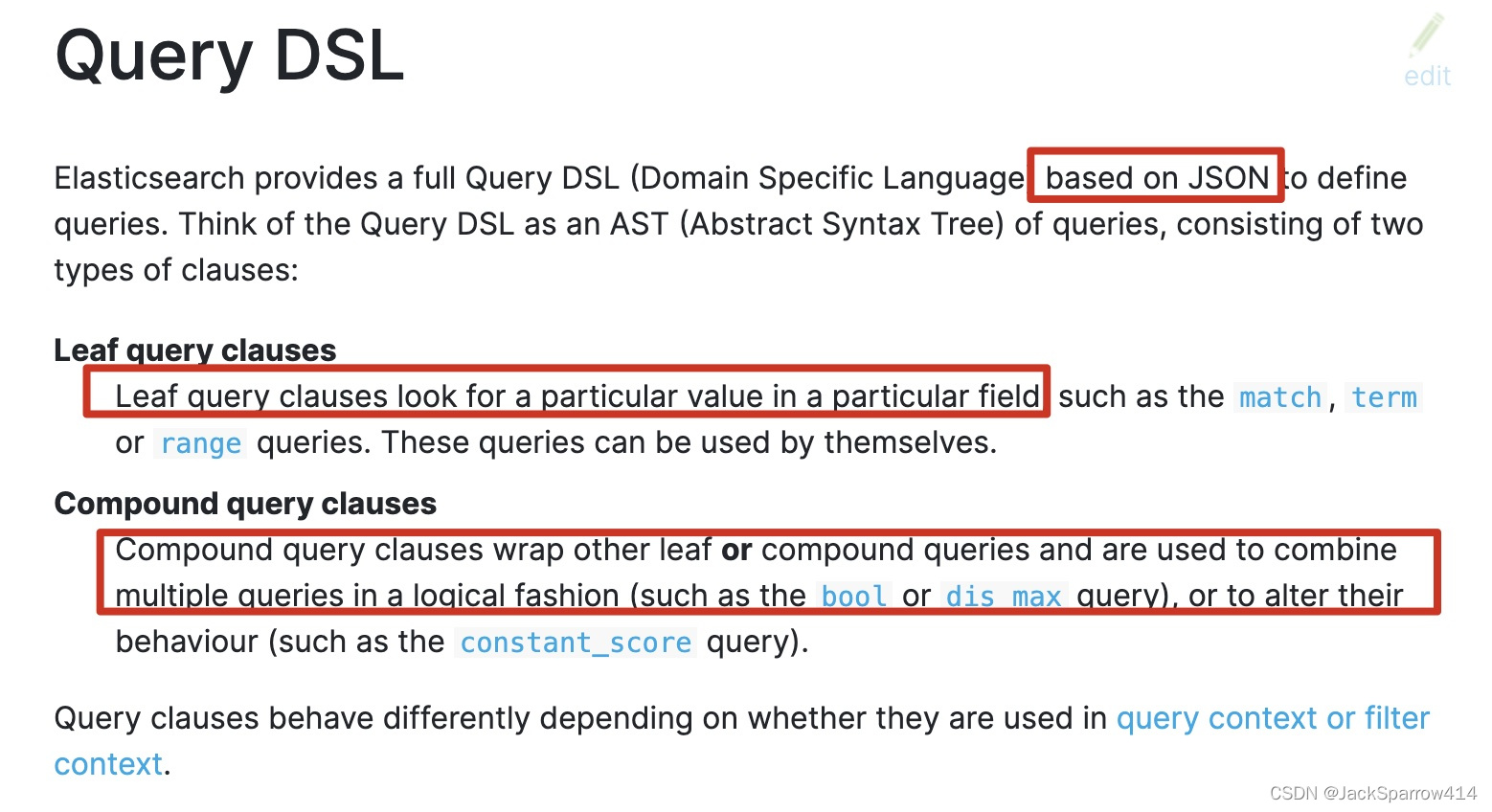
This explanation is clear: DSL is JSON-based and has two categories, leaf queries and compound queries. A leaf query targets a specific field, while a compound query consists of other leaf queries or compound queries.
After reading those two paragraphs, we have a clear picture:
- A query on a field’s value is a leaf query.
- Compound queries made up of multiple leaf queries ultimately form our query conditions.
With this understanding, let us look more closely at the syntax. Once you understand the documentation passage above, writing query conditions becomes as natural as writing SQL.
How to Read the Documentation
When consulting the documentation, focus on the parts highlighted in red below.
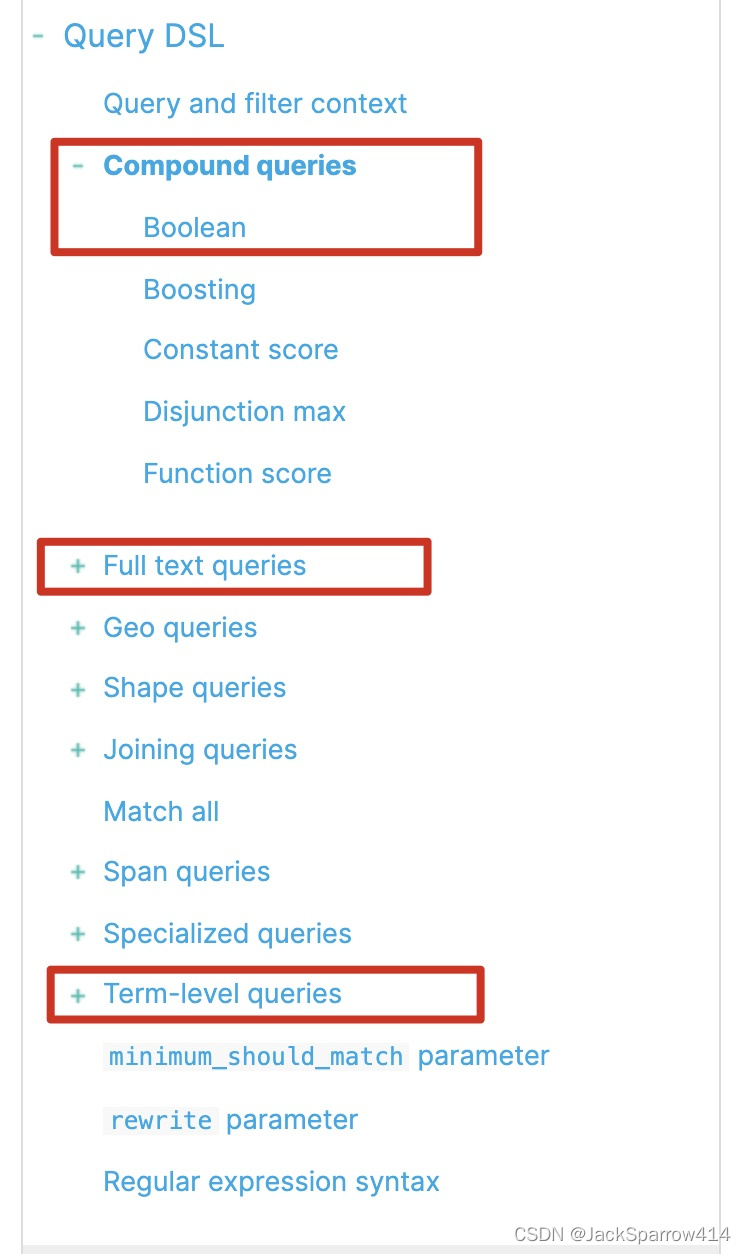
Compound Queries
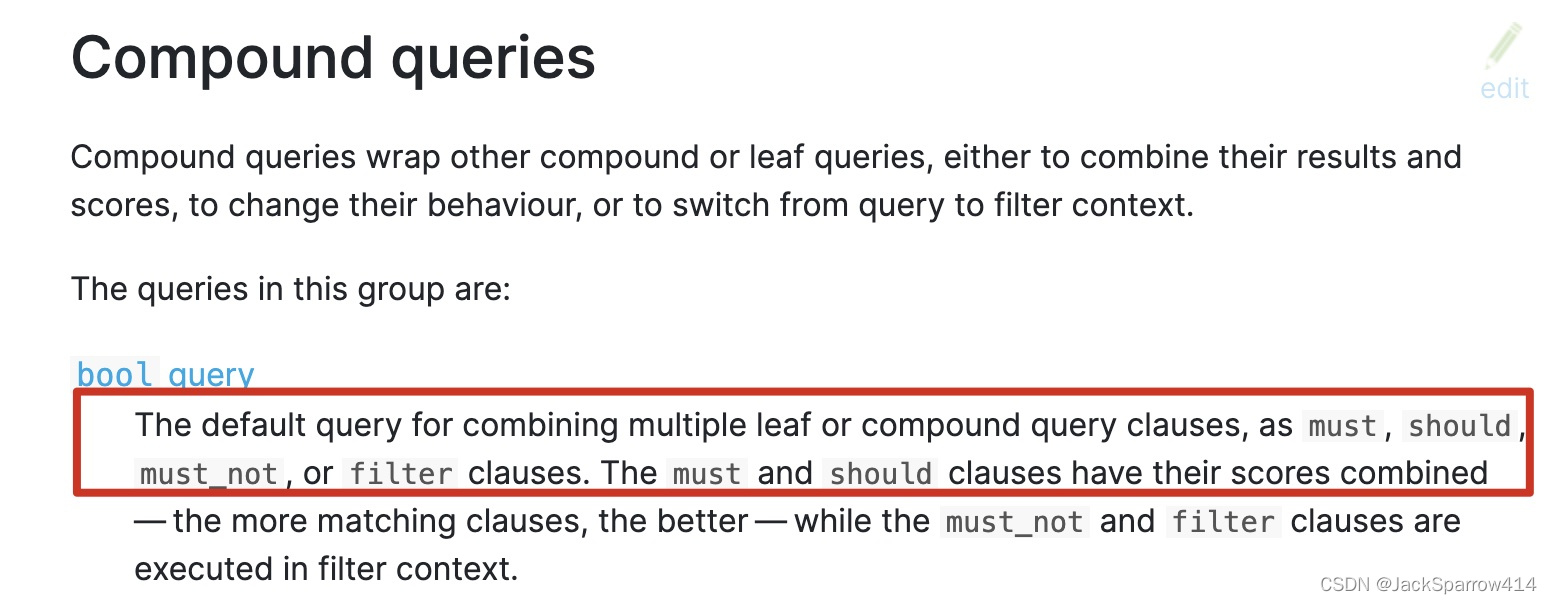
The bool compound query offers four clauses. The syntax is:
{
  "query": {
    "bool": {
      "must": [],
      "must_not": [],
      "should": [],
      "filter": []
    }
  }
}
The first part is complete. Next we will add leaf queries inside the compound query.
Leaf Queries
We use match as an example; other queries follow a similar general pattern.
{
  "query": {
    "bool": {
      "must": [
        {
          "match": {
            "article_content": {
              "query": "FNoHmw1hI4"
            }
          }
        },
        {
          "match": {
            "author": {
              "query": "9vCOv"
            }
          }
        }
      ]
    }
  }
}
Here we have configured two match leaf queries inside the must clause of the compound query.
Note: each leaf query has its own syntax; not all use query. Consult the documentation above for specifics. The key is to understand the idea and adapt it flexibly. Once your approach is right, the syntax comes down to familiarity with the documentation.
A Complete Example
When first learning DSL, use Kibana Dev Tools to practice, mainly because it offers completion. Practice makes the syntax familiar. If your syntax is wrong, completion will generally not offer suggestions, with a few exceptions such as _source.
A complete example:
POST article-2022/_search
{
  "query": {
    "bool": {
      "must": [
        {
          "match": {
            "article_content": {
              "query": "FNoHmw1hI4"
            }
          }
        },
        {
          "match": {
            "author": {
              "query": "9vCOv"
            }
          }
        }
      ]
    }
  },
  "sort": [
  {
    "create_time": {
      "order": "desc"
    }
  }
],
  "_source": {
  "includes": ["author","article_content"],
  "excludes": ["create_time"]
},
  "from": 0,
  "size": 2
}
Using the Java API Based on the DSL
Once you fully understand the DSL above, using the Java API follows naturally. Here is a simple example:
public List<String> simpleSearchArticle(String queryContent) {
        List<String> result = new ArrayList<>();
        Query query = QueryBuilders.bool().must(m -> m.match(mt -> mt.field("article_content").query(queryContent))).build()._toQuery();
        SearchRequest searchRequest = new SearchRequest.Builder()
            .index(INDEX_PREFIX+"*")
            .query(query)
            .source(s-> s.filter(f-> f.includes("article_content")))
            .build();
        SearchResponse<Article> search = elasticsearchClient.search(searchRequest, Article.class);
        List<Hit<Article>> hits = search.hits().hits();
        hits.forEach(item -> {
            result.add(item.id());
            log.info(item.source().getArticleContent());
        });
        return result;
    }
This should be easy to understand: the structure is .index.query.source, and query contains bool.must(match). Pagination is not included here, but with the DSL and Search API sections understood, adding it is straightforward.
After the previous two sections, using the API only requires knowing the entry point—the specific Builder. The rest follows naturally, without searching online or consulting endless examples. However the API changes, understanding the final request shape makes it easy to identify your starting point.
Logging Requests
The Elasticsearch Java API also supports request logging. If you are unsure whether you are using it correctly, enable the following logging. When Java sends a request to Elasticsearch, it prints the request in curl format. This is useful when learning the API, debugging later, or diagnosing production issues.
logging:
  level:
    org.elasticsearch: debug
    tracer: trace