Table of contents
Open Table of contents
RabbitMQ and Spring AMQP (Part 3): Message Reliability
Unexpected situations can arise in production. How can we do our best to ensure that messages produced are actually consumed? There are two sides: reliable sending and reliable consumption.
Reliable Delivery from the Producer
The three main roles in RabbitMQ’s messaging model are Producer, Broker, and Consumer. First, a producer’s message must reach the Broker. The producer creates messages and must ensure they reach it successfully. The Broker runs on RabbitMQ Server and includes exchanges, bindings, and queues. Let us analyze possible failure points one by one.
The Spring AMQP documentation also describes possible problems.
Possible Failure Points
- A producer sends a message to RabbitMQ Server, but network problems prevent it from arriving.
- The message reaches RabbitMQ Server, but the corresponding exchange cannot be found—it does not exist. How does the server handle the message?
- The message reaches the server and the exchange, but routingKey and bindings cannot locate the corresponding queue. How does the server handle it then?
Solutions
Address the three producer-side problems above separately.
For the first, if network problems prevent an effective connection to RabbitMQ Server, sending fails directly.
For the second and third, Spring AMQP offers publisher confirms. See documentation 1 and documentation 2.
How Can We Tell Whether a Message Reached the Exchange?
For the second problem, we need RabbitMQ Server to notify us when the message reaches its first stop—the exchange—and confirm that it found the corresponding exchange.
Spring AMQP provides RabbitTemplate.setConfirmCallback. Producer-side confirm support requires CachingConnectionFactory and two settings. See the documentation.
- Set PublisherReturns to true.
- Set PublisherConfirmType to ConfirmType.CORRELATED.
@Bean
    public ConnectionFactory publishConnectionFactory() {
        CachingConnectionFactory result = new CachingConnectionFactory();
        result.setConnectionNameStrategy(connectionFactory -> "publishConnection");
        result.setHost("localhost");
        result.setPort(5672);
        result.setUsername("dhb");
        result.setPassword("123456");
        result.setVirtualHost("dhb");
        result.setCacheMode(CacheMode.CONNECTION);
        result.setPublisherReturns(true);
        result.setPublisherConfirmType(ConfirmType.CORRELATED);
        return result;
    }
Configure RabbitTemplate’s setConfirmCallback:
@Bean
    public RabbitTemplate publishConfirmRabbitTemplate() {
        RabbitTemplate result = new RabbitTemplate(publishConnectionFactory());
        // Step 1: check for problems between Producer and Exchange.
        // Set correlationData when sending, otherwise it is null. See {@link com.example.rabbitmq.rabbitmqdemo.producer.TopicProducer.sendTopicMessage}.
        result.setConfirmCallback((correlationData, ack, cause) -> {
            if (ack) {
                log.info("Received by the RabbitMQ server exchange......");
            }else {
                log.info("No matching exchange on the RabbitMQ server......original message id: {}, original message: {}, reason: {}" ,
                    Objects.requireNonNull(correlationData).getId(),
                    // Get the body byte array and convert it to a string with new String(byte[]).
                    new String(Objects.requireNonNull(correlationData.getReturnedMessage()).getBody()),
                    cause);
            }
        });
        return result;
    }
setConfirmCallback accepts a functional interface with three parameters.
The first, correlationData, is passed to RabbitTemplate.convertAndSend(). If not supplied, it is null.
The second, ack, indicates whether the corresponding exchange was found: true if found, false otherwise.
The third, cause, explains why the exchange was not found. When no exchange is found, the message is discarded.
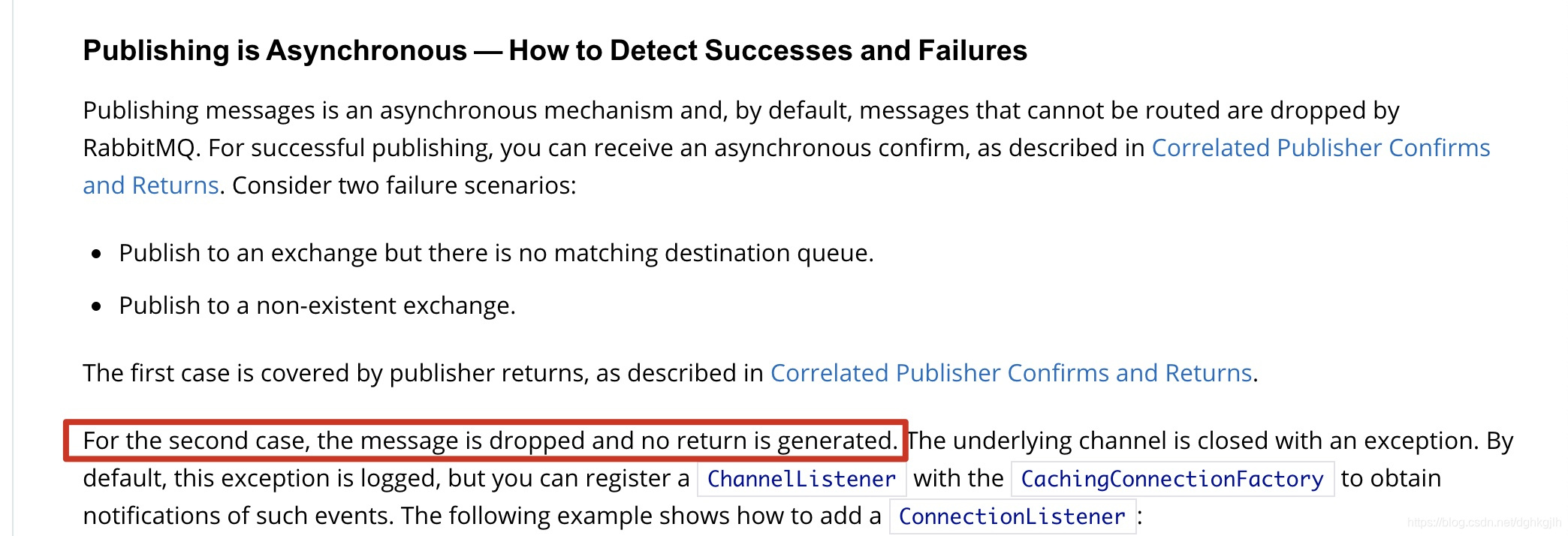
Simulate an error by sending to a nonexistent exchange.


After Reaching the Exchange, How Can We Tell Whether a Message Reached the Queue?
In RabbitMQ, exchanges only forward messages; they do not store them. Queues store messages. Producers must therefore ensure not only that messages find an existing exchange but also that the exchange can route them to the appropriate queue. How can the producer be notified when no queue is found?
Spring AMQP provides setReturnsCallback.
Using returnsCallback requires RabbitTemplate.mandatory=true. Continue configuring returnsCallback on the RabbitTemplate above:
....previous code omitted
// Step 2: check for problems between Exchange and Queue.
        // Set true to receive a callback when the exchange finds no queue.
        result.setMandatory(true);
        result.setReturnsCallback(returned -> {
            log.info("Exchange found, but the message was not routed to the correct queue....routingKey: {}, original message: {}", returned.getRoutingKey(), new String(returned.getMessage().getBody()));
        });
setReturnsCallback also accepts a functional interface, receiving a ReturnedMessage object with five properties.
First, Message: the original message sent by the producer.
Second, replyCode: the reason code for the return.
Third, replyText: the textual reason for the return.
Fourth, exchange: the exchange name used when sending.
Fifth, routingKey: the routing key used when sending.
Normally, when the routing key matches a binding, this callback does not fire. It fires only when the corresponding queue cannot be found.
Simulate an error again, this time with a correct exchange but an incorrect queue.

When no corresponding queue exists, the callback notifies the producer, which can respond according to the situation.
Reliable Message Storage on the Server
The Spring AMQP APIs above let producers receive RabbitMQ callbacks if messages are not received correctly—meaning they have not reached the appropriate queue. The producer can then decide whether to resend or take other action.
A common development question is: what if the server crashes? RabbitMQ Server may have many unconsumed messages when it crashes. What happens to them?
Broker Components Must Be Reloadable
First, even before considering existing messages, how can the original routing and storage logic remain valid after a server restart?
Valid routing means newly arriving valid messages can find the exchange and then locate a queue through the exchange, bindings, and routing key.
Valid storage means messages can find their queues and be stored as before the crash.
To preserve these behaviors across repeated restarts, use durable Broker components. RabbitMQ Server can reload the components from persisted files when it restarts.
Which Broker components need persistence?
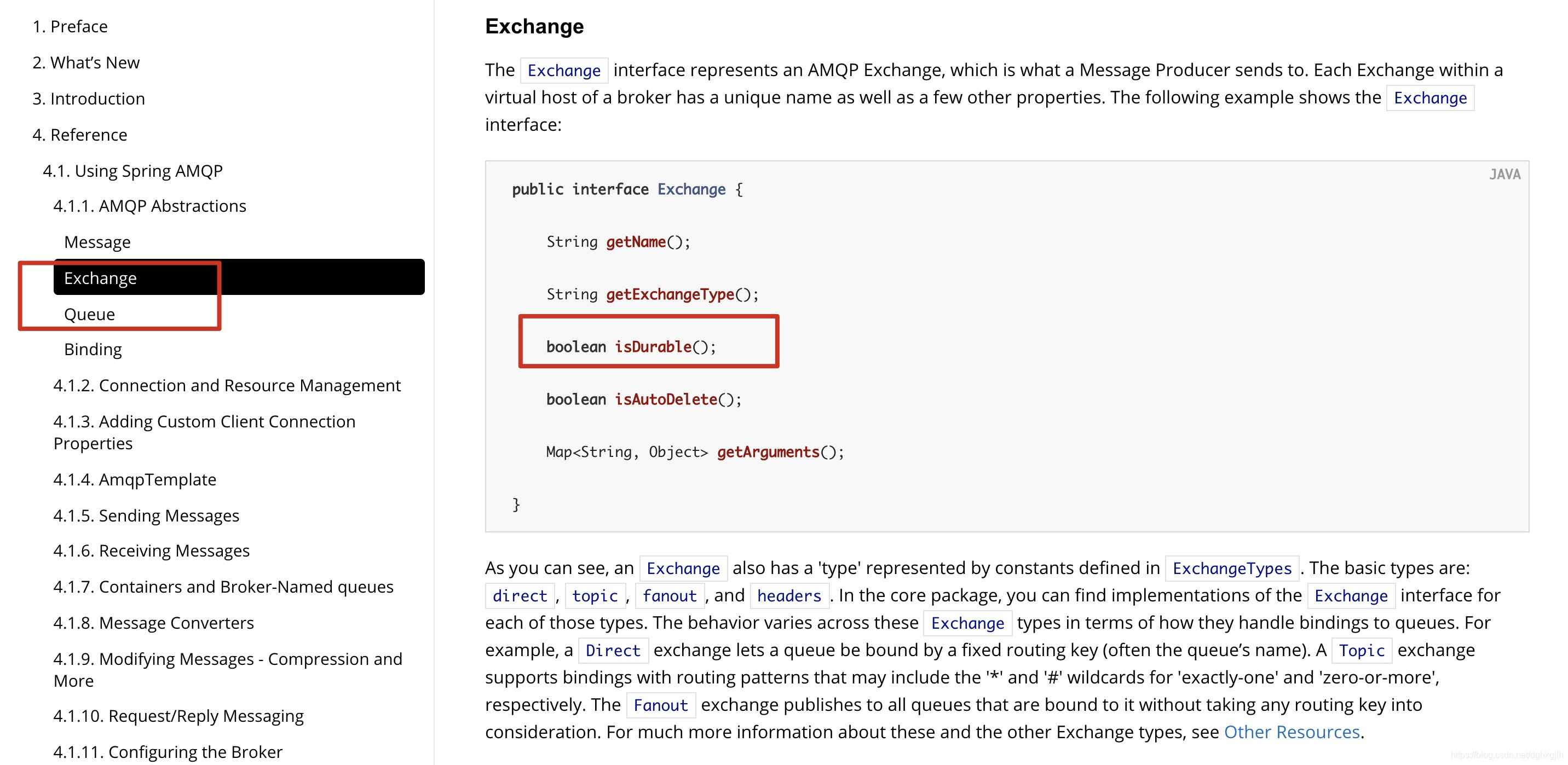
- Exchange
- Queue
These two components are essential and interdependent; neither can be omitted, so both must be durable. Spring AMQP provides durable for exchanges and queues: true enables persistence. See the documentation.
Persistent Messages
The settings above let RabbitMQ Server process new messages normally after a crash and restart. What about old unconsumed messages or messages being consumed but not yet acknowledged?
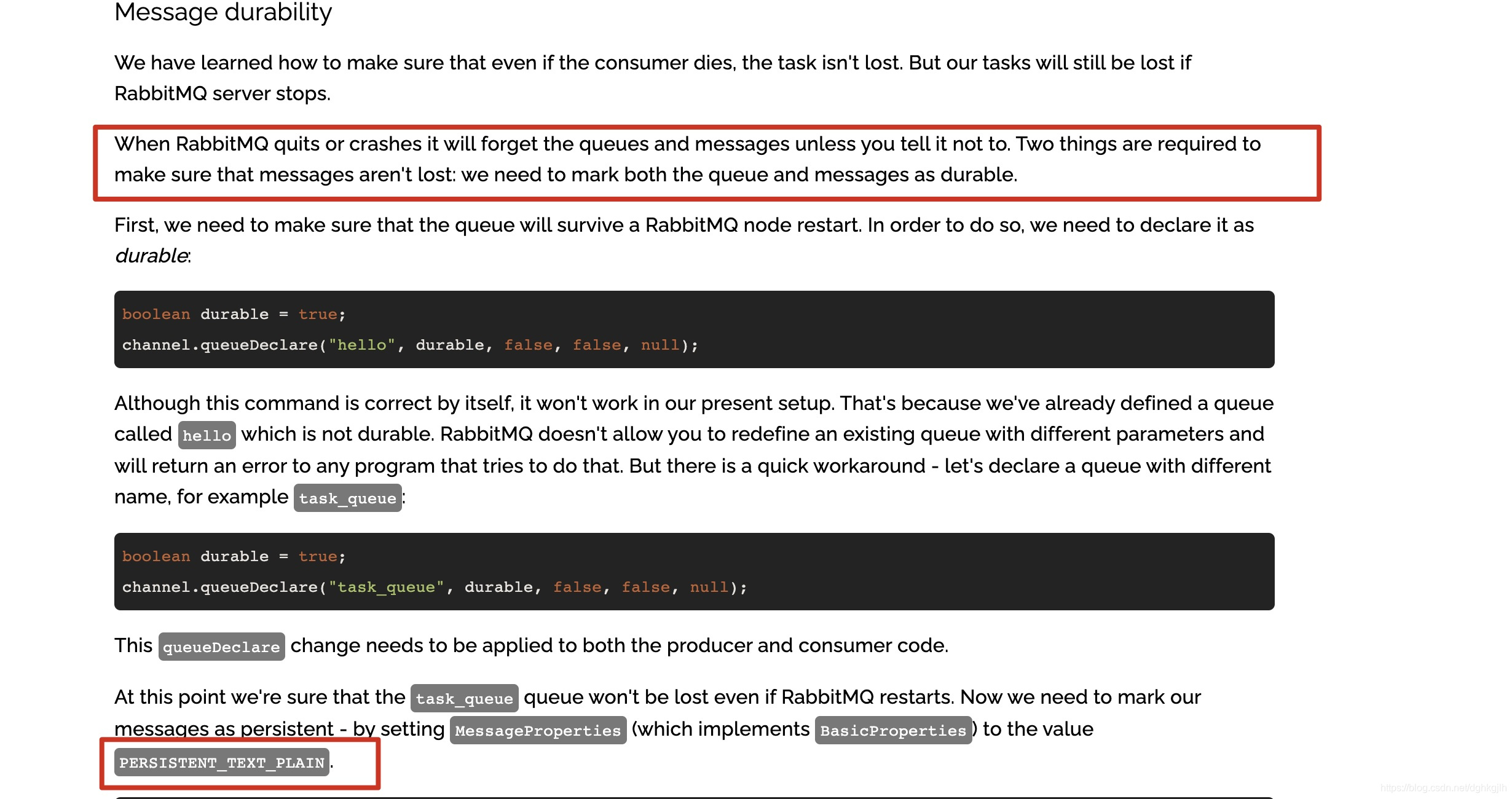
To preserve existing messages after restart, store them on the RabbitMQ machine’s disk and read the unconsumed messages from that storage location when the server starts. This is called message persistence.
When sending, the producer must tell the server to persist the message. In Spring AMQP, the default MessageProperties delivery mode on a Message is PERSISTENT.
Manually configure messages as persistent or nonpersistent:
 MessageProperties messageProperties = new MessageProperties();
        messageProperties.setDeliveryMode(MessageDeliveryMode.PERSISTENT);
        Message message = new Message("this is persistent message".getBytes(), messageProperties);
        rabbitTemplate.convertAndSend(topicExchange.getName(), "message.second.Topic", message);
The second RabbitMQ tutorial also gives the persistence API and explanation.
However, the documentation emphasizes another point:
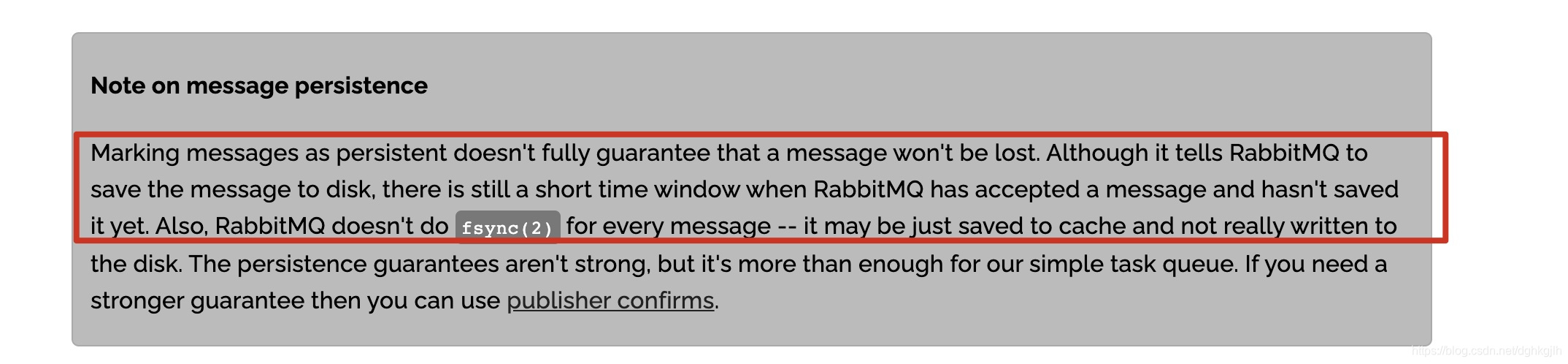
RabbitMQ Server does not completely guarantee messages cannot be lost. Even with persistence enabled, a message may still be in the operating system’s cache rather than written to disk. If the operating system crashes at that point, the message is lost.
Reliable Consumption on the Consumer
Consumers usually process business logic when handling messages. We consider a message successfully consumed only when that logic finishes correctly. However, by default, Spring AMQP automatically acknowledges messages; the article’s example describes a message arriving at an @RabbitListener consumer as being marked consumed and the server notified. That differs from our desired behavior. We use manual acknowledgments after successful business processing, or indicate failure if processing fails.
Manual Acknowledgments
First, set acknowledgment mode to manual.
The RabbitMQ consumer acknowledgment documentation explains why acknowledgments are needed and how to use them manually.
RabbitMQ’s Java API:
// Call this to manually acknowledge successful consumption.
channel.ack(deliveryTag, true);
// Call this to manually indicate failed consumption.
channle.Nack(deliveryTag, true, true);
What Is deliveryTag For?
deliveryTag identifies a delivery from RabbitMQ Server, distinguishing this message delivery.

Its maximum value is the maximum long value, 2^63-1. See the official explanation.
Spring AMQP supports three ackMode values on @RabbitListener:
- NONE: automatic acknowledgment.
- MANUAL: manual acknowledgment.
- AUTO: determine based on the situation.
@RabbitListener(queues = "${queue.topic.first}", ackMode = "MANUAL")Note: the ackMode string must be uppercase.
Acknowledgment mode can also be set on ContainerFactory or the container.
@Bean
    public SimpleRabbitListenerContainerFactory rabbitListenerContainerFactory() {
        SimpleRabbitListenerContainerFactory result = new SimpleRabbitListenerContainerFactory();
        result.setConnectionFactory(connectionFactory());
        result.setPrefetchCount(2);
        // Configure global manual acknowledgments according to your requirements.
        result.setAcknowledgeMode(AcknowledgeMode.MANUAL);
        return result;
    }
As the RabbitMQ Java API above shows, manual acknowledgment requires the Channel between the consumer and RabbitMQ Server when receiving a message.
Spring AMQP does not provide a convenient callback specifically for manually acknowledging successful consumption. There is the general MessageListenerAdapter: customize it and override buildListenerArguments, whose arguments include the required Channel, then use the RabbitMQ Java API to acknowledge. See the detailed documentation.
Further research showed that a Channel parameter on the consumer’s @RabbitListener method is supplied automatically, making this much easier.
Example code:
/**
     * Receive the body directly when listening to a queue.
     * Enable manual acknowledgments in the annotation; ackMode must be uppercase.
     * Include the delivery tag sent in the message headers when acknowledging; obtain it through @Header.
     * @param firstTopicQueueMessage message body
     * @param channel Channel established between Broker and Consumer
     * @param tag delivery tag in the message headers
     */
    @RabbitListener(queues = "${queue.topic.first}", ackMode = "MANUAL")
    @RabbitHandler
    @SneakyThrows
    public void receiveFirstTopicQueueMessage(String firstTopicQueueMessage, Channel channel, @Header(AmqpHeaders.DELIVERY_TAG) long tag) {
        log.info("This is firstTopicQueue received message: {}", firstTopicQueueMessage);
        try {
            // Process the actual business logic.
            doActualWork();
            TimeUnit.SECONDS.sleep(5);
            // Trigger an exception.
            // int wrongNumber = 1/0;
            // No exception: acknowledge successful consumption.
            channel.basicAck(tag, true);
        }catch (IOException | ArithmeticException exception) {
            log.error("Exception while processing the message", exception);
            // On an exception, return the message to the queue. The third parameter, requeue, indicates whether to requeue it.
            channel.basicNack(tag, true, true);
        }
    }
Spring AMQP annotations can retrieve RabbitMQ Server’s deliveryTag. Receive the body directly as its corresponding type—a string here, though it could be a POJO.
Another approach obtains the message through a Message object:
/**
     * Receive the body through Message rather than directly when listening to the queue.
     * @param secondTopicQueueMessage Message object
     * @param channel Channel established between Broker and Consumer
     */
    @RabbitListener(queues = "${queue.topic.second}", ackMode = "MANUAL")
    @RabbitHandler
    @SneakyThrows
    public void receiveSecondTopicQueueMessage(Message secondTopicQueueMessage, Channel channel, @Header(AmqpHeaders.DELIVERY_TAG) long deliveryTag) {
        byte[] messageBody = secondTopicQueueMessage.getBody();
        String message = new String(messageBody, Charset.defaultCharset());
        log.info("This is secondTopicQueue received message: {}", message);
        // Enable sleep to observe the message in the Unacked state in the console.
        TimeUnit.SECONDS.sleep(60);
        channel.basicAck(deliveryTag, true);
    }
With manual acknowledgment enabled, the console shows the message as Unacked until we acknowledge it.
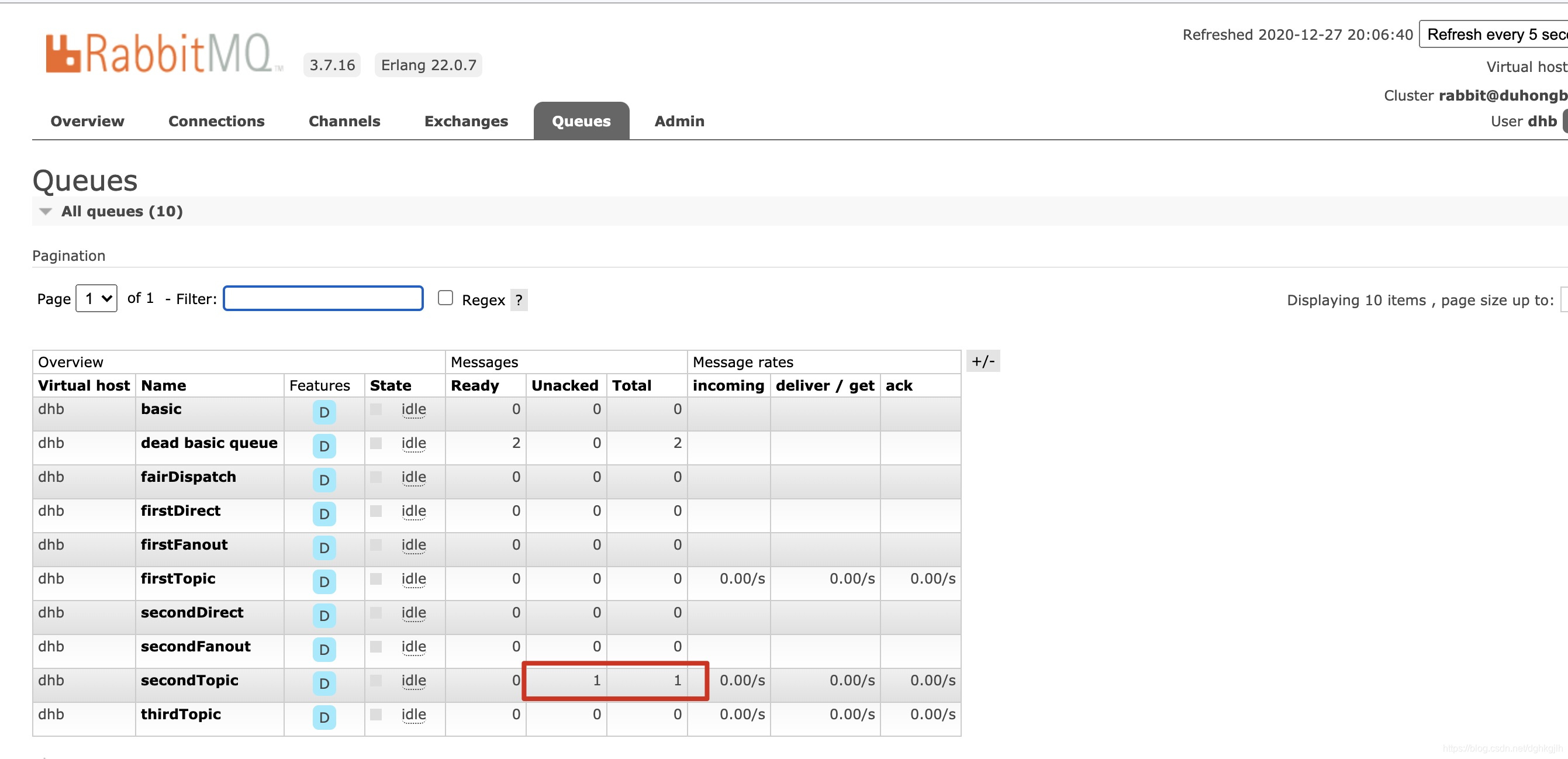
When simulating an exception and debugging the code, the message is not marked successfully consumed. Instead, it returns to the queue and is delivered again.
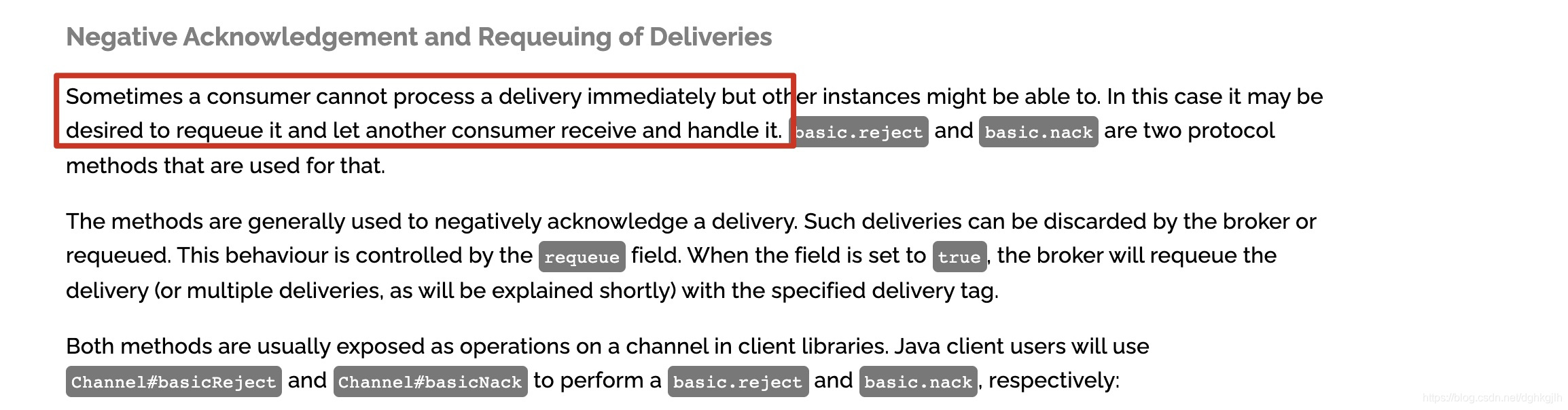
Note: channel.basicNack is not limited to processing failures. A consumer unable to keep up can also reject a delivery. After requeuing, it can be sent to another consumer if one exists. The RabbitMQ documentation explains this below.