Table of contents
Open Table of contents
Learning RabbitMQ and Spring AMQP (Part 1)
Download and Installation
See the official documentation for detailed steps.
Basic Concepts
Background
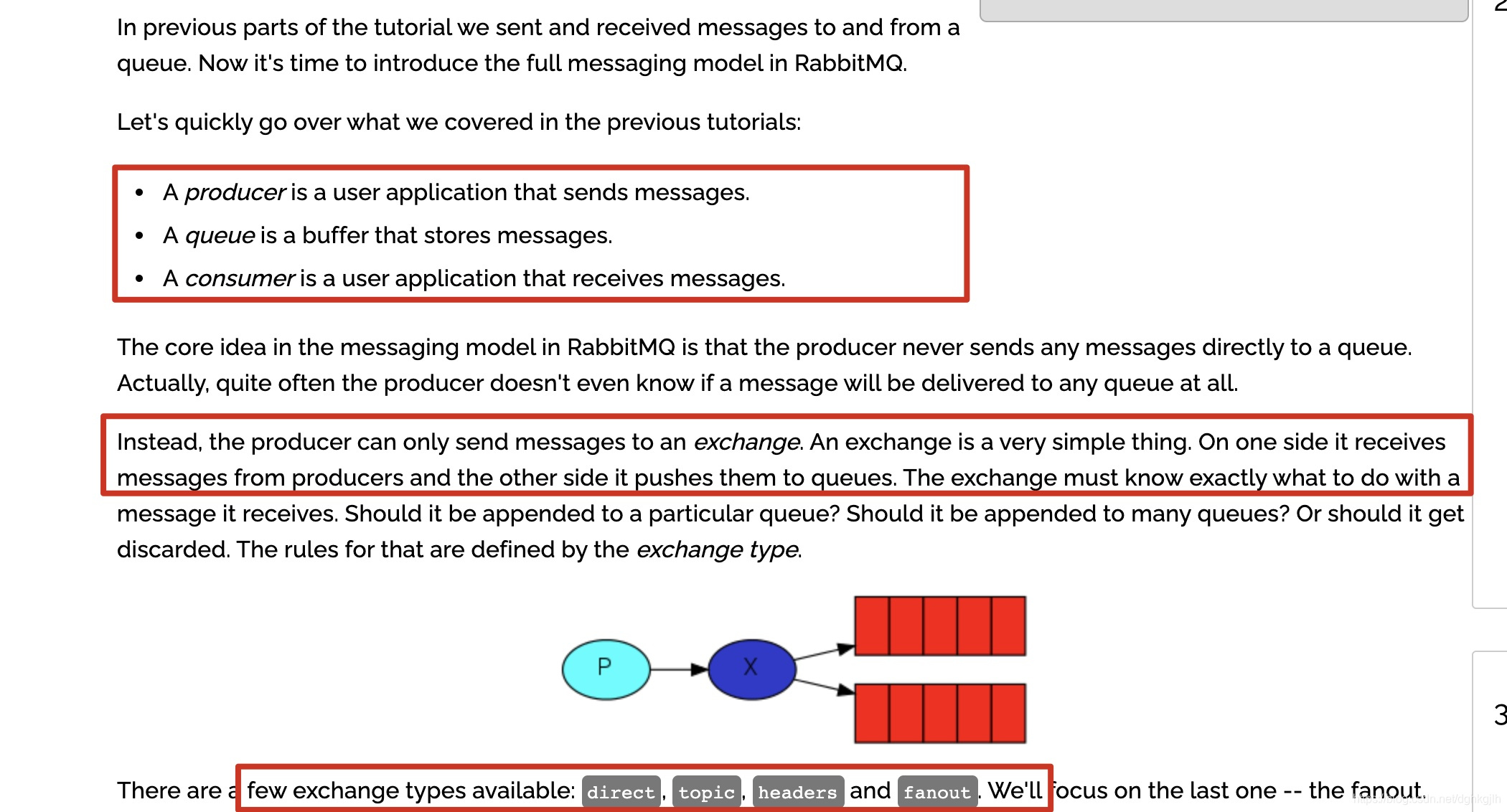
The original messaging model had only three elements: a producer, a message queue, and a consumer. As message queues evolved, RabbitMQ developed its current model, whose main elements are producers, routingKey, exchanges, bindings, queues, and consumers.
The official tutorial also clearly describes the complete messaging model.
Producer
A producer, as its name suggests, produces messages. In RabbitMQ, it sends messages to an exchange and does not concern itself with who consumes them. The producer only knows the exchange.
Routing Key
When a producer sends a message to an exchange, it may include a routingKey. The exchange compares that routingKey with bindingKeys according to its exchange type. If a rule matches, it forwards the message to the queue associated with the bindingKey.
Exchange
An exchange sits between producers and queues. Its job is to receive messages, find queues with matching bindingKeys according to the message’s routingKey, and forward the messages.
Exchange types include:
- Fanout (broadcast): forwards received messages to all queues bound to this exchange.
- Direct (exact match): forwards only when the routingKey exactly matches the bindingKey.
- Topic (pattern matching).
Binding
The relationship between an exchange and a queue is called a binding in RabbitMQ. The specific key is called the bindingKey.
Queue
A queue is where messages are actually stored. Consumers listening to the queue consume those messages.
Basic Management Console Usage
The default console port is 15672.
Configuring Virtual Hosts
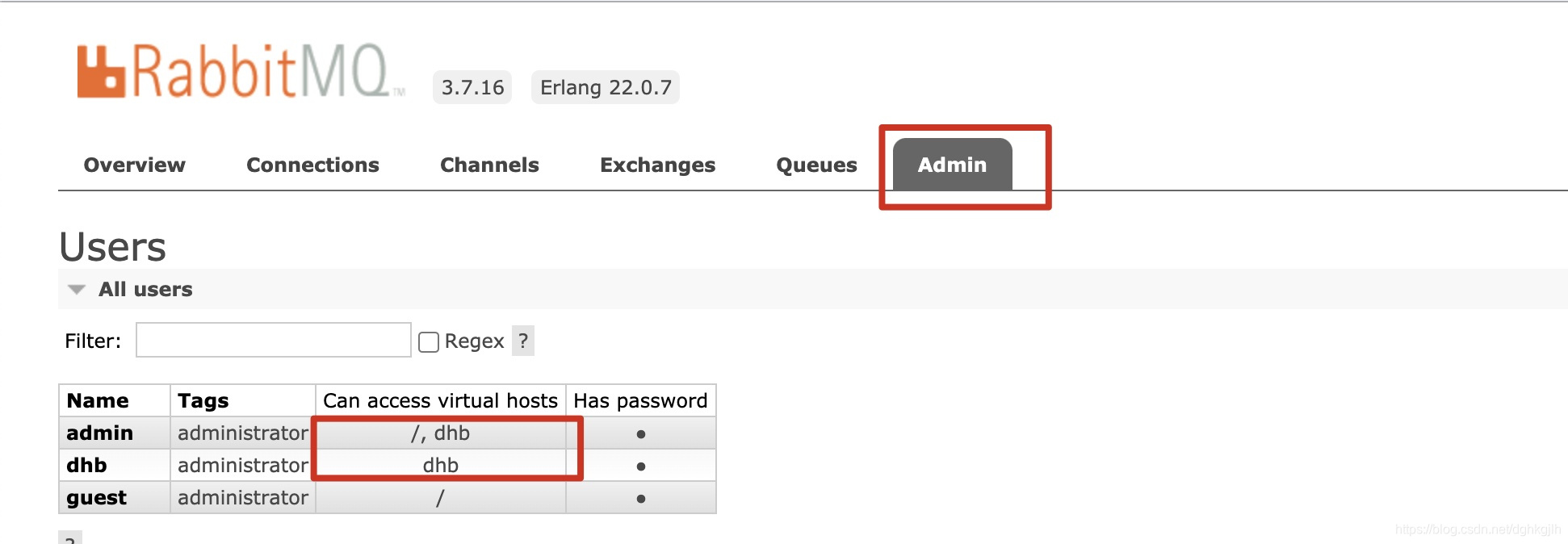
The default virtual host is /. To control connections for different roles, add the relevant configuration in the console.
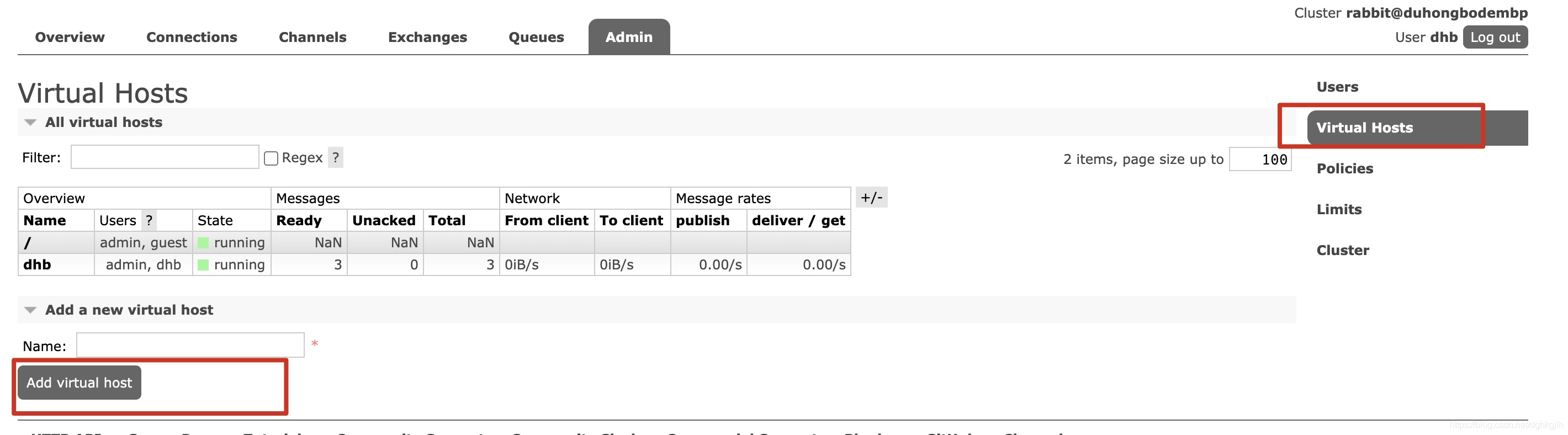
If the virtual-host configuration does not match the corresponding role, the connection usually fails, often with “Connection rest.” Check which virtual-host the RabbitMQ user is allowed to access.
Publishing from the Console (Resolving “No method found for class [B”)
After writing your application code, you can test whether the consumer receives messages by entering a message body manually under the corresponding exchange or queue and publishing it.
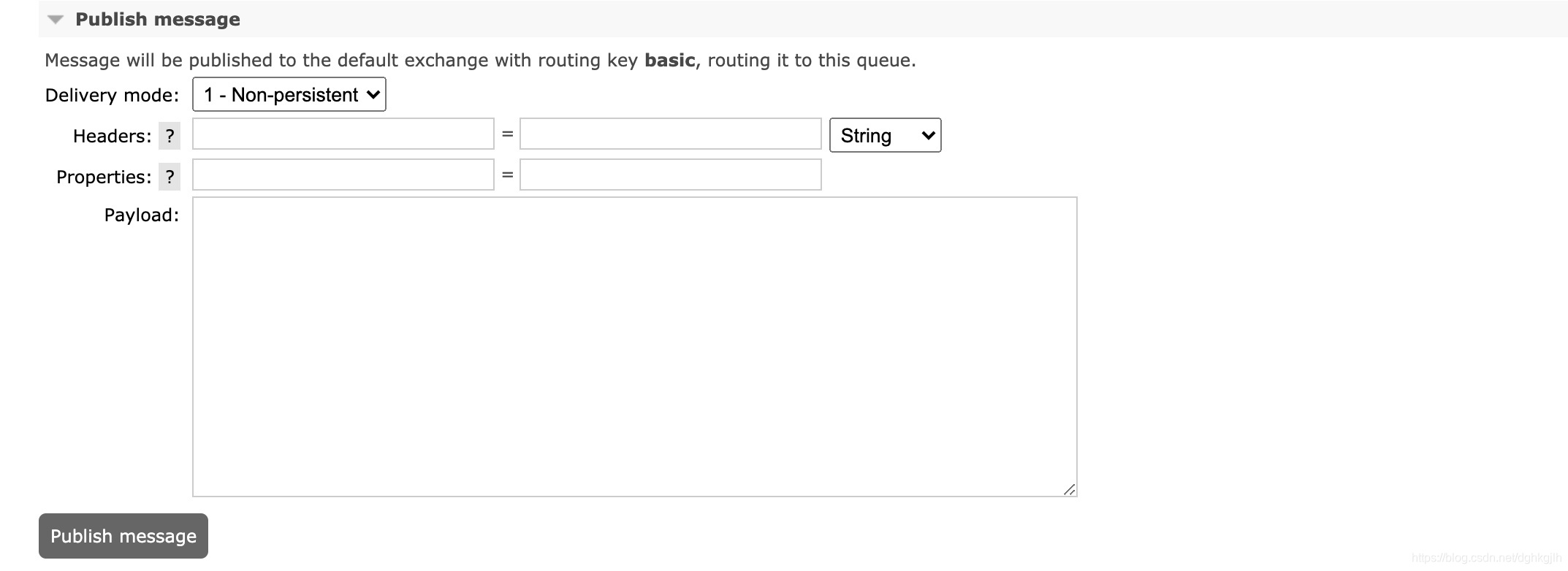
Enter the body in the payload field. When publishing through the console, you usually need to set Properties. If the consumer receives a String, set content_type=text/plain. Otherwise you will typically get an error such as Caused by: org.springframework.amqp.AmqpException: No method found for class [B.
Basic Spring AMQP Usage
Configuring Exchanges, Queues, and Bindings
@Configuration
public class DirectExchangeConfig {

    @Bean
    public DirectExchange directExchange() {
        return new DirectExchange("direct");
    }

    @Bean
    public Queue firstDirectQueue() {
        return new Queue("firstDirect");
    }

    @Bean
    public Queue secondDirectQueue() {
        return new Queue("secondDirect");
    }

    @Bean
    public Binding firstDirectBinding() {
        return BindingBuilder.bind(firstDirectQueue()).to(directExchange()).with("first");
    }

    @Bean
    public Binding secondDirectBinding() {
        return BindingBuilder.bind(secondDirectQueue()).to(directExchange()).with("second");
    }
}
The exchange is Direct, meaning exact matching. Bind the queue to the exchange using BindingBuilder.bind(queue).to(exchange).with(routingKey).
Consumers Listen to Queues to Process Messages as They Arrive
@Component
@Slf4j
public class DirectConsumer {

    @RabbitListener(queues = "firstDirect")
    @RabbitHandler
    public void receiveFirstDirectQueueMessage(String firstQueueMessage) {
        log.info("This is firstDirectQueue received message: " + firstQueueMessage);
    }

    @RabbitListener(queues = "secondDirect")
    @RabbitHandler
    public void  receiveSecondDirectQueueMessage(String secondQueueMessage) {
        log.info("This is secondDirectQueue received message: " + secondQueueMessage);
    }
}
Producers Send Messages to the Exchange
Different routingKeys cause the direct exchange to forward messages to the corresponding queues.
@Component
public class DirectProducer {

    @Autowired
    private RabbitTemplate rabbitTemplate;

    @Autowired
    private DirectExchange directExchange;

    public void sendDirectMessage() {
        rabbitTemplate.convertAndSend(directExchange.getName(), "first", "this is send first message");
        rabbitTemplate.convertAndSend(directExchange.getName(), "second", "this is send second message");
    }
}
A Small Tip
Set the RabbitMQ-related log level to debug in the configuration file to see logs from the message-publishing process.
logging:
  level:
    org.springframework.amqp: debug
Next: a detailed explanation of RabbitMQ messaging models.