Table of contents
Open Table of contents
Learning RabbitMQ and Spring AMQP (Part 2)
RabbitMQ’s Messaging Model
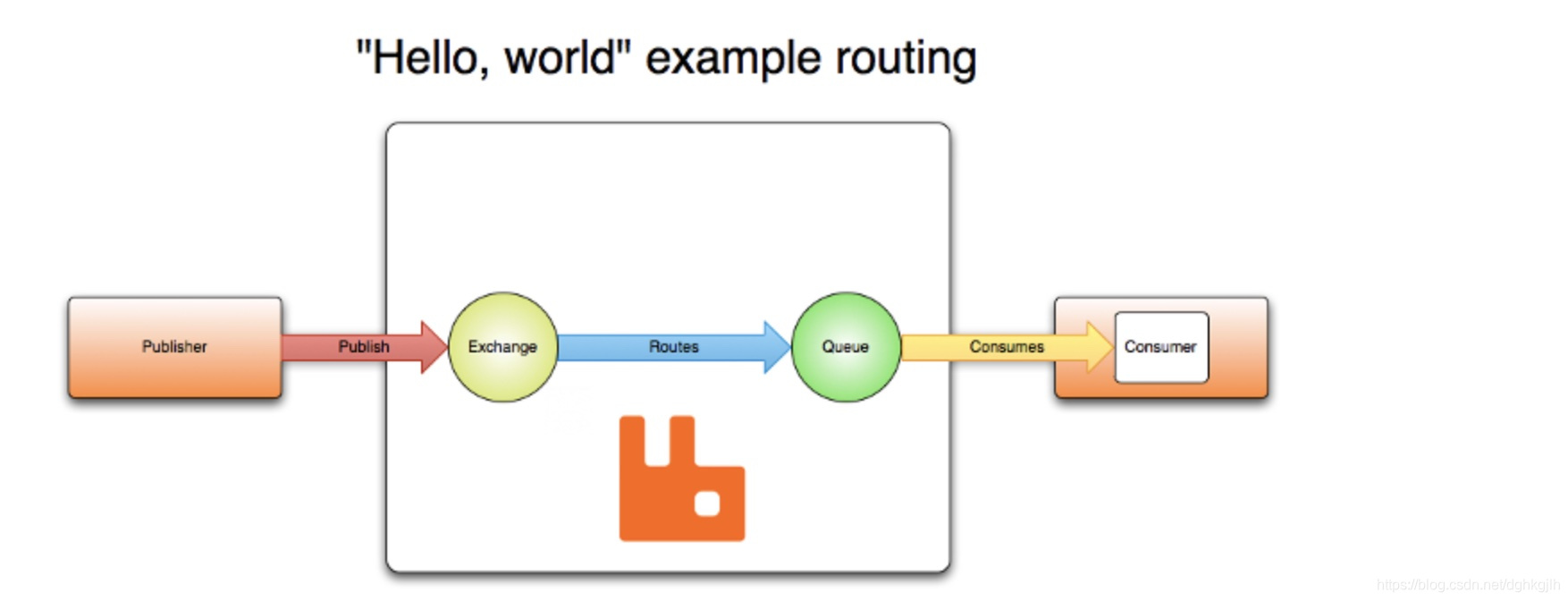
The RabbitMQ messaging model has three main parts, with many details beneath the surface.
Broker
The exchanges, bindings, and queues introduced in the first post belong to the broker. The word “broker” aptly describes RabbitMQ Server’s role as an intermediary that transfers messages.
Connection
Both producers and consumers must connect to RabbitMQ Server to send or receive messages.
Note: from RabbitMQ Server’s perspective, both producers and consumers are clients. Be clear about this distinction.
Each client establishes a persistent TCP connection to RabbitMQ Server. The official connection documentation explicitly states that clients use a TCP connection and can publish or subscribe once it is established, as shown below.
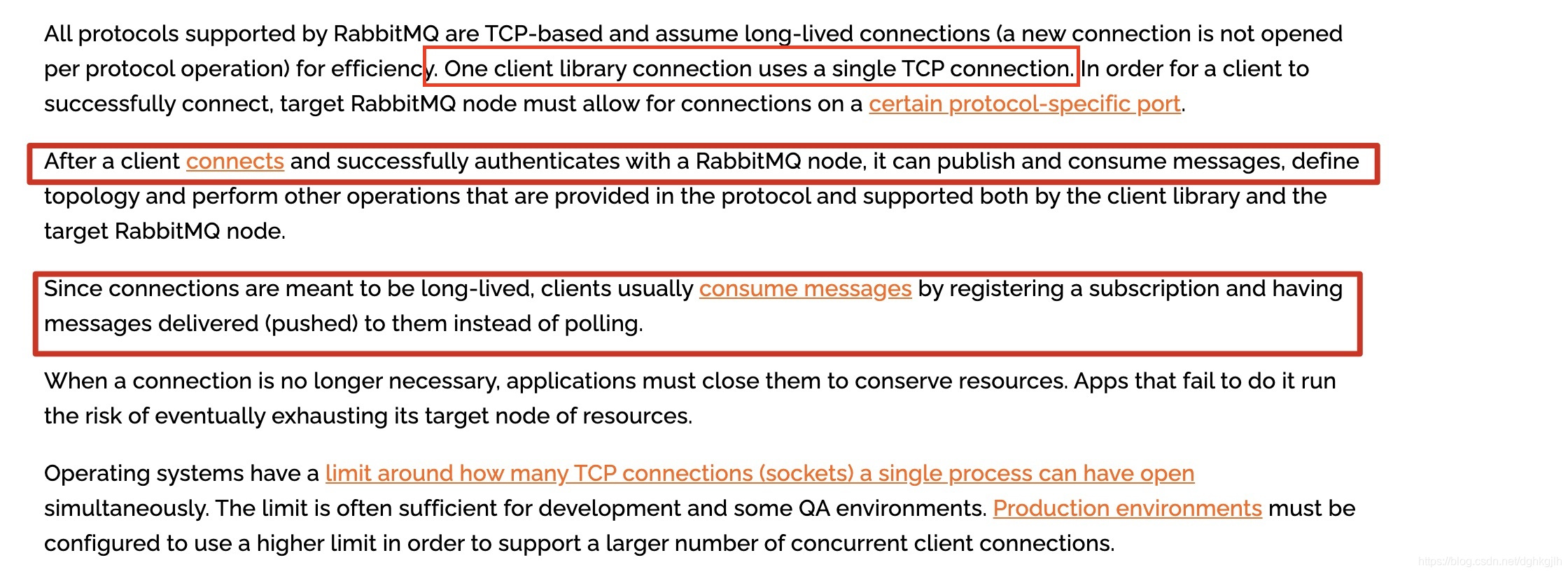
Producers and consumers therefore publish and consume messages through their respective persistent TCP connections to the broker.
Producers and consumers periodically send heartbeats to keep the connection alive. See the heartbeat documentation.
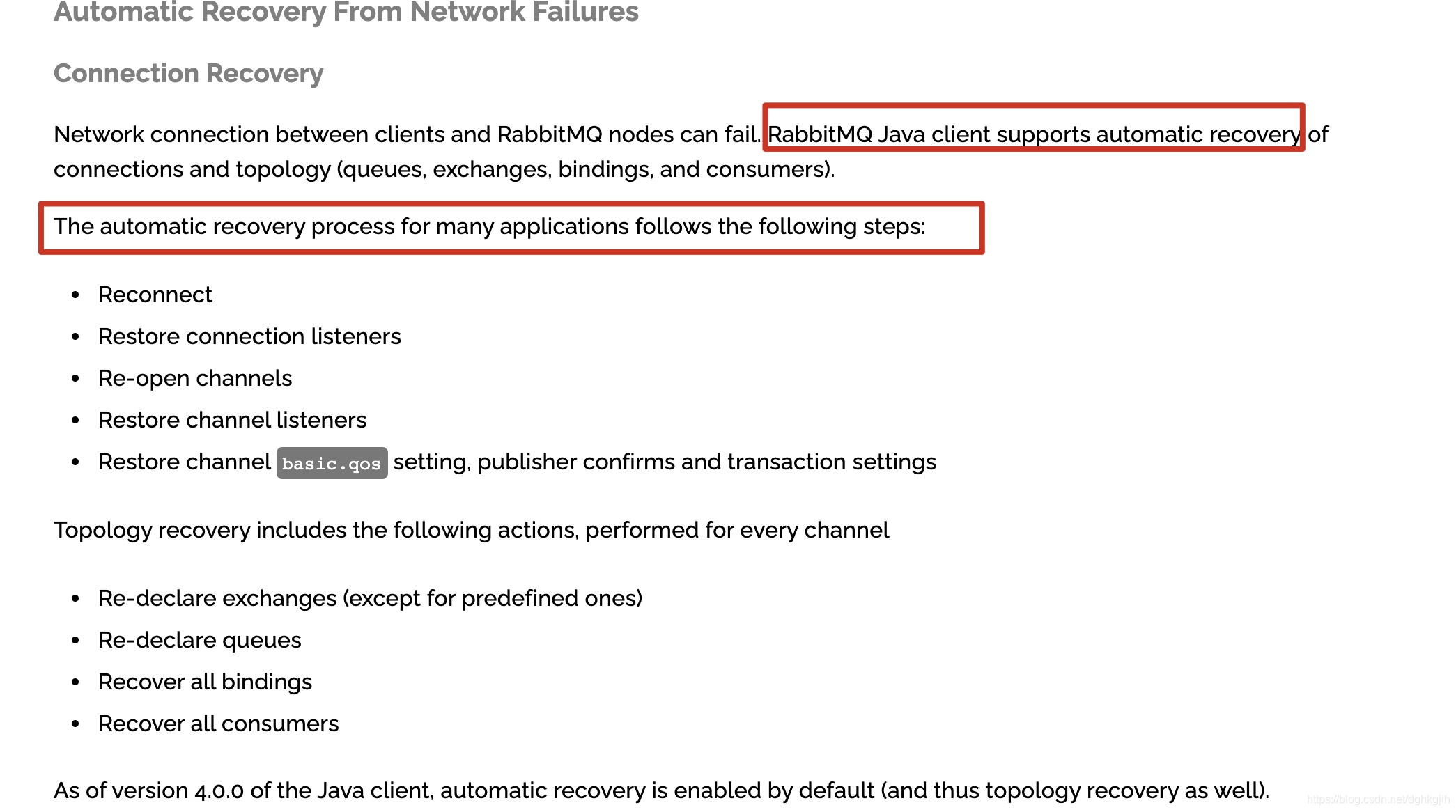
If the connection fails, the RabbitMQ Java client reconnects automatically. See the official documentation.
Channel
Background
In practice, a producer application may send different messages to dozens of exchanges rather than just one. Exchanges are part of the broker, and producers and consumers communicate with it over persistent TCP connections. Without another mechanism, a producer could open N TCP connections for N exchanges, and consumers could likewise open many connections for subscriptions. With many producer applications on one machine, that would waste resources.
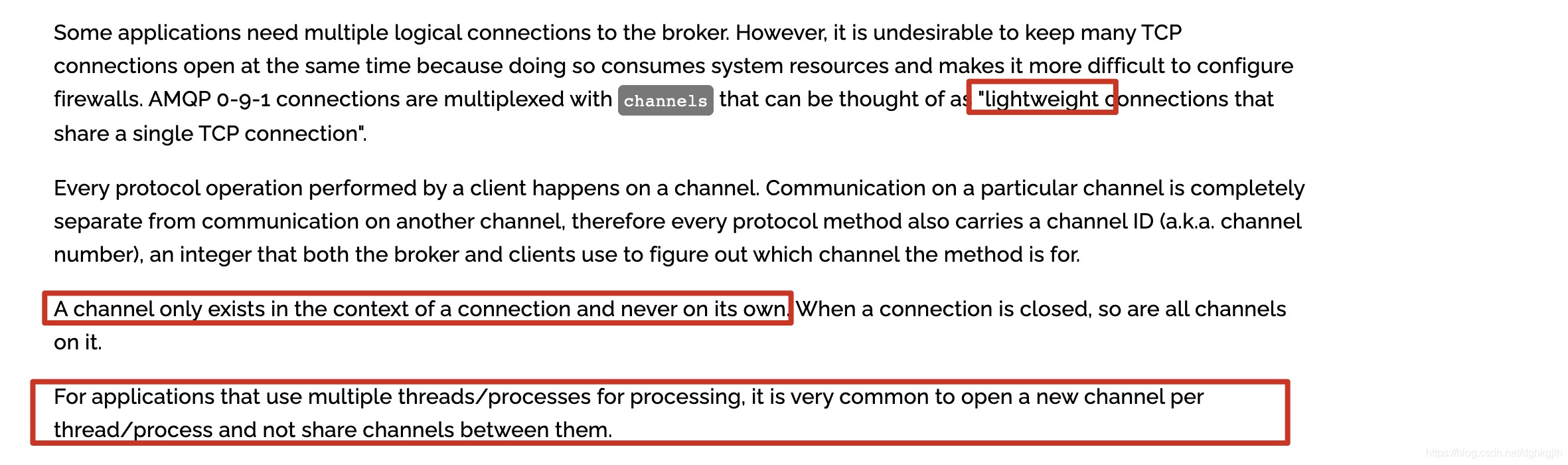
RabbitMQ therefore uses virtual connections called channels: multiple channels share one TCP connection. Many diagrams online illustrate this:
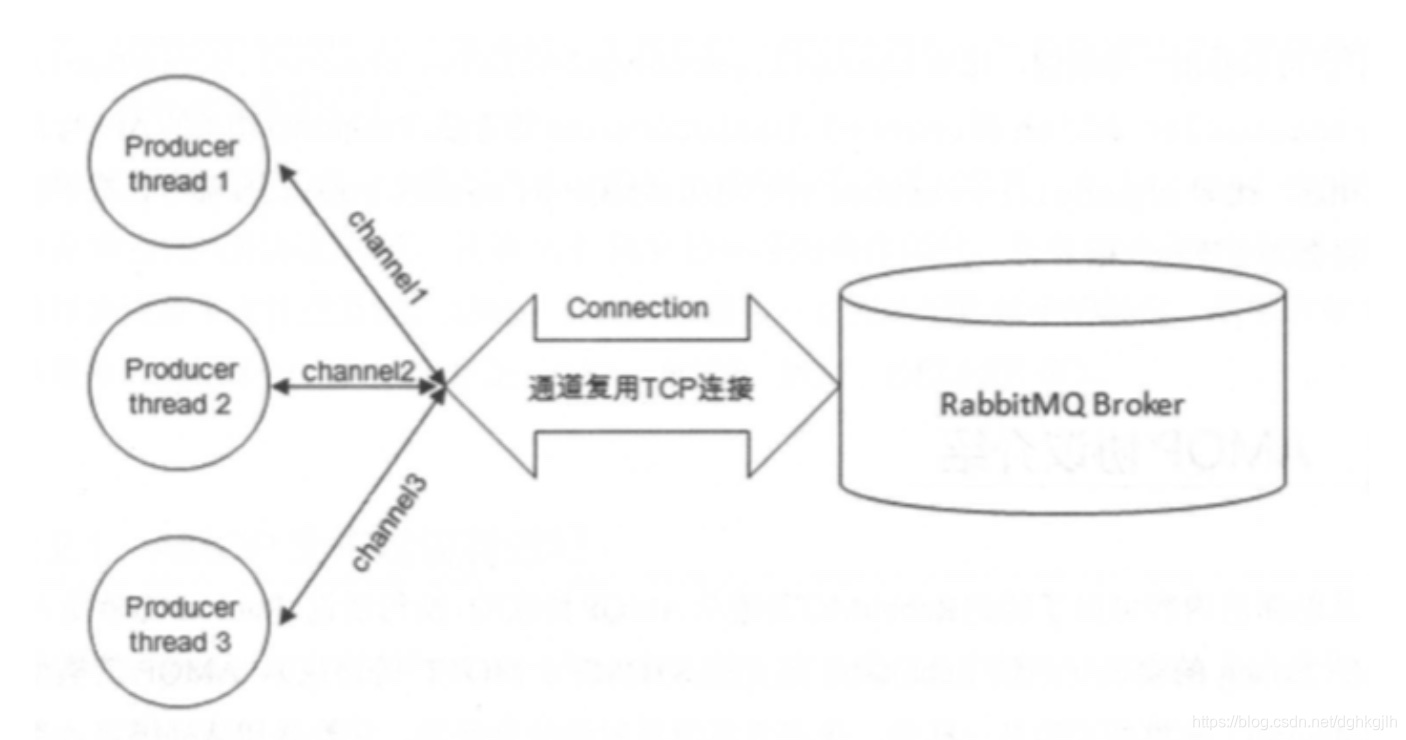
A small problem with this diagram is that it shows only producers, not consumers, which can confuse beginners. Read it in the context described above.
Generally, each consumer has its own channel, and each channel has its own thread.

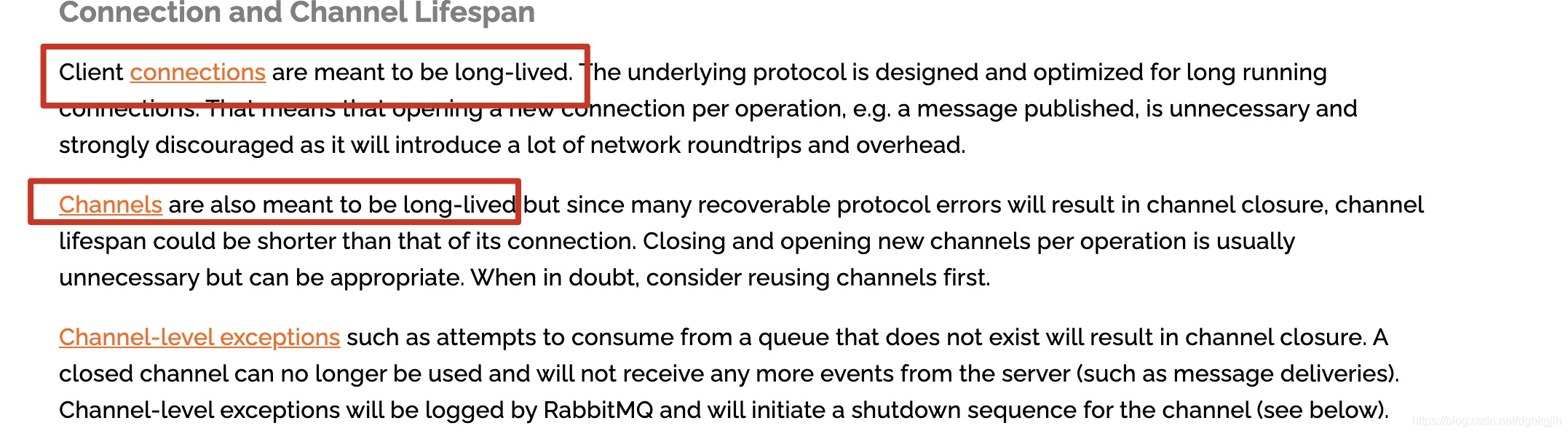
Channels also remain open for a long time.
Usage
RabbitMQ performs exchange, queue, and binding operations through channels. Channels exist within a connection; if that connection disappears, all its channels disappear too.
Java Client
RabbitMQ’s native Java client API makes these concepts and introductory usage easier to understand.
Producer-side Java code:
ConnectionFactory factory = new ConnectionFactory();
factory.setHost("localhost");
//...Username, password, virtualHost, and other settings omitted

// Establish the TCP connection
Connection connection = factory.createConnection();
// Create a virtual channel using the established connection
Channel channel = connection.createChannel();
// Declare the destination exchange through the channel
channel.exchangeDeclare("topicExchangeName", BuiltinExchangeType.Topic);
// Define the message
byte[] message = "this is message".getBytes();
channel.basicPublish("topicExchangeName", "routingKey", null, message);
Consumer-side Java code:
ConnectionFactory factory = new ConnectionFactory();
factory.setHost("localhost");
//...Username, password, virtualHost, and other settings omitted

// Set the heartbeat timeout to 60 seconds
factory.setRequestedHeartbeat(60);
// Establish the TCP connection
Connection connection = factory.createConnection();
// Create a virtual channel using the established TCP connection
Channel channel = connection.createChannel();
// Declare the queue to subscribe to
channel.queueDeclare("consumerQueueName", false, false, false, null);
// Declare the exchange to which the subscribed queue is bound
channel.queueBind("consumerQueueName", "topicExchangeName", "bindingKey");
// Consume messages from the subscribed queue
// Automatic acknowledgment is false, so the consumer must acknowledge manually
boolean autoAck = false;
DeliverCallback deliverCallback = (consumerTag, delivery) -> {
            // delivery represents a Message object
            String message = new String(delivery.getBody(), "UTF-8");
            System.out.println(" [x] Received '" + delivery.getEnvelope().getRoutingKey() + "':'" + message + "'");
            try{
	            // Perform business operations
	            doWork(message);
	            // If no exception occurs, acknowledge successful consumption; the first argument is the message’s delivery tag
	            channel.baiscAck(delivery.getEnvelope().getDeliveryTag(), true);
            }catch(Exception exception) {
            // On an exception, reject the message and return it to the queue; the final requeue argument controls this
                channel.backNack(delivery.getEnvelope().getDeliveryTag(), true, true)
            }
         };
channel.basicConsume("consumerQueueName", autoAck, deliverCallback, consumerTag -> { });
For a quick introduction to channels, see the AMQP quick reference and Java client guide. More examples are in the official tutorial repository.
Spring AMQP in Detail
Messaging Configuration Conventions
In practice, producers and consumers often run on different hosts. Both need RabbitMQ connection configuration, so it should not all be placed together as in the first post’s example.
What Belongs on the Producer Side?
In my view, after connecting to RabbitMQ, a producer should only send messages. Exchanges receive those messages, so the producer only needs to know about exchanges. Its configuration should therefore cover the connection and exchanges.
MQ configuration:
Give the connection a name when creating it to make monitoring and management easier.
package com.example.rabbitmq.rabbitmqdemo.config.mq;

import com.rabbitmq.client.ConnectionFactory;
import org.springframework.amqp.core.AmqpAdmin;
import org.springframework.amqp.rabbit.connection.PooledChannelConnectionFactory;
import org.springframework.amqp.rabbit.core.RabbitAdmin;
import org.springframework.amqp.rabbit.core.RabbitTemplate;
import org.springframework.amqp.support.converter.Jackson2JsonMessageConverter;
import org.springframework.context.annotation.Bean;
import org.springframework.context.annotation.Configuration;

/**
 * For ConnectionFactory implementations, see the <a href="https://docs.spring.io/spring-amqp/docs/current/reference/html/#connections">Spring AMQP documentation</a>.
 * @author jacksparrow414
 * @date 2020/12/16
 */
@Configuration
public class RabbitMqConfig {

    /**
     * The official recommendation is to use {@link PooledChannelConnectionFactory} for channel management.
     */
    @Bean
    public org.springframework.amqp.rabbit.connection.ConnectionFactory connectionFactory() {
        ConnectionFactory connectionFactory = new ConnectionFactory();
        PooledChannelConnectionFactory result = new PooledChannelConnectionFactory(connectionFactory);
        result.setHost("localhost");
        result.setPort(5672);
        result.setUsername("dhb");
        result.setPassword("123456");
        result.setVirtualHost("dhb");
        // Set the connection name
        result.setConnectionNameStrategy(factory -> "producer-connection");
        // TODO: configure the object pools
        // Uses Apache Commons Pool2, with two object pools
        result.setPoolConfigurer((pool, tx) -> {
            if (tx) {
                // Pool for transactional channels
                pool.setMaxTotal(2);
            }else {
                // Pool for nontransactional channels; the default maximum is 8
                pool.setMaxTotal(8);
            }
        });
        return result;
    }

    @Bean
    public AmqpAdmin rabbitAdmin() {
        return new RabbitAdmin(connectionFactory());
    }

    /**
     * The default MessageConverter is {@link org.springframework.amqp.support.converter.SimpleMessageConverter}.
     * @return
     */
    @Bean(name = "rabbitTemplate")
    public RabbitTemplate rabbitTemplate() {
        RabbitTemplate reuslt = new RabbitTemplate(connectionFactory());
        reuslt.setMessageConverter(new Jackson2JsonMessageConverter());
        return reuslt;
    }
}
Exchange declaration configuration:
@Configuration
public class TopicExchangeConfig {

    @Bean
    public TopicExchange topicExchange() {
        return new TopicExchange("topic");
    }
}
The producer does not need to know which queues receive messages routed by an exchange. Queue and binding configuration therefore belongs on the consumer side.
What Belongs on the Consumer Side?
A consumer only needs to concern itself with its subscribed queues, rather than which exchange forwarded a message. Queue and binding declarations therefore belong on the consumer side.
MQ configuration:
package com.example.rabbitmq.consumerdemo.config.mq;

import cn.hutool.extra.spring.SpringUtil;
import java.util.concurrent.ThreadPoolExecutor;
import org.springframework.amqp.core.AmqpAdmin;
import org.springframework.amqp.rabbit.config.SimpleRabbitListenerContainerFactory;
import org.springframework.amqp.rabbit.connection.ConnectionFactory;
import org.springframework.amqp.rabbit.connection.PooledChannelConnectionFactory;
import org.springframework.amqp.rabbit.core.RabbitAdmin;
import org.springframework.amqp.rabbit.core.RabbitTemplate;
import org.springframework.amqp.support.converter.Jackson2JsonMessageConverter;
import org.springframework.boot.autoconfigure.amqp.RabbitAutoConfiguration;
import org.springframework.context.annotation.Bean;
import org.springframework.context.annotation.Configuration;
import org.springframework.context.annotation.Import;
import org.springframework.scheduling.concurrent.ThreadPoolTaskExecutor;

/**
 * @author jacksparrow414
 * @date 2020/12/17
 */
@Configuration
@Import(SpringUtil.class)
public class RabbitMqConfig {

    @Bean
    public ConnectionFactory connectionFactory() {
        com.rabbitmq.client.ConnectionFactory connectionFactory = new com.rabbitmq.client.ConnectionFactory();
        connectionFactory.setHost("localhost");
        connectionFactory.setPort(5672);
        connectionFactory.setUsername("dhb");
        connectionFactory.setPassword("123456");
        connectionFactory.setVirtualHost("dhb");
        // Set the heartbeat timeout; the default is 60
        connectionFactory.setRequestedHeartbeat(60);
        PooledChannelConnectionFactory result = new PooledChannelConnectionFactory(connectionFactory);
        result.setConnectionNameStrategy(factory -> "consumer-connection");
        result.setPoolConfigurer((pool, tx) -> {
            if (tx) {

            }else {
                // Set the channel count equal to the number of queues subscribed to by this application. Why equal?
                // The client listens to every queue, establishing a channel connection when subscribing.
                // If there are fewer channel connections than queues, some queues will have no channel connection.
                // Messages routed to those queues will not be consumed, because no connection exists to deliver them.
                // RabbitAdmin initialization below also initializes RabbitTemplate and uses a channel; that channel is closed after use.
                // It is therefore available when the queues subsequently subscribe.
                pool.setMaxTotal(12);
            }
        });
        return result;
    }
    @Bean
    public AmqpAdmin rabbitAdmin() {
        return new RabbitAdmin(connectionFactory());
    }

    @Bean
    public RabbitTemplate rabbitTemplate() {
        RabbitTemplate result = new RabbitTemplate(connectionFactory());
        result.setMessageConverter(new Jackson2JsonMessageConverter());
        return result;
    }

    @Bean
    public SimpleRabbitListenerContainerFactory rabbitListenerContainerFactory() {
        SimpleRabbitListenerContainerFactory result = new SimpleRabbitListenerContainerFactory();
        result.setConnectionFactory(connectionFactory());
        result.setPrefetchCount(2);
        result.setMessageConverter(new Jackson2JsonMessageConverter());
        return result;
    }
}
Queue and binding declarations:
package com.example.rabbitmq.consumerdemo.config.queue;

import cn.hutool.extra.spring.SpringUtil;
import com.example.rabbitmq.rabbitmqdemo.config.exchange.TopicExchangeConfig;
import org.springframework.amqp.core.Binding;
import org.springframework.amqp.core.BindingBuilder;
import org.springframework.amqp.core.Queue;
import org.springframework.amqp.core.TopicExchange;
import org.springframework.context.annotation.Bean;
import org.springframework.context.annotation.Configuration;
import org.springframework.context.annotation.Import;

/**
 * @author jacksparrow414
 * @date 2020/12/17
 */
@Configuration
@Import(TopicExchangeConfig.class)
public class TopicQueueConfig {

    @Bean
    public Queue firstTopicQueue() {
        return new Queue("firstTopic");
    }

    @Bean
    public Queue secondTopicQueue() {
        return new Queue("secondTopic");
    }

    @Bean
    public Queue thirdTopicQueue() {
        return new Queue("thirdTopic");
    }

    @Bean
    public Binding firstTopicBinding() {
        return BindingBuilder.bind(firstTopicQueue()).to(getTopicExchange()).with("*.first.*");
    }

    @Bean
    public Binding secondTopicBinding() {
        return BindingBuilder.bind(secondTopicQueue()).to(getTopicExchange()).with("*.second.*");
    }

    @Bean
    public Binding thirdTopicBinding() {
        return BindingBuilder.bind(thirdTopicQueue()).to(getTopicExchange()).with("*.*.Topic");
    }

    @Bean
    public Binding fourthTopicBinding() {
        return BindingBuilder.bind(thirdTopicQueue()).to(getTopicExchange()).with("message.#");
    }

    private TopicExchange getTopicExchange() {
       return SpringUtil.getBean(TopicExchange.class);
    }
}
A problem with this arrangement:
This separation makes producer and consumer responsibilities clear, but declaring a binding requires the consumer to bind a queue to an Exchange object. Our exchanges are declared in the producer project. What should we do?
-
Declare the exchange again on the consumer side and bind it. This works, but violates the convention above and makes consumer-side exchange declarations uncontrolled.
-
Package the producer’s exchange configuration separately and include it in the consumer. This reuses the producer configuration while respecting the convention.
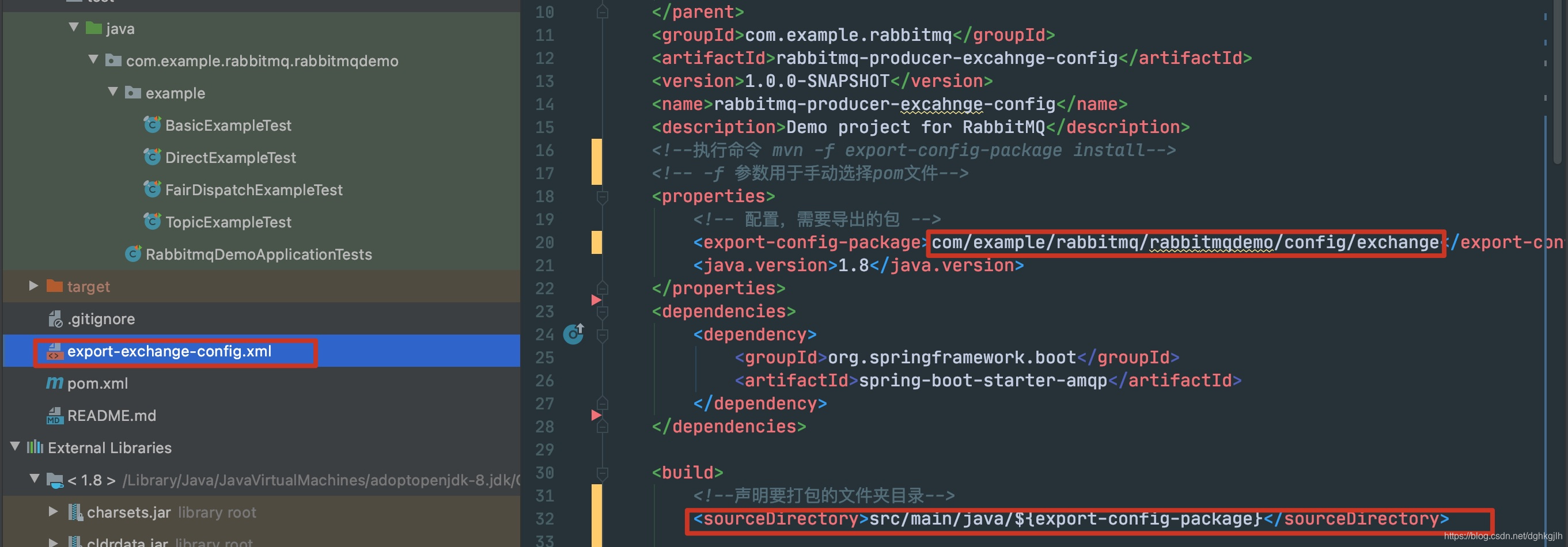
As shown, package only the exchange configuration on the producer side. In the consumer code above, use @Import() to import the corresponding Exchange beans.
Using PooledChannelConnectionFactory
Spring AMQP recommends PooledChannelConnectionFactory for channel reuse on clients—both producers and consumers in the messaging model above. It uses Apache Commons Pool2 to pool Channel objects.
What Should maxTotal Be?
What is an appropriate maxTotal? If the consumer’s subscribed queues have few messages, perhaps the pool could contain fewer channels than queues, reclaiming and reusing idle channels. That was my initial idea.
The pool supports a maximum idle count and an idle-time threshold for eviction. After configuring them and starting the consumer, I checked RabbitMQ’s console and found that channels were not reclaimed after the idle timeout.
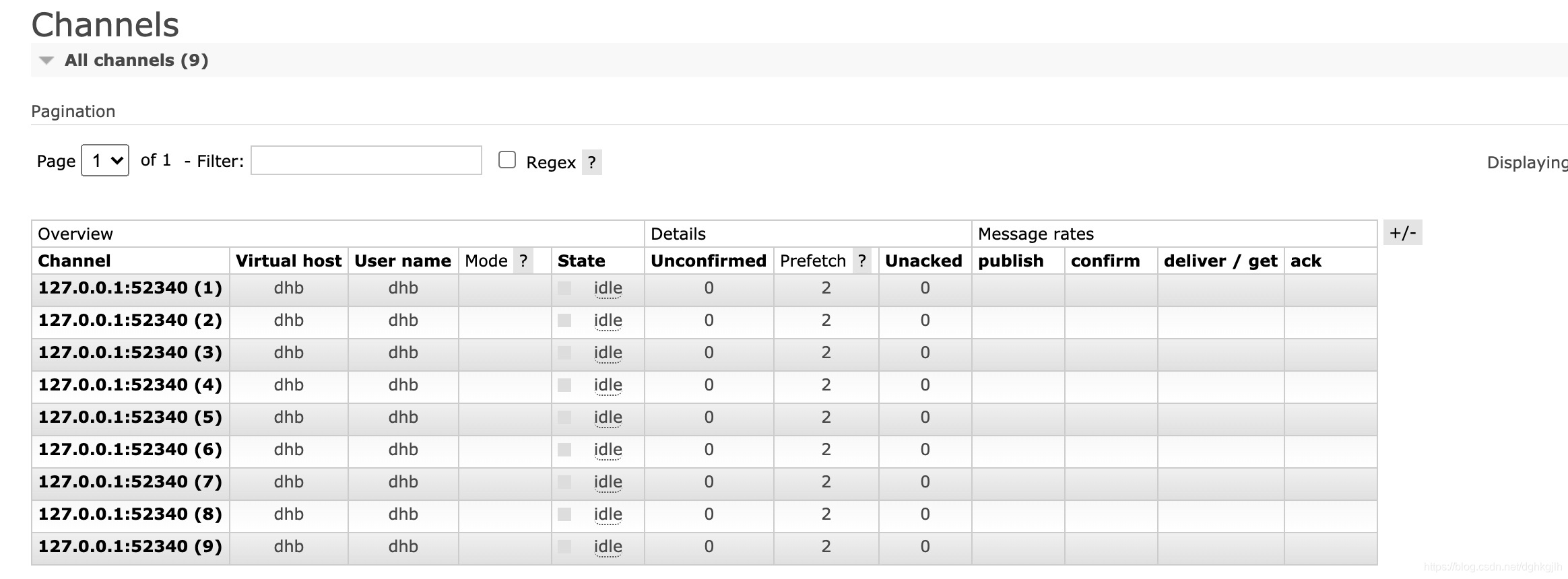
There were no messages to consume, and the configured idle time had elapsed. Why were the channels not reclaimed?
The first trap:
A channel that is not reclaimed is evidently not considered idle by the pool. Apache Commons Pool2’s notion of idle differs from the RabbitMQ console’s. In the console, idle means the channel currently receives no messages. In the object pool, idle means the object is inactive. This was my first self-inflicted misunderstanding.
Another question occurred to me: the messaging model describes a connection as a persistent TCP connection and a channel as a virtual connection within it. Is a channel also long-lived? I was unsure, so I looked through Spring AMQP’s source for an answer and investigated its startup process along the way.
Spring AMQP Startup
Set Spring AMQP logging to debug and start the consumer application in the debugger. The console first showed these logs:
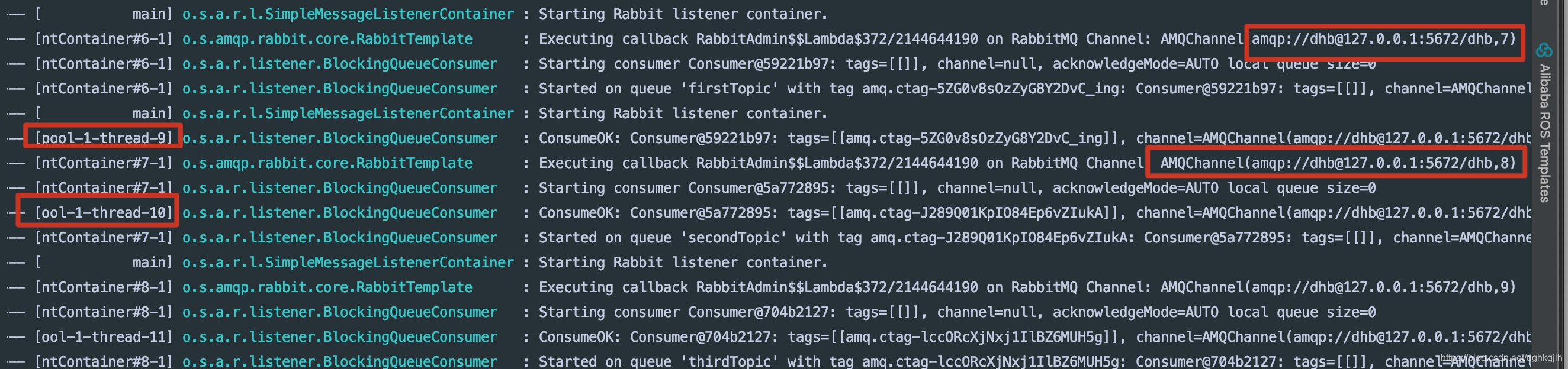
Two points stood out: each subscribed queue had a separate channel, and several threads, such as pool-9 and pool-10, printed ConsumerOk messages. I entered the classes shown in the log entries to investigate further.
Start the Consumer Thread
The “Starting consumer” log is in BlockingQueueConsumer.start. In SimpleMessageListenerContainer’s initialize method, this.consumer is a BlockingQueueConsumer instance.
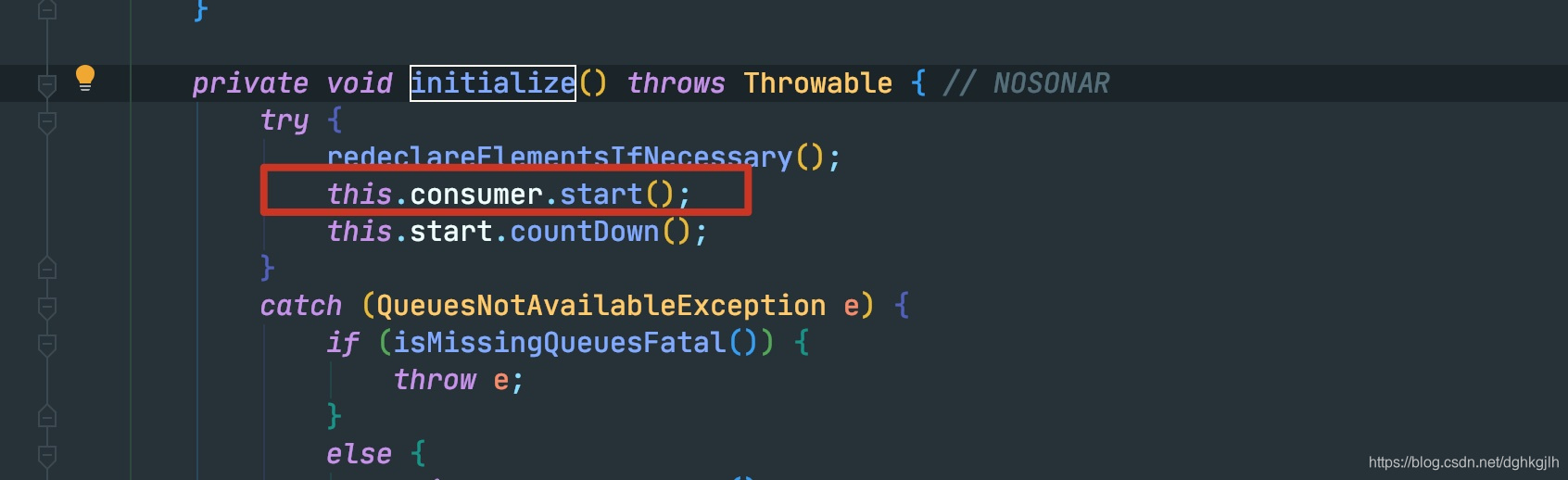
The call comes from run in the same class’s inner AsyncMessageProcessingConsumer.
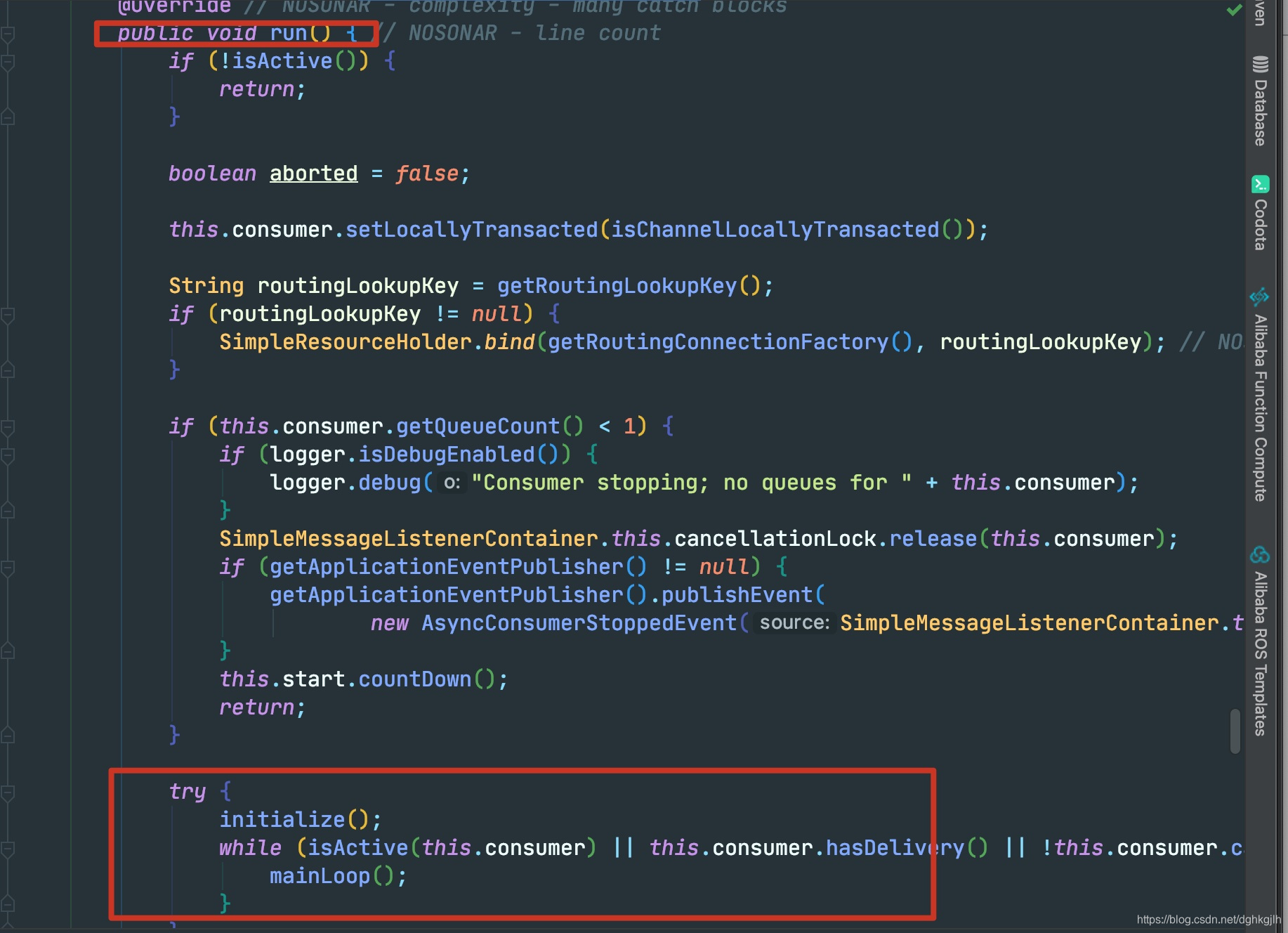
This class implements Runnable. Where is its run method executed?
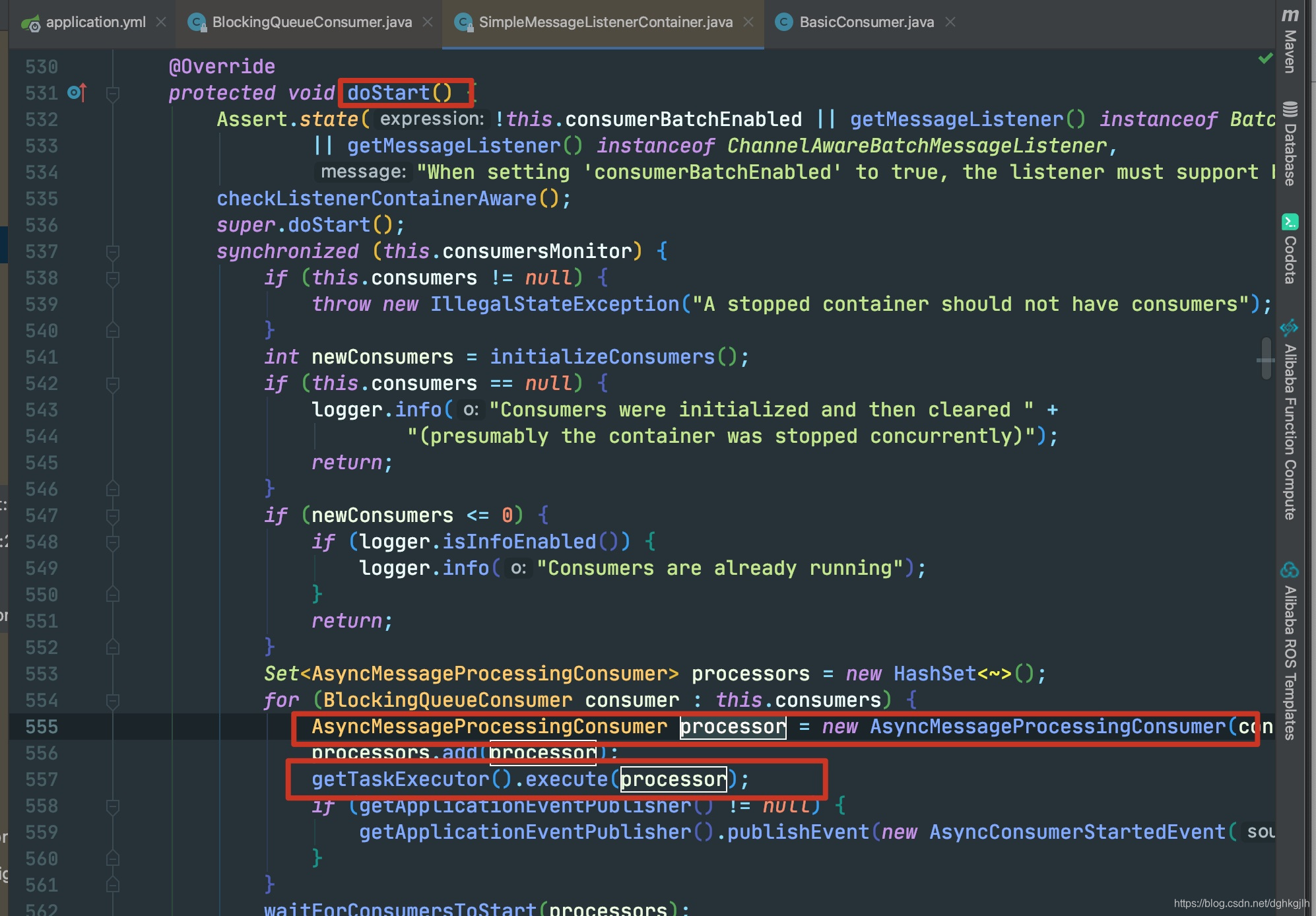
The containing class’s doStart() creates a new thread pool and executes the method on a new thread, which runs AsyncMessageProcessingConsumer.run. This is where the consumer thread starts. What does it do next? We will return to that shortly.
Initialize the Consumer
The previous steps show that a BlockingQueueConsumer instance starts the consumer by calling start(). When is that instance initialized? The lines highlighted above include initializeConsumers(), whose name suggests consumer initialization. Let’s look inside.
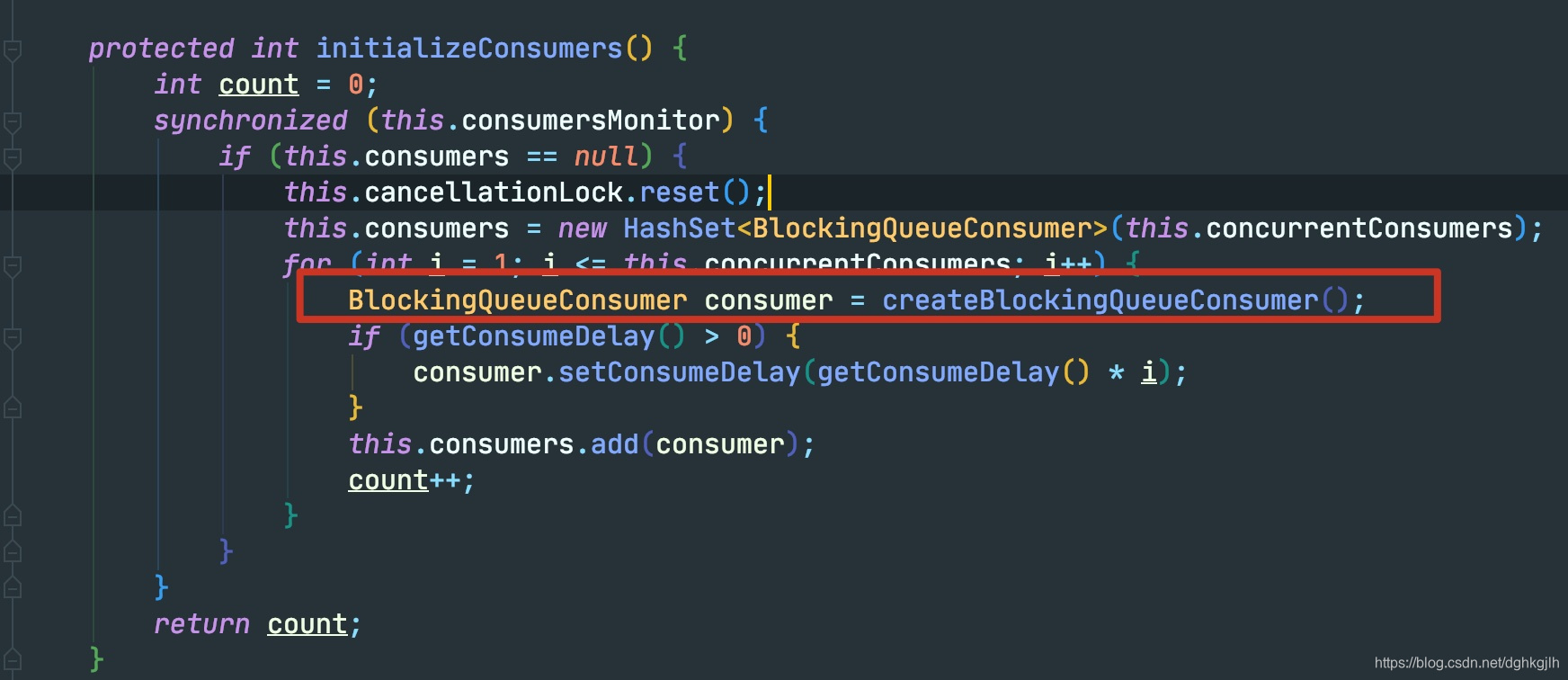
The instance is created in initializeConsumers.
Now that we have seen both steps, where is doStart() called?
It overrides AbstractMessageListenerContainer.doStart(), and the abstract class calls it from start.
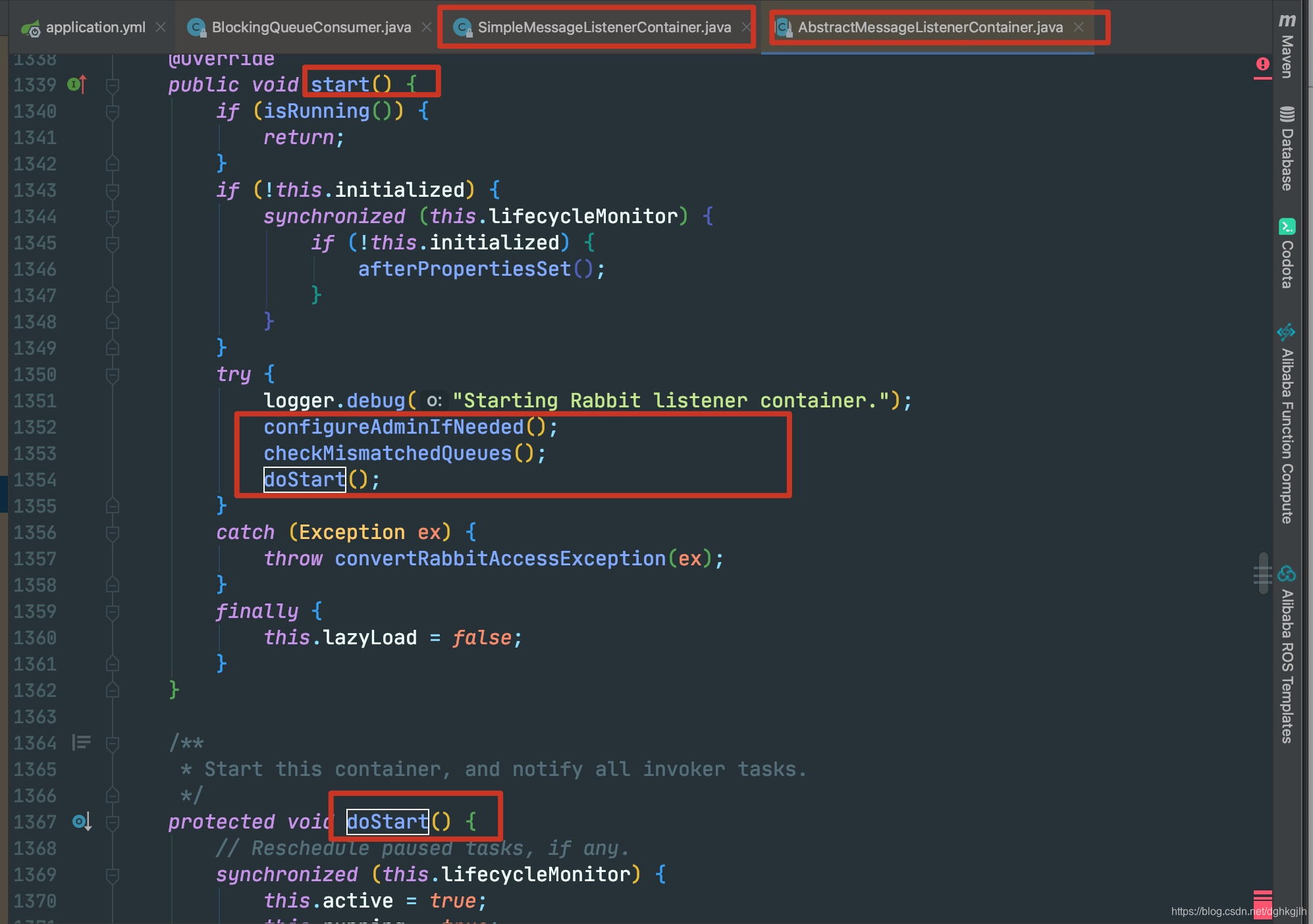
The two methods above doStart() configure RabbitAdmin. Since our configuration defines a RabbitAdmin bean, the first method simply assigns that bean to the current amqpAdmin field.
Going further:
RabbitAdmin implements InitializingBean. After our configuration creates new RabbitAdmin(), its afterPropertiesSet implementation runs:
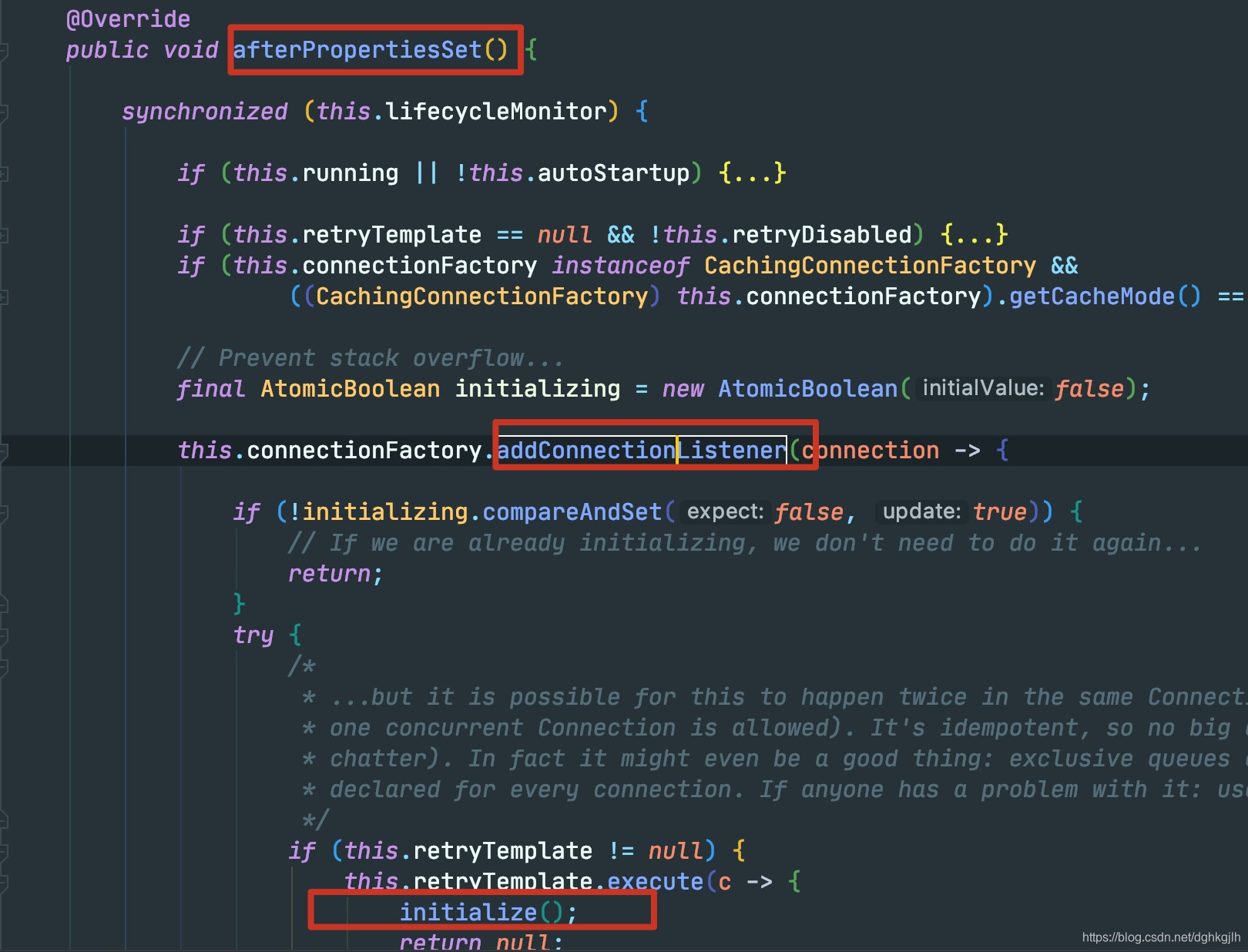
It calls addConnectionListener on the current factory, PooledChannelConnectionFactory.
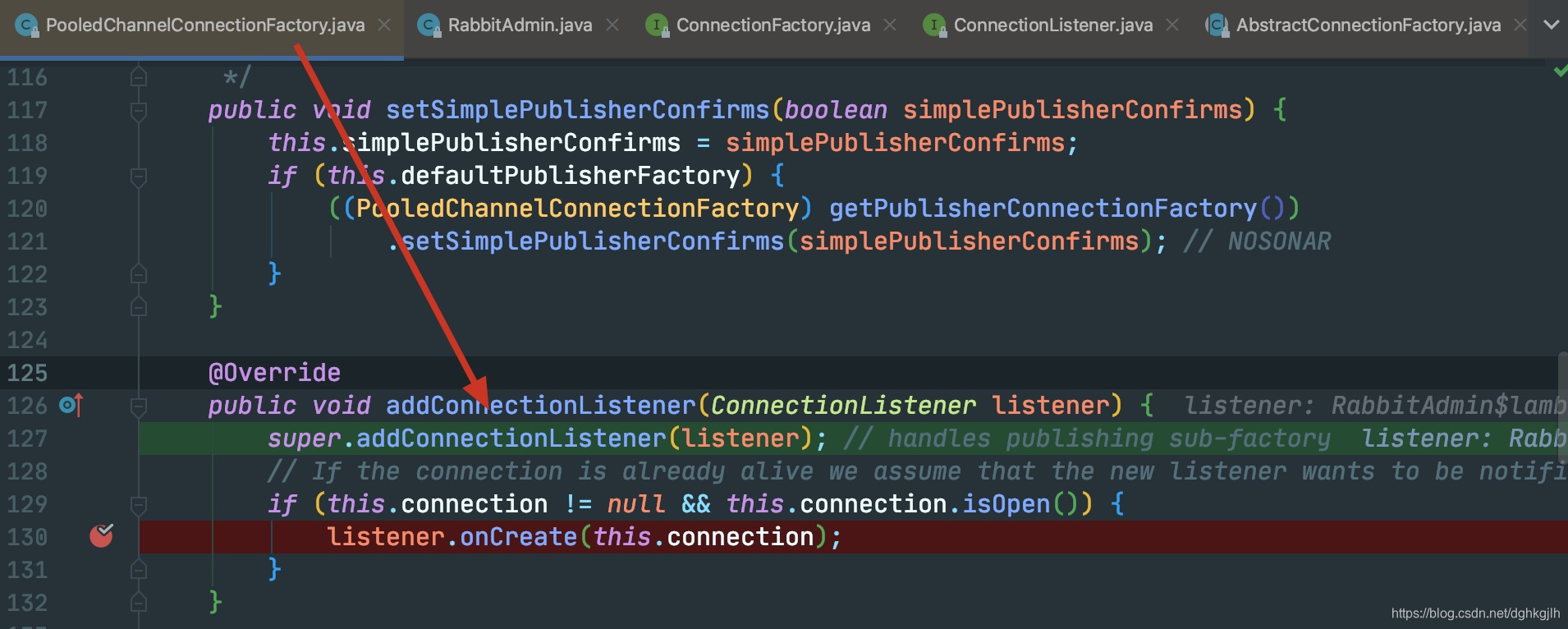
The ConnectionListener argument is a functional interface accepting a connection.
super.addConnectionListener
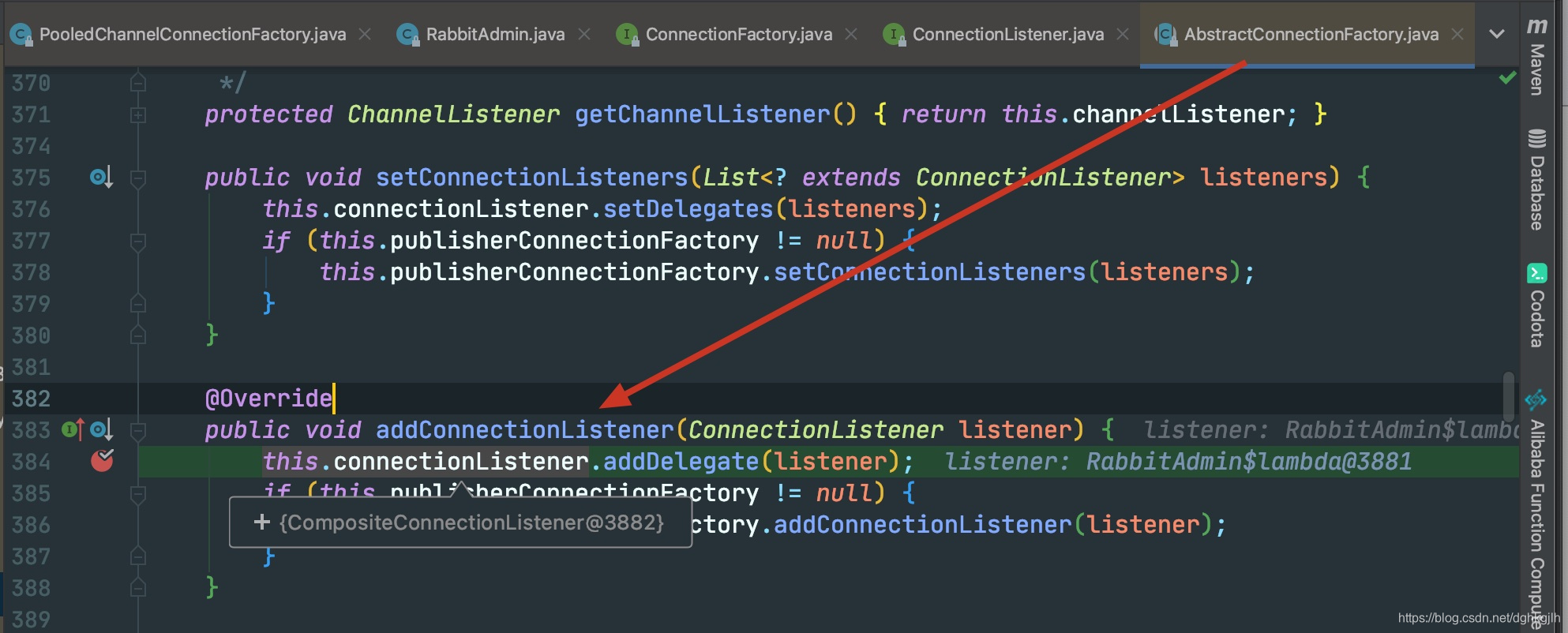
It registers the function shown in this.connectionFactory.addListener() in the two screenshots above. PooledChannelConnectionFactory uses CompositeConnectionListener as the implementation; its field declaration can be found in that class.
At this point, the key action when the RabbitAdmin bean is created is registering a connection listener with the current connection factory.
RabbitAdmin Declares Exchanges, Queues, and Bindings
The chenckMismatchedQueues() method:
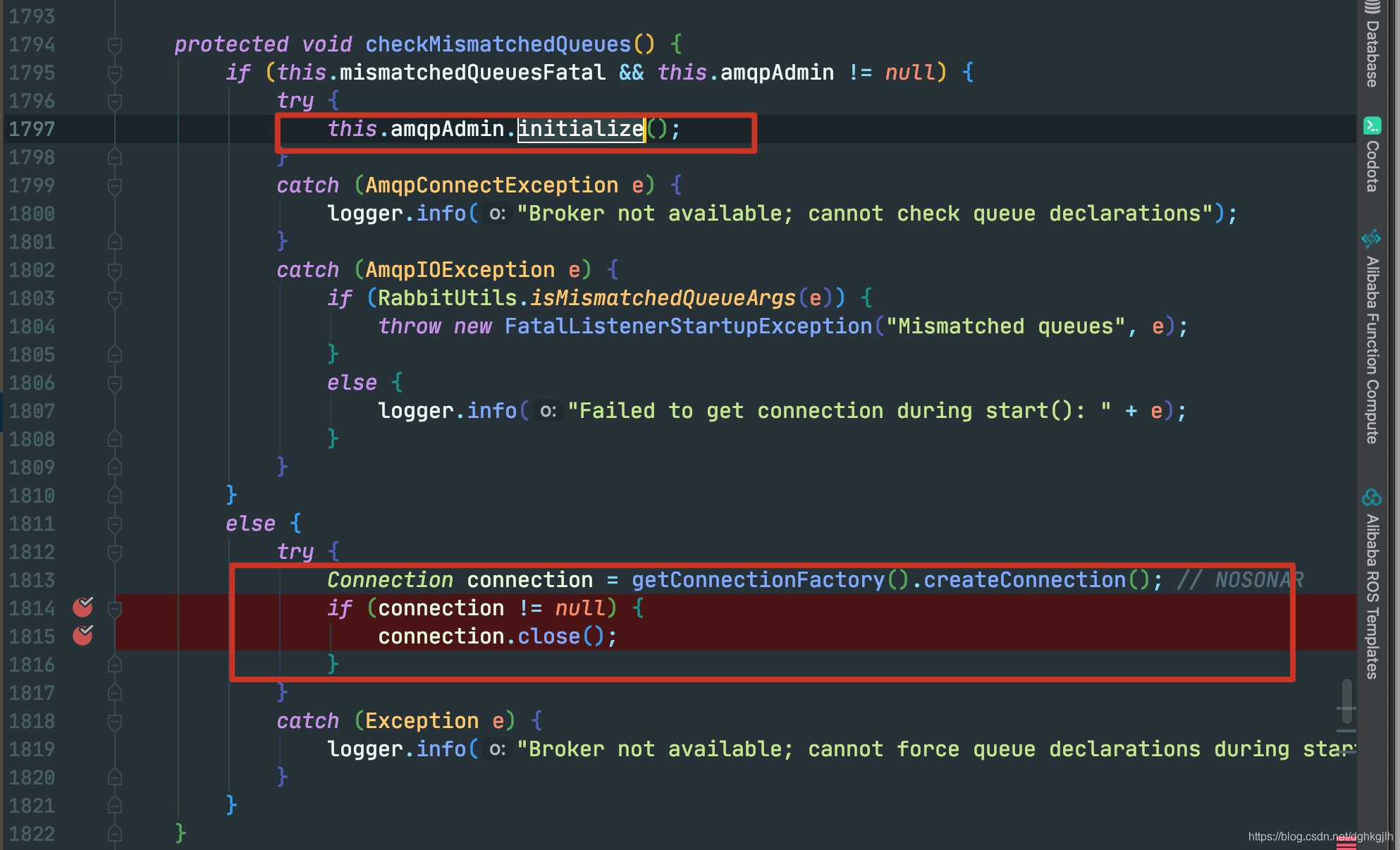
The first important method is initialize(), which is only entered when the condition is met. During debugging, execution skipped the if block and entered the else branch’s connection logic. What does createConnection() do?
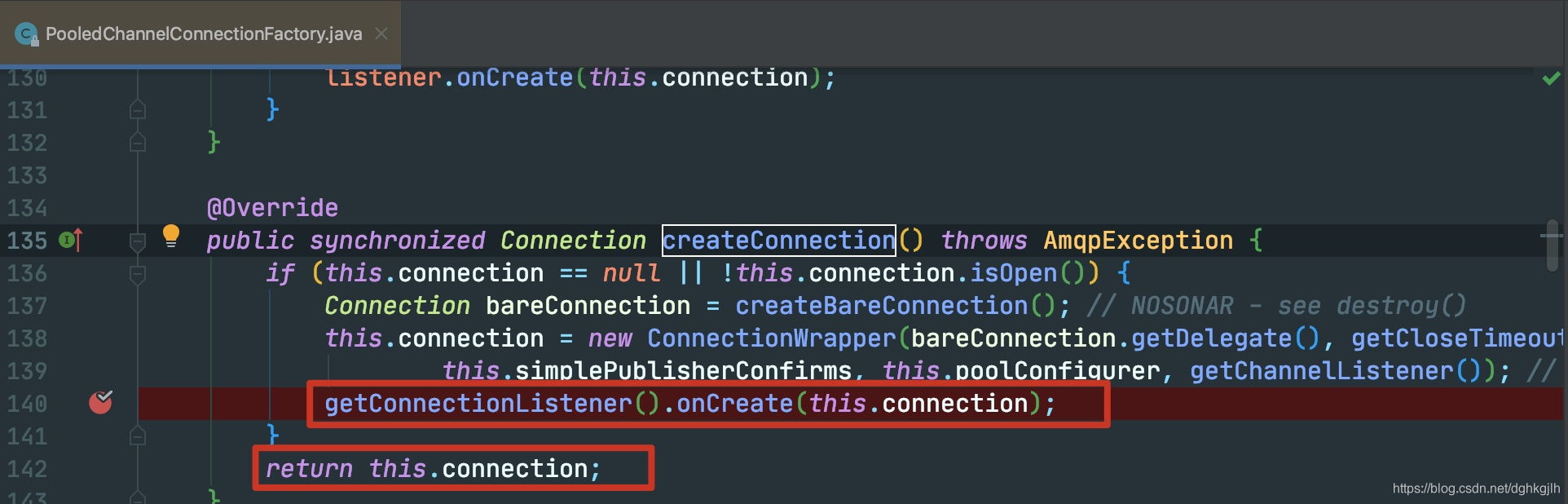
On the first call, connection is null, so a new Connection is created and onCreate is eventually invoked.
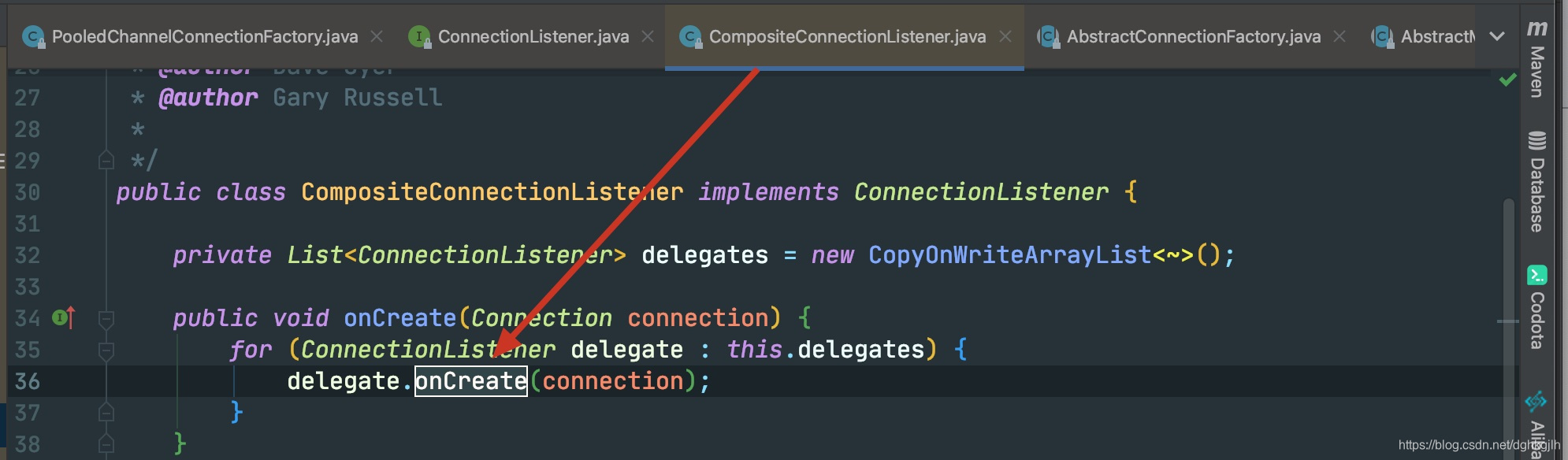
This invokes the corresponding connection listener’s onCreate: the listener added by RabbitAdmin.afterPropertiesSet in the preceding step. The RabbitAdmin screenshots therefore show that execution ultimately reaches the initialize method in addListener, where the actual initialization occurs.
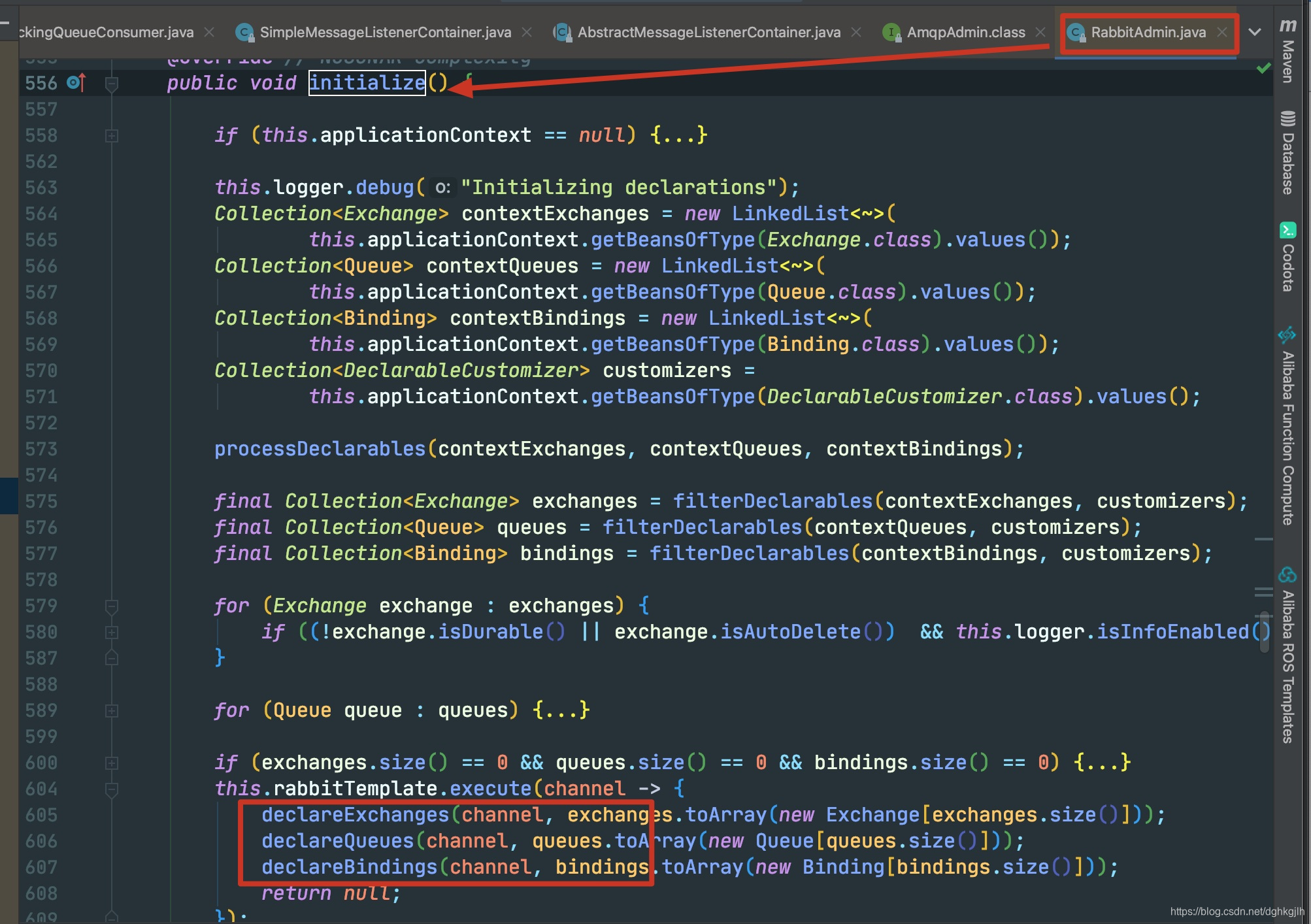
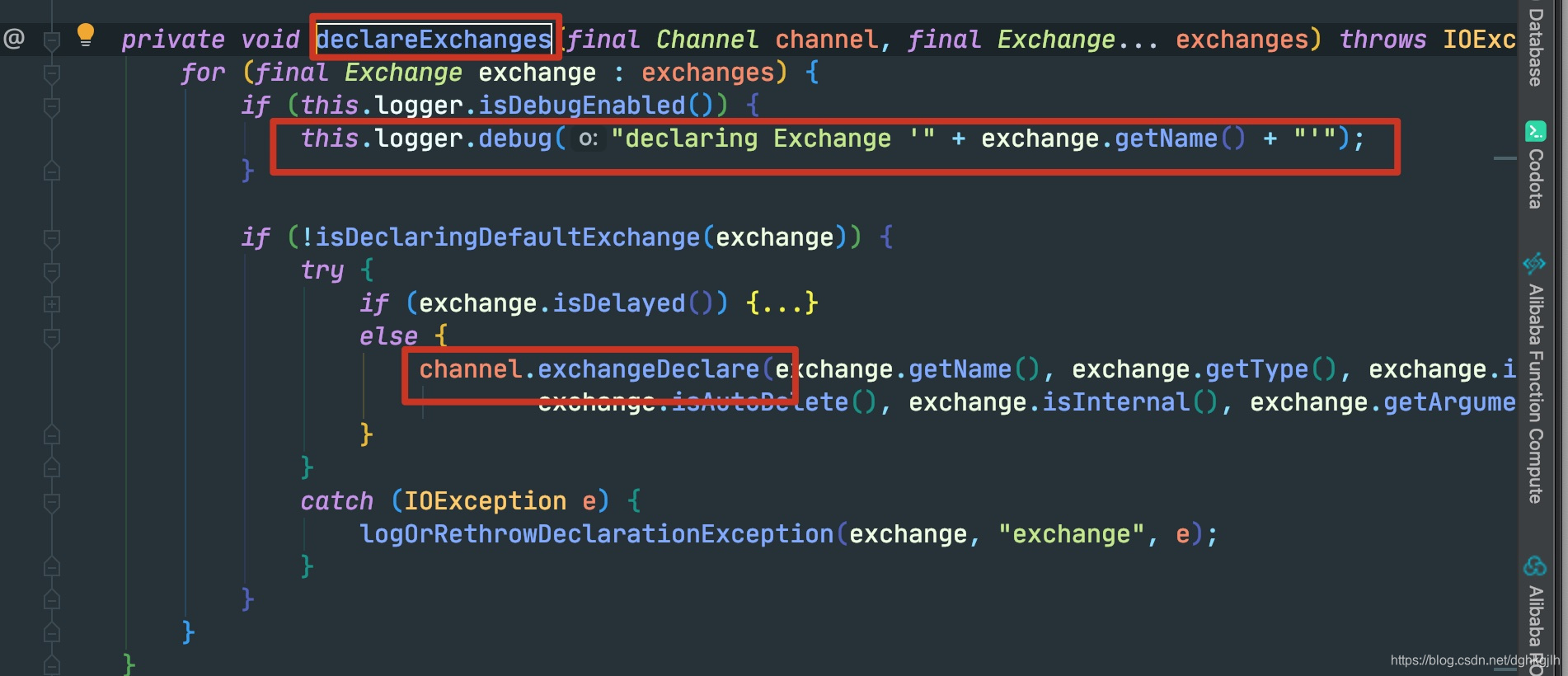
For example, declareExchange ultimately calls channel.exchangeDeclare() from the RabbitMQ Java client API. The console logs confirm this.
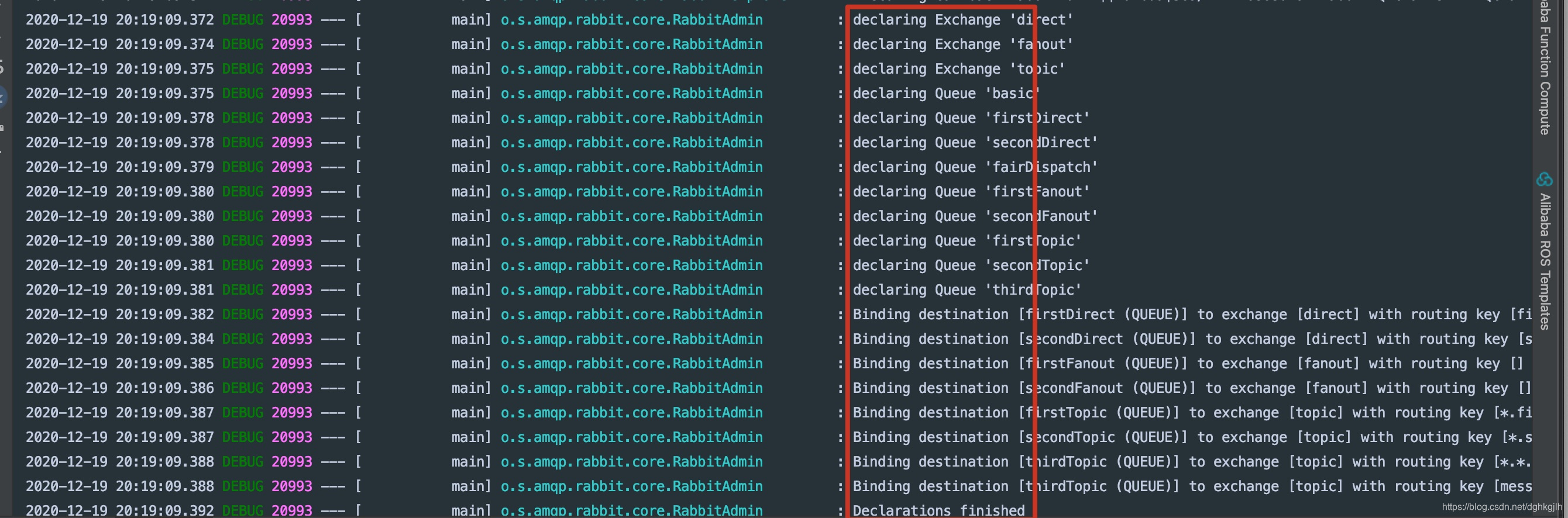
On subsequent calls, the connection already exists and is returned directly.
But does connection.close close it again?
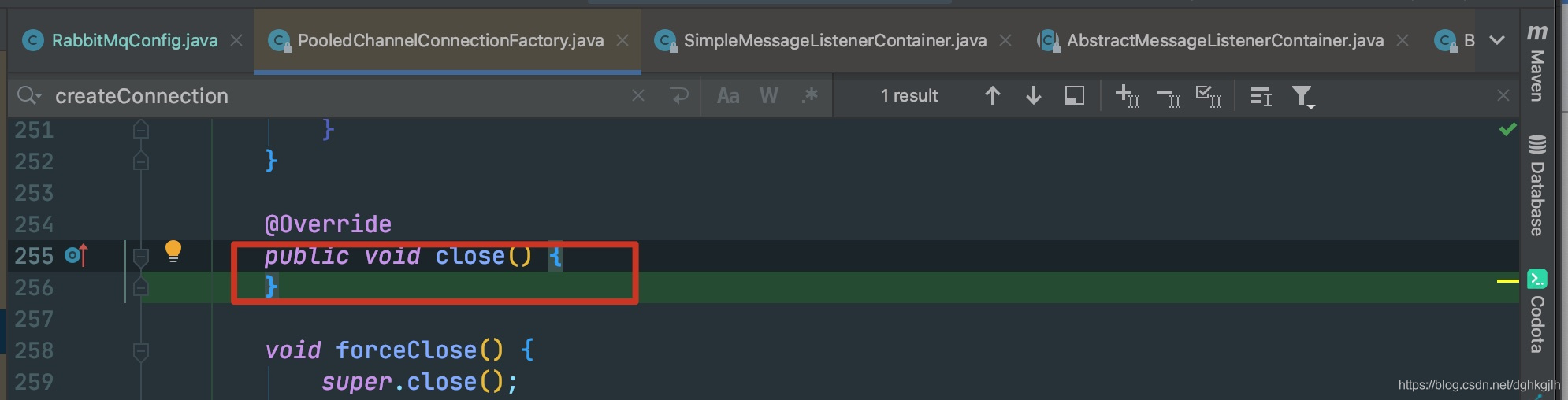 This close method does nothing, confirming that only one connection is used rather than repeatedly creating TCP connections.
The official documentation also briefly explains RabbitAdmin’s role:
 This matches our analysis: queues, exchanges, and bindings are declared lazily, triggered by a ConnectionListener.
Scan @RabbitListener Annotations
Return to AbstractMessageListenerContainer.start. It establishes the connection, declares exchanges, queues, and bindings, initializes the consumer, and starts a consumer thread. Where is start() called, and where is the MessageListenerContainer implementation created? Debugging led me to:
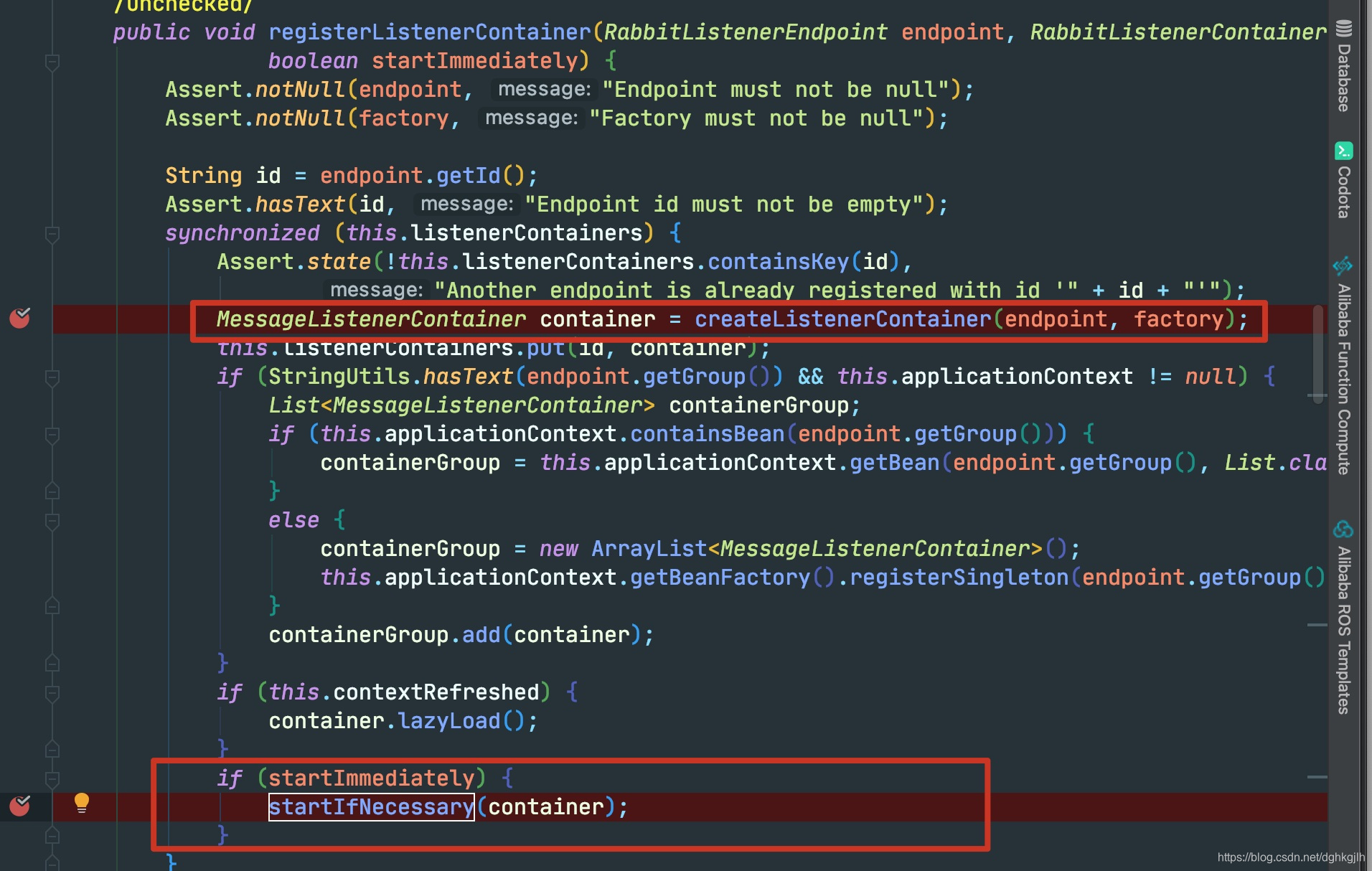 registerListenerContainer in RabbitListenerEndpointRegistrar.
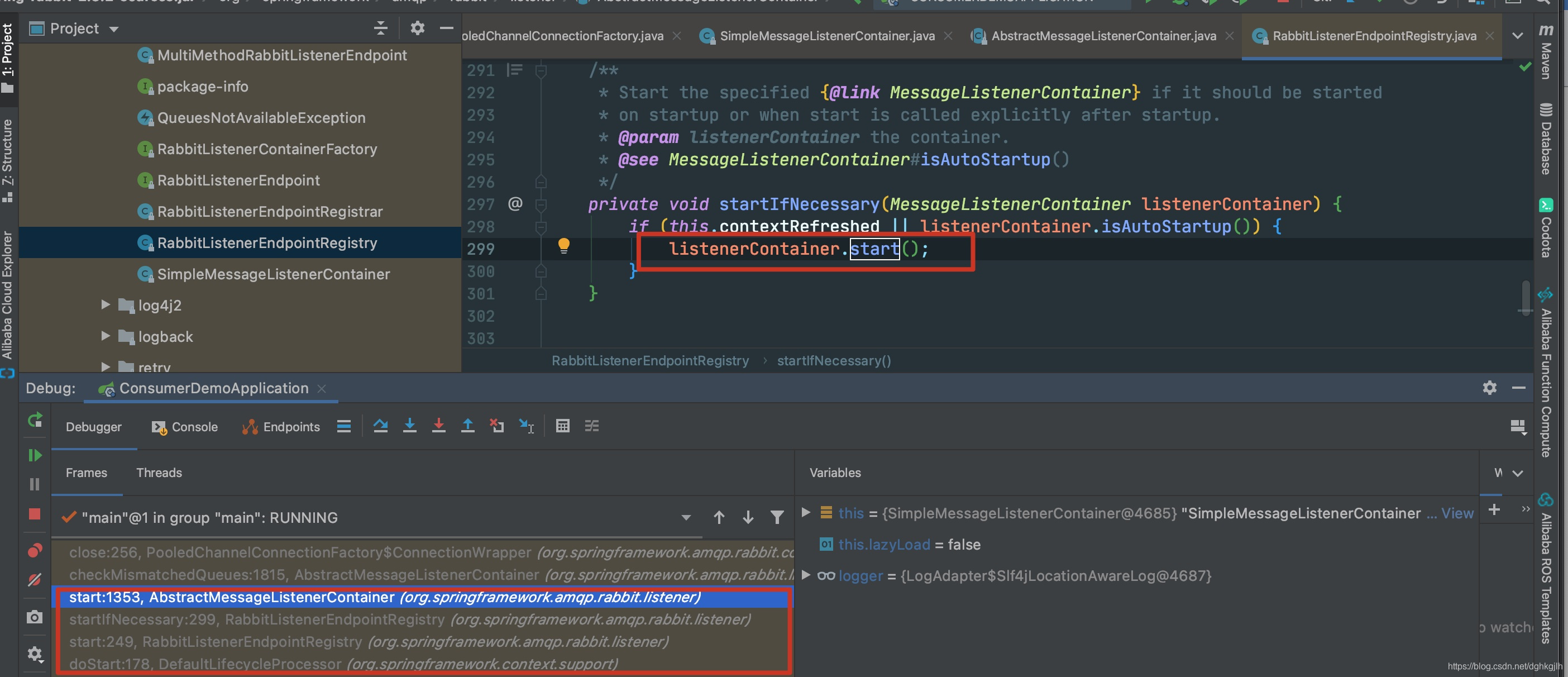 The MessageListenerContainer is instantiated in this class. However, debugging showed that startIfNecessary was not called: execution stopped after this.listenerContainers.put without running the method inside.
When is it called, then?
RabbitListenerEndpointRegistry implements SmartLifecycle. After Spring finishes loading and initializing all beans, it invokes the relevant callback—start()—on classes implementing this interface.
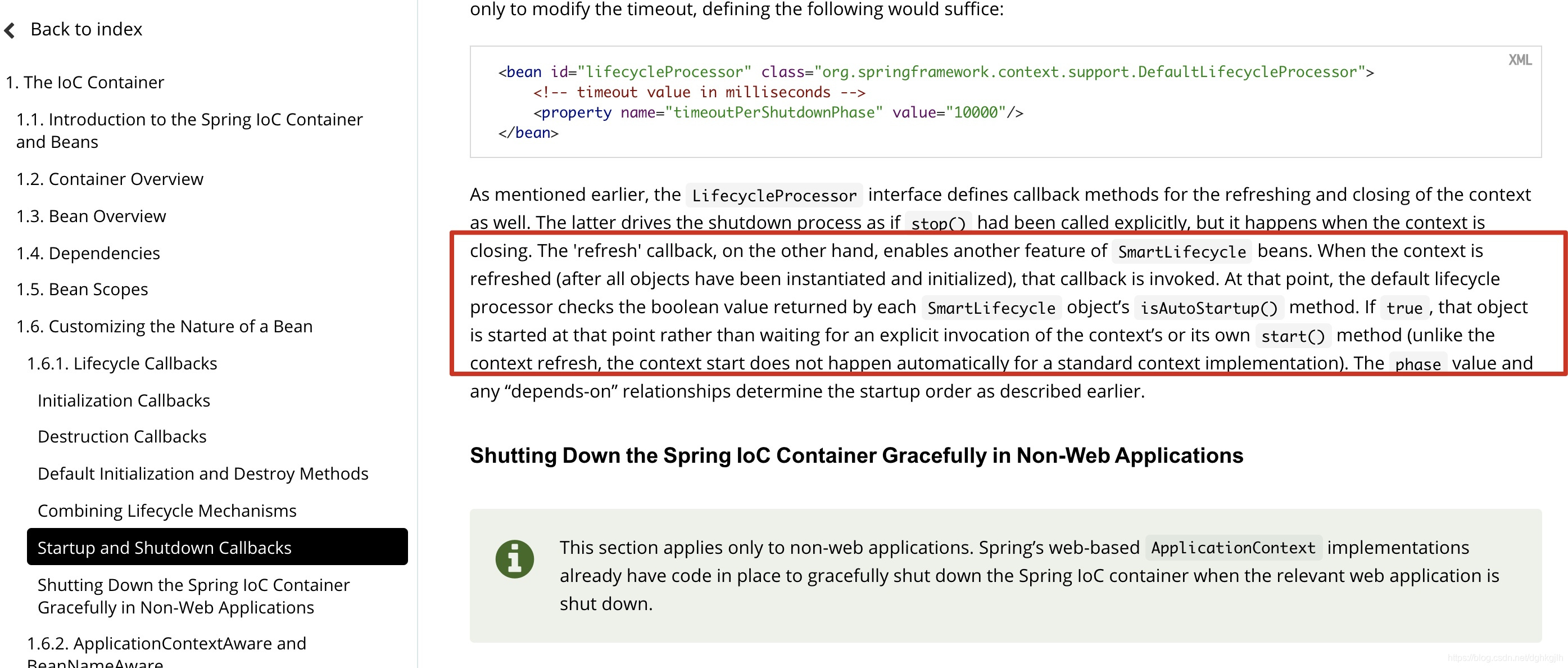
Find RabbitListenerEndpointRegistry.start:

It retrieves the containers placed in the map earlier.
Continue tracing upward:
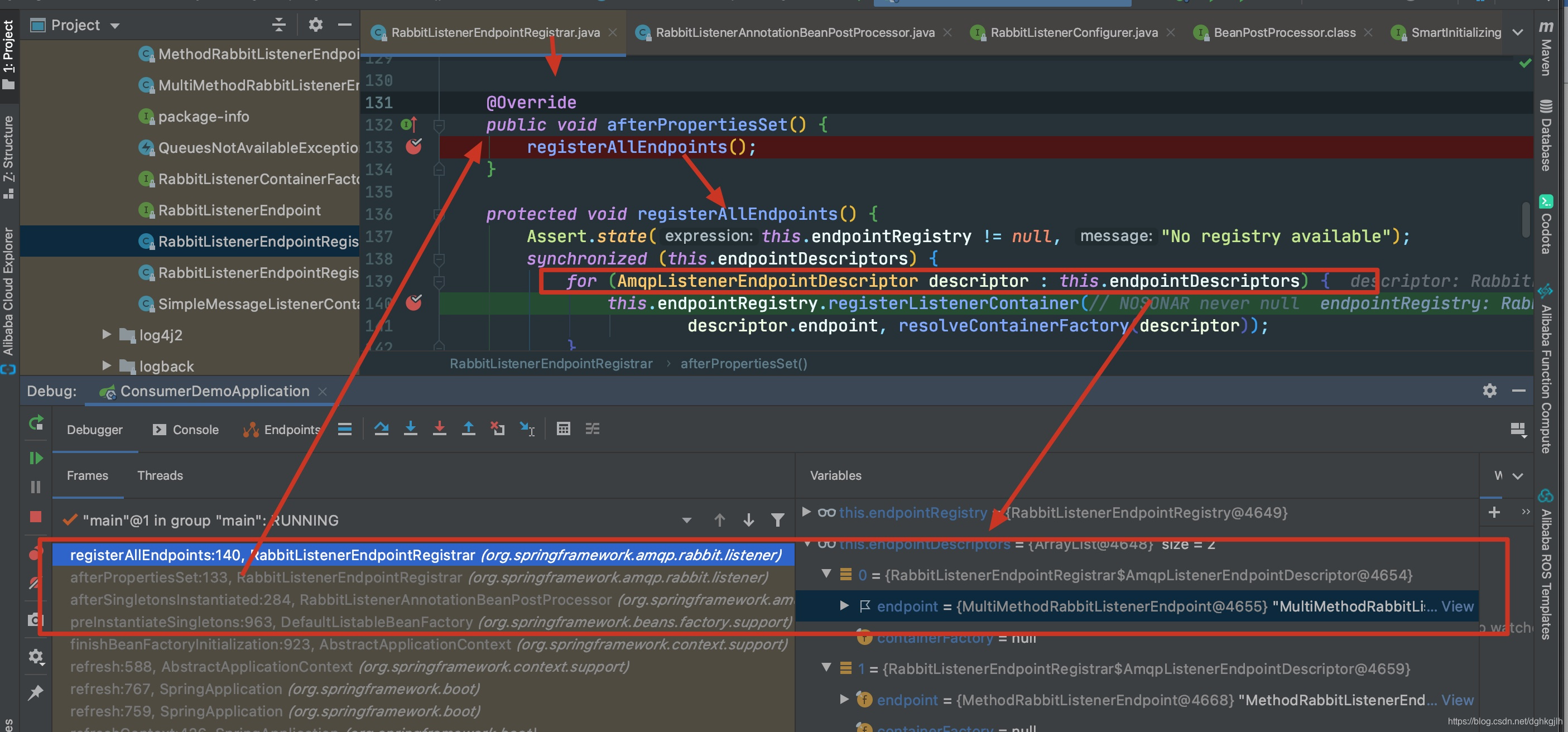 We eventually reach RabbitListenerAnnotationBeanPostProcessor, which, as its name suggests, processes @RabbitListener annotations.
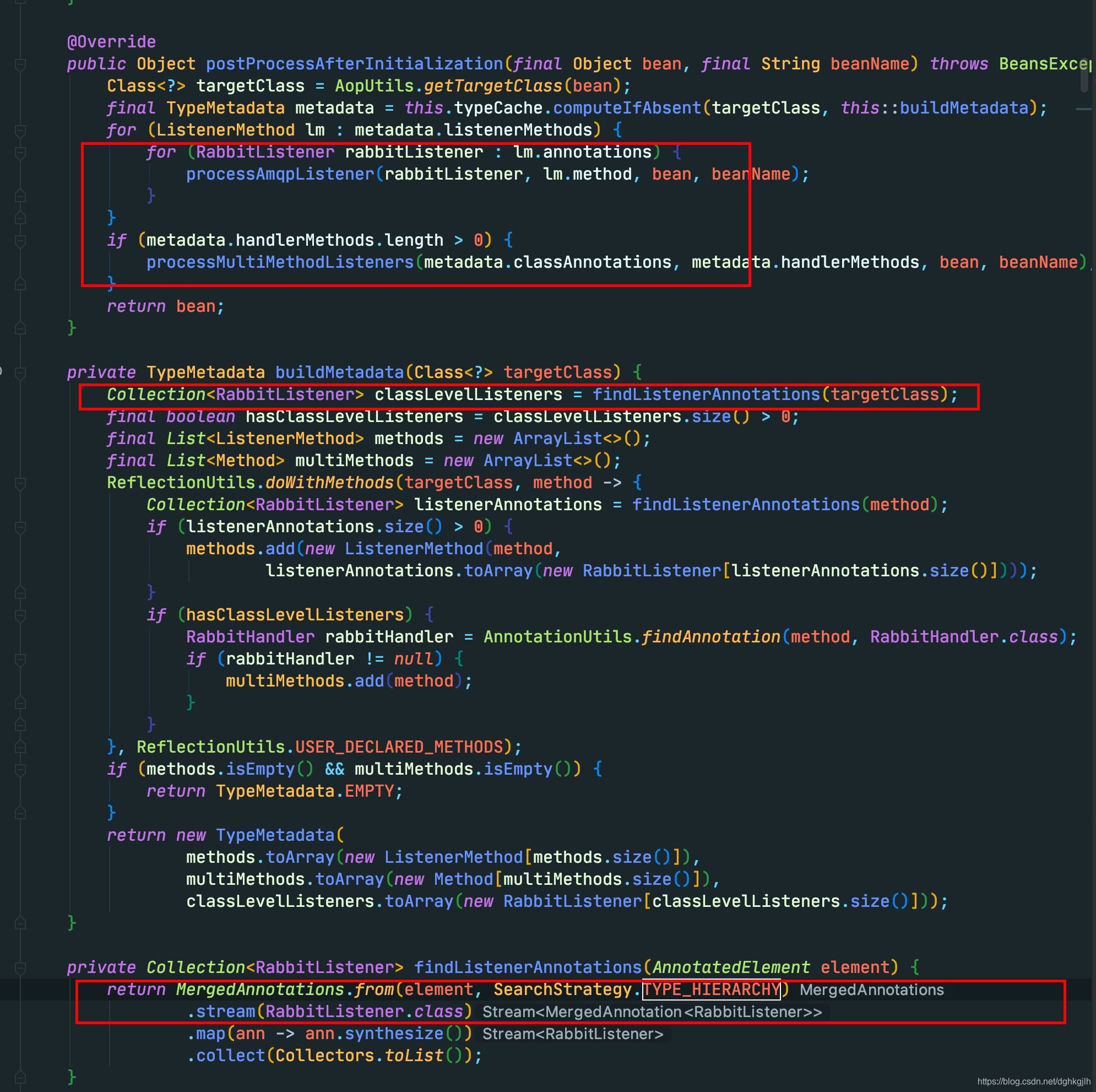
It finds all annotated methods and classes.
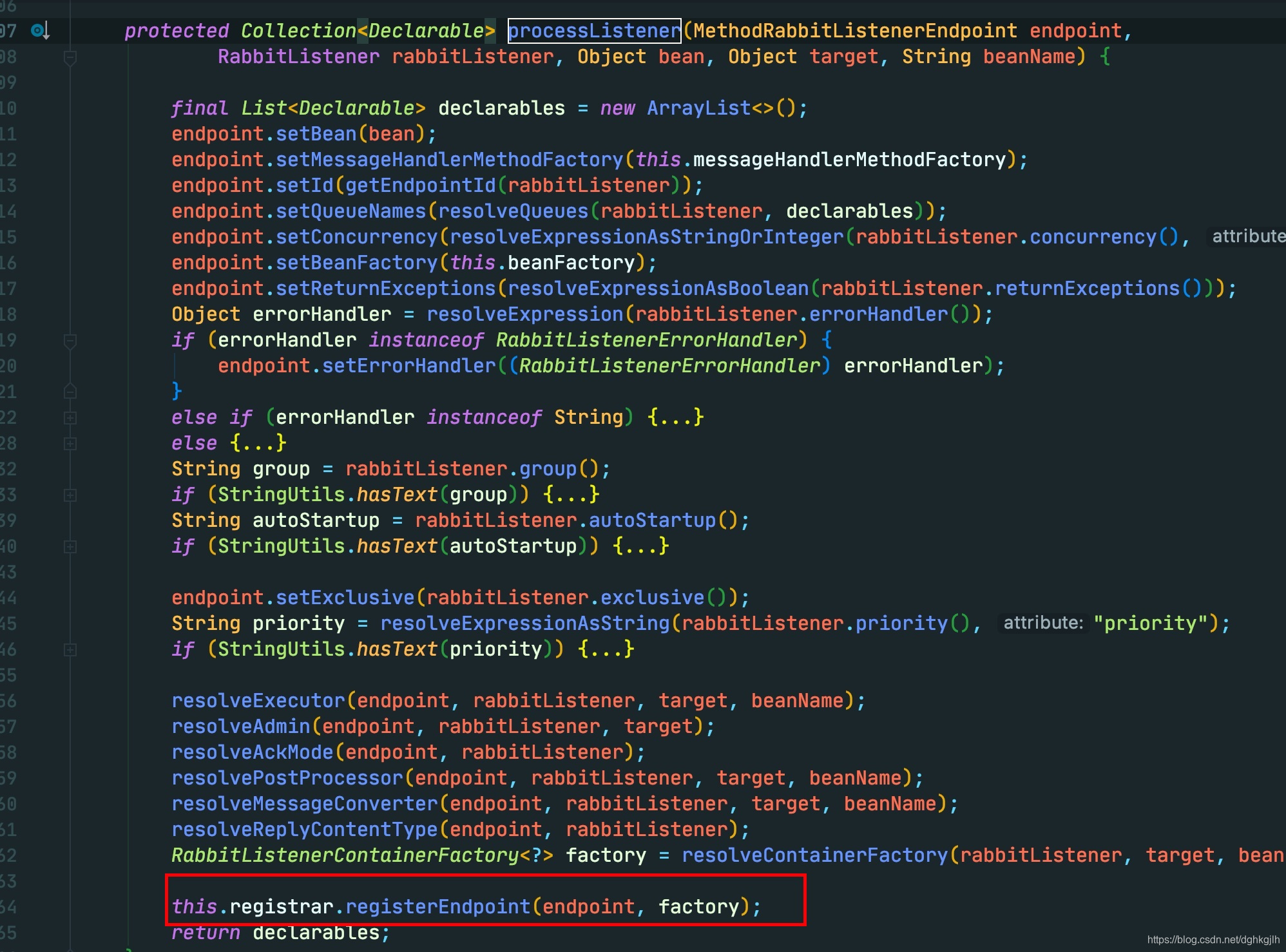
Each @RabbitListener is parsed and registered as an endpointDescriptor.
In the next step’s loop, shown above, a listener container is registered for every endpoint.
The Complete Flow
-
The Spring container starts and scans @RabbitListener annotations, creating a separate MessageListenerContainer for each. If RabbitAdmin is configured, its afterPropertiesSet() registers the connection listener that later declares exchanges, bindings, and queues. What if RabbitAdmin is not configured? Automatic configuration handles it.
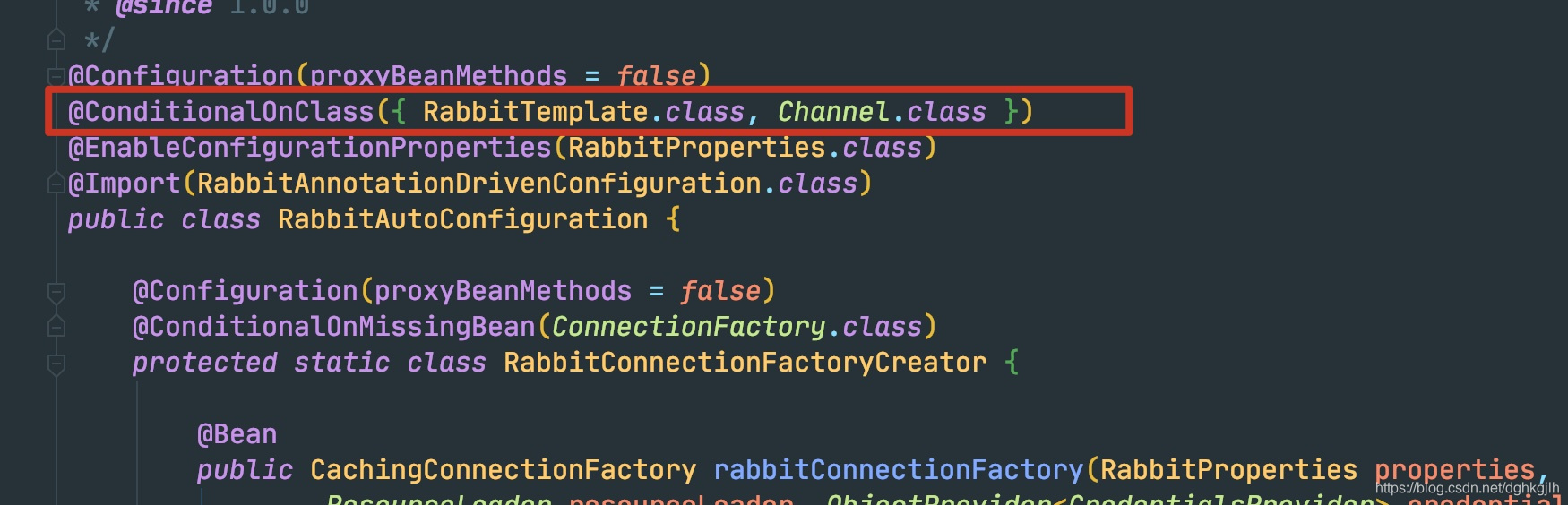
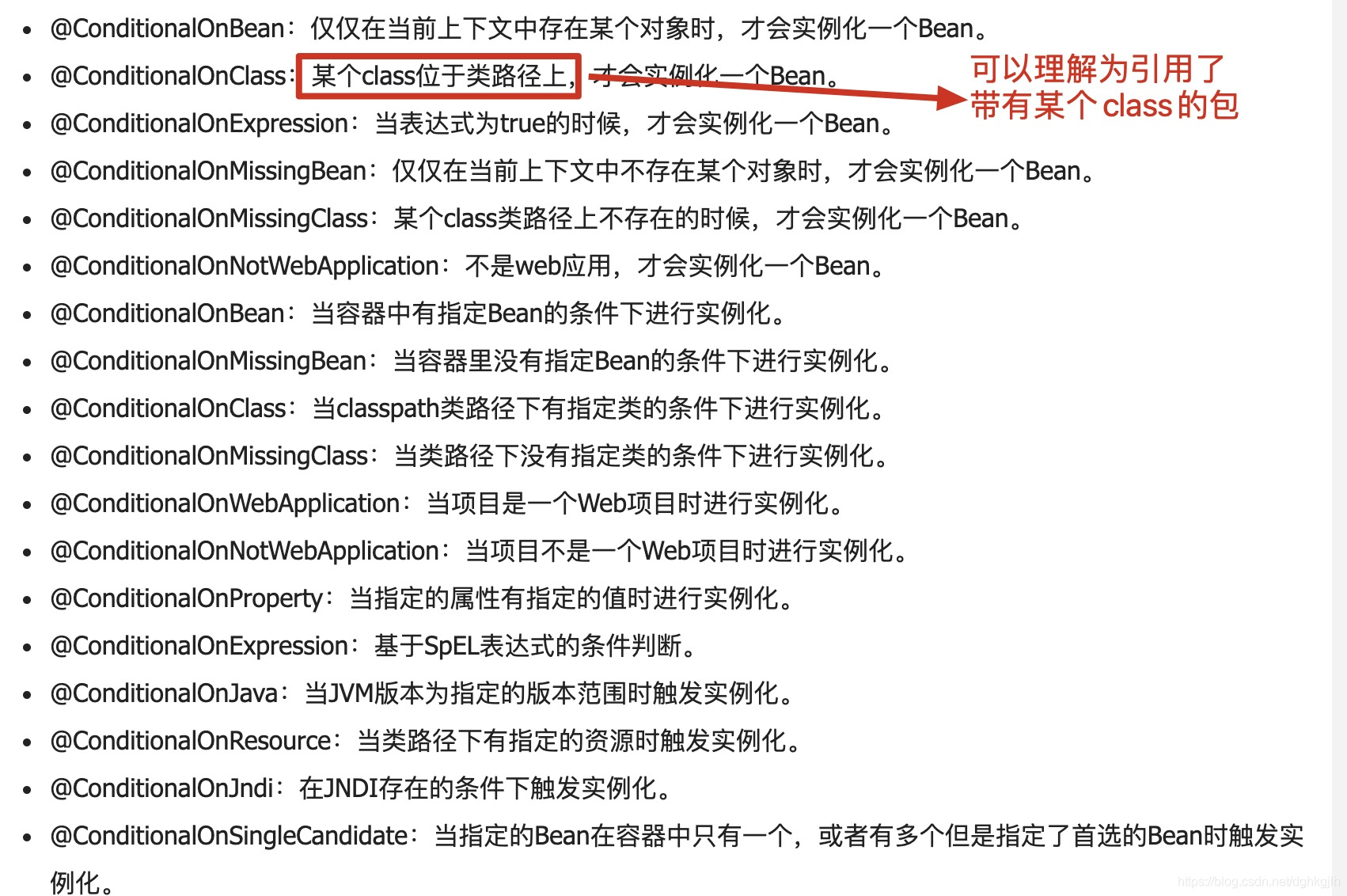
The configuration takes effect when a dependency containing RabbitTemplate is included.

It is automatically applied if the Spring container has no AmqpAdmin instance.
For more @Conditional annotations, see:
-
Once all beans have started, each newly created MessageListenerContainer executes start(), which has two important steps:
- Establish a connection if none exists; otherwise, reuse it. Its close method is empty and does not close the connection.
- Declare exchanges, bindings, and queues.
Finally, execute doStart().
-
Each SimpleMessageListenerContainer.doStart creates a consumer belonging to that container and starts another thread, AsyncMessageProcessingConsumer, which executes the consumer’s BlockingQueueConsumer.start as part of initialization.
The thread first obtains a channel, then waits to consume messages without closing that channel.
-
After initialization, the thread remains in the mainLoop() while loop. Again, the channel is not closed.
We can conclude that a consumer application subscribed to a queue listens continuously after startup and consumes messages as they arrive.
The Producer Side
How many channels should the producer use?
When the producer application starts without publishing messages, IntelliJ IDEA’s console shows no logs, and the RabbitMQ console shows no new connection or channel.
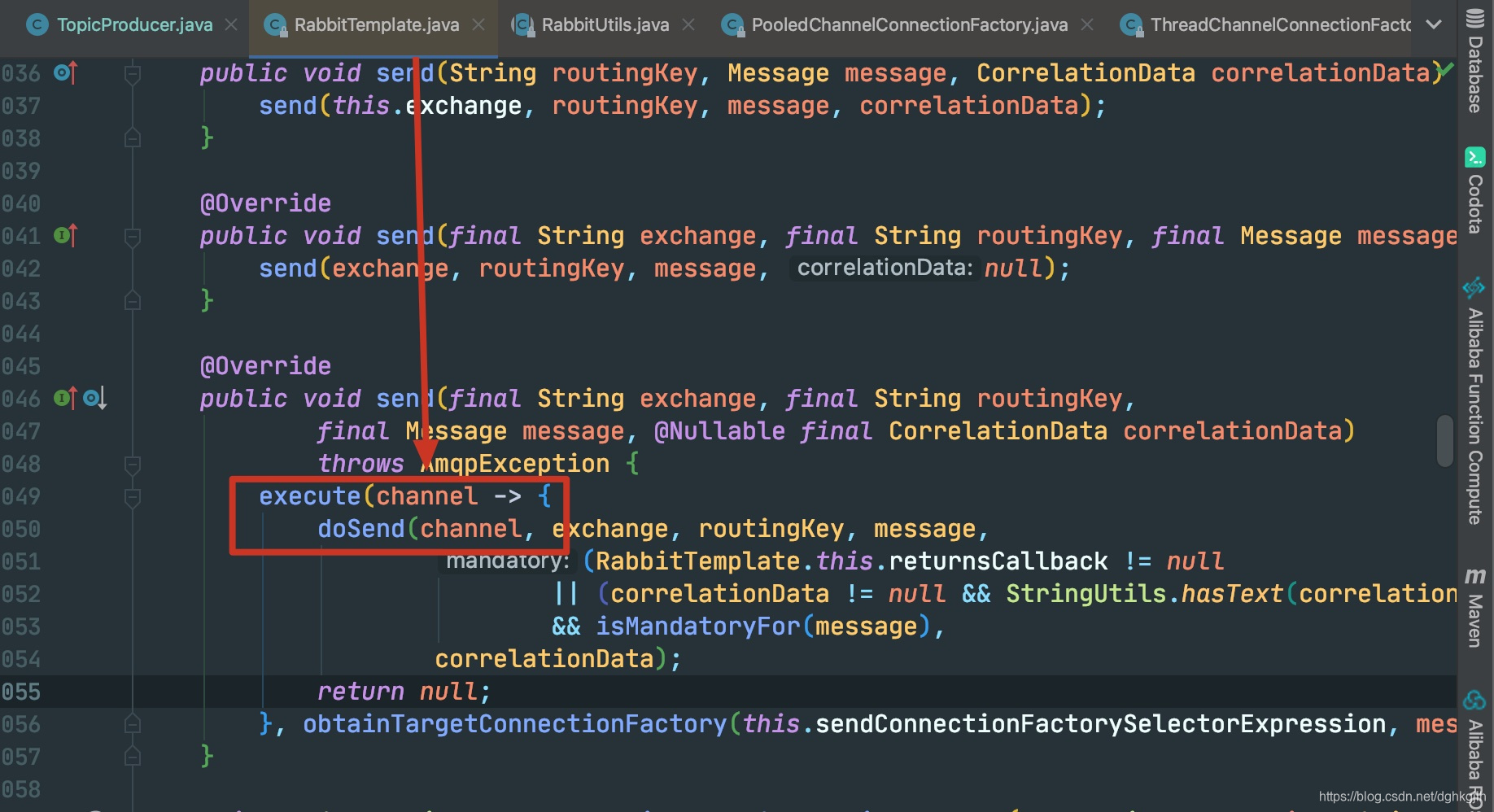
Calling RabbitTemplate.convertAndSend to publish a message eventually executes:
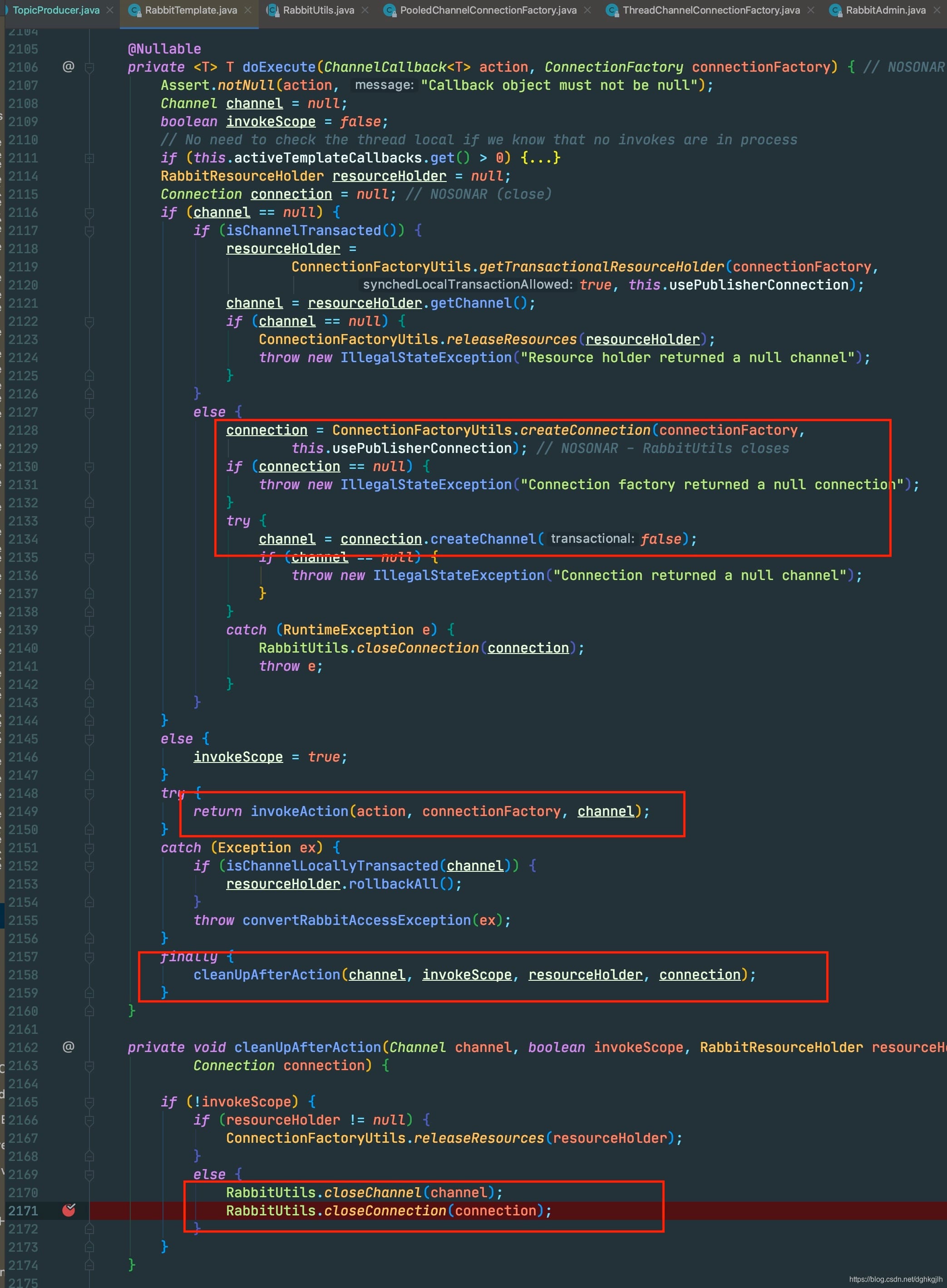
First, it obtains a channel, then calls doSend. Let’s inspect channel acquisition.
createConnection follows the same logic as on the consumer side: establish the connection, then invoke ConnectionListener to declare exchanges.
Next, it creates a channel from the connection and creates the channel proxy.
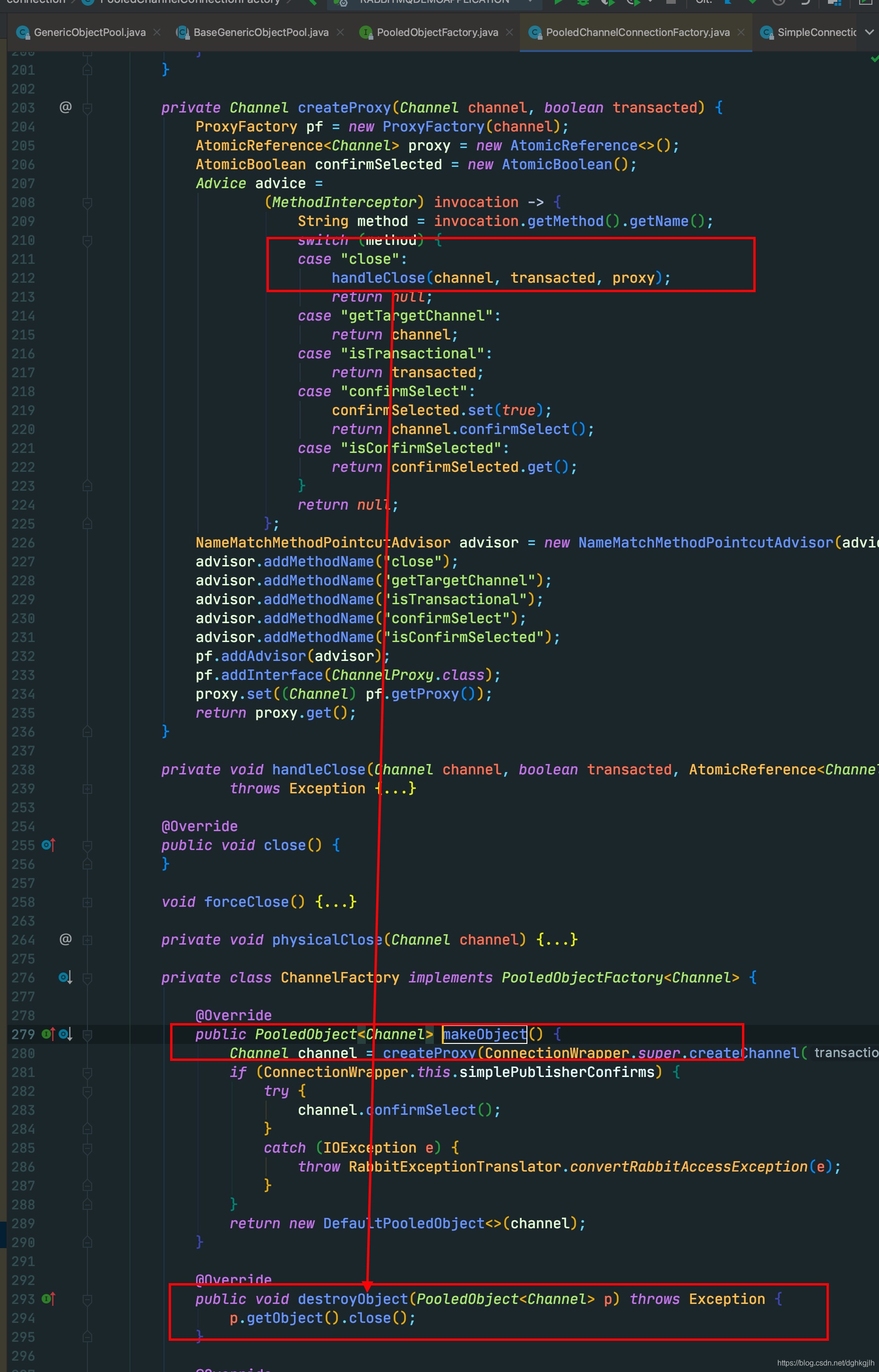
After creating the channel, it executes doSend through invokeAction. Finally, it closes the channel and connection. As on the consumer side, PooledChannelConnectionFactory’s connection close method is empty, so an established connection stays open. The channel proxy handles closing through handleClose, shown above. Internally, Spring AMQP does not close the Channel; it only updates its state. Step into the method to see the details.
PooledChannelConnectionFactory and Apache Commons Pool2 Eviction
A troublesome point: enabling Commons Pool eviction rules causes the pool to make changes and invoke destroyObject when an object meets the eviction conditions. While debugging, however, I found that the channel was not ultimately closed, and I could not determine where that call went. With eviction enabled, RabbitMQ’s console showed an increasing channel count, while the pool contained only the channels remaining after eviction. Without eviction, the configured number of channels remained in the pool and could be reused. You can debug the details yourself; I was worn out by this point.
RabbitMQ also says that channels are long-lived and should be reused rather than frequently opened and closed. The relevant documentation screenshot appears in the Channels section above.
Conclusions
- For consumers, I recommend setting the PooledChannelConnectionFactory pool’s channel count to the number of queues subscribed to by the application.
- For producers, I recommend the default pool size of eight channels and disabling pool eviction.
Recommendation
Study the RabbitMQ and Spring AMQP official documentation alongside examples in their official GitHub repositories. The official explanations are more dependable than miscellaneous search results.